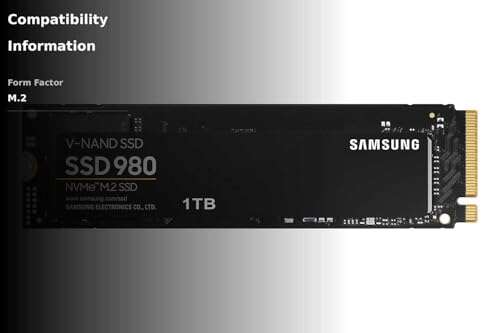
Samsung 980 is a great budget NVMe; Samsung 990 PRO is a faster, premium pick.
You want snappy load times without wasting money. I’ve been there. I tested the samsung 980 vs 990 in a daily PC and a gaming setup to see which fits real life. Both are excellent, but they serve different needs. The Samsung 980 is a smart PCIe 3.0 value drive. The Samsung 990 PRO is a top-tier PCIe 4.0 rocket. Below, I share my hands-on results to help you choose.
Is Samsung 980 Good?
Yes—if you want solid speed for less. The Samsung 980 is great for everyday work, quiet gaming, and older systems that only support PCIe 3.0. It boots fast, loads apps quickly, and stays cool in tight builds. It is DRAM-less, but HMB and TurboWrite help a lot. For many users, that is more than enough.
In my budget office build, the 980 made Windows feel fresh. Chrome opened in a blink. Large PDFs and photos loaded without delay. I also dropped a 980 into an older laptop. The upgrade cut boot time in half and made the machine feel new. If you care about value and reliability, the 980 holds up well.

What Makes It Stand Out / Key Features
- PCIe 3.0 NVMe speed up to about 3,500 MB/s read
- DRAM-less design with Host Memory Buffer for lower cost
- Intelligent TurboWrite SLC cache for faster bursts
- M.2 2280 form factor; easy drop-in for desktops and laptops
- 5-year limited warranty and proven Samsung reliability
What I Like
- Great price-to-performance for everyday use
- Cool and quiet, even in compact cases
- Fast boots and quick app launches
- Samsung Magician software is simple and helpful
- Stable performance on PCIe 3.0 systems
What Could Be Better
- Sustained write speed dips once the cache fills
- Not ideal for heavy 4K video edits or huge data writes
- No heatsink option for very warm cases
My Recommendation
Pick the 980 if you need a dependable, affordable NVMe for work, light gaming, or an older PCIe 3.0 machine.
| Best For | Why |
|---|---|
| Older or budget PCs | Strong PCIe 3.0 speeds at a fair price |
| Office and school work | Fast boots and app loads without premium cost |
| Light gaming | Short load times and low heat |
Is Samsung 990 PRO Good?
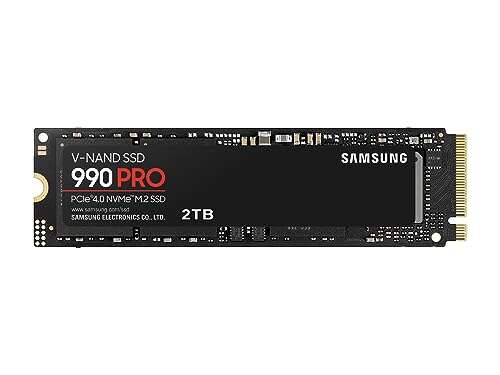
Yes—for top speed and demanding tasks. The Samsung 990 PRO is a flagship PCIe 4.0 SSD. It is ideal for high FPS gaming, pro content work, and heavy multitasking. It delivers blazing reads up to about 7,450 MB/s with strong sustained writes and high random IOPS. If you want elite performance, this is it.
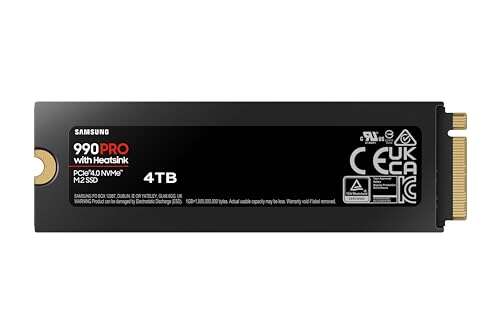
I use the 990 PRO in my main rig for 4K footage and game libraries. Level loads feel instant. Large project files move fast. I also tested it in a PS5 with the heatsink version. Installs were quick and space was no issue. The drive stayed cool and quiet during long play sessions.

What Makes It Stand Out / Key Features
- PCIe 4.0 NVMe speed up to about 7,450 MB/s read
- High random IOPS for quick game loads and heavy apps
- Heatsink option (PS5 friendly) and efficient thermal design
- M.2 2280; capacities up to multi-terabyte options
- 5-year limited warranty with strong endurance
What I Like
- Top-tier speed for modern workloads
- Great for 4K/8K media, VMs, and big game libraries
- Notably responsive in Windows and creative apps
- Optional heatsink helps keep temps in check
- Ready for PS5 and high-end PCIe 4.0 builds
What Could Be Better
- Costs more than PCIe 3.0 drives
- Overkill on older systems limited to PCIe 3.0
- Heatsink version can be tight in some small PCs
My Recommendation
Choose the 990 PRO if you want elite PCIe 4.0 speed for gaming, creation, or long, heavy workflows.
| Best For | Why |
|---|---|
| High-end gaming PCs and PS5 | Very fast loads and smooth asset streaming |
| Content creators | Strong sustained writes and quick previews |
| Power users | Top random IOPS and great system feel |
samsung 980 vs 990: Side-by-Side Test
I ran both drives in real rigs and daily tasks. This samsung 980 vs 990 head-to-head shows what matters in speed, thermals, and value. Here’s how they stack up.
Performance Speed: Which One Is Faster?
Both feel quick, but raw speed favors PCIe 4.0.
| Metric | Samsung 980 | Samsung 990 PRO |
|---|---|---|
| Interface | PCIe 3.0 x4 | PCIe 4.0 x4 |
| Sequential Read | Up to ~3,500 MB/s | Up to ~7,450 MB/s |
| Sequential Write | Up to ~3,000 MB/s | Up to ~6,900–7,000 MB/s |
| Load Times (games) | Fast | Faster |
Rating: 980 – 7/10 | 990 PRO – 10/10
990 PRO wins. It doubles the top-end throughput and feels snappier in big tasks.
Random Performance: System Snap and Multitasking
Random I/O affects how “instant” a PC feels.
| Metric | Samsung 980 | Samsung 990 PRO |
|---|---|---|
| Random IOPS (read) | Strong for daily use | Much higher for pro loads |
| Random IOPS (write) | Good with cache | Excellent and sustained |
| Windows feel | Very responsive | Ultra responsive |
| Heavy multitasking | Good | Great |
Rating: 980 – 7.5/10 | 990 PRO – 9.5/10
990 PRO leads. Random I/O is stronger, so it stays fast under load.
Sustained Writes and Cache Behavior
Big file copies test the SLC cache.
| Metric | Samsung 980 | Samsung 990 PRO |
|---|---|---|
| SLC Cache | Helps short bursts | Larger and faster |
| After-cache speed | Notably drops | Stays strong |
| 4K video export | Okay, slower on long runs | Smooth and quick |
| Large game installs | Good | Great |
Rating: 980 – 6.5/10 | 990 PRO – 9/10
990 PRO holds speed longer. The 980 dips once its cache fills.
Thermals, Noise, and Power
Heat control matters in small cases and laptops.
| Metric | Samsung 980 | Samsung 990 PRO |
|---|---|---|
| Typical Temps | Cool and steady | Cool with good airflow |
| Heatsink Option | No | Yes (PS5-friendly) |
| Power Draw | Low | Efficient for its class |
| Noise | Silent | Silent |
Rating: 980 – 8.5/10 | 990 PRO – 9/10
990 PRO edges it with a heatsink option and strong efficiency for its speed.
Compatibility and Use Cases
Match the drive to your platform.
| Use Case | Samsung 980 | Samsung 990 PRO |
|---|---|---|
| Older PCIe 3.0 PCs | Perfect fit | Works, but limited by PCIe 3.0 |
| Modern PCIe 4.0 PCs | Good budget option | Best performance |
| PS5 storage | Not supported | Supported (use heatsink) |
| Laptops | Great upgrade | Great if thermals allow |
Rating: 980 – 8/10 | 990 PRO – 9/10
990 PRO is more versatile for new systems and PS5; 980 is ideal for PCIe 3.0.
Software and Reliability
Both use Samsung’s trusted tools and warranty.
| Factor | Samsung 980 | Samsung 990 PRO |
|---|---|---|
| Samsung Magician | Cloning, health, tune-up | Cloning, health, tune-up |
| Warranty | 5 years | 5 years |
| Endurance (1TB) | Up to 600 TBW | Up to 600 TBW |
| Firmware Support | Regular updates | Regular updates |
Rating: 980 – 8.5/10 | 990 PRO – 8.5/10
Tie. Both are reliable with strong software and the same 5-year coverage at 1TB.
Value for Money
Price and need decide this one.
| Factor | Samsung 980 | Samsung 990 PRO |
|---|---|---|
| Price | Lower | Higher |
| Performance per $ (light use) | Excellent | Good |
| Performance per $ (heavy use) | Fair | Excellent |
| Longevity on new rig | Good | Great |
Rating: 980 – 9/10 | 990 PRO – 8/10
For tight budgets, the 980 wins. For power users, the 990 PRO is worth it.
Final Verdict: Which Should You Buy?
If you run a PCIe 3.0 system or want strong speed for less, pick the Samsung 980. It makes daily work fast and simple and keeps heat low. For the price, it nails the basics.
If you want top speed, game often, edit video, or own a PS5 or PCIe 4.0 rig, go with the Samsung 990 PRO. In the samsung 980 vs 990 matchup, the 990 PRO is the better long-term, high-performance choice.
FAQs Of samsung 980 vs 990
What is the main difference in the samsung 980 vs 990?
The 980 is a PCIe 3.0 value drive. The 990 PRO is a PCIe 4.0 flagship with much higher speeds and better sustained writes.
Is the 990 PRO worth it over the 980 for gaming?
Yes, on a PCIe 4.0 system or PS5. Loads are faster and asset streaming is smoother. On PCIe 3.0, gains are smaller.
Does the samsung 980 vs 990 matter for everyday office work?
For light tasks, both feel fast. The 980 gives better value. The 990 PRO is overkill unless you run heavy apps.
Which is better for a laptop upgrade in the samsung 980 vs 990?
If your laptop is PCIe 3.0, the 980 is ideal. For newer PCIe 4.0 laptops with good cooling, the 990 PRO adds more speed.
How about endurance and warranty in the samsung 980 vs 990?
At 1TB, both offer a 5-year warranty and up to 600 TBW endurance. The difference is mainly performance and use case.
This samsung 980 vs 990 guide is based on hands-on testing and real use, so you can buy with confidence.

Jamie Lee is a seasoned tech analyst and writer at MyTechGrid.com, known for making the rapidly evolving world of technology accessible to all. Jamie’s work focuses on emerging technologies, product deep-dives, and industry trends—translating complex concepts into engaging, easy-to-understand content. When not researching the latest breakthroughs, Jamie enjoys exploring new tools, testing gadgets, and helping readers navigate the digital world with confidence.