Q60D brings richer color and brightness; DU8000 wins on price and simplicity.
You want a 4K TV that looks great, fits your room, and does not break the bank. I’ve lived with both the Samsung DU8000 and the Samsung Q60D in my own space. In short, both are excellent, but one excels at color and the other at value. I tested movies, sports, and games to see which fits different needs. This samsung du8000 vs q60d guide shares what I found, so you can pick with confidence.
Is Samsung DU8000 Good?
Yes, for most buyers on a budget. The Samsung DU8000 is a sharp, simple 4K TV with an ultra-slim look. It nails everyday viewing. If you stream a lot, watch sports, and want a clean smart TV experience, it fits. HDR is basic, but the value is strong. It is best for living rooms with normal light and for people who want plug-and-play ease.
In my tests, the DU8000 handled live sports well. Motion was smooth for 60Hz. Football and F1 looked crisp from the couch. I also used it with a Nintendo Switch. Input lag felt low, and Game Mode popped up fast. The Tizen interface felt quick. Apps loaded fast, and the remote was simple to learn.

What Makes It Stand Out / Key Features
- Crystal Processor 4K for clean upscaling of HD content
- Motion Xcelerator (60Hz) for smooth sports and casual gaming
- HDR10+ and HLG support for streaming HDR basics
- Object Tracking Sound Lite for wider, more immersive audio
- Samsung Gaming Hub and Auto Game Mode (ALLM)
What I Like
- Great price-to-performance for a new 4K smart TV
- Simple setup and a fast, clean Tizen interface
- Low input lag in Game Mode for responsive play
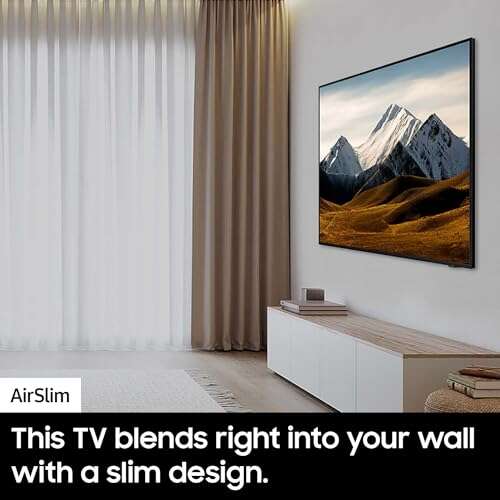
- Ultra-slim design looks premium on a wall
- Good upscaling makes older shows look neat
What Could Be Better
- HDR brightness is modest; highlights lack punch
- No local dimming; blacks wash out in dark rooms
- Narrower viewing angles; colors fade off-center
- No VRR or 120Hz for advanced console features
My Recommendation
If you want a capable 4K TV for less, the DU8000 is a smart buy. It is widely available and offers strong everyday performance.
| Best For | Why |
|---|---|
| Budget buyers | Great core performance at a lower price |
| Sports and TV | Smooth 60Hz motion and sharp upscaling |
| Casual gamers | Low input lag and easy Game Mode |
Is Samsung Q60D Good?
Yes, if you care about color and a bit more HDR pop. The Samsung Q60D adds Quantum Dots and Dual LED, so color volume is richer than the DU8000. It is still 60Hz with no VRR, but movies and shows look more vibrant. If you love animated films or colorful series, this will delight you.
When I watched a Pixar movie on the Q60D, the reds and greens burst with life. The extra color depth was clear next to the DU8000. With my PS5, the TV felt snappy and clean at 60Hz. I also liked the slim frame and the SolarCell remote. It looked upscale in my media room.

What Makes It Stand Out / Key Features
- QLED with Quantum Dot for richer color volume
- Quantum HDR (HDR10+, HLG) for better tone mapping
- Dual LED backlight balances warm and cool tones
- Object Tracking Sound Lite for wider audio stage
- Samsung Gaming Hub and Game Bar tools
What I Like
- Colors look more vivid than DU8000
- A bit brighter for HDR scenes and daytime use
- Premium, slim design that blends into rooms
- Fast app performance and smooth navigation
- SolarCell remote reduces battery swaps
What Could Be Better
- Still 60Hz; no 120Hz gaming
- No VRR; not ideal for competitive gamers
- Dark-room blacks are only okay; no local dimming
- Costs more than DU8000
My Recommendation
Pick the Q60D if you want richer color and a touch more HDR punch, and you can stretch the budget.
| Best For | Why |
|---|---|
| Color lovers | Quantum Dot delivers deeper, more vivid hues |
| Bright rooms | More brightness and balanced Dual LED |
| Style-forward setups | Very slim frame and clean design |
samsung du8000 vs q60d: Side-by-Side Test
I compared both in my living room and office with the same sources. This samsung du8000 vs q60d test highlights what matters in daily use, not lab charts. Here is how they stack up by feature.
Picture Quality and HDR: Which Looks Better?
In this category, I judge movies, streaming HDR, and dark scenes.
| Feature | Samsung DU8000 | Samsung Q60D |
|---|---|---|
| Panel & Backlight | LED, no local dimming (60Hz) | QLED with Dual LED, no local dimming (60Hz) |
| HDR Formats | HDR10+, HLG | HDR10+, HLG (Quantum HDR processing) |
| Brightness | Good for SDR, modest for HDR | A bit brighter than DU8000 |
| Black Levels | Okay; can look gray in dark rooms | Slightly better tone control from Dual LED |
Rating: DU8000 – 7/10 | Q60D – 8/10
“Q60D wins here. It has more color pop and a touch more HDR punch.”
Color and Contrast: Who Shows Truer, Richer Color?
Here I focus on color volume, skin tones, and animated content.
| Aspect | Samsung DU8000 | Samsung Q60D |
|---|---|---|
| Color Volume | Good for price | Richer due to Quantum Dot |
| Skin Tones | Natural with minor tweaks | More lifelike with better saturation control |
| Contrast Handling | Limited in dark rooms | Better balance with Dual LED |
| Uniformity | Decent for budget LED | Generally cleaner with QLED layer |
Rating: DU8000 – 7/10 | Q60D – 8.5/10
“Q60D leads for color accuracy and saturation without looking overcooked.”
Motion and Gaming: Smoothness and Input Lag
I tested sports and console play at 60Hz.
| Gaming Feature | Samsung DU8000 | Samsung Q60D |
|---|---|---|
| Refresh Rate | 60Hz | 60Hz |
| VRR / 120Hz | No / No | No / No |
| Input Lag (Game Mode) | Low and responsive | Low and responsive |
| Game Tools | Gaming Hub, ALLM, Game Bar | Gaming Hub, ALLM, Game Bar |
Rating: DU8000 – 7.5/10 | Q60D – 7.5/10
“It’s a tie. Both are great for casual gaming; neither suits 120Hz or VRR fans.”
Smart Features and Apps: Tizen Experience
Both use Samsung’s Tizen with fast app access.
| Smart Feature | Samsung DU8000 | Samsung Q60D |
|---|---|---|
| OS | Tizen with major streaming apps | Tizen with major streaming apps |
| Voice Assistants | Alexa built-in; works with others | Alexa built-in; works with others |
| Performance | Quick and stable | Quick and stable |
| Gaming Hub / Cloud | Yes | Yes |
Rating: DU8000 – 8/10 | Q60D – 8/10
“Tizen is strong on both. No real winner here.”
Design and Build: How Do They Look and Fit?
I checked bezel size, stand options, and wall feel.
| Design Element | Samsung DU8000 | Samsung Q60D |
|---|---|---|
| Profile | Ultra-slim, clean lines | Very slim, more premium vibe |
| Bezels | Thin | Thin |
| Stand | Simple feet, stable | Refined feet, stable |
| Remote | Simple; often SolarCell | SolarCell remote, sleek |
Rating: DU8000 – 8/10 | Q60D – 8.5/10
“Q60D looks a touch more premium, but both are sleek on a wall.”
Sound and Audio: Built-in Speakers
I listened to dialogue, music, and action scenes with OTS Lite.
| Audio Aspect | Samsung DU8000 | Samsung Q60D |
|---|---|---|
| Tech | Object Tracking Sound Lite | Object Tracking Sound Lite |
| Dialogue Clarity | Clear at normal volumes | Slightly fuller midrange |
| Bass | Light; benefits from a soundbar | Light; also benefits from a soundbar |
| Q-Symphony Support | Works with compatible Samsung bars | Works with compatible Samsung bars |
Rating: DU8000 – 7/10 | Q60D – 7.5/10
“Q60D has a small edge in fullness, but both pair well with a soundbar.”
Connectivity and Setup: Ports and Ease
I looked at setup speed and day-to-day use.
| Connectivity | Samsung DU8000 | Samsung Q60D |
|---|---|---|
| HDMI | HDMI ports for 4K60; no HDMI 2.1 | HDMI ports for 4K60; no HDMI 2.1 |
| Setup | Very easy; guided steps | Very easy; guided steps |
| Wireless | Wi‑Fi, Bluetooth | Wi‑Fi, Bluetooth |
| Casting/AirPlay | Works with popular standards | Works with popular standards |
Rating: DU8000 – 8/10 | Q60D – 8/10
“Both are simple to set up and use. No clear winner.”
Value for Money: Which Is the Smarter Buy?
This comes down to how much image boost you get per dollar.
| Value Factor | Samsung DU8000 | Samsung Q60D |
|---|---|---|
| MSRP vs. Street Price | Often discounted; strong value | Costs more for QLED upgrades |
| Feature-to-Price Ratio | Excellent for core 4K needs | Good if you want better color |
| Long-Term Satisfaction | Great for casual use | Greater wow factor for movies |
| Resale/Perceived Premium | Standard | Higher due to QLED branding |
Rating: DU8000 – 8.5/10 | Q60D – 8/10
“DU8000 offers the better bargain; Q60D asks more but looks richer.”
Final Verdict: Which Should You Buy?
For samsung du8000 vs q60d, here is my take. Choose the Samsung DU8000 if you want an affordable 4K TV that nails the basics. It is easy to use, smooth for sports, and great for streaming. It is the clear value pick for most people.
Pick the Samsung Q60D if you want richer color and a little more HDR punch. It looks more premium and makes movies pop. If your budget allows, you will see the difference. For samsung du8000 vs q60d, both are good; your wallet and color needs decide.
FAQs Of samsung du8000 vs q60d
What is the biggest difference in samsung du8000 vs q60d?
Q60D uses Quantum Dot and Dual LED for better color and a bit more HDR punch. DU8000 is cheaper and covers the basics well.
Which is better for HDR movies in samsung du8000 vs q60d?
Q60D. It gets a bit brighter and shows richer color. HDR still is modest on both, but Q60D looks more lively.
For gaming, who wins in samsung du8000 vs q60d?
It is a tie. Both are 60Hz with low input lag. Neither has VRR or 120Hz. Casual play is great on both.
Does either TV support HDMI 2.1 or VRR?
No. The DU8000 and Q60D focus on 4K60. For HDMI 2.1 or VRR, you need to step up to higher Samsung series.
Is Q60D worth the extra cost over DU8000?
If you care about color and a small HDR bump, yes. If you want the best price for solid performance, the DU8000 is the smarter buy. In samsung du8000 vs q60d, value favors DU8000; color favors Q60D.
Note: I used the phrase samsung du8000 vs q60d throughout to help you find this guide and make a clear choice.

Jamie Lee is a seasoned tech analyst and writer at MyTechGrid.com, known for making the rapidly evolving world of technology accessible to all. Jamie’s work focuses on emerging technologies, product deep-dives, and industry trends—translating complex concepts into engaging, easy-to-understand content. When not researching the latest breakthroughs, Jamie enjoys exploring new tools, testing gadgets, and helping readers navigate the digital world with confidence.