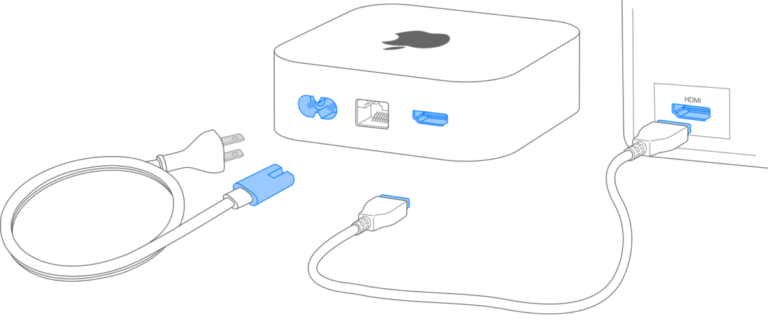
Connect with HDMI ARC or optical cable, enable ARC/CEC on the TV, and set the soundbar as the audio output.
I’ve spent years setting up home theaters and helping friends and clients answer how do i hook up soundbar to tv. This guide gives clear, tested steps for every common connection type, explains TV settings and audio formats, and helps you fix the usual hiccups. Read on and you’ll get a simple, reliable setup that makes your shows and movies sound great.
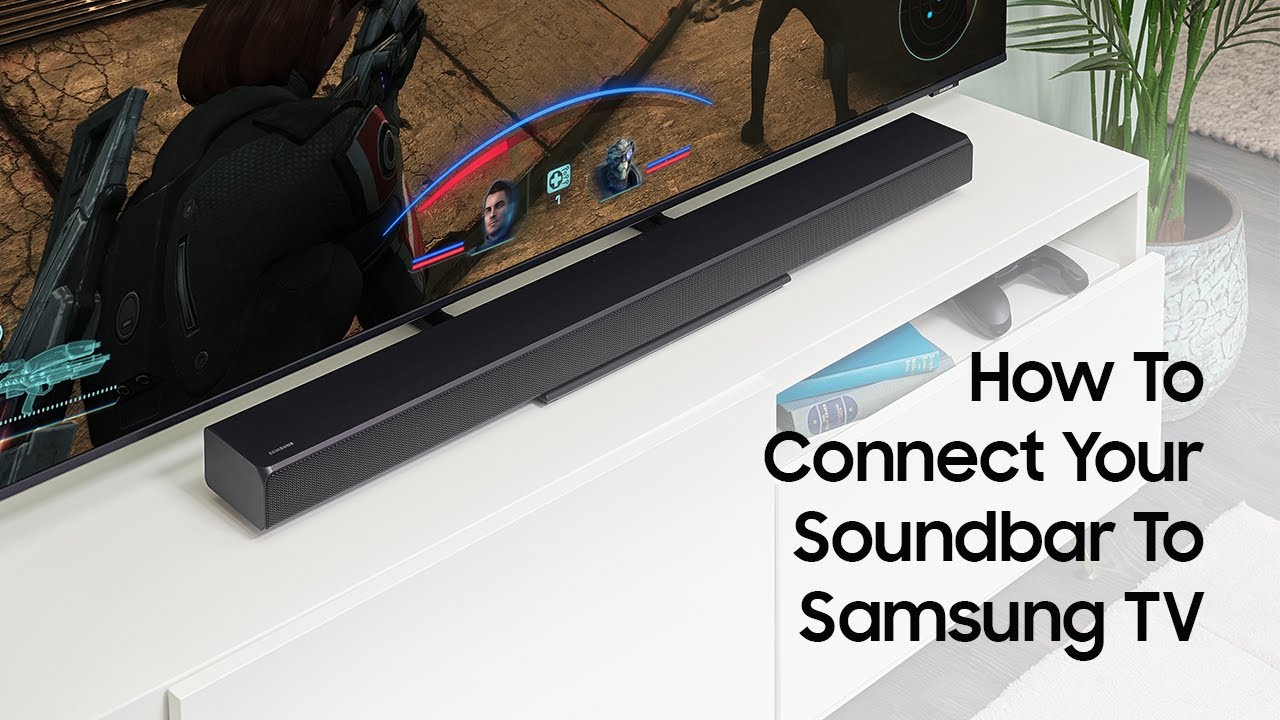
Why connect a soundbar to your TV
A soundbar lifts TV audio far above built-in speakers. It adds clarity, bass, and a wider soundstage. Many people ask how do i hook up soundbar to tv because they want better dialog and fuller sound without a messy speaker system.
A proper connection also unlocks formats like Dolby Digital and Dolby Atmos on compatible gear. That matters if you stream movies or play console games. This section explains what benefits to expect and why the right connection matters.
Choose the right connection: HDMI ARC/eARC, optical, analog, or Bluetooth
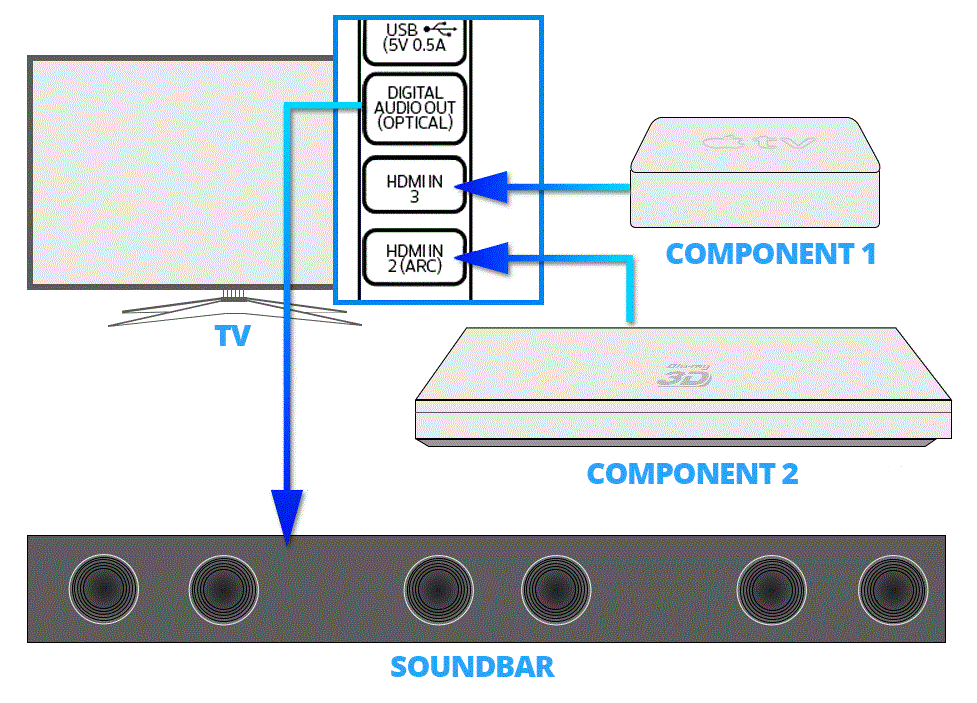
Picking the right method is the first step in how do i hook up soundbar to tv. Match your TV and soundbar ports. Use the best digital path they both support.
- Use HDMI ARC or eARC when available. It carries higher-quality audio and lets the TV remote control volume.
- Use optical (TOSLINK) if HDMI ARC isn’t supported. It still gives digital surround sound.
- Use analog (RCA or 3.5mm) only as a last resort. Quality and features are limited.
- Use Bluetooth for wireless convenience, but expect audio delay and limited surround formats.
Checking ports and labels on both devices before you buy a cable saves time. Make a note of ARC, eARC, or optical labels on the TV and soundbar to decide which path you’ll use.
Step-by-step: HDMI ARC or eARC setup
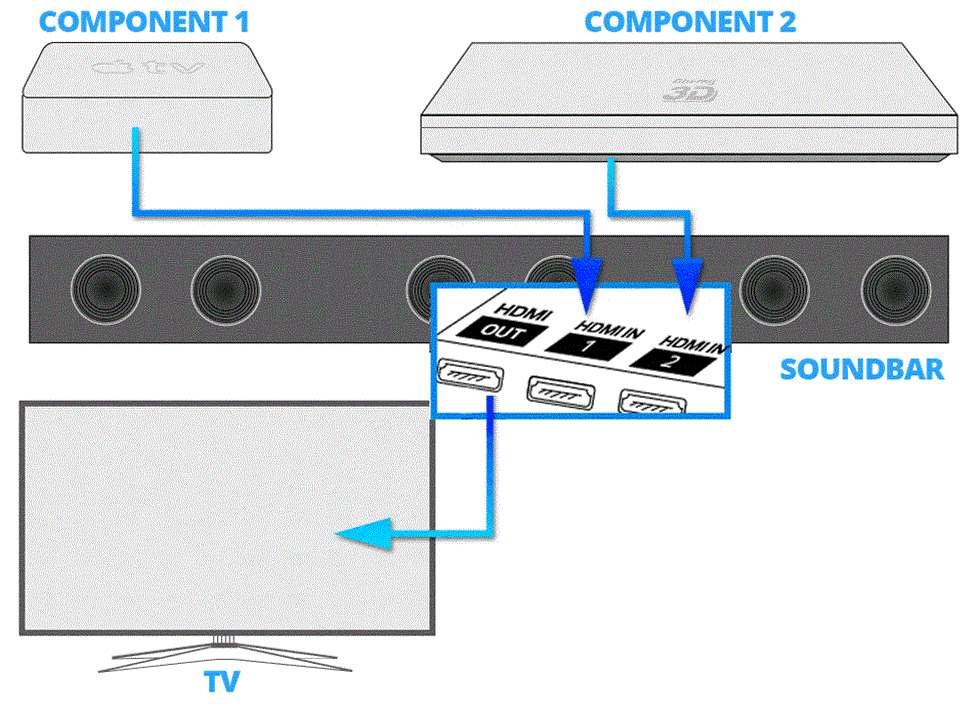
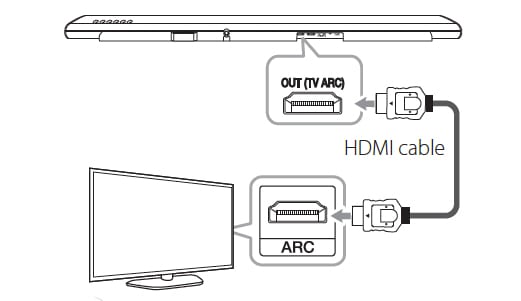
HDMI ARC/eARC is the best way to learn how do i hook up soundbar to tv. It supports remote control passthrough and higher audio quality. Follow these steps.
-
Prepare hardware
- Use a high-speed HDMI cable that supports ARC or an HDMI cable rated for eARC if both devices support it.
- Plug the cable into the HDMI ARC or HDMI eARC port on the TV.
- Plug the other end into the HDMI OUT (ARC/eARC) port on the soundbar.
-
Turn on devices
- Power on the TV and the soundbar.
- Select the correct input on the soundbar if it doesn’t switch automatically.
-
Enable TV settings
- Open TV audio settings and set audio output to HDMI ARC, external speaker, or soundbar.
- Enable HDMI-CEC or BRAVIA Sync (naming depends on brand) to let the TV remote control volume.
-
Test audio
- Play a streaming app or TV channel.
- Check that TV speaker output is off and sound plays through the soundbar.
- Adjust volume with the TV remote.
If something doesn’t work, unplug and replug the HDMI cable or try a different HDMI port labeled ARC. Keep cables short and in good condition for reliable performance.
Step-by-step: Optical (TOSLINK) setup
Optical is very common and easy for how do i hook up soundbar to tv. It gives digital audio but lacks ARC controls. Use optical when TV or soundbar lacks HDMI ARC.
-
Prepare hardware
- Get an optical TOSLINK cable.
- Remove any small plastic plugs from cable ends.
-
Connect cables
- Plug one end into the TV’s Optical Out or Digital Audio Out.
- Plug the other end into the soundbar’s Optical In.
-
Set TV audio output
- Go to TV audio settings and choose Optical or Digital Out.
- Disable TV speakers if needed.
-
Test and tweak
- Play content and check sound.
- Use the soundbar remote for volume, as the TV remote likely won’t control it.
Optical won’t pass advanced formats like Dolby TrueHD or Atmos. If you need those, use HDMI eARC.

Step-by-step: Analog and Bluetooth setup
Analog and Bluetooth are useful options when other ports aren’t available. They answer the question how do i hook up soundbar to tv if your gear is older or you want wireless streaming.
Analog setup
- Identify ports
- Find TV RCA outputs (red/white) or 3.5mm headphone jack.
- Connect cables
- Use matching RCA or 3.5mm-to-RCA cables into soundbar Aux or Line-In.
- Set soundbar input
- Select the analog input on the soundbar and test audio.
Bluetooth setup
- Put soundbar in pairing mode
- Follow soundbar instructions to enable Bluetooth pairing.
- Pair from the TV or phone
- On the TV, open Bluetooth settings and select the soundbar.
- Test streaming
- Expect slight delay with video; enable lip-sync settings if available.
Analog loses digital surround formats. Bluetooth has latency and compressed audio. Use them for convenience when digital options aren’t possible.
TV settings and audio formats you should know
Knowing TV audio settings helps when you ask how do i hook up soundbar to tv. Settings control format, delay, and volume control.
- Audio output or speaker settings
- Choose External Speaker or HDMI/Optical Out to route sound to the soundbar.
- HDMI-CEC
- Enables one-remote control and auto power on for many systems.
- Audio format options
- PCM: uncompressed stereo; safe but limits surround.
- Dolby Digital/DTS: common surround formats for TV and streaming.
- Bitstream: lets the soundbar decode surround formats.
- Lip-sync or audio delay
- Use this setting if audio and picture are out of sync.
- eARC vs ARC
- eARC carries high-bitrate formats like Dolby Atmos from sources connected to the TV.
If the TV sends PCM, some surround formats get downmixed. Set output to bitstream or pass-through when you want the soundbar to decode surround audio.

Troubleshooting common problems when hooking up a soundbar
Many people ask how do i hook up soundbar to tv and then run into simple issues. Here are quick fixes.
- No sound after connecting
- Check TV audio output is set to the soundbar and TV speakers are off.
- Confirm cables are fully seated and use a different cable if needed.
- TV remote won’t control volume
- Enable HDMI-CEC and assign volume control to the soundbar.
- Use TV remote programming or an IR blaster if available.
- Audio delay or lip-sync issues
- Enable lip-sync correction on the TV or soundbar.
- Try switching connection type if delay persists.
- No surround sound
- Ensure output is bitstream and the source sends multichannel audio.
- Check soundbar supports the format (Dolby Digital, Atmos).
- Distorted or low volume
- Verify soundbar input gain settings.
- Use direct source volume control and disable any TV audio normalization.
If a problem persists, reboot both devices and try different inputs. Sometimes a firmware update on the TV or soundbar fixes compatibility bugs.
Tips, mistakes to avoid, and personal notes
When learning how do i hook up soundbar to tv, I learned a few things the hard way. I’ll share what helped me most.
Tips from real setups
- Label cables when you move gear. It saves time later.
- Use HDMI for the best control and quality.
- Keep an eye on firmware updates. New updates can add features or fix bugs.
Mistakes I’ve made
- Plugging HDMI into a random port instead of ARC. The sound wouldn’t route.
- Leaving TV speakers enabled. Audio doubled and sounded muddy.
- Buying a cheap optical cable that failed after a few months.
Personal note
I once set up a living room system with HDMI eARC and had the TV claim no audio device existed. A firmware update and swapping to the labeled eARC port fixed it. Small checks upfront prevent long twists later.
Frequently Asked Questions of how do i hook up soundbar to tv
How do I know if my TV supports HDMI ARC or eARC?
Check the HDMI ports on the TV. Ports labeled ARC or eARC indicate support. You can also check the TV manual or settings menu for ARC/eARC or HDMI-CEC options.
Can I use a regular HDMI cable for ARC?
Yes, a high-speed HDMI cable typically works for ARC. For eARC, use an HDMI cable that supports the bandwidth required for high-bitrate audio to avoid dropouts.
Will Bluetooth audio be in sync with the picture?
Bluetooth often has slight audio delay. Many TVs and soundbars offer lip-sync or audio delay settings to align sound and picture for better sync.
Do I need to change TV audio to PCM or Bitstream?
Use PCM for simple stereo or devices that don’t support surround. Choose Bitstream if you want the soundbar to decode Dolby Digital, DTS, or Atmos from compatible sources.
Why is my TV remote not controlling the soundbar?
Make sure HDMI-CEC is enabled on the TV and the soundbar. Some brands use different names for CEC. If CEC is on and it still fails, program the TV remote or use the soundbar remote.
Conclusion
Setting up a soundbar is straightforward when you match ports, pick the best connection, and adjust TV audio settings. Use HDMI ARC/eARC for the best quality and control, optical for a reliable digital link, and Bluetooth for quick wireless pairing. Test audio, enable CEC, and update firmware when needed.
Take action now: check your TV and soundbar ports, pick the cable, and follow the step-by-step section that matches your setup. If you hit a snag, try the troubleshooting tips and leave a comment below about your exact gear so I can help further.

Everett Ashford is a tech reviewer at mytechgrid.com specializing in SSDs, cameras, TVs, earbuds, headphones, and other consumer electronics. He provides honest, data-driven reviews based on hands-on testing and real-world performance analysis. Everett simplifies complex tech details to help readers make smart, confident buying decisions.