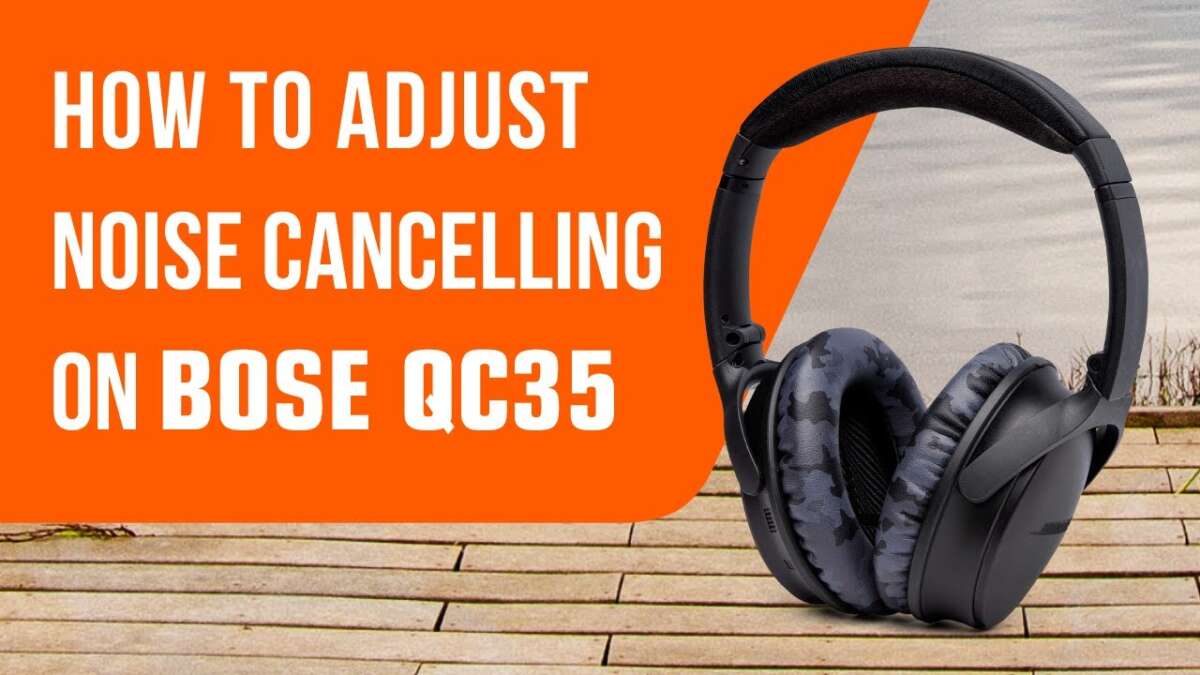
Slide the power switch or press the power button until you hear a voice prompt or chime.
I’ve spent years testing and troubleshooting headphones, and I know how confusing the power controls can be across Bose models. This guide explains exactly how to turn on Bose QuietComfort headphones, step by step for popular models, how to pair them, how to check battery and lights, and what to do when they won’t power up. Read on and you’ll be ready to use your headphones in minutes.

Understanding the different models and power methods for how to turn on bose quietcomfort headphones
Bose QuietComfort headphones come in a few forms. The main types are over-ear models like QuietComfort 35 II and QuietComfort 45, and true wireless styles like QuietComfort Earbuds. Each model uses a slightly different power method, so knowing yours helps you turn them on fast. I’ll walk you through the common controls and tell you what to expect when you power up.
Step-by-step: how to turn on bose quietcomfort headphones
Follow the steps below for the model you own.
-
For QuietComfort 35 and QuietComfort 35 II
- Locate the small slider on the left earcup.
- Slide it forward until you hear a chime or voice prompt. The headphones are now on.
- If pairing is needed, slide and hold on the Bluetooth position until the voice says “ready to pair.”
-
For QuietComfort 45
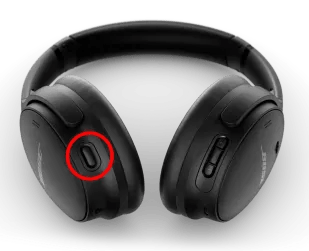
- Find the power/Bluetooth button on the right earcup.
- Press and hold the button for about 1–2 seconds.
- Wait for the chime or voice prompt. The device is on and will enter pairing when held longer.
-
For QuietComfort Earbuds (true wireless)
- Remove the earbuds from the case to power them on automatically.
- If they don’t turn on, press and hold the touch area or button on each earbud for a few seconds.
- The case will usually show an LED that indicates earbuds are on or charging.
-
For QuietComfort Ultra and other newer models
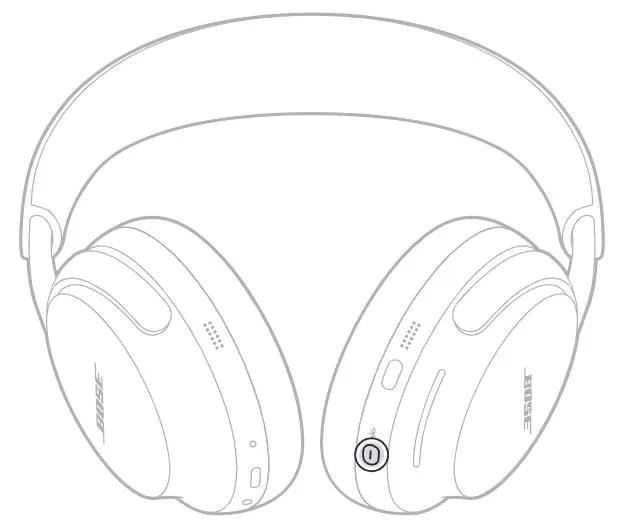
- Press the dedicated power button, usually on the right earcup, for about 1–2 seconds.
- Listen for the power chime and voice prompts.
If you ever get stuck, repeat the process slowly and listen for any audio cues. Voice prompts and chimes confirm the action. The same steps will answer most questions about how to turn on bose quietcomfort headphones.

Pairing and battery tips after you learn how to turn on bose quietcomfort headphones
Pairing and battery checks matter once your headphones are on.
-
Quick pairing steps
- Turn the headphones on using the steps above.
- Put them into pairing mode if they don’t auto-enter. Hold the power/Bluetooth button until you hear “ready to pair.”
- Open Bluetooth on your phone and select the Bose device name.
-
Battery check
- Listen for a battery voice prompt when powering on. It often tells you percent or level.
- Use the Bose Music or Bose Connect app to see exact battery percentage.
- Many models show an LED on the earcup or case to indicate charge status.
-
Helpful pairing notes
- Make sure your phone’s Bluetooth is on and not already connected to an old device.
- If pairing fails, remove old Bose entries from your device’s Bluetooth list and try again.
These steps help you not just turn on Bose QuietComfort headphones, but also get them connected and ready to play.

Troubleshooting: when your bose quietcomfort headphones won’t turn on
If your headphones won’t turn on, try these steps in order.
-
Charge the battery
- Connect to a known-good USB charger and cable for at least 20–30 minutes.
- Look for LED activity or a charging indicator in the app.
-
Try a soft restart
- Turn off, wait 30 seconds, then turn on again.
- For earbuds, place them back into the case, then remove them.
-
Check cables and ports
- Clean the charging port gently if debris is present.
- Use another cable or wall adapter to rule out a faulty charger.
-
Reset and firmware
- Update firmware with the Bose app if the headphones power up but act odd.
- If an advanced reset is needed, follow the model-specific instructions in the manual or app. I avoid giving exact reset sequences here because they differ by model and the official steps prevent data loss.
-
When to contact support
- If charging and restarts fail, reach out to Bose or an authorized repair service. They can diagnose battery health or hardware faults.
These steps cover almost every reason people ask how to turn on bose quietcomfort headphones and what to do if they don’t respond.
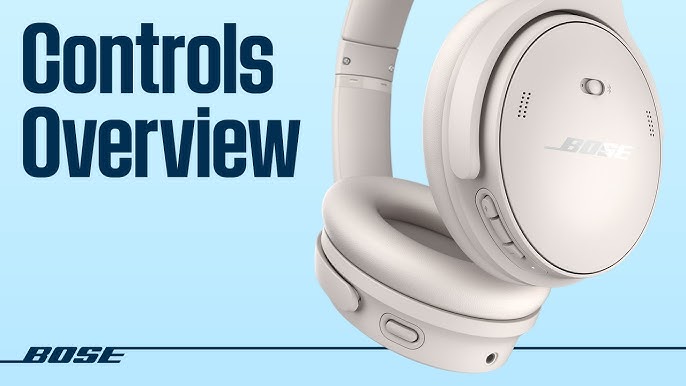
Real-world tips, mistakes to avoid, and my experience with how to turn on bose quietcomfort headphones
I once nearly returned a pair because they seemed dead. I had never fully slid the QC35 power switch into the Bluetooth notch. After charging and a firm slide, they came to life with a cheerful chime. From that experience, here are practical tips.
- Keep the manual or quick start guide
- It names the exact switch or button for your model.
- Don’t force switches
- Move sliders gently. Forcing can damage the plastic.
- Always try a different cable
- A bad cable is the most common cause of “dead” headphones.
- Use the official app
- The app shows battery, firmware, and pairing status quickly.
Small habits save time. Knowing how to turn on bose quietcomfort headphones is half the battle. The other half is charging, pairing, and keeping firmware current.
Frequently Asked Questions of how to turn on bose quietcomfort headphones
How do I turn on my QuietComfort 35 II?
Slide the power/Bluetooth slider on the left earcup forward until you hear a chime or voice prompt. Hold the slider in the Bluetooth position to enter pairing mode.
My Bose headphones won’t turn on after charging. What should I do?
Try a different USB cable and wall adapter, let them charge for at least 30 minutes, then attempt a soft restart. If they still won’t power on, contact support for battery or hardware diagnosis.
How do I tell if my QuietComfort earbuds are on?
Remove them from the charging case; most models power on automatically and give a voice prompt or LED indicator. If silent, press and hold the touch area or button briefly to force power on.
Can I turn on Bose QuietComfort headphones without a phone or app?
Yes. You can power them on with the physical switch or power button and listen to the voice prompts. The app is optional but helpful for battery and firmware.
Why won’t my headphones enter pairing mode even after I turn them on?
They may already be paired to another device or need a reset. Remove old Bluetooth pairings, turn the headphones off and on, then press and hold the Bluetooth button until you hear “ready to pair.”
Conclusion
You now know the common ways to power up and pair Bose QuietComfort models, plus practical fixes if they won’t turn on. Try the steps for your model, keep cables and firmware up to date, and use the app to monitor battery and updates. If you enjoyed this guide, test these steps with your headphones, leave a comment about what worked, or subscribe for more straightforward tech help.

Everett Ashford is a tech reviewer at mytechgrid.com specializing in SSDs, cameras, TVs, earbuds, headphones, and other consumer electronics. He provides honest, data-driven reviews based on hands-on testing and real-world performance analysis. Everett simplifies complex tech details to help readers make smart, confident buying decisions.