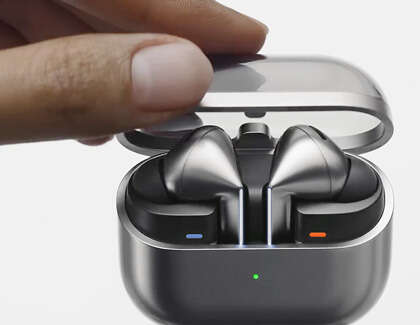
Pair Samsung earbuds to your phone via Bluetooth: open the case, enable Bluetooth, and select the buds.
I’ve spent years helping people set up earbuds and testing Samsung buds across phones, so this guide walks you through how to connect Samsung earbuds to phone step by step. You’ll get clear, practical instructions for Android and iPhone, troubleshooting tips, advanced settings like multipoint and firmware updates, and real-world lessons from my own experience so you can pair quickly and keep them working reliably.
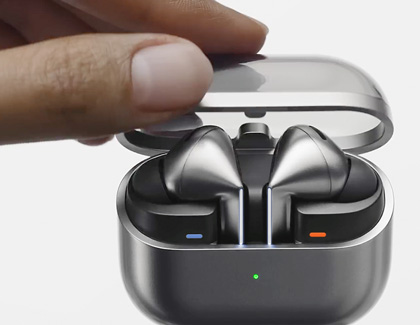
Step-by-step overview: how to connect samsung earbuds to phone
Follow this short roadmap to connect Samsung earbuds to phone, then read the detailed sections below for device-specific tips and fixes.
- Make sure the earbuds are charged and in pairing mode.
- Turn on Bluetooth on your phone and scan for nearby devices.
- Select the Samsung earbuds name when it appears and accept pairing.
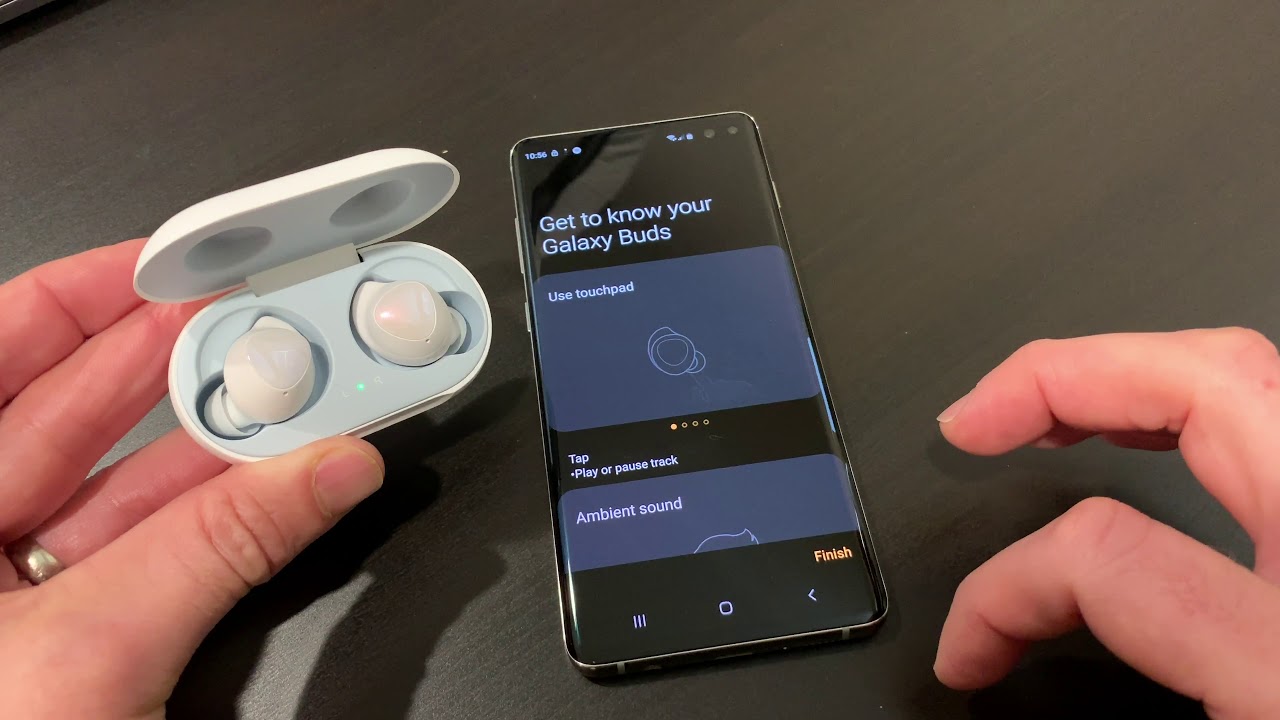
- Install the Galaxy Wearable app on Android for extra features and firmware updates.
- Test audio, mic, and controls; adjust settings as needed.

How to connect Samsung earbuds to phone — Android (including Samsung Galaxy)
These steps cover Galaxy Buds, Buds+, Buds Live, Buds Pro, Buds2, and newer Samsung earbuds on Android phones.
- Charge and reset
- Put earbuds in the case and charge for a few minutes. If they won’t pair, place both buds in the case and close, then open again to start pairing mode.
- Turn on Bluetooth
- Open Settings > Connections > Bluetooth and toggle it on.
- Pair from the phone
- If your earbuds are new or reset, they should enter pairing mode when you open the case near the phone. Tap the notification or go to Bluetooth devices and select the earbuds name (for example, "Galaxy Buds Pro").
- Use Galaxy Wearable app for full features
- Download the Galaxy Wearable app from the Play Store. The app helps with firmware updates, equalizer settings, touch controls, and left/right fit tests.
- Confirm connection and test
- Play audio and check microphone in a call. If sound comes from both buds and mic works, you’re all set.
Tips for reliable pairing on Android
- Keep the phone within 3 feet of the earbuds during initial pairing.
- Turn off other nearby Bluetooth devices to avoid interference.
- Restart the phone if the earbuds do not appear in the Bluetooth list.
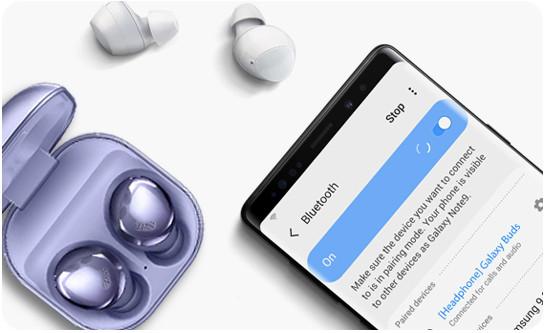
How to connect Samsung earbuds to phone — iPhone and iPad
Samsung earbuds work with iPhone and iPad using standard Bluetooth. You won’t get the full Galaxy Wearable features, but audio, calls, and touch controls work well.
- Prepare earbuds
- Open the charging case and put the earbuds in pairing mode if they don’t automatically enter it.
- Open iPhone Bluetooth
- Go to Settings > Bluetooth and make sure it’s on.
- Pair the earbuds
- Look for the earbuds name under Other Devices and tap it to pair. You’ll see Connected once pairing is successful.
- Use limited features
- Firmware updates and full customization require a Samsung device, but basic functions like ANC (if supported by the earbuds) and touch controls work on iPhone.
iPhone tips
- If pairing fails, forget other Bluetooth devices and try again.
- For best sound with iPhone, keep iOS updated and the earbuds firmware as current as possible via a Samsung device if available.
Troubleshooting: common problems and fixes when connecting Samsung earbuds to phone
If your earbuds won’t connect, try these targeted fixes. I’ve used these repeatedly and they solve most issues.
Problem: Earbuds don’t appear in Bluetooth list
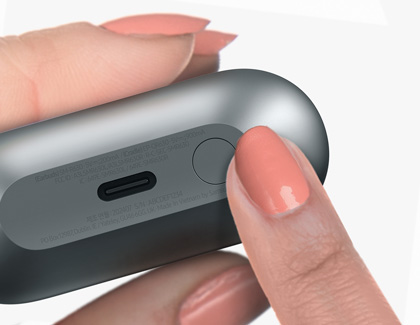
- Make sure earbuds are in pairing mode. For most Samsung buds, open the case and hold the touchpads or press the pairing button if present.
- Reset the earbuds by placing them in the case, holding both touchpads (or follow model-specific reset steps) for 10 seconds.
Problem: Only one earbud plays sound
- Put both earbuds back into the case for 10 seconds, then remove them and let them reconnect.
- Check for firmware updates via Galaxy Wearable; updates often fix single-bud playback bugs.
Problem: Connection drops or audio stutters
- Move closer to the phone and remove obstructions. Bluetooth works best within 30 feet, but walls and other devices can cause drops.
- Disable Wi-Fi on crowded 2.4 GHz bands for a test, then try 5 GHz where possible.
Problem: Microphone not working on calls
- Ensure the earbuds are selected as the audio source during the call.
- Test on another phone to determine whether it’s the earbuds or the phone settings.
Problem: Phone says “pairing failed”
- Turn Bluetooth off and on, restart both phone and earbuds, and try again. If still failing, clear Bluetooth cache on Android by going to Settings > Apps > Show system apps > Bluetooth > Storage > Clear cache.

Advanced tips and features after you connect Samsung earbuds to phone
Once you know how to connect Samsung earbuds to phone, you can get more from them with these features.
- Multipoint and Auto Switch
- Some Samsung earbuds support switching between devices automatically. Enable this in Galaxy Wearable if you own both a Samsung phone and other devices.
- Firmware updates
- Keep the earbuds firmware updated via Galaxy Wearable on Android. Updates fix bugs and improve stability.
- Custom touch controls and equalizer
- Use the app to change what a single, double, or long press does. Try the preset equalizer modes for clearer calls or richer music.
- Find My Earbuds
- Use the Find function in Galaxy Wearable to ring the earbuds and locate them when lost nearby.
- ANC and Ambient modes
- Toggle active noise canceling and ambient sound modes in the app to match your environment.
:max_bytes(150000):strip_icc()/daniel-romero-K63lOA4Ijyk-unsplash-6af16d68e2854c9780289b40759969f0.jpg)
Quick questions people ask (PAA-style)
How long does it take to pair Samsung earbuds to phone?
Pairing usually takes under one minute once Bluetooth is on and the earbuds are in pairing mode. App setup may add a few minutes for permissions and firmware checks.
Do Samsung earbuds work with all phones?
Samsung earbuds use Bluetooth, so they work with most modern phones, tablets, and laptops. Some advanced features require the Galaxy Wearable app on Android and may not be available on iPhone.
Can I use Samsung earbuds with two phones at once?
Some models support multipoint or auto-switch between devices, but not all do. Check your model’s specs and enable multipoint in the Galaxy Wearable app if supported.
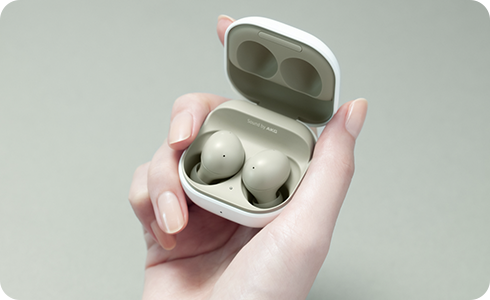
Personal experience, lessons learned, and mistakes to avoid when connecting Samsung earbuds to phone
I’ve set up earbuds for friends and clients and faced tricky cases. These are the most useful lessons.
- Don’t skip charging: An empty battery often looks like a pairing failure. Always charge the case and buds before troubleshooting.
- Use the official app when possible: Galaxy Wearable has saved me time with firmware fixes and audio tests.
- Avoid guessing resets: Follow the model-specific reset steps. On some Buds models, holding touchpads too long can trigger unintended actions.
- Keep one phone for initial setup: If you try pairing to multiple devices immediately, the earbuds can get confused. Pair to one device first, then add others.
- Test with calls and media: After pairing, make a short call and play music to ensure mic and media channels are correct.
Frequently Asked Questions of how to connect samsung earbuds to phone
How do I put my Samsung earbuds into pairing mode?
Open the charging case near your phone; most models enter pairing mode automatically. If not, follow model-specific instructions such as holding the touchpads or pressing a small pairing button.
Why won’t my Samsung earbuds show up on my phone?
They may not be in pairing mode, or their battery may be low. Reset the earbuds, turn Bluetooth off and on, and try again within close range.
Can I update my Samsung earbuds firmware on an iPhone?
Official firmware updates for Samsung earbuds are handled by the Galaxy Wearable app, which is only available in full on Android. You’ll need access to a compatible Android device for firmware updates.
What should I do if only one earbud connects?
Place both earbuds back in the case, close it, wait 10 seconds, and then remove them together to force a re-sync. If the issue continues, reset the earbuds.
How do I forget and re-pair Samsung earbuds on Android?
Open Settings > Connections > Bluetooth, tap the gear icon next to the earbuds, choose Unpair or Forget, then put the earbuds in pairing mode and connect again.
Will Samsung earbuds drain my phone battery faster?
Using Bluetooth consumes extra power, especially with features like ANC enabled, but modern phones manage Bluetooth efficiently. Keep firmware updated and turn off unused features to reduce drain.
Conclusion
You now have a clear path for how to connect Samsung earbuds to phone, whether you use Android or iPhone. Start with a charged case, enable Bluetooth, pair the earbuds, and use the Galaxy Wearable app on Android for full control and updates. Try the troubleshooting steps if things go wrong and apply the advanced tips for better sound and stability.
Take action: pair your earbuds now, check for firmware updates, and leave a comment about which Samsung earbuds you use or any pairing problems you want help with.

Everett Ashford is a tech reviewer at mytechgrid.com specializing in SSDs, cameras, TVs, earbuds, headphones, and other consumer electronics. He provides honest, data-driven reviews based on hands-on testing and real-world performance analysis. Everett simplifies complex tech details to help readers make smart, confident buying decisions.