Find Bluetooth earbuds by checking pairing status, using device search, serials, and tracking apps fast.
I’ve spent years testing earbuds and helping people recover lost pairs, so this guide gives clear, expert steps on how to find Bluetooth earbuds. Read on for a practical, friendly plan that covers tech, tips, and pitfalls so you can locate your earbuds quickly and confidently.
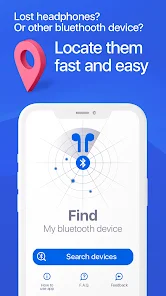
How Bluetooth earbuds connect and why that matters for finding them
Bluetooth earbuds use short-range radio to link with a host device. That link creates signals your phone or laptop can detect. Knowing how the link works helps you narrow where to look and what tools to use when you try to find Bluetooth earbuds.
Range, battery, and pairing state change how easy it is to locate a pair. If earbuds are powered off or out of range, phone scans won’t find them. If one bud is in the case and the other is out, detection can be inconsistent.
Practical tip: always try to trigger the earbuds from the last paired device before searching physically. That can make them emit sound or enter a visible state.
:max_bytes(150000):strip_icc()/Untitleddesign11-95c1242fea9044e697d204fe78ecf0a4.jpg)
Step-by-step: how to find Bluetooth earbuds quickly
- Confirm last connection
- Open the Bluetooth settings on the device you last used with the earbuds. See if the earbuds show as connected or nearby.
- If shown as connected, play audio or use a “find” feature to make them beep.
- Scan with a different device
- Use another phone or laptop to run a Bluetooth scan. Different devices sometimes detect signals the first one misses.
- Use manufacturer tools
- Open the earbuds’ official app. Many brands include a “find my earbuds” feature or a last-seen location log.
- Check the charging case and pockets
- Physically check common spots: coat pockets, backpack compartments, under cushions, and near charging docks. Many earbuds are small and hide in fabrics.
- Use sound cues
- If your earbuds support playback when out of the case, play music at low volume and walk the likely area while listening for faint audio.
- Try device proximity tricks
- Walk slowly with your phone near the floor and furniture edges. Bluetooth signal strength increases as you get closer; some apps show signal bars.
- Consider Bluetooth tracker apps
- Install a reputable tracker app that maps recent devices and signal strength. These apps help visualize where signal peaks.
Follow these steps in order. They save time and avoid missing simple fixes like the earbuds being in a bag or hidden by clothing.
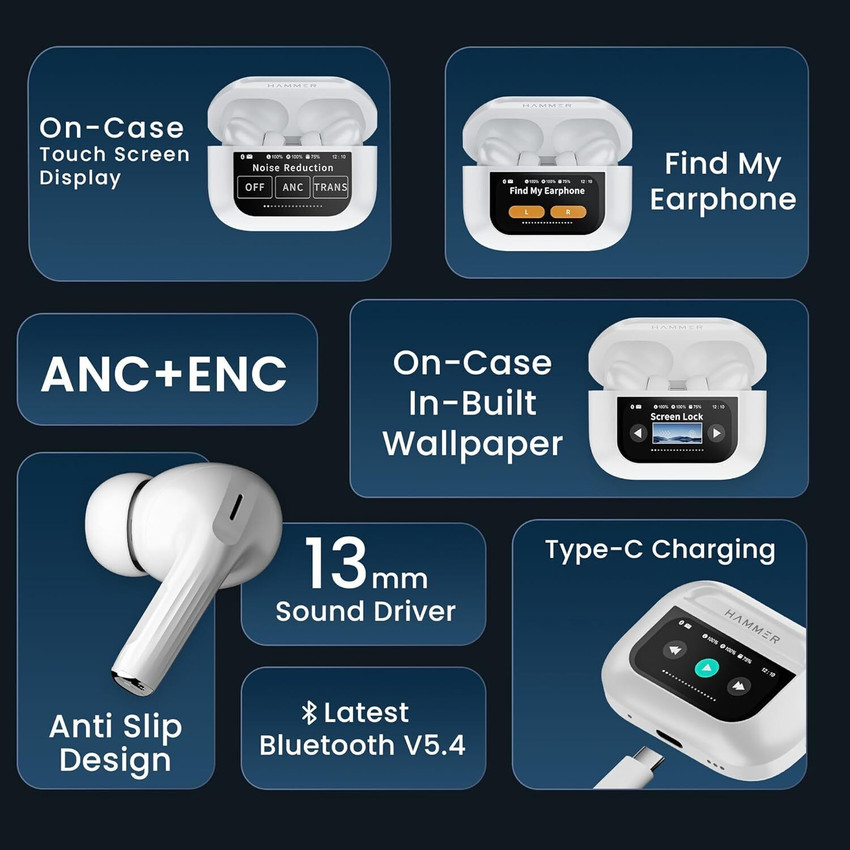
Key features and settings to use when you try to find Bluetooth earbuds
- Find-my-earbuds features in official apps
Many brands include a built-in finder. It can make earbuds play a tone or show the last connected location. - Bluetooth signal indicators
Use apps or device settings that show RSSI or signal strength. Higher values mean you’re closer. - Location access and last-seen logs
Some apps store GPS locations when the earbuds were last connected. This narrows your search to a place and time. - Sound triggers and voice prompts
If earbuds support voice or sound responses, use them to locate buds in noisy spaces. - Firmware and battery checks
Ensure earbuds are charged and updated. Dead batteries make tracking impossible. Firmware bugs can break find features.
Why these matter: combining software signals with sound and physical search gives you the best chance to recover earbuds fast.

Where to search and compare when choosing tools to find Bluetooth earbuds
- Official brand apps
Start here. They often have dedicated tools to ping or locate earbuds. They’re tailored to the hardware. - Generic Bluetooth scanner apps
These show nearby devices and signal strength. They’re useful when official apps lack a finder. - Smart home and location services
If earbuds connected to a smart device, check that device’s location log or app history. - Lost-and-found policies
Check places you visited: cafes, transit lost-and-found, office reception. Many people turn in found earbuds. - Social and community groups
Post in local groups or apps where neighbors share lost items. Describe the earbuds and where you lost them.
When comparing tools, focus on ease of use, privacy, and device compatibility. If you’re trying to find Bluetooth earbuds quickly, pick a method you can run from your phone without extra hardware.
How to find lost earbuds when they won’t appear in Bluetooth scans
- Restart and refresh
Turn your phone’s Bluetooth off and back on. Restart the earbuds if possible. This simple step fixes many glitches. - Look for last known location
Use the earbud app or phone logs to identify where they were last connected and start there. - Manually search common hiding spots
Thoroughly check pockets, couch cushions, backpacks, and under furniture. Use a flashlight to spot reflections. - Use a Bluetooth scanner to map signal changes
Walk slowly while watching signal strength. Peak values usually reveal proximity. - Check alternative devices
If you have a tablet or another phone the earbuds connected to, check those devices for a connection or find feature.
If earbuds are switched off or out of range, physical searching is often the only option. Be methodical: search one room at a time and retrace your steps from when you last used them.

Personal experience: lessons I learned finding Bluetooth earbuds
I once lost a pair in a crowded cafe. I first checked my phone and saw them marked as “nearby” but not connected. Using the brand app made them chirp softly. I scanned the room and found them tucked behind a napkin holder.
Lessons learned:
- Act fast. The longer you wait, the more likely the earbuds go out of range or the battery dies.
- Use the official app first. It often has the most reliable ping function.
- Don’t overlook simple spots. I later found another pair in a jacket pocket hours after a frantic digital search.
I’ve tested earbuds from many makers over eight years. The most effective approach blends tech (apps and scans) with a calm, physical sweep. Panic scatters your search. Slow, methodical checks work best.

Common mistakes and how to avoid them when you try to find Bluetooth earbuds
- Mistake: only checking one device
Try multiple phones or tablets. Different devices can detect signals differently. - Mistake: ignoring the charging case
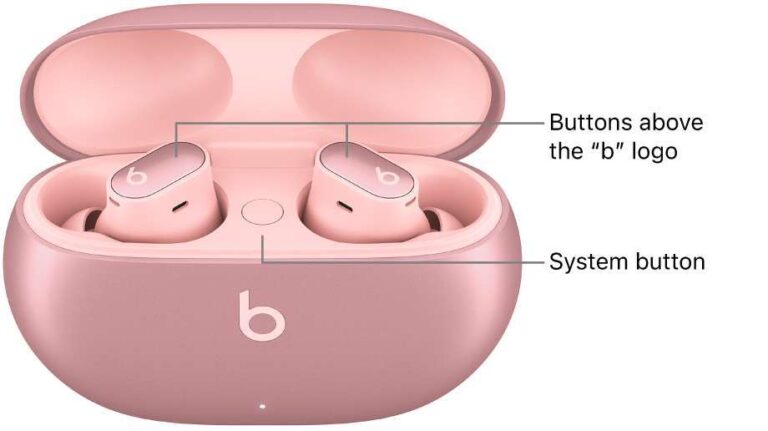
Always open and check the case. Many earbuds disconnect when placed inside. - Mistake: panicking and skipping spots
Systematically search a small area before expanding. Retrace your last steps. - Mistake: assuming earbuds are broken
Don’t give up too fast. Low battery often masquerades as device failure. - Mistake: not using sound features
Make earbuds play a tone when possible. The tone is often the fastest locator.
Avoid these mistakes by following a simple checklist. Check devices, open the case, play a tone, and scan the room.
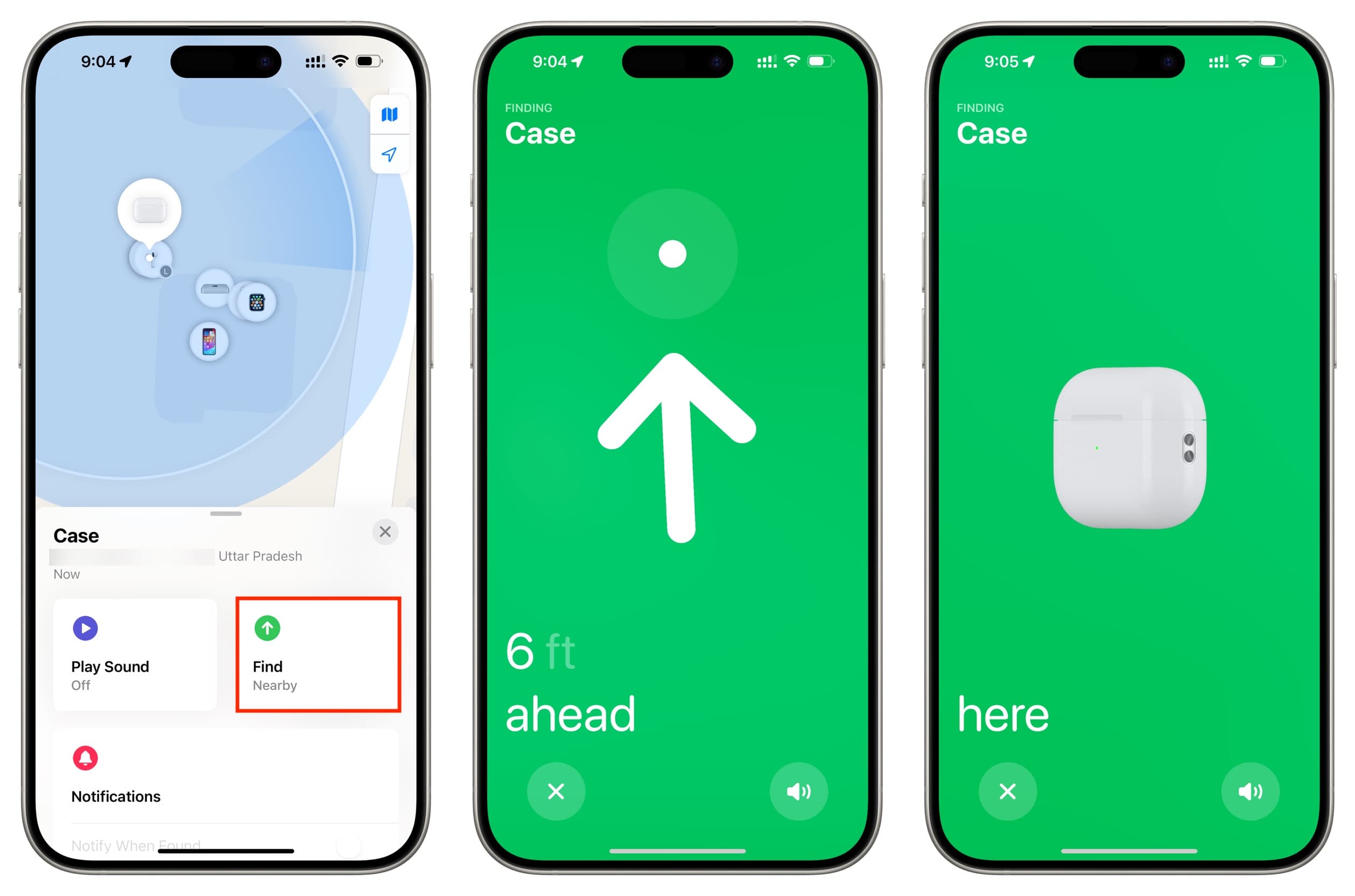
Security and privacy considerations while you look for Bluetooth earbuds
- Limit app permissions
Use apps that request only needed permissions. Grant location temporarily if required to find earbuds. - Avoid unknown scanner apps
Choose apps with good reviews and clear privacy policies. Some can misuse device lists. - Protect your earbuds from theft
If you find your earbuds in a public place, check for signs of tampering and update pairing passwords when possible. - Keep firmware up to date
Updates fix bugs and improve security in tracking features.
Being careful with apps and permissions keeps your search safe and reduces the risk of exposing location data.
Quick PAA-style clarifications while learning how to find Bluetooth earbuds
Will my phone show earbuds if they are in a closed case?
Most phones won’t show earbuds in a closed case as active. Open the case and try again to prompt a visible connection.
Can I locate earbuds after the battery dies?
You cannot track earbuds once the battery is dead. Last-known location logs can point you to where they were last active.
Do third-party tracker tags help find earbuds?
Tags attached to cases can help if you pair them ahead of time. They are only helpful if the tag remains active and within range.
Frequently Asked Questions of how to find bluetooth earbuds
How do I find Bluetooth earbuds using my phone?
Open Bluetooth settings or the earbuds' official app and look for device status. If the earbuds show nearby, use the app’s find feature or play audio to locate them.
My earbuds are not showing up on any device. What should I do?
Restart your phone and the earbuds and try rescanning. If they remain invisible, perform a methodical physical search and check last-known locations in the app.
Can I find earbuds that are inside their charging case?
Usually the case blocks active signals, so open the case to allow the earbuds to broadcast and be found by your device or app.
Are there apps that show how close I am to my earbuds?
Yes, Bluetooth scanner apps and some earbud maker apps show signal strength or bars that rise as you get closer. Use them while walking the search area slowly.
What if I lose only one earbud?
Search the room and nearby pockets carefully and use the app to ping the single bud if supported. Many earbuds maintain separate connections and can be found individually if they are powered.
Is it worth using a third-party Bluetooth tracker with earbuds?
A tracker on the case adds a recovery option, especially in public places. It helps if you often misplace the case or need a location trail.
How long do earbuds broadcast after disconnecting?
It varies by model and battery level. Many earbuds broadcast for a short window after disconnect, so quick action improves recovery chances.
Conclusion
Finding Bluetooth earbuds combines simple tech steps with careful searching. Start with the official app, scan with multiple devices, and use sound cues and signal strength to home in. My experience shows that quick action, methodical searching, and using built-in finders recover most lost earbuds.
Try the checklist above the next time you lose earbuds. If you found this guide helpful, subscribe for more practical tech tips, share your recovery story in the comments, or ask a question below — I’ll help you troubleshoot.

Everett Ashford is a tech reviewer at mytechgrid.com specializing in SSDs, cameras, TVs, earbuds, headphones, and other consumer electronics. He provides honest, data-driven reviews based on hands-on testing and real-world performance analysis. Everett simplifies complex tech details to help readers make smart, confident buying decisions.