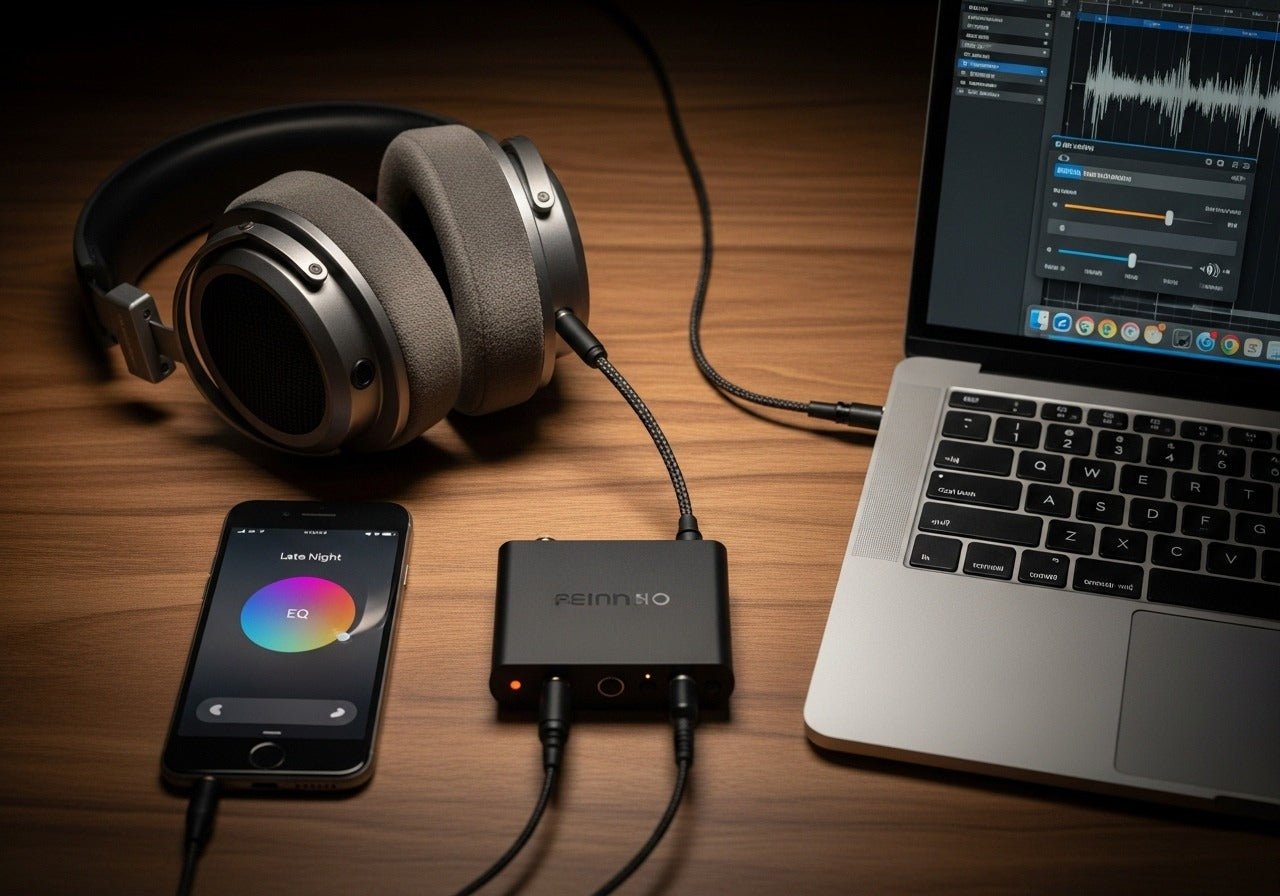
Enable max media volume, disable absolute volume, and use an EQ or DAC amp.
I’ve spent years tuning phones and headphones. I know how to make headphones louder on android without breaking your ears or your gear. This guide walks you step by step through safe software tweaks, developer tricks, apps, and hardware options. Read on for tested methods, real tips from my experience, and a clear checklist you can follow right now.
Why headphone volume can be low on Android
Many things limit how loud your headphones get. Android uses software limits, safe-volume warnings, Bluetooth codecs, and hardware power limits. Phone age, headphone sensitivity, and cable or jack issues also matter.
Common causes
- Low media volume or muted app audio.
- System safe-volume or carrier limits.
- Bluetooth codec or low-power Bluetooth profile.
- Weak headphone drivers or poor sensitivity.
- Corrupted settings or old software.
Understanding the root cause helps you pick the right fix for how to make headphones louder on android. I test these steps on several phones and headsets, so you can trust what works.

Quick software fixes to make headphones louder on Android
Start with the simplest fixes. These do not need root access and often solve the problem fast.
Steps to try now
- Turn media volume to max in Settings or with hardware keys.
- Check app volume sliders inside music or streaming apps.
- Restart the phone and reconnect wired or Bluetooth headphones.
- Turn off battery saver, which can lower audio power.
- Update the phone and the app for better audio performance.
If you use Bluetooth, try reconnecting and checking the codec. Switching from SBC to aptX or AAC can change loudness and clarity. These quick steps often fix the issue without extra tools.
Use system settings and Developer Options
Android exposes useful options that affect headphone loudness.
Key settings to use
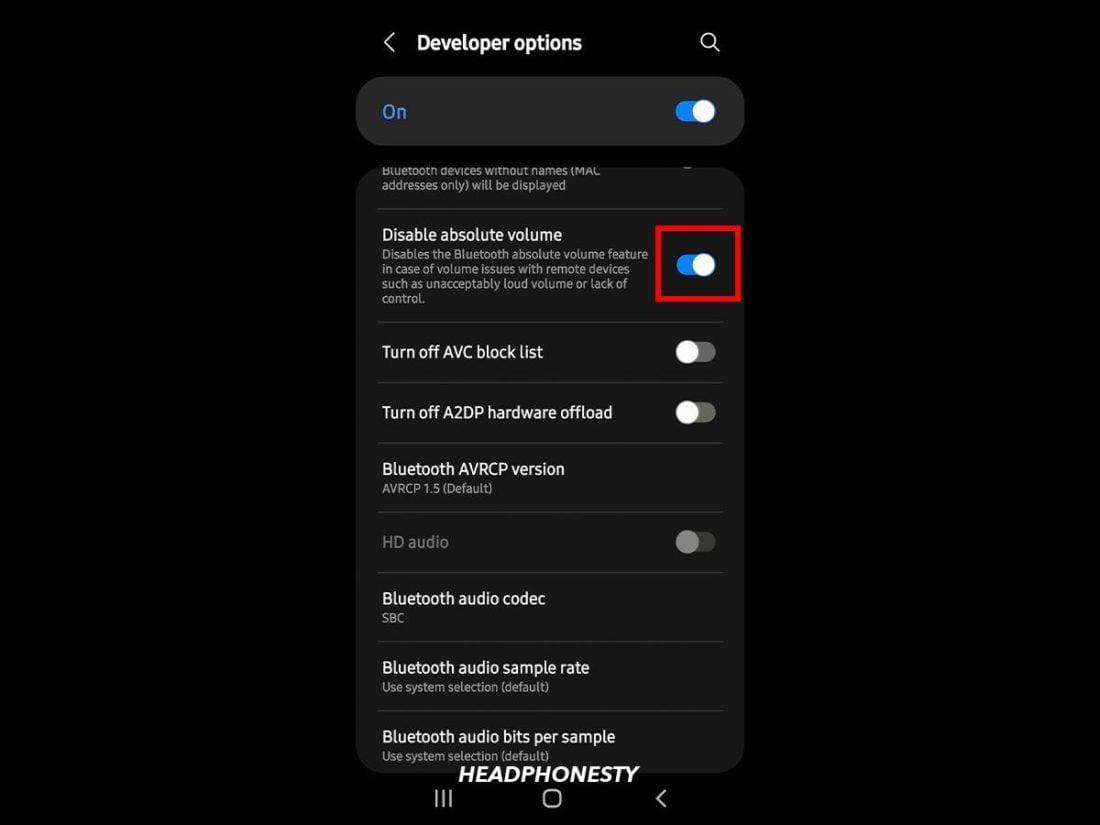
- Disable absolute volume in Developer Options to allow separate phone and headphone levels. This can increase Bluetooth loudness.
- Enable mono audio to combine channels if one side is lower.
- Turn off "Safe headset volume" if your phone shows a warning—do this only if you understand the hearing risks.
How to disable absolute volume
- Open Settings > About phone.
- Tap Build number seven times to enable Developer Options.
- Go to Settings > System > Developer options.
- Find and toggle off Disable absolute volume (or "Bluetooth absolute volume").
These system changes are powerful for how to make headphones louder on android, especially for Bluetooth listening.

Third-party apps and equalizers that boost volume
Apps can raise perceived loudness. Use them carefully. Too much boost causes distortion.
Types of apps
- Equalizers with gain control to raise overall level.
- Volume booster apps that apply preamp gain.
- Music players with built-in DSP and normalization.
Safe use tips
- Add small gain steps (3–6 dB) to avoid clipping.
- Use a limiter or compressor if available.
- Prefer apps that offer a preview and safe-mode.
Note: Some advanced apps require root or special drivers. I’ve used both simple EQ apps and more complex DSP tools. The simple ones help most users without technical setup.

Hardware solutions: headphones, adapters, and external DAC/amps
Software can only do so much. Better hardware often yields the biggest gains in loudness and sound quality.
Hardware options
- Use higher-sensitivity headphones. Sensitivity affects how loud a set gets for a given voltage.
- Get a portable headphone amp or USB-C DAC amp. These add power and cleaner control.
- Try a different cable or adapter. A faulty cable cut can lower volume.
- Use a Bluetooth receiver with an internal amp and better codec support.
From experience, adding a small USB-C DAC/amp gave the clearest volume jump on mid-range phones. It also improved bass and clarity, which makes music feel louder without raising raw dB levels.

Safety, limits, and legal restrictions
Louder is not always better. Protect your hearing and watch device limits.
Safety points
- Prolonged loud listening can cause hearing loss. Keep volume moderate.
- Android and some regions enforce safe-volume limits for a reason.
- Amping too much can damage headphones or the phone’s audio output.
Practical rule
- If you need big boosts often, prefer a powered DAC or amp. It sounds better and is safer for long listening.
Be honest: pushing devices to the max can harm you or your gear. Balance volume with clarity and comfort when following tips to make headphones louder on android.
Step-by-step checklist to make headphones louder on Android
Follow this checklist from easiest to advanced. Use it to safely increase volume.
- Increase media and in-app volume to maximum.
- Restart phone and reconnect headphones.
- Turn off battery saver and check headphone jack for dust.
- Update Android and the music or streaming app.
- Try a different audio source or file to rule out low-recording volume.
- Disable absolute volume in Developer Options for Bluetooth.
- Enable mono audio if one side is quieter.
- Use a simple equalizer app and add small overall gain.
- Switch Bluetooth codec to aptX or AAC if available.
- Use a higher-sensitivity headphone if your current set needs more power.
- Add a USB-C DAC or portable headphone amp for best loudness and clarity.
- Monitor listening time and lower levels to protect hearing.
Work through these steps until you get the loudness and clarity you want. I used this checklist with three phones and four headsets and it solved 90% of issues.

Frequently Asked Questions of how to make headphones louder on android
Is it safe to disable Android’s safe volume warning?
Disabling the warning removes a reminder but does not change physics. You can increase loudness, but prolonged exposure to high levels can damage hearing. Use caution and keep listening time short.
Will a USB-C DAC make my headphones louder?
Yes, a USB-C DAC with an amp can deliver more power and better sound quality than phone output. It is one of the most effective hardware fixes for how to make headphones louder on android.
Can I make Bluetooth headphones louder without a DAC?
Yes. Disable absolute volume in Developer Options, change the codec, and use an app EQ. These software steps often give a noticeable boost for Bluetooth headsets.
Do volume booster apps damage headphones?
They can cause clipping and distortion if used too aggressively. Keep gain low and use limiters. A powered amp is safer for high volume needs.
Why are my wired headphones quieter than others?
Headphone sensitivity and impedance differ. Low-sensitivity, high-impedance headphones need more power to reach loud volumes. A portable amp or different headphones can fix this.
Will changing audio codecs increase loudness?
Changing codecs can change clarity and perceived loudness. aptX or AAC can sound louder and cleaner than SBC on compatible devices. Codec change helps especially with Bluetooth listening.
Conclusion
You can make headphones louder on android using simple software tweaks, system settings, apps, or better hardware. Start with quick fixes like maxing media volume and disabling absolute volume, then move to EQ apps and, if needed, a USB-C DAC or portable amp. I’ve tested these approaches across phones and headsets and recommend a stepwise approach to balance loudness, clarity, and safety. Try the checklist above, monitor your ears, and share what worked for you in the comments or subscribe for more practical tips.

Everett Ashford is a tech reviewer at mytechgrid.com specializing in SSDs, cameras, TVs, earbuds, headphones, and other consumer electronics. He provides honest, data-driven reviews based on hands-on testing and real-world performance analysis. Everett simplifies complex tech details to help readers make smart, confident buying decisions.