Yes, open-back headphones are excellent for gaming when you want natural sound, comfort, and strong positional awareness.
Are open-back headphones good for gaming? In most cases, yes. Their roomy sound and airy ear cups can make footsteps, gunfire, and team chat easier to place. After testing several open-back and closed-back models across shooters, RPGs, and racing games, I have found that the right choice depends on your room, microphone, and gaming habits.
What Are Open-Back Headphones?
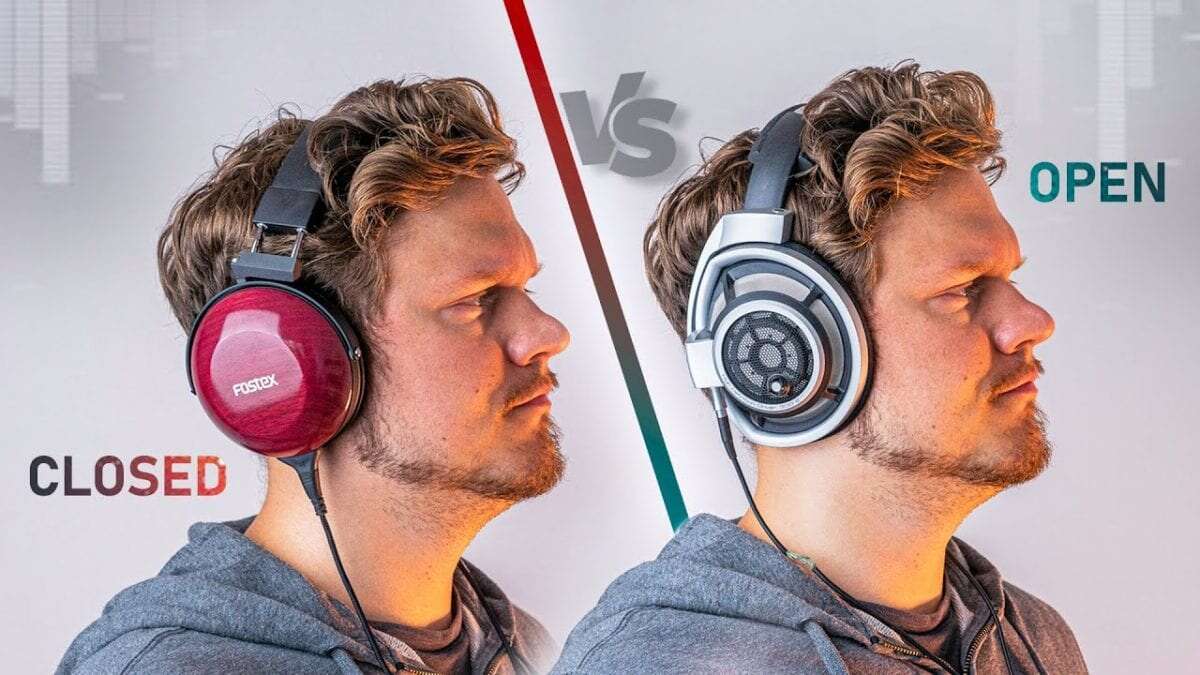
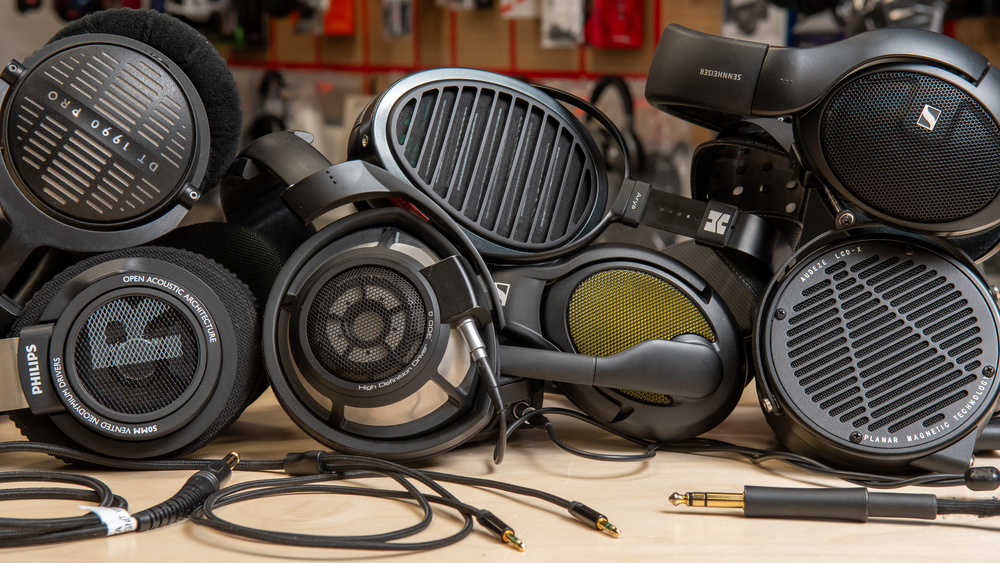
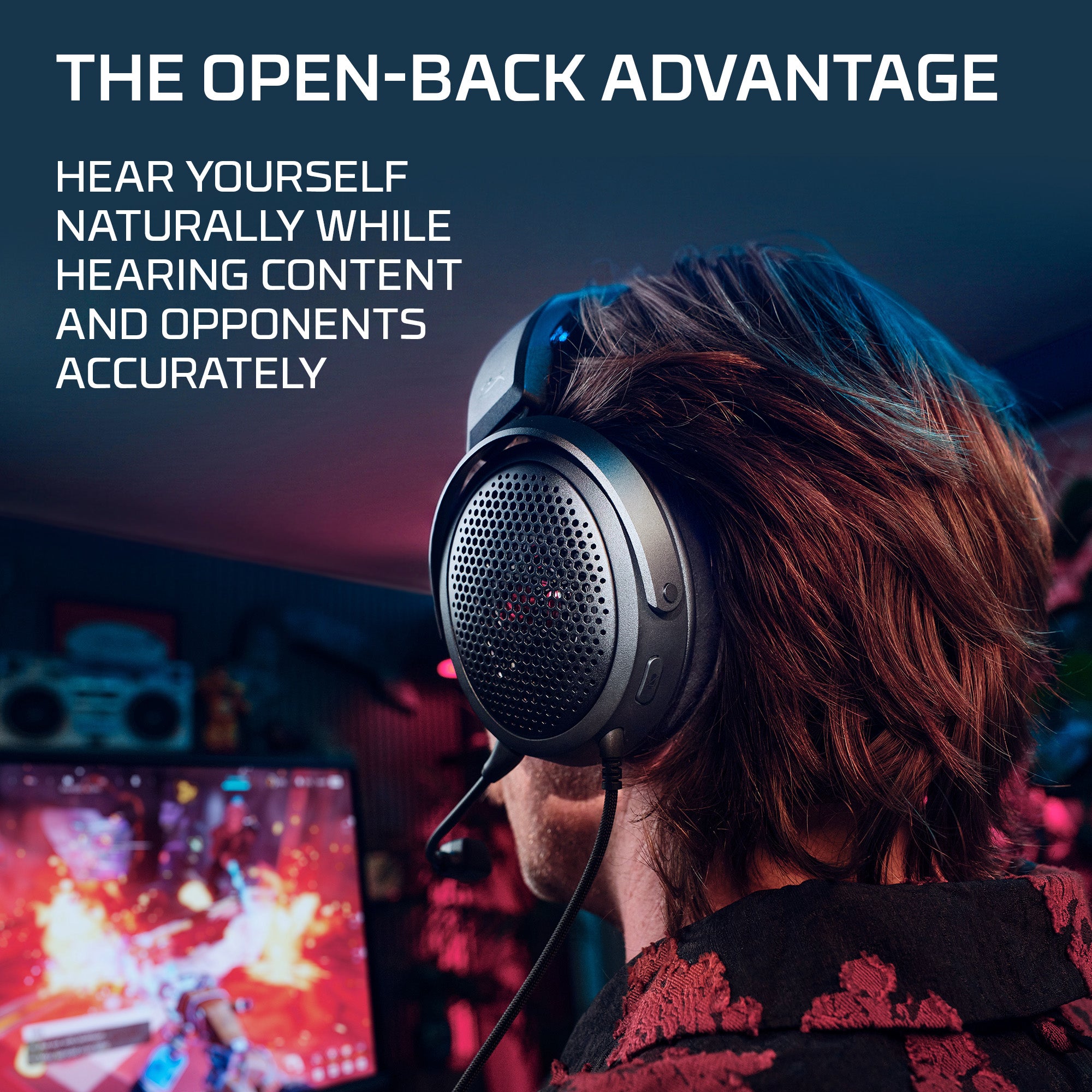
Open-back headphones have ear cups with vents or grilles that let air and sound move through the back of the drivers. This design creates a more natural and spacious sound than the sealed cups found on most closed-back headphones.
The trade-off is simple: sound can escape, and outside noise can enter. If someone is watching TV beside you, they may hear your game. If a fan, roommate, or street is loud, you may hear it too.
Are open-back headphones good for gaming in a quiet room? They often are, because their open design can produce a wide soundstage. This helps game audio feel less like it comes from inside your head and more like it surrounds you.

Are Open-Back Headphones Good for Gaming?
Are open-back headphones good for gaming? They are especially good for players who value positional audio, comfort, and a natural sound profile.
In a competitive shooter, you may hear a footstep to your left, a reload behind you, or movement above your position. A good open-back headset can make these changes feel clear and easy to follow. It does not give you magical hearing, but it can make the audio space less crowded.
Open-back headphones also tend to sound less boomy than some closed-back models. This can help separate bass-heavy explosions from small details, such as footsteps or distant shots. However, sound quality still depends on the driver, tuning, game mix, and your audio settings.
They work well for:
• Competitive shooters such as Valorant, Counter-Strike 2, Apex Legends, and Call of Duty
• Story games with rich music and environmental sound
• RPGs and adventure games with large, immersive worlds
• Racing games where engine sounds and road effects add atmosphere
• Long gaming sessions where cool ear cups and low heat matter

Main Benefits of Open-Back Gaming Headphones
Wider Soundstage
Soundstage describes how large and open audio feels. Open-back headphones often create a wider space than closed-back headphones, although the exact effect varies by model.
A wide soundstage can make it easier to sense distance and direction. You may notice whether a sound feels near, far, above, or to the side. This is useful in games where quick reactions matter.
Still, soundstage is not the same as accurate imaging. Imaging refers to how precisely a headphone places a sound in that space. A headphone can sound wide but place footsteps poorly, so both traits matter.
Clearer Audio separation
Open-back headphones often separate instruments, voices, effects, and movement sounds well. This quality is called detail retrieval or separation.
Imagine listening to a crowded room. A poor headphone turns every voice into one noisy blur. A well-tuned open-back model lets you follow one person while still hearing the room around them. That separation can help you notice quiet game cues beneath loud action.
Better Airflow and Comfort
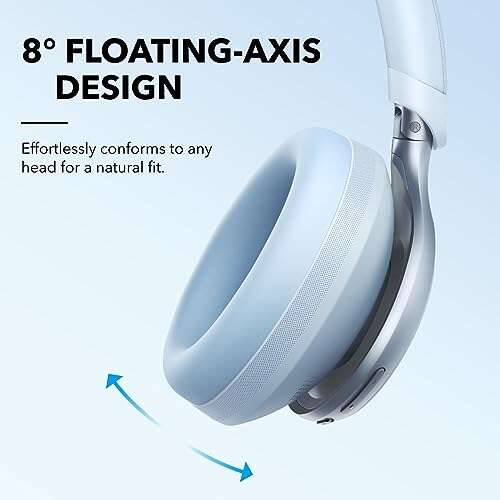
Because the ear cups are vented, open-back headphones usually allow more airflow. Your ears may feel cooler during long sessions, especially in a warm room.
Many open-back models are also lighter than wireless gaming headsets with large batteries and built-in controls. Less weight can reduce pressure on your head and jaw.
In my own testing, comfort became more important than I expected. A headset that sounds amazing but creates hot ears after 45 minutes is not a great gaming headset for a three-hour session.
More Natural Music and Atmosphere
Open-back headphones can make game music feel broad and engaging. Orchestral scores, wind, rain, crowd noise, and room ambience often sound more open.
This is one reason many audio enthusiasts use open-back headphones for single-player games. They can make a game world feel like a room you have entered rather than a recording placed directly beside your ears.
Less Pressure From Sealed Ear Cups
Some people dislike the plugged-up feeling created by closed-back headphones. Open-back headphones reduce that sealed sensation.
They may also feel more natural for players who dislike strong bass pressure. This does not mean they lack bass. It means the bass often feels less trapped inside the ear cups.
The Limitations of Open-Back Headphones for Gaming
They Leak Sound
Sound leakage is the biggest weakness. People near you may hear gunfire, dialogue, or music. The louder you play, the more sound they will hear.
This makes open-back headphones a poor choice for:
• Shared bedrooms
• Offices or libraries
• Gaming near a sleeping partner
• Noisy homes
• Public spaces
If privacy matters, closed-back headphones are safer. A closed design also blocks more outside noise, which can help you stay focused.
They Offer Little Noise Isolation
Open-back headphones do not block outside sound well. A loud air conditioner, keyboard, dog, or traffic can cover quiet game details.
Noise cancellation usually does not solve this problem. Most active noise cancellation systems work best with closed ear cups. Open-back headphones are designed for an airy sound, not strong isolation.
They May Need a Separate Microphone
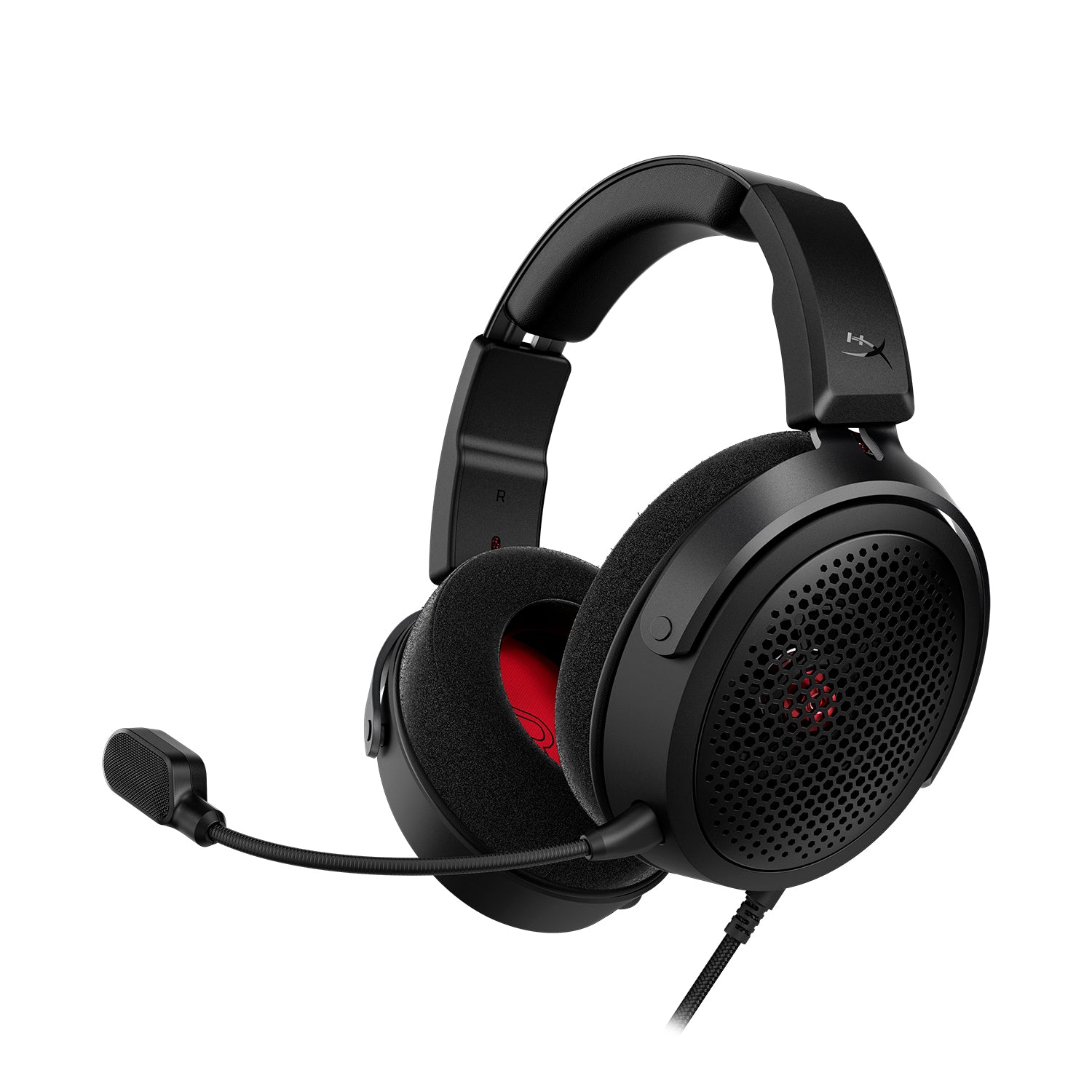
Some open-back headphones are headphones only, not complete gaming headsets. You may need a USB microphone, boom mic, or headset adapter.
That adds cost and desk space. It can also create setup problems if your computer chooses the wrong input device.
A separate microphone can sound better than many built-in headset microphones. However, it is less convenient than an all-in-one wireless gaming headset.
They Can Reveal Poor Audio Mixes
Open-back headphones do not automatically improve every game. Some games have weak positional audio, excessive bass, or poor surround processing.
In those cases, a premium headphone may reveal the flaws rather than fix them. Your game settings, platform, and headphone software can affect the final result.
They Are Not Ideal for Travel
Open-back headphones are usually fragile and less private than closed-back models. They are best used at home in a quiet space.
If you need one headset for gaming, commuting, and work calls, a closed-back or wireless model may be more practical.

Open-Back vs. Closed-Back Headphones for Gaming
The best choice depends on your environment and priorities. Neither design wins in every situation.
| Feature | Open-back headphones | Closed-back headphones |
|---|---|---|
| Soundstage | Usually wider and more spacious | Usually narrower but can still be accurate |
| Sound leakage | High | Low |
| Noise isolation | Low | Moderate to high |
| Ear airflow | Better | Warmer |
| Bass impact | Often more natural | Often stronger and more forceful |
| Privacy | Poor | Better |
| Best setting | Quiet room | Shared or noisy room |
Are open-back headphones good for gaming compared with closed-back models? They are often better for spacious sound and comfort, while closed-back headphones are better for isolation and privacy.
For example, a player in a quiet office may prefer an open-back model for competitive games. A player in a shared apartment may get better results from a closed-back headset because outside noise and sound leakage are serious problems.
Do not choose based on soundstage alone. A well-tuned closed-back headphone can outperform a badly tuned open-back model. Comfort, imaging, microphone quality, and fit all matter.
How Open-Back Headphones Affect Positional Audio
Positional audio helps you identify where a sound comes from. Games create this effect with stereo mixing, binaural processing, surround virtualization, or 3D audio systems.
Open-back headphones can support positional audio by giving sounds more room to spread. Left and right changes may feel smoother, and front-to-back movement may sound less cramped.
However, open-back headphones do not create accurate positioning by themselves. A poor fit, weak game audio engine, or incorrect console setting can still cause confusion.
For the best results:
-
Use the game’s recommended headphone mode.
-
Turn off extra surround effects if they make sounds muddy.
-
Test stereo and 3D audio modes separately.
-
Keep the volume moderate so loud effects do not hide quiet cues.
-
Use a consistent headphone position on your head.
One mistake I made early on was stacking multiple surround modes. I enabled a game’s 3D audio, a console effect, and a headphone app feature at the same time. The result sounded wide but vague. Removing the extra processing made footsteps easier to place.

Are Open-Back Headphones Good for Competitive Gaming?
Are open-back headphones good for gaming at a competitive level? They can be, especially in a quiet room with a clean audio mix.
Many competitive players like open-back headphones because they can hear small changes in the game space. The open presentation may also reduce the feeling of pressure during long matches.
But competitive performance depends on more than headphone type. Skill, game knowledge, volume level, latency, audio settings, and focus are often more important.
A practical competitive setup may include:
• A lightweight open-back headphone with accurate imaging
• A reliable wired connection
• A separate microphone or quality boom mic
• A quiet room
• A stable game audio setting
• Moderate volume to protect hearing
Do not assume the most expensive model will make you better. Test a headset with the games you play most. If you can locate footsteps clearly without fatigue, it is doing its job.
Are Open-Back Headphones Safe for Long Gaming Sessions?
Are open-back headphones good for gaming over long sessions? Their cooler ear cups and lighter designs can improve comfort, but safe listening still depends on volume and breaks.
The open design does not protect your hearing from loud audio. The World Health Organization recommends reducing listening time and volume exposure to lower the risk of hearing damage.
Use these habits:
• Keep the volume as low as possible while still hearing details.
• Take a short break every hour.
• Stop if you notice ringing, muffled hearing, or ear discomfort.
• Avoid increasing volume to overcome background noise.
• Check your system volume and in-game volume separately.
A comfortable headset can make it easy to forget how long you have been playing. Comfort is useful, but it should not become an excuse for excessive volume.

How to Choose the Best Open-Back Headphones for Gaming
Check Imaging Before Chasing Soundstage
A large soundstage is pleasant, but accurate imaging matters more for footsteps and direction. Look for reviews that discuss precise placement, not just “wide sound.”
Consider Wired or Wireless Use
Wired open-back headphones usually provide simple, dependable audio with no battery concerns. Wireless models offer freedom, but the open-back category has fewer options and may have limited battery life.
For serious competitive play, a wired connection avoids wireless battery problems and possible connection issues. Modern wireless systems can work well, but convenience often comes with extra cost.
Look at Impedance and Sensitivity
Some headphones need more power than a laptop, controller, or console can provide. High-impedance models may benefit from a headphone amplifier or audio interface.
Check the manufacturer’s impedance and sensitivity details. If you plan to plug the headphones into a game controller, choose a model that can reach a good volume without extra equipment.
Evaluate Microphone Needs
If you play online, decide whether you want:
• A built-in microphone
• A detachable boom mic
• A USB desktop microphone
• An audio interface with an XLR microphone
A separate mic often gives you better voice quality, but a built-in option is easier to use. Your choice should match your desk, budget, and chat habits.
Prioritize Comfort and Fit
Head shape, glasses, hair, and clamp force all affect comfort. Memory foam pads may feel soft, but they can also increase heat. Fabric pads often breathe better but may provide less seal and bass.
If possible, buy from a seller with a clear return policy. Headphones are personal. A model that feels perfect to one player may feel tight or loose to another.
Match the Headphone to Your Room
This may be the most important step. Are open-back headphones good for gaming in your room? Only if your room is quiet enough and sound leakage will not cause problems.
Choose open-back headphones when:
• You play in a quiet private room.
• You want a spacious sound.
• You value cool ear cups.
• You do not mind using a separate microphone.
Choose closed-back headphones when:
• You share your space.
• You play near other people.
• You need noise isolation.
• You want strong bass impact.
• You want one simple headset for many locations.
Common Mistakes to Avoid
Many players focus only on the headphone label. “Open-back” does not guarantee good gaming performance.
Avoid these mistakes:
• Buying a headphone without checking its microphone plan
• Using an amplifier that adds no real benefit to an easy-to-drive model
• Turning the volume too high to hear footsteps
• Enabling several surround modes at once
• Ignoring comfort because a review calls the sound excellent
• Choosing an open-back design for a loud or shared room
• Expecting headphones to compensate for poor game audio
Also, avoid copying another player’s equalizer settings without testing them. Boosting treble may make footsteps stand out, but it can also make gunshots sharp and tiring. Small changes are safer than extreme presets.
Frequently Asked Questions About Are Open-Back Headphones Good for Gaming
Are open-back headphones better than closed-back headphones for gaming?
Neither design is always better. Open-back headphones usually provide a wider, airier sound, while closed-back headphones offer better isolation, privacy, and bass impact.
Can other people hear open-back gaming headphones?
Yes. Open-back headphones allow sound to escape through the vents in the ear cups. The amount of leakage depends on the model and your listening volume.
Are open-back headphones good for FPS games?
They can be excellent for FPS games because accurate imaging may help you locate footsteps and other directional sounds. Their advantage is strongest in a quiet room with a well-made audio mix.
Do open-back headphones need an amplifier?
Not always. Many models work well from a computer, console controller, or laptop, but high-impedance headphones may need more power for suitable volume and dynamic range.
Are open-back headphones good for gaming and streaming?
They can work well for both, especially when paired with a good microphone. You should use a separate mic or a suitable boom mic because many open-back headphones do not include one.
Are open-back headphones safe for gaming?
They can be safe when used at a moderate volume with regular breaks. The open design does not prevent hearing damage from loud or prolonged sound.
Conclusion
Are open-back headphones good for gaming? Yes, they are a strong choice for players who want spacious sound, clear separation, and better airflow during long sessions. They are especially useful in quiet rooms and for games where positional audio and atmosphere matter.
Their main drawbacks are sound leakage, weak noise isolation, and the possible need for a separate microphone. Before buying, consider your room, platform, comfort needs, and gaming style rather than choosing by brand or price alone.
Try an open-back model if you want a more natural gaming experience, and compare it with a closed-back headset if your room is noisy or shared. Test your audio settings, protect your hearing, and share your favorite gaming headphone setup in the comments.

Everett Ashford is a tech reviewer at mytechgrid.com specializing in SSDs, cameras, TVs, earbuds, headphones, and other consumer electronics. He provides honest, data-driven reviews based on hands-on testing and real-world performance analysis. Everett simplifies complex tech details to help readers make smart, confident buying decisions.