Introduction
Yes. Bluetooth earbuds need to be charged because their wireless connection, speakers, microphones, and controls run on built-in batteries. This applies to AirPods, Galaxy Buds, Beats, Pixel Buds, and nearly all other true wireless earbuds sold in the United States.
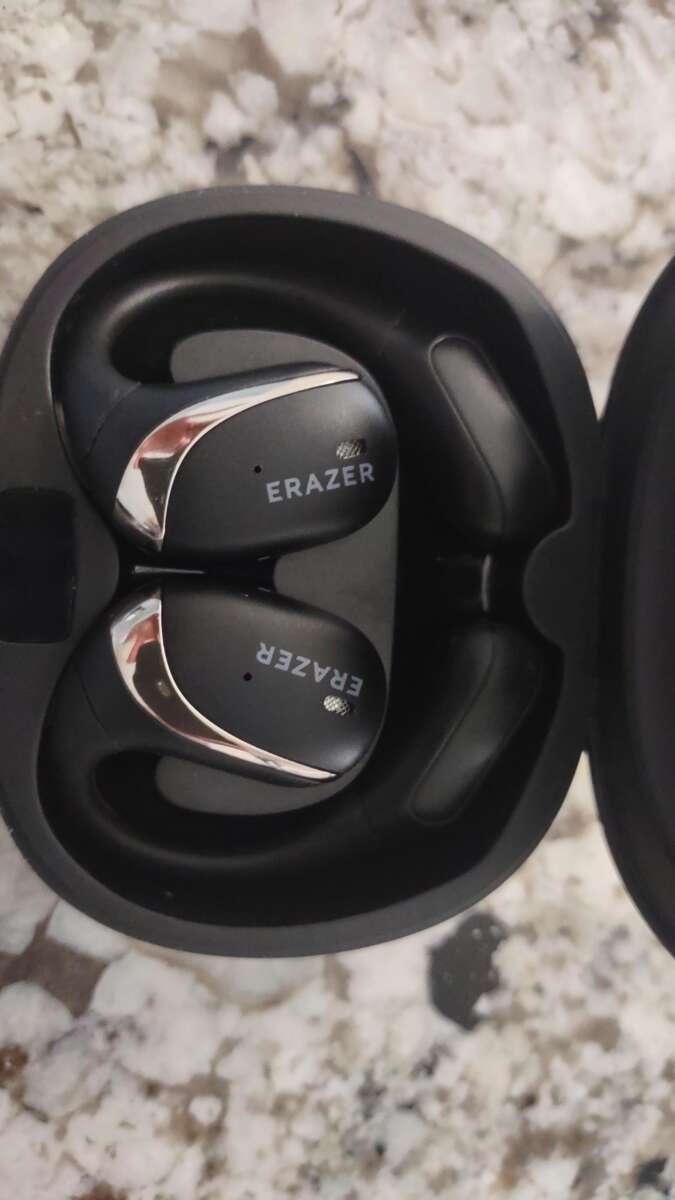
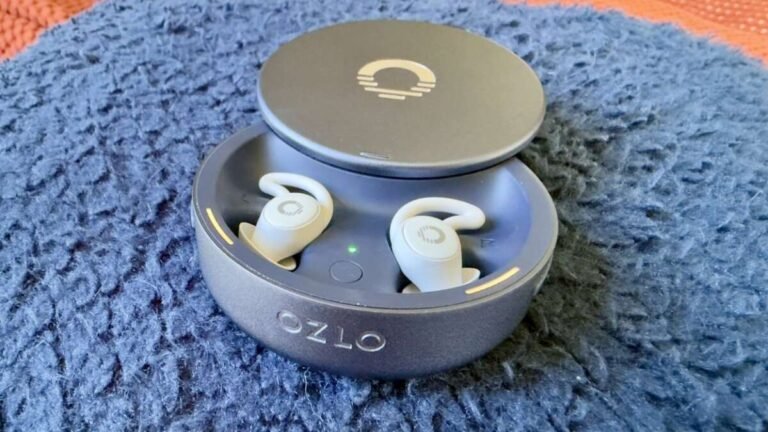
Most models come with a charging case. You charge the case with a cable or wireless charging pad, then place the earbuds inside the case to recharge them. The case works like a small portable battery.
Unlike wired headphones, Bluetooth earbuds cannot draw power from your phone through the audio cable. If the earbud battery and charging case are both empty, the earbuds will not play sound until you charge them.


How Bluetooth earbuds get power
Bluetooth earbuds use small rechargeable lithium-ion or lithium-polymer batteries. These batteries provide power for:
- The Bluetooth radio
- The speaker driver
- Noise cancellation
- Touch or button controls
- Built-in microphones
- Voice assistants
- Status lights and sensors
The earbuds do not usually charge directly from your phone. Instead, each earbud has metal contacts that connect to charging pins inside the case.
The case has its own battery. When the earbuds sit inside it, the case sends power to them. You then recharge the case through a USB cable, USB-C port, Lightning port on some older Apple accessories, or a compatible wireless charging pad.
Apple explains this setup in its AirPods charging guide. Google provides similar instructions for charging Pixel Buds, while Samsung documents charging for Galaxy Buds.
Earbud battery versus case battery
These are separate batteries with separate charge levels.
| Part | What it powers | How it charges |
|---|---|---|
| Left earbud | Audio, Bluetooth, controls, and sensors | Inside the case |
| Right earbud | Audio, Bluetooth, controls, and sensors | Inside the case |
| Charging case | Recharges both earbuds and may show status information | USB cable or wireless charger |
A fully charged case does not mean the earbuds are full at every moment. It means the case has power available to charge them.


Likewise, earbuds can be full while the case is nearly empty. Once the case runs out of power, it cannot recharge the earbuds until you connect the case to a power source.
How to charge Bluetooth earbuds
The basic process is simple:
- Put the left and right earbuds into their matching slots.
- Make sure each earbud touches its charging pins.
- Close the lid, if the case has one.
- Connect the case to a suitable charger.
- Check the case light, phone notification, or companion app for charging status.
- Leave the earbuds in the case until they reach the desired charge level.
Many cases use USB-C. Some older models use Micro-USB or a proprietary connector. Use the cable and power adapter recommended by the manufacturer.
You usually do not need a special high-power charger. A standard, reliable USB power adapter is normally enough. Do not force a connector into the port, and do not use a damaged cable.
Wireless charging
Some charging cases support Qi wireless charging or a brand-specific wireless charging system. To use one:
- Place the case on a compatible charging pad.
- Center the case over the pad.
- Confirm that the charging light or phone shows charging.
- Remove thick metal objects or accessories that block contact.
Wireless charging can be slower or less efficient than a cable. It also may create more heat. If the case becomes unusually hot, stop charging and check the manufacturer’s instructions.
How to know that charging started
A charging light, sound, phone alert, or companion app may confirm that charging began. If nothing happens:
- Reseat both earbuds.
- Clean the charging contacts.
- Check that the case itself has battery power.
- Try another compatible cable or adapter.
- Remove any protective film from new earbuds.
- Check the brand’s support instructions for your exact model.
How long do Bluetooth earbuds take to charge?
Most Bluetooth earbuds need roughly 1 to 2 hours for a full charge, but the exact time depends on the model, battery level, case, charger, temperature, and charging system.
The charging case may take longer. Some models also offer a quick-charge feature. For example, a short time in the case may provide enough power for several hours of listening. The exact result varies by product and use conditions.
Active noise cancellation, high volume, calls, gaming, and poor Bluetooth conditions can reduce listening time. A battery estimate from the manufacturer is usually measured under specific test conditions, so real-world use may differ.
A simple charging example
Suppose earbuds provide 6 hours of listening after a full charge. If you listen for 2 hours, about 4 hours of playback capacity may remain, although the real amount can change because of volume and features.
If the case can recharge the earbuds three times, it may provide about 18 additional hours in ideal conditions. This is a simple estimate:
6 hours per charge × 3 case charges = 18 hours of additional listening
Do not treat this as a guaranteed runtime. Battery capacity declines over time, and charging losses mean the numbers are not perfectly exact.


Do Bluetooth earbuds charge while they are in the case?
Yes. The earbuds normally charge while they are seated in the charging case. The case can charge them whether or not the case is connected to a wall charger, as long as the case has enough stored power.
When the case is plugged in, both the case and earbuds may charge at the same time. Some models charge the earbuds first, while others manage the process through built-in charging software.
Keep the earbuds in the case when you are not using them. This protects them and keeps them ready for the next use. It also prevents small earbuds from getting lost in a pocket, car, or couch.
The earbuds may not charge if:
- They are placed in the wrong slots.
- Dirt blocks the metal contacts.
- The case battery is empty.
- The case contacts are damaged.
- The earbuds are too hot or too cold.
- A software or hardware fault prevents charging.

Can you use Bluetooth earbuds while they charge?
Usually, no. True wireless earbuds charge inside their case, so you cannot wear them while they charge.
You can often use the charging case while it is plugged in, but this does not mean you can listen through the earbuds during charging. Some neckband-style or behind-the-neck Bluetooth earphones are different. They may charge through a cable while you use them, depending on the design.
If you need uninterrupted use, consider one of these options:
- Keep the case charged.
- Use quick charging when supported.
- Carry a backup pair.
- Use wired headphones during long trips.
- Choose earbuds with longer battery life.
- Turn off noise cancellation when you do not need it.
Do Bluetooth earbuds need to be charged every day?
Not always. Charge frequency depends on listening time, battery size, call use, volume, and features such as noise cancellation.
A person who listens for 30 minutes each day may charge the earbuds every few days. Someone who uses them for work calls may need to charge them daily. The case may last several days or more before it needs a recharge.
A practical habit is to place the earbuds in the case after every use and charge the case when its battery falls to a low level. You do not need to wait until the batteries reach zero.
Modern rechargeable batteries use charge cycles. One cycle means using an amount of power equal to 100% of the battery’s capacity, even if that happens across several smaller sessions. Partial charges do not usually count as a full cycle each time.
Rechargeable batteries gradually lose capacity. Apple explains that lithium-ion batteries chemically age and hold less charge over time in its battery performance documentation. Other brands use similar battery technology, but the service life differs by model and use.
What happens when Bluetooth earbuds run out of battery?
When the earbud battery is empty, the earbuds usually stop playing audio and disconnect from the phone. They may also stop responding to touch controls or voice commands.
If only one earbud runs out of power, the other may continue working. Some earbuds support single-earbud use, but others may pause playback or lose certain features.


If the charging case is empty too, put the earbuds in the case and connect it to power. You may need to wait a few minutes before the earbuds turn on. A deeply drained battery may not show an immediate response.
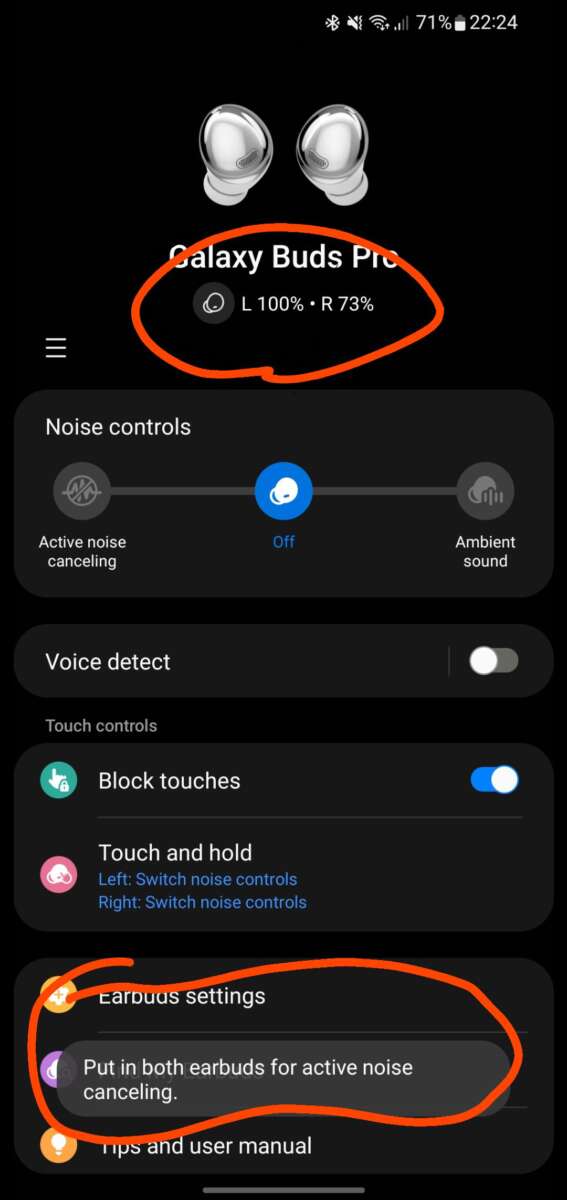
You can check battery levels in several ways:
- Open the Bluetooth menu on an iPhone or Android phone.
- Use the manufacturer’s companion app.
- Look at the case indicator light.
- Check the phone’s battery widget.
- Listen for a low-battery alert.
Phone menus and features vary by operating system, brand, and earbud model.
Bluetooth earbuds will not charge: troubleshooting steps
Start with simple checks before assuming the battery has failed.
1. Check the case battery
If the case has no power, it cannot charge the earbuds. Connect it to a known-working cable and charger for at least a short period, then check the indicator light.
2. Reseat the earbuds
Remove both earbuds and place them back in their labeled slots. They should sit firmly and make contact with the charging pins.
3. Clean the contacts
Use a dry, soft cotton swab or microfiber cloth to remove dirt from the earbud contacts and case pins. Do not pour liquid into the case or scrape the contacts with a sharp metal tool.
Earwax, dust, and pocket lint can interrupt the connection.
4. Check the cable and charger
Try a different compatible cable and a reliable USB power adapter. If the case charges wirelessly, test it with a cable to identify whether the problem is the pad or the case.
5. Let the earbuds return to room temperature
Lithium batteries may refuse to charge when they are too hot or too cold. Move the case to a dry indoor area and allow it to reach room temperature. Do not use a heater, hair dryer, freezer, or other extreme method.
6. Update or reset the earbuds
If charging works but the battery reading is wrong, the companion app may need an update. A reset may help with software problems, but it usually erases saved pairing information. Follow the exact instructions for your model.
7. Stop using damaged equipment
Stop charging if the case or earbud is swollen, cracked, leaking, smells unusual, becomes very hot, or shows signs of burning. Do not puncture or open the battery. Contact the manufacturer or a qualified electronics repair service for safe handling.
The U.S. Consumer Product Safety Commission provides safety information about portable lithium-ion batteries.
Charging and battery safety tips
Use the charger and cable that the manufacturer recommends or a reputable, compatible replacement. Keep charging equipment away from water, extreme heat, and damaged outlets.
Do not charge earbuds under a pillow, inside bedding, or in a hot vehicle. Heat can damage lithium batteries and increase safety risks.


Avoid charging a swollen, cracked, or wet device. Do not attempt to replace a tiny earbud battery yourself unless you have the correct training and tools. The battery is sealed into a small enclosure, and improper repair can cause damage or injury.
If you plan to store earbuds for a long time, follow the manufacturer’s storage advice. A completely empty battery may be difficult to recover, while long exposure to high heat can speed battery aging.
Wired earphones versus Bluetooth earbuds
Standard wired earphones do not need a separate battery when they connect through a normal headphone jack or a passive USB-C audio connection. They receive the audio signal and, in some cases, power from the device.
Bluetooth earbuds are different. They convert the wireless signal into sound and need their own batteries.
Some USB-C earphones contain digital audio hardware. These may draw a small amount of power from the phone even though they do not use Bluetooth. That is another reason to check the product instructions instead of assuming every earbud works the same way.
| Type | Needs charging? | Main power source |
|---|---|---|
| True wireless Bluetooth earbuds | Yes | Built-in earbud and case batteries |
| Bluetooth neckband earphones | Yes | Built-in rechargeable battery |
| Passive wired headphones | Usually no | Phone, tablet, or computer connection |
| USB-C digital earphones | Usually no separate charge | Connected device |
Frequently asked questions
Do Bluetooth earbuds charge when the case is not plugged in?
Yes. If the case has stored power, it can charge the earbuds without being connected to a charger. The case itself must be charged later.
Can I charge Bluetooth earbuds with my phone?
Usually not directly. Some phones can share power through reverse wireless charging, but the earbud case must support compatible wireless charging. A USB cable and power adapter are more broadly supported.
Should I leave my earbuds in the case all the time?
Yes, for normal daily use. The case protects the earbuds and keeps them charged. Built-in charging controls are designed to manage charging, although heat and battery aging still affect long-term capacity.
Is it bad to charge earbuds overnight?
Manufacturers generally design modern earbuds and cases to stop or reduce charging when full. Still, keep them on a hard, ventilated surface and use an undamaged charger. Avoid charging inside bedding or in a hot place.
Why does one earbud lose power faster?
One earbud may use more power when it handles the main Bluetooth connection, microphones, calls, or noise cancellation. Dirt, a poor fit, an aging battery, or unequal use can also cause a difference. Clean the contacts and compare battery behavior after a full charge.
Conclusion
Bluetooth earbuds do need to be charged. Their built-in batteries power the wireless connection, speakers, microphones, and smart features. The charging case stores extra power and recharges the earbuds between uses.
For reliable performance, place the earbuds in the case after use, keep the case charged, clean the charging contacts, and avoid heat or damaged cables. If an earbud will not charge after these checks, follow the model’s support instructions and stop using it if the battery looks swollen or damaged.

Everett Ashford is a tech reviewer at mytechgrid.com specializing in SSDs, cameras, TVs, earbuds, headphones, and other consumer electronics. He provides honest, data-driven reviews based on hands-on testing and real-world performance analysis. Everett simplifies complex tech details to help readers make smart, confident buying decisions.