Introduction
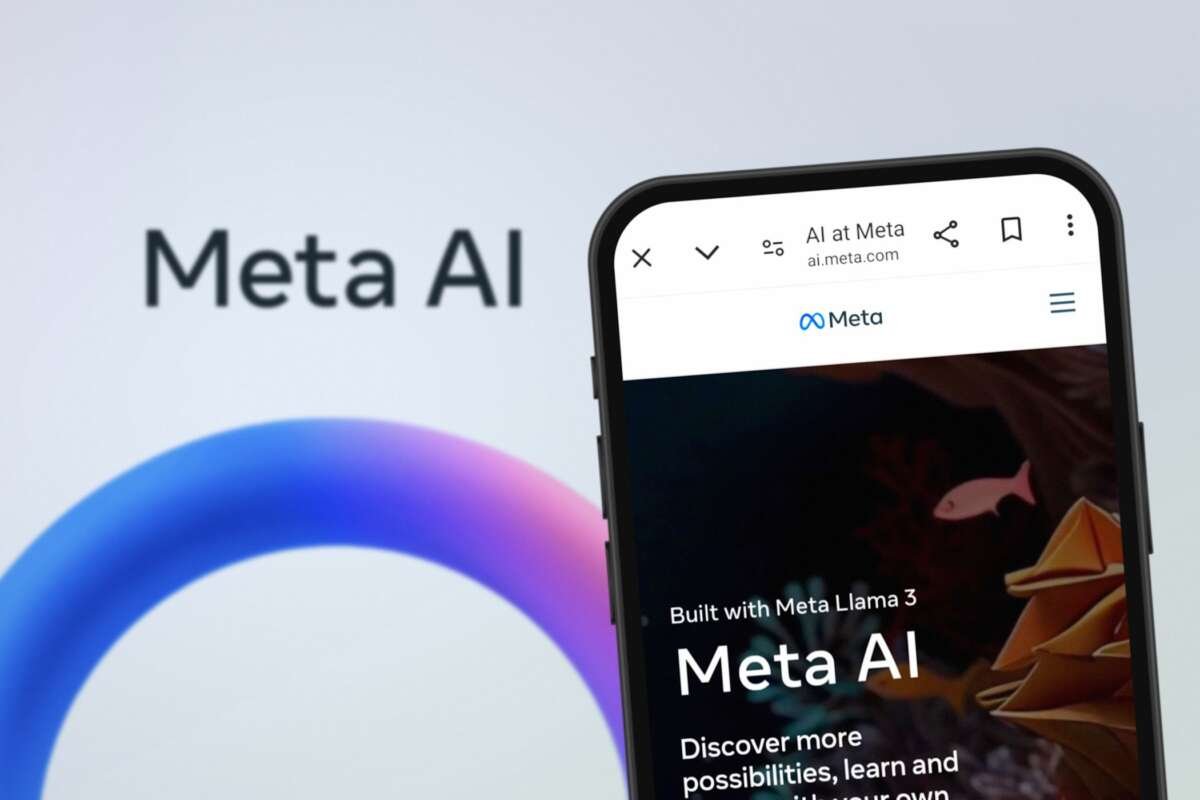
Yes. Meta has a standalone AI app called Meta AI. In the United States, you can also use Meta AI inside WhatsApp, Instagram, Facebook, and Messenger. Meta AI is built on Meta’s Llama family of large language models and can answer questions, write text, create images, help with ideas, and chat by voice.
The standalone app is not the only way to access it. Your best option depends on whether you want a separate AI tool, help inside a social app, or voice access through Ray-Ban Meta smart glasses.

What Is the Meta AI App?
Meta AI is Meta’s generative artificial intelligence assistant. It works much like other AI chat tools: you type or speak a request, and it creates a response.
The Meta AI app is designed for tasks such as:
- Answering general questions
- Explaining difficult topics
- Brainstorming ideas
- Writing or rewriting text
- Translating content
- Planning trips, meals, or projects
- Creating images from text prompts
- Talking with you by voice
- Finding information from the web
- Continuing chats across supported Meta services
Meta AI is powered by Meta’s Llama models. The exact model and features may change as Meta updates the service.
The app is separate from Facebook and Instagram, but Meta also places its AI assistant inside those products. This means you may already have access without installing a new app.

Where Can You Use Meta AI in the United States?
You can use Meta AI in several places. Access can vary by account, device, app version, age, and rollout status.
| Location | How Meta AI appears | Best for |
|---|---|---|
| Standalone Meta AI app | A dedicated AI chat app | Chat, voice, images, and personal projects |
| Meta AI website | A browser-based chat service at Meta AI’s website | Using Meta AI on a computer |
| An AI chat or Meta AI button | Questions while messaging | |
| Meta AI in search or chat features | Ideas, captions, and questions | |
| Meta AI search or chat features | General questions and content help | |
| Messenger | Meta AI inside chats | Writing and casual assistance |
| Ray-Ban Meta glasses | Voice assistant access | Hands-free questions and visual help |
Meta has introduced these features in stages. Two people in the United States may see different options, even if they use the same app. Updating the Meta app on your phone can help, but an update does not guarantee that every feature is available on your account.
How to Download the Meta AI App
If you want the standalone app, use the official app store on your device.
On an iPhone
- Open the Apple App Store.
- Search for Meta AI.
- Check that the developer is Meta Platforms, Inc.
- Review the app details and permissions.
- Tap Get or the download button.
- Open the app and sign in with a supported account.
On an Android phone
- Open Google Play.
- Search for Meta AI.
- Confirm that Meta Platforms, Inc. is listed as the developer.
- Check the app description and recent update date.
- Tap Install.
- Open the app and complete the sign-in process.
Do not install an APK or another file from an unknown website. A fake AI app may try to collect your login details, payment information, or private messages.
If you cannot find the app, the likely reasons include:
- The app has not reached your region.
- Your device or operating system is not supported.
- Your app store account uses a different country.
- The listing has a different name in your store.
- Meta AI is available only inside another Meta app for your account.
- You are using a child or restricted account.
You can also try Meta AI through the official website at meta.ai. Availability and features may change, so check Meta’s current help pages for your device.

How to Use Meta AI
Meta AI works best when your request is clear and gives enough context.
For example, instead of writing:
Plan dinner.
Try:
Plan a low-cost dinner for four people in Chicago. Use ingredients from a typical U.S. grocery store, and avoid peanuts.
You can ask Meta AI to:
- Draft an email
- Summarize text you provide
- Make a study plan
- Suggest names for a business
- Explain a tax term in plain English
- Create a packing list
- Turn notes into a checklist
- Write social media ideas
- Generate an image prompt
- Compare two options
Use follow-up prompts
You do not need to write a perfect request at the start. Continue the chat with instructions such as:
- “Make it shorter.”
- “Use a friendly tone.”
- “Give me three options.”
- “Explain that for a ninth-grade student.”
- “Add a budget.”
- “What could go wrong?”
- “Check the answer again.”
This helps Meta AI refine its response.
Use voice when available
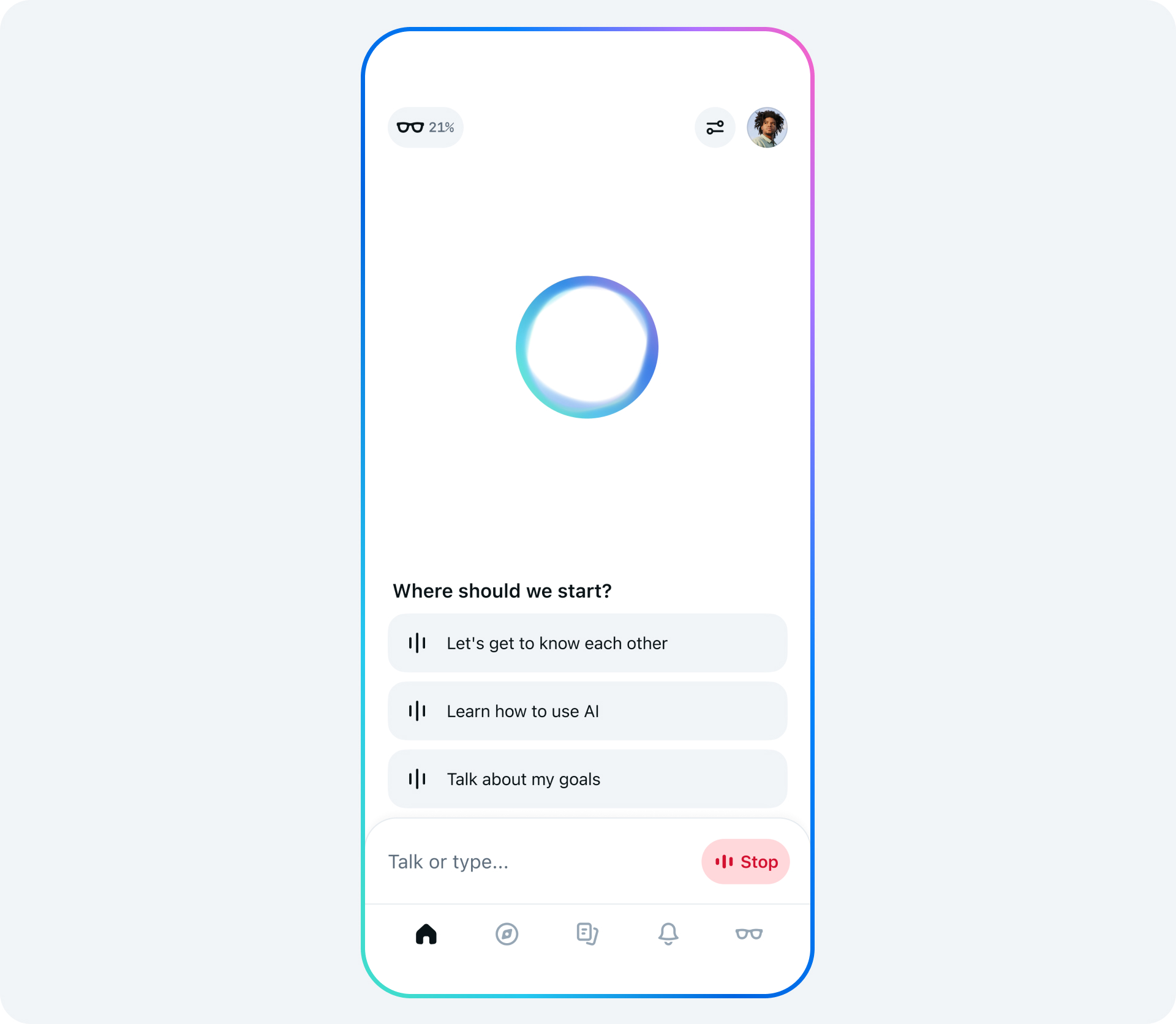
The standalone Meta AI app may support voice conversations. Voice features can vary by account and device. If voice is available, use the microphone or voice button in the app.
Voice chat is useful when you are:
- Walking or cooking
- Practicing a language
- Brainstorming aloud
- Asking for quick directions or ideas
- Using supported Meta hardware
Voice responses can still be wrong. Treat them as help, not as a trusted source for medical, legal, financial, or emergency advice.
Create images
Meta AI can create images from text prompts in supported products. A useful prompt states:
- The subject
- The setting
- The style
- The mood
- The image shape, if available
Example:
Create a bright, simple illustration of a farmers market in Seattle on a sunny morning. Use soft colors and a clean poster style.
Image tools may have limits on certain people, events, brands, or content. The result may also contain errors, especially with small text, hands, faces, and complex scenes.
Meta AI App vs. Meta AI Inside Facebook and WhatsApp
The core assistant is related across Meta’s products, but the experience is not identical.
The standalone app is usually the better choice when you want a dedicated place for longer chats, voice use, or creative work. It keeps the AI task separate from your social feeds and messages.
Meta AI inside WhatsApp, Instagram, Facebook, or Messenger is more convenient when you already spend time there. You may be able to call Meta AI from a chat, search field, or group conversation, depending on the feature available to you.
The main trade-off is control versus convenience:
- Standalone app: More focused and easier to use for extended AI sessions.
- Built-in assistant: Faster to access, but mixed with your social or messaging activity.
- Website: Useful on a computer, with no mobile installation.
- Smart glasses: Convenient for voice and hands-free tasks, but dependent on compatible hardware.
Meta may connect some features across its products. However, do not assume that every chat, setting, or memory works in exactly the same way in every app.

Is the Meta AI App Free?
Meta AI is generally offered as a free service in its supported apps and markets. However, “free” does not mean unlimited or identical for every user.
Meta may limit or change:
- The number of messages
- Image generation
- Voice use
- Access to newer models
- Search functions
- Hardware-related features
- Availability by country or account
A service can also be free while using your interactions under the provider’s privacy terms. Read the current Meta privacy information before using the app for sensitive work.
Do not enter information such as:
- Social Security numbers
- Bank account details
- Passwords
- Private medical records
- Confidential work files
- Legal documents
- Another person’s private information
If you need AI help with a private document, remove names, account numbers, addresses, and other details first.

Does Meta AI Have Access to the Internet?
Meta AI may use web search or current information features in supported experiences. This can help with recent topics, places, products, and news.
Web access does not make every answer accurate. The assistant may:
- Misread a source
- Combine facts from different pages
- Give an old answer
- Miss local details
- State an uncertain claim too confidently
For important information, open the linked source and check the date. Compare official sources when the subject involves government rules, health guidance, school requirements, travel documents, or money.
For example, if Meta AI gives advice about a U.S. passport, check the U.S. Department of State. If it explains a tax rule, check the Internal Revenue Service or speak with a qualified tax professional.

Is Meta AI Safe to Use?
Meta AI is suitable for many low-risk tasks, such as brainstorming, drafting, and general explanations. It should not replace a doctor, lawyer, financial adviser, emergency service, teacher, or other qualified professional.
There are two separate safety questions:
- Can the answer be wrong? Yes. AI systems can make errors or invent details.
- How is your information handled? That depends on Meta’s current privacy policy, product settings, and the feature you use.
Before using Meta AI, check:
- What information the app collects
- How chats may be stored or reviewed
- Whether you can delete chats
- Whether personalization or memory features are active
- How to report an unsafe response
- Whether your chat is shared with other people or services
Avoid treating the assistant as a private diary. A convenient chat window is not the same as a confidential professional relationship.
If the response involves immediate danger, contact emergency services in the United States by calling 911. Do not wait for an AI reply.

Why Can’t I Find Meta AI?
If Meta AI does not appear, work through these checks:
- Update the Meta app. Install the latest version of WhatsApp, Instagram, Facebook, or Messenger.
- Check your account. Some features depend on age, account type, or staged rollout.
- Check the app store region. The standalone app may not be listed for every country.
- Search for the official developer. Confirm that Meta Platforms, Inc. published the app.
- Restart the app and device. This can fix a temporary display problem.
- Try meta.ai in a browser. The website may work even when the mobile app is unavailable.
- Review permissions. Voice and camera features may need microphone or camera access.
- Check Meta’s help center. Feature names and access rules can change.
Do not change your app-store country just to force access. That change can affect subscriptions, payment methods, and other purchases.

Common Misunderstandings About Meta AI
Meta AI is not the same as every Meta algorithm
Facebook and Instagram use many automated systems for recommendations, moderation, advertising, and ranking. Meta AI is the conversational assistant. These are related technologies but different functions.
Meta AI is not always a human-like expert
It can explain and generate content, but it does not have human judgment or professional responsibility. A fluent answer may still contain a serious error.
Meta AI is not automatically private
Your chat may be covered by Meta’s terms and privacy practices. Read the applicable policy and avoid sharing secrets or sensitive records.
The app is not available to every user at the same time
Meta often releases products in stages. Device, market, account, and feature differences are normal during a rollout.

Frequently Asked Questions
Does Meta have a standalone AI app for iPhone and Android?
Yes. Meta has a standalone Meta AI app for supported iPhone and Android users. Availability can depend on your country, device, app-store listing, and account.
Can I use Meta AI without downloading an app?
Often, yes. You may be able to use Meta AI at meta.ai or inside WhatsApp, Instagram, Facebook, or Messenger.
Is Meta AI better than ChatGPT?
Neither is best for every task. Meta AI may be more convenient if you already use Meta apps or Ray-Ban Meta glasses. ChatGPT and other tools may offer different models, features, integrations, or limits. Compare the exact task, privacy terms, cost, and availability.
Can Meta AI read my private messages?
Do not assume that it can or cannot in every product. Access depends on the feature and its design. Check Meta’s current privacy documentation and avoid entering confidential information into AI chats.
Can Meta AI make phone calls or send messages?
Capabilities vary by app, device, and rollout. Some Meta products may connect AI features to messaging or voice tools, but you should review the action before anything is sent or shared.
Conclusion
Meta does have an AI app. In the United States, you can use the standalone Meta AI app, the Meta AI website, or built-in versions inside WhatsApp, Instagram, Facebook, and Messenger.
Start with the official app store or meta.ai. Use clear prompts, verify important answers, and keep sensitive information out of your chats. The standalone app is the simplest choice for regular AI conversations, while built-in Meta AI is useful when you want help without leaving the app you already use.

Everett Ashford is a tech reviewer at mytechgrid.com specializing in SSDs, cameras, TVs, earbuds, headphones, and other consumer electronics. He provides honest, data-driven reviews based on hands-on testing and real-world performance analysis. Everett simplifies complex tech details to help readers make smart, confident buying decisions.