
What Is A Digi Cam: Digital Camera Guide For Beginners
A digi cam is a camera that captures photos and videos as digital files instead of using photographic film.
If you have searched “what is a digi cam,” you may be curious about the small cameras that became popular before smartphones took over. A digi cam, short for digital camera, uses an electronic image sensor, a lens, and memory storage to record pictures. This guide explains how digi cams work, the main types, their benefits and limits, and how to choose one today.

What Is a Digi Cam?
A digi cam is a digital camera that turns light into electronic image data. Instead of exposing film, it uses an image sensor to capture the scene in front of the lens. The camera then saves the image as a file, often in JPEG, HEIF, or RAW format.
In simple terms, a digi cam works like a small computer with a lens. The lens gathers light, the sensor records it, and the camera processor builds that information into a photo. You can view the result on the camera screen, transfer it to a computer, or share it online.
The term “digi cam” often refers to compact digital cameras from the late 1990s, 2000s, and early 2010s. However, the term can describe any digital camera, including:
• Compact point-and-shoot cameras
• Digital single-lens reflex cameras, known as DSLRs
• Mirrorless interchangeable-lens cameras
• Bridge cameras with large zoom ranges
• Action cameras
• Some webcams and specialty cameras
A digi cam does not need film, a darkroom, or chemical processing. This made photography faster and more affordable for everyday users.
How Does a Digi Cam Work?
Understanding how a digi cam works becomes easier when you follow the path of light. The process starts when light enters through the lens. The lens focuses that light onto the image sensor inside the camera.
Most digital cameras use either a CMOS or CCD sensor. CMOS sensors are common because they use less power and support fast shooting. CCD sensors were widely used in older digi cams and were known for producing clean images, although they often used more battery power.
The camera performs several steps:
-
The lens focuses light on the sensor.
-
The sensor changes light into electrical signals.
-
The camera processor reads those signals.
-
The processor adjusts color, brightness, sharpness, and noise.
-
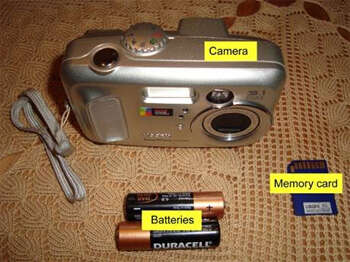
The camera saves the photo to internal storage or a memory card.
The sensor contains millions of tiny light-sensitive areas called pixels. More pixels can create more detail, but resolution is not the only factor that affects image quality. Sensor size, lens quality, lighting, focus, and image processing also matter.
A digi cam may offer automatic modes for beginners. These modes choose settings such as shutter speed, aperture, ISO, and white balance. More advanced cameras let you control these settings yourself.
Key camera settings
• Shutter speed controls how long the sensor records light. Fast speeds freeze motion.
• Aperture controls how much light enters through the lens. It also affects background blur.
• ISO controls the sensor’s light sensitivity. High ISO helps in dark scenes but can add grain or digital noise.
• White balance keeps colors looking natural under different types of light.
• Autofocus adjusts the lens so the subject looks sharp.

Main Types of Digi Cams
Not every digi cam is designed for the same job. Some are made for quick snapshots, while others give photographers full creative control.
Compact point-and-shoot cameras
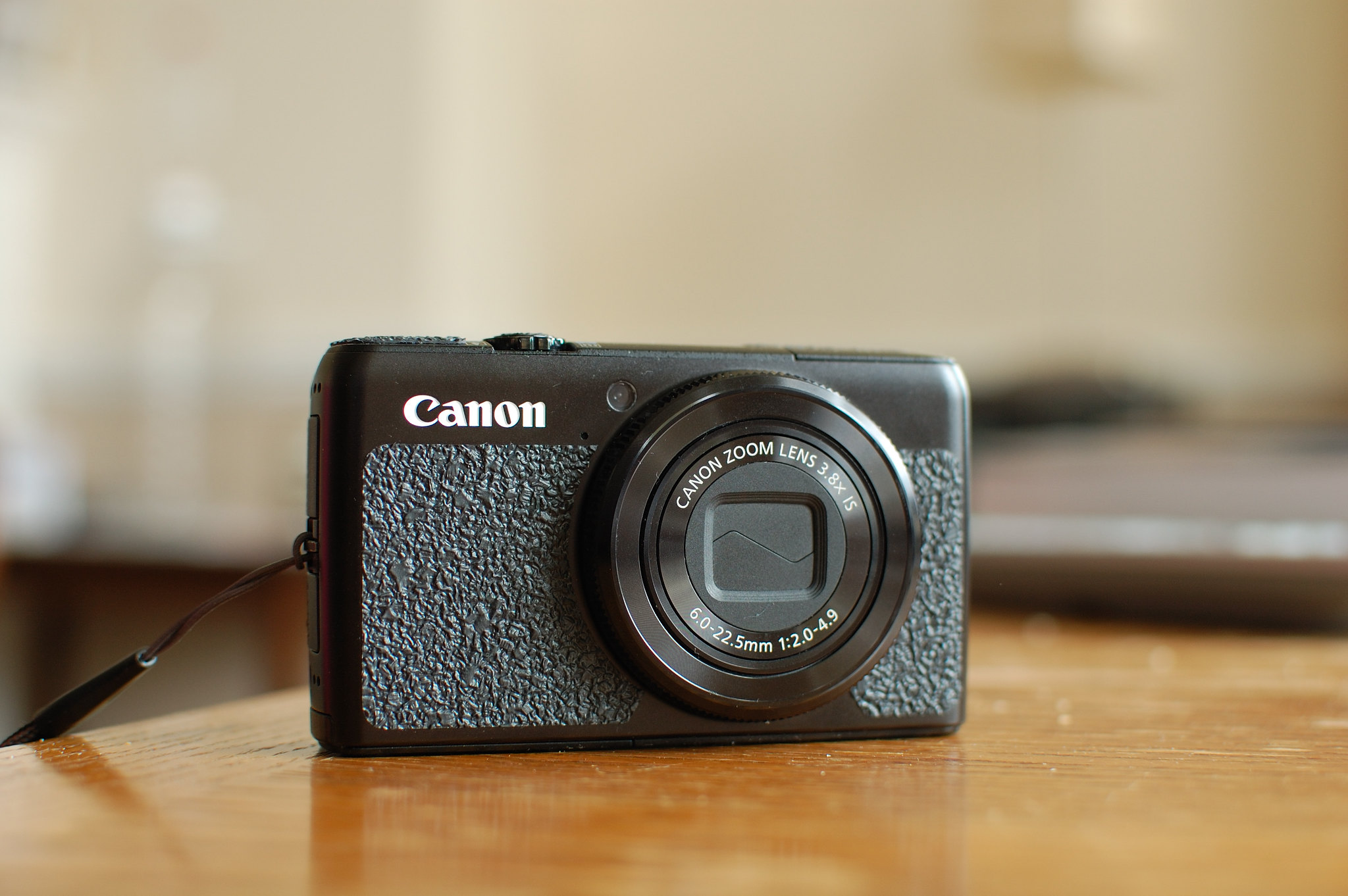
Compact cameras are small, light, and simple to use. They usually have a built-in lens and automatic settings. Many older models became popular because people could carry them in a pocket or small bag.
A compact digi cam may be a good choice for:
• Family events
• Travel photos
• Everyday snapshots
• Retro-style photography
• Children who are learning to use a camera
Some compact models have optical zoom. Optical zoom changes the lens position to make a distant subject look closer. Digital zoom simply enlarges the image and may reduce detail.
DSLR cameras
A DSLR uses a mirror system and an optical viewfinder. It usually supports interchangeable lenses, which lets photographers choose wide-angle, portrait, macro, or telephoto lenses.
DSLR cameras often provide:
• Large image sensors
• Strong image quality
• Manual controls
• Long battery life
• A wide range of lenses and accessories
They are larger than compact digi cams, but many photographers still value their control and reliability.
Mirrorless cameras
A mirrorless camera does not use the internal mirror found in a DSLR. Light reaches the sensor all the time, and the camera displays the image through an electronic viewfinder or screen.
Mirrorless digi cams are often smaller than DSLRs. They can also offer fast autofocus, silent shooting, and advanced video tools. Their main drawbacks may include shorter battery life and a higher price for lenses and accessories.
Bridge cameras
A bridge camera sits between a compact camera and a DSLR. It usually has a fixed lens with a very large zoom range.
This type of digi cam can be useful for:
• Wildlife viewing
• Sports events
• Travel
• Nature photography
• Subjects that are far away
The large zoom sounds impressive, but a long zoom may perform less well in low light. It can also be harder to hold steady at maximum zoom.
Action cameras
Action cameras are small and tough. Many are designed to handle movement, water, dust, and rough use. They often use wide-angle lenses and record high-quality video.
They work well for cycling, hiking, swimming, travel, and other active situations. Their small sensors may produce weaker photos in low light, but their size and durability are major advantages.
Digi Cam vs. Smartphone Camera
Many people ask whether a digi cam is better than a smartphone camera. The honest answer depends on the camera and the type of photo you want to take.
Modern smartphones use advanced software to combine several images, improve shadows, reduce noise, and sharpen details. They are also convenient because most people carry one every day.
A dedicated digi cam may still offer advantages such as:
• A real optical zoom lens
• Better physical controls
• A larger sensor
• Longer shooting sessions
• More natural image files
• Greater control over focus and exposure
• A separate device that reduces phone distractions
Smartphones are often best for quick photos, social media, and casual video. A dedicated digital camera may be better for wildlife, portraits, sports, low-light work, and photography practice.
In my experience testing small cameras, the biggest difference is not always image quality. It is how the camera feels to use. A physical shutter button, a zoom ring, and a clear grip can make you more willing to slow down and take a better photo.

Benefits of Using a Digi Cam
A digi cam offers several practical benefits. These benefits explain why digital cameras remain popular, even though smartphones are everywhere.
Instant results
You can review a photo seconds after taking it. If the image is blurry or poorly framed, you can try again without wasting film.
Lower long-term cost
Once you own the camera, you do not need to buy and develop rolls of film. You may still need batteries, memory cards, or repairs, but digital photography is usually cheaper for frequent shooting.
Easy storage and sharing
Photos can be copied to a computer, external drive, or cloud service. You can print them, email them, or share them on social platforms.
Creative control
Many digital cameras offer manual settings. This helps you learn how light and motion affect a photo.
Reusable memory
A memory card can store hundreds or thousands of images. You can delete unwanted photos and keep using the same card.
Better learning
A digi cam makes it easy to study your results. You can compare different settings and see how shutter speed, ISO, and aperture change the final image.
Digital photography also supports a flexible workflow. You can shoot in JPEG for easy sharing or RAW for more editing control. RAW files preserve more image data, but they require editing software and take up more storage space.

Limitations of a Digi Cam
A digi cam is useful, but it is not perfect. Knowing its limits helps you set realistic expectations.
Older digital cameras often have small sensors and modest image resolution. Their photos may look soft when enlarged. They can also create visible noise in dark rooms or at night.
Other common limits include:
• Limited battery life
• Slow autofocus on older models
• Small screens
• Weak built-in flashes
• Hard-to-find memory cards
• Outdated charging ports
• Poor low-light performance
• Difficulty transferring files from older cameras
Some older digi cams use proprietary batteries. These batteries may no longer be produced, so check availability before buying a used camera. A camera may appear cheap but become expensive if it needs a rare battery, charger, or storage card.
Another issue is file safety. Memory cards can fail, and older storage formats may become difficult to read. Back up important photos in at least two places. A computer copy and an external drive are a simple starting point.
One mistake I often see is treating megapixels as the main measure of quality. Resolution matters, but a clean lens, good light, and steady technique can matter more. A well-used 8-megapixel camera can create more pleasing photos than a poorly used 24-megapixel camera.
How to Choose a Digi Cam
The best digi cam depends on your goals, budget, and comfort level. Start by deciding what you want to photograph.
For travel
Choose a compact model with:
• A lightweight body
• A useful optical zoom
• Good battery life
• A built-in flash
• Easy file transfer
For portraits
Look for a larger sensor and a lens with a wide aperture. A wide aperture can create a soft background and help your subject stand out.
For wildlife and sports
Choose fast autofocus, a high burst rate, and a long optical zoom. A comfortable grip also matters because you may hold the camera for long periods.
For video
Check the camera’s video resolution, microphone support, stabilization, autofocus, and recording limits. A camera that records 4K video may still produce poor results if it has weak autofocus or poor sound.
For beginners
A simple point-and-shoot digi cam can be a smart choice. Automatic modes let you focus on composition before learning manual controls.
When buying used
Inspect the camera carefully:
-
Check the lens for scratches, haze, or fungus.
-
Test the zoom from one end to the other.
-
Take photos at different brightness levels.
-
Test the flash and autofocus.
-
Inspect the battery compartment for corrosion.
-
Confirm that the memory card slot works.
-
Check whether a charger and battery are included.
-
Review sample files on a computer.
Avoid buying only because a camera has a high megapixel count. A working lens, healthy battery, clean sensor, and available accessories are often more important.

Tips for Better Digi Cam Photos
You do not need expensive gear to improve your results. A few simple habits can make a major difference.
Use natural light
Soft window light is often better than a harsh built-in flash. Place your subject near a window, but avoid direct sunlight that creates hard shadows.
Keep the lens clean
A fingerprint can make every photo look cloudy. Use a clean microfiber cloth and avoid touching the lens with your fingers.
Hold the camera steady
Use both hands and keep your elbows near your body. In low light, lean against a wall or place the camera on a stable surface.
Watch the background
A strong subject can lose impact when a pole, branch, or bright object seems to grow from their head. Move a little before taking the photo.
Do not rely on digital zoom
Move closer when possible. Optical zoom keeps more detail, while digital zoom enlarges existing pixels.
Learn exposure step by step
Start with exposure compensation. This simple control lets you make an automatic photo brighter or darker without learning every manual setting at once.
Back up your images
Copy important photos soon after shooting. Keep one backup on a separate device or secure cloud service.
Carry spare power
A spare battery or a portable charger can prevent a missed moment. This is especially important during travel or long events.
Are Digi Cams Still Worth Buying?
A digi cam can still be worth buying if it matches your needs. Used compact cameras are popular among people who enjoy the look, feel, and limits of older technology. Some produce softer colors, stronger flash effects, or a distinct early-digital style.
A dedicated camera is also useful for learning photography. It gives you controls that a phone may hide behind software. It can make photography feel more intentional, like using a notebook instead of typing a quick message.
However, do not buy an old camera expecting modern smartphone performance. Older models may struggle with night scenes, fast action, video autofocus, and wireless sharing. Buy one for its strengths, not because it is simply cheap.
Check sample photos before purchasing. Reviews can help, but real sample images reveal how the camera handles skin tones, shadows, detail, and low light.
Frequently Asked Questions About What Is a Digi Cam
What does “digi cam” mean?
“Digi cam” is a shortened term for digital camera. It describes a camera that stores photos and videos as digital files instead of recording them on film.
Is a digi cam the same as a digital camera?
Yes, in most cases. Digi cam is an informal name, while digital camera is the standard term.
Do digi cams use film?
No. Digi cams use an electronic image sensor and save photos to memory cards or internal storage. Some digital cameras may imitate the look of film through color settings, but they do not use photographic film.
Are digi cams better than phone cameras?
It depends on the model and the task. A phone is more convenient, while a dedicated digi cam may offer better zoom, larger sensors, physical controls, and more creative options.
What file types does a digi cam use?
Most cameras save photos as JPEG files. Advanced models may also save RAW files, which hold more editing data but require more storage and specialized software.
Can you still buy a digi cam?
Yes. You can buy new compact, mirrorless, DSLR, and action cameras from retailers. Older compact digi cams are also available through used-camera stores, online marketplaces, and secondhand shops.
How many pictures can a digi cam hold?
The number depends on the memory card size, image resolution, and file type. A modern memory card can hold hundreds or thousands of JPEG photos, while RAW files use much more space.
How long does a digi cam battery last?
Battery life varies by camera, battery condition, screen use, flash use, and temperature. Older used cameras may have reduced battery capacity, so a spare battery is helpful.
Conclusion
A digi cam is a camera that captures and stores images electronically. It can be a simple point-and-shoot model, a powerful DSLR, a flexible mirrorless camera, or a rugged action camera.
The right choice depends on what you photograph, how much control you want, and whether portability matters most. Focus on lens quality, sensor size, battery condition, storage, and real-world performance rather than megapixels alone.
Try a digi cam if you want to learn photography, enjoy physical camera controls, or explore the unique look of early digital images. Compare sample photos, check used gear carefully, and back up every important image. Then share your favorite camera discoveries or photography tips with other readers.

Everett Ashford is a tech reviewer at mytechgrid.com specializing in SSDs, cameras, TVs, earbuds, headphones, and other consumer electronics. He provides honest, data-driven reviews based on hands-on testing and real-world performance analysis. Everett simplifies complex tech details to help readers make smart, confident buying decisions.

6 Comments