Yes — the camera can make you look heavier, but not because it adds real weight.
I’ve studied photography and worked with portraits for years, and I’ll cut straight to it: does the camera add 10 pounds is less about a magical scale and more about optics, perspective, lighting, and perception. This article breaks down the science, the psychology, and practical fixes. You’ll learn why photos sometimes look unflattering, how to avoid common mistakes, and simple habits to look your best on camera.
Why people say "does the camera add 10 pounds?"
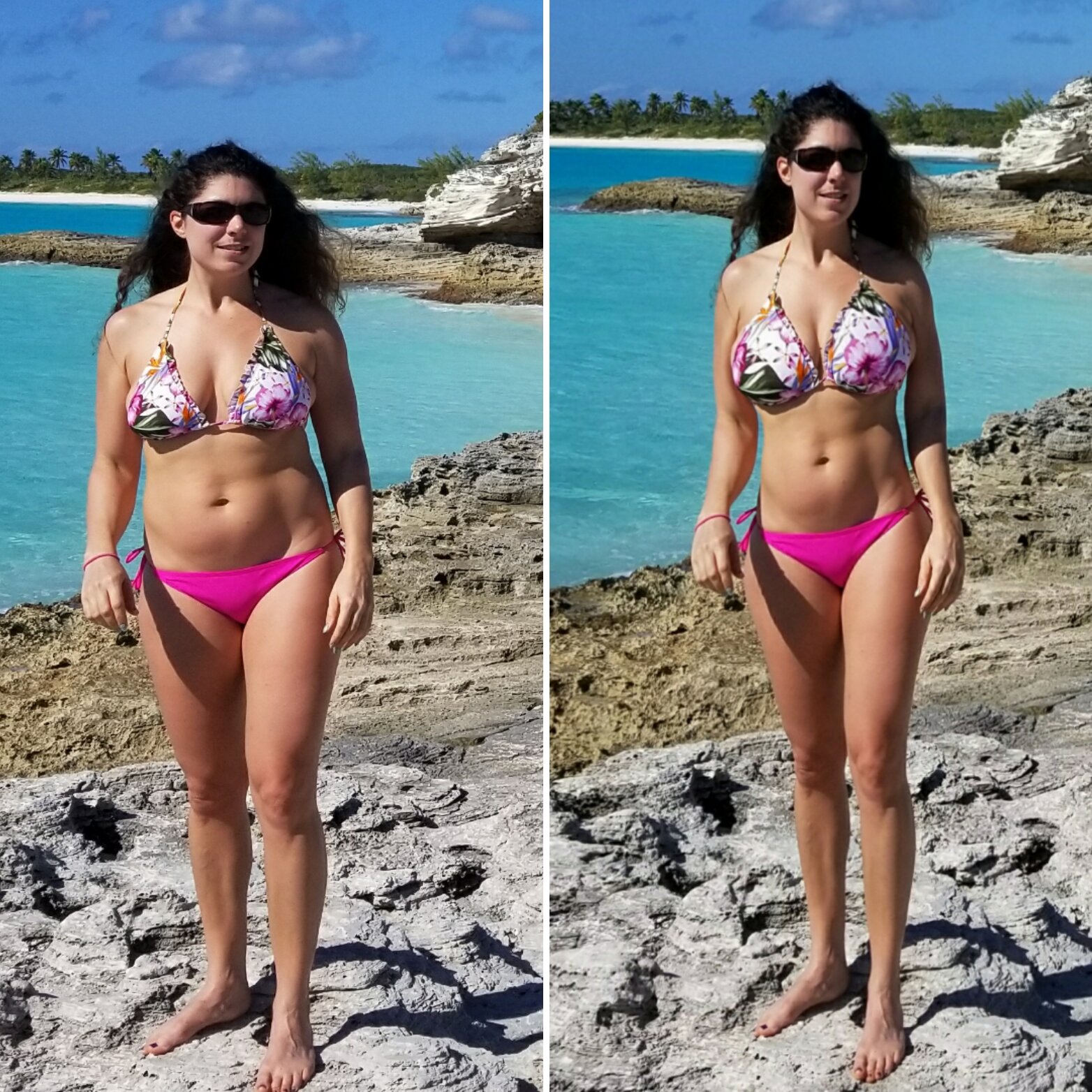
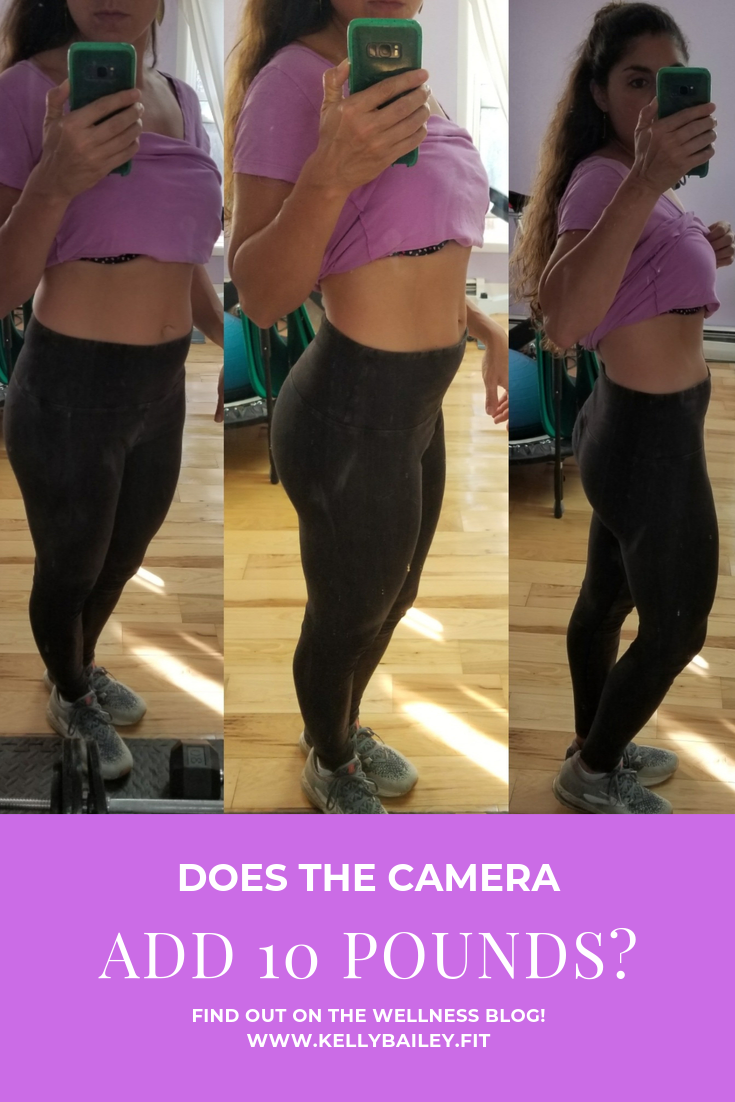
Many people ask does the camera add 10 pounds after seeing a photo that looks different from the mirror. That feeling comes from a mix of visual distortion and how we judge photos versus mirrors. Cameras capture a fixed perspective and flatten three-dimensional depth into two dimensions. Lighting and lens choices change facial and body proportions. Our brain compares the photo to a moving, mirrored image we’re used to. The result feels like "extra weight," even though no pounds were added.
The optics and technical causes
Understanding camera optics makes it clear why photos can look heavier.
-
Focal length and perspective
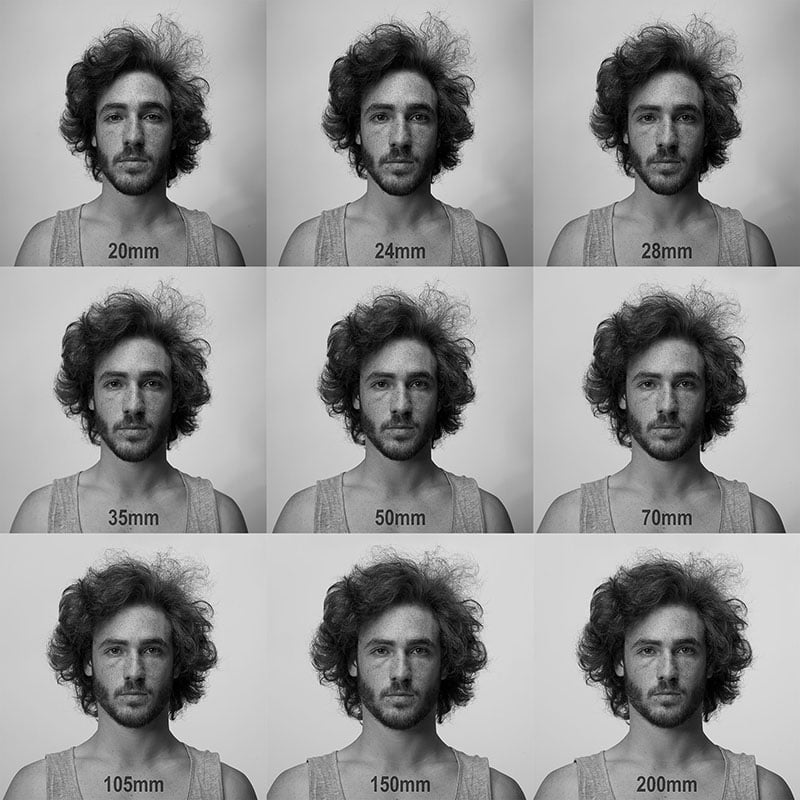
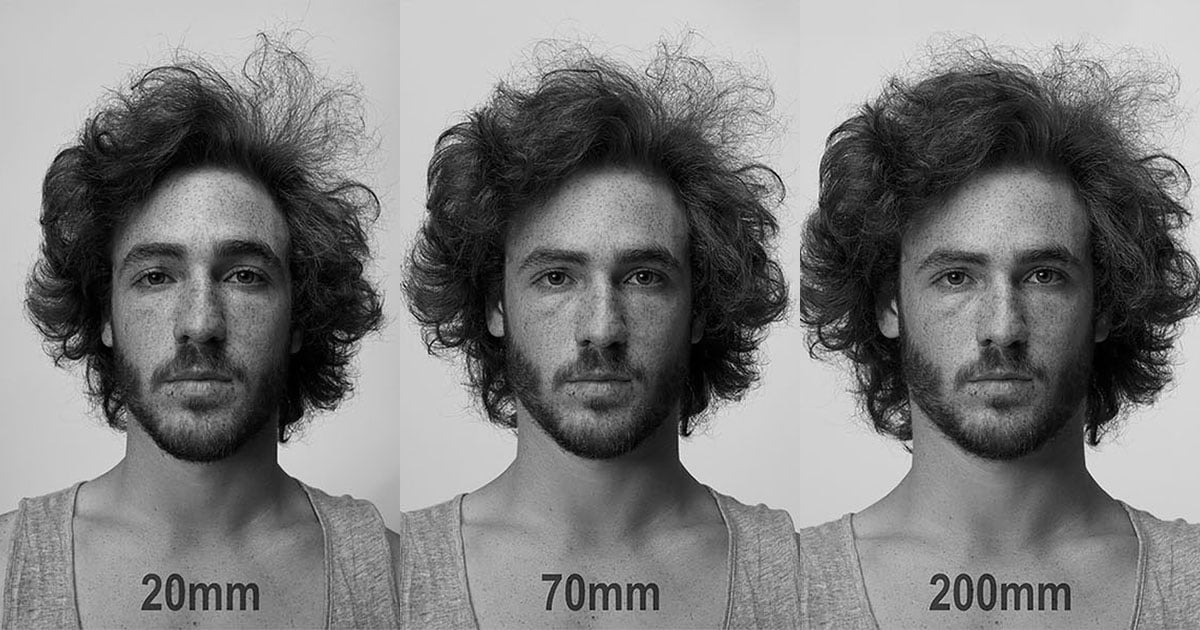
- Wide-angle lenses exaggerate distance between foreground and background. They can make the center subject appear larger.
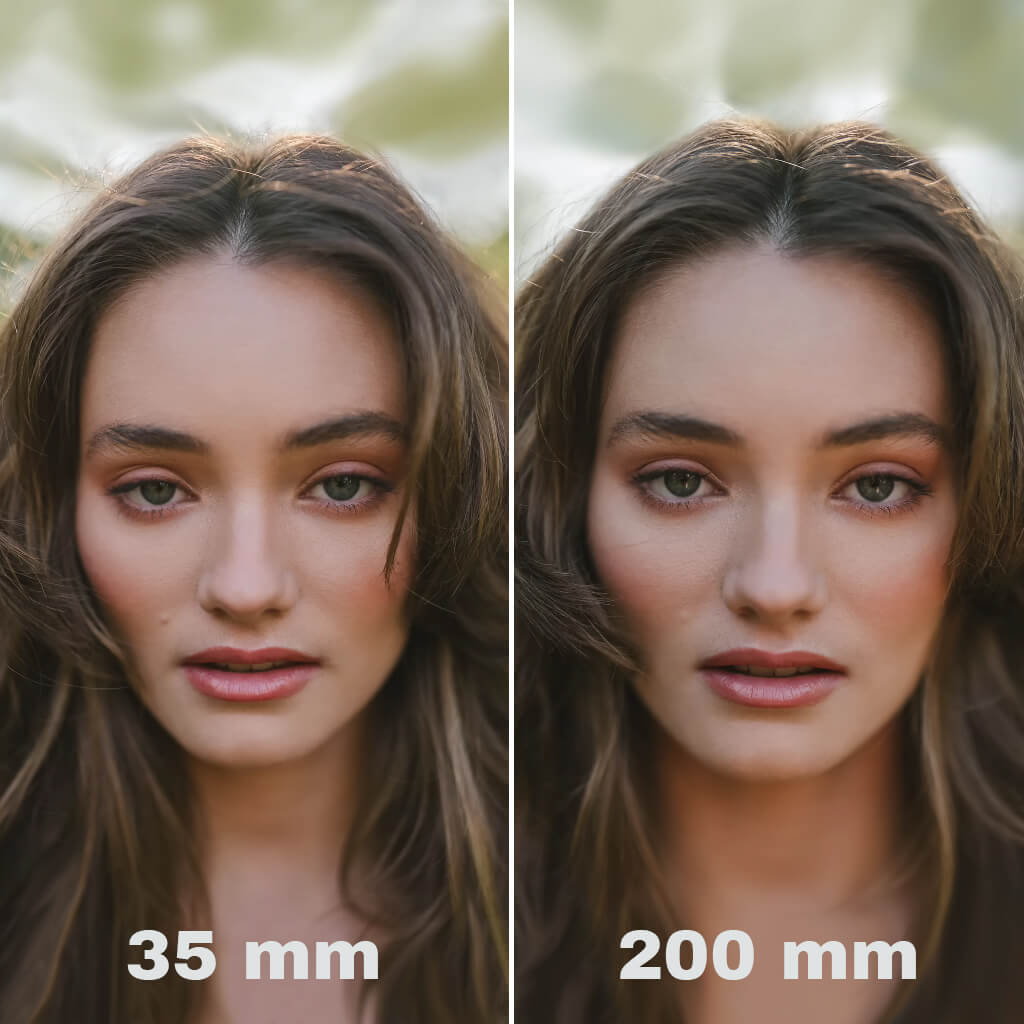
- Short focal lengths close to the subject create distortion that widens features.
- Longer focal lengths compress space and produce more flattering proportions.
-
Camera distance and angle
- Close shots with the camera below eye level often make a chin or torso appear fuller.
- Shooting from slightly above eye level slims the face and body.
-
Lens distortion and crop
- Smartphones and compact cameras often use short focal lengths. That can amplify the "camera adds 10 pounds" effect.
- Cropping tightly can emphasize unflattering areas.
-
Lighting and shadows
- Flat frontal light removes natural shadows that define contours.
- Harsh overhead light deepens shadows under the chin and eyes, which can look heavier.
- Soft directional light sculpts the face and body and reduces perceived bulk.
Combining these factors explains why some photos look heavier than real life.

The psychology behind perceived weight in photos
People judge photos differently than mirrors. Here’s why:
- Mirrors give constant movement and multiple angles. Photos freeze a single moment.
- We know our faces and bodies intimately. A single bad angle or light makes us fixate on perceived flaws.
- Social media and cultural expectations raise the bar for what feels "acceptable."
- Memory bias lets us recall our best angles and ignore how we commonly look straight-on.
These cognitive factors answer part of does the camera add 10 pounds — it’s about how we evaluate images, not actual weight gain.
How camera settings and gear matter
Small changes in equipment and settings can have big effects on appearance.
- Use a longer focal length for portraits
- Aim for 85–135mm equivalent on full-frame to get natural proportions.
- Increase distance and zoom in
- Step back and zoom rather than shoot close with a wide angle.
- Mind the aperture
– Wider apertures blur the background and make the subject stand out. That can be slimming. - Use flattering lenses on phones
- Some phone portrait modes use simulated focal length and depth effects to reduce distortion.
Practical adjustments often fix the "camera adds 10 pounds" look without complex gear.
Simple styling and posing tips that help
You don’t need pro gear to look better on camera. Try these easy tips.
- Angle the body slightly away from the camera
- A three-quarter turn narrows the silhouette.
- Shift weight to the back foot
- This creates a natural S-curve and reduces width.
- Elongate the neck
- Drop the shoulders, push the chin slightly forward and down.
- Use clothing lines wisely
- Vertical seams and darker side panels slim the look.
- Avoid wide, horizontal patterns across areas you want to slim
- Solid colors or small prints are safer.
- Mind the camera height
- Shoot from just above eye level for a slimming view.
- Use soft, directional lighting
- Window light or a softbox to the side creates gentle shadows that define features.
These practical steps address why the camera can make you look heavier and give immediate improvement.
Myth-busting: is it really "10 pounds"?
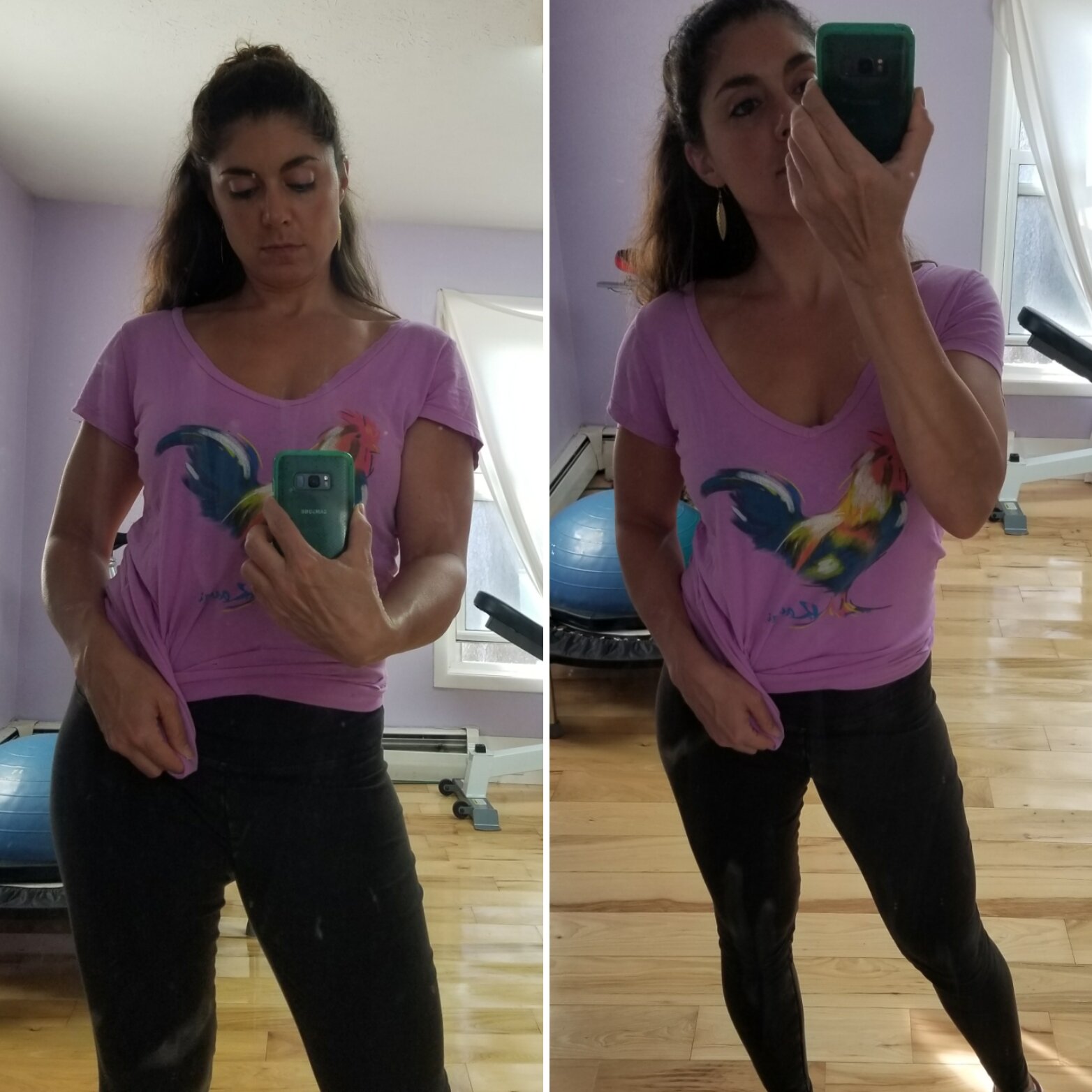
The phrase does the camera add 10 pounds is a figure of speech, not a scientific measure. A photo doesn’t change mass. But small changes in perceived dimensions can make you look significantly different. Studies in perception show that a change in proportion or amount of visible shadow can alter perceived size. In many cases, the difference can feel like several pounds, but that number varies by angle, lens, and lighting.

Personal experience and lessons learned
I’ve photographed hundreds of people across many settings. Here’s what I learned firsthand.
- Lesson 1: Distance matters more than you think
- On many shoots, stepping back 6–10 feet solved most distortion issues for groups and solo portraits.
- Lesson 2: Lighting beats filters
- Good light hides far more than a filter does. I always seek soft directional light first.
- Lesson 3: Communication is key
- Simple prompts—chin forward, shoulders relaxed, weight back—work wonders.
I once shot a client who felt she looked "very heavy" in photos. By changing lens and angle, she was pleased immediately. It wasn’t magic; it was physics and technique.

Professional solutions for flattering photos
If you want consistent results, consider pro options.
- Hire a portrait photographer
- Pros know which focal lengths and lights flatter different faces and bodies.
- Use a reflector or fill light
- This reduces unwanted shadows and evens skin tone.
- Try retouching carefully
- Subtle editing can correct lens distortion and lighting without changing your look.
These measures address the root causes behind the question does the camera add 10 pounds and provide reliable fixes.
Related concepts and terms to understand
Knowing the vocabulary helps you control outcomes.
- Perspective distortion
- How objects appear relative to their distance from the camera.
- Focal length
- The lens property that changes field of view and compression.
- Depth of field
- The range in focus; a shallow depth separates subject from background.
- Dynamic range and exposure
- Proper exposure keeps highlights and shadows that shape perception.
Using the right combination of these elements reduces the chance that the camera will "add" weight in your images.
PAA-style questions
Q: Why do photos make my face look wider than in the mirror?
A: Close camera distance and wide-angle lenses cause perspective distortion that widens the center of the frame.
Q: Does lighting really change perceived weight?
A: Yes. Soft side lighting sculpts features and can make the face and body look slimmer, while flat or harsh light can add perceived bulk.
Q: Will portrait mode on phones fix the issue?
A: Portrait mode helps by blurring the background and simulating longer focal lengths, but it can’t fully fix bad angles or harsh lighting.
Frequently Asked Questions of does the camera add 10 pounds
Does my phone camera make me look heavier?
Phone cameras often use wide-angle lenses and close distances, which can widen features. Stepping back and zooming or using portrait mode helps.
Can lighting make a big difference?
Yes. Soft, directional light can define contours and reduce perceived size, while poor light can make you appear heavier.
What lens is best for slimming portraits?
Moderate telephoto lenses in the 85–135mm range on full-frame or their equivalents on other systems give more natural, flattering proportions.
How should I pose to avoid looking heavier?
Turn slightly away from the camera, shift weight to your back leg, elongate the neck, and keep shoulders relaxed to create a slimmer silhouette.
Is editing safe to fix these issues?
Subtle editing for exposure, color, and minor distortion correction is safe. Avoid heavy body reshaping to keep images authentic and trustworthy.
Conclusion
Photos don’t add real weight, but optics, distance, angle, lighting, and psychology can make a picture look heavier. Understanding the technical reasons and using simple fixes—better lens choice, stepping back, changing angle, and flattering light—will make a visible difference. Try one change at a time and watch how small adjustments improve your images. If you enjoyed these tips, put them into practice on your next photo, share the results, or leave a comment with questions so we can fine-tune your approach.

Everett Ashford is a tech reviewer at mytechgrid.com specializing in SSDs, cameras, TVs, earbuds, headphones, and other consumer electronics. He provides honest, data-driven reviews based on hands-on testing and real-world performance analysis. Everett simplifies complex tech details to help readers make smart, confident buying decisions.