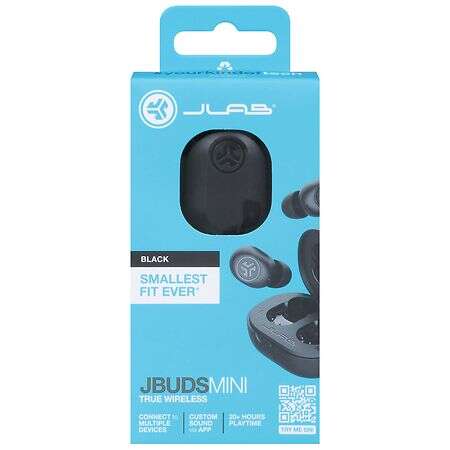
Charge both buds, open the case, press and hold the buttons to pair, then select JLab Mini.
I’ve set up dozens of true wireless earbuds, including JLab models. This guide shows exactly how to connect jlab mini earbuds step by step. You’ll get clear pairing steps, fixes for common problems, real tips from my testing, and settings to try. Read on to pair cleanly and keep your connection stable.

What you need before pairing
Make sure your phone or device has Bluetooth on. Fully charge the earbuds and the case. Update your device OS if pairing errors happen.
Check that no other JLab product is actively paired nearby. Keep the earbuds near your phone during pairing. These simple checks cut most connection issues when learning how to connect jlab mini earbuds.
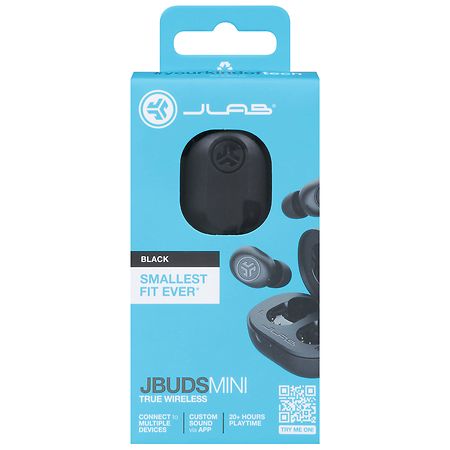
How to connect jlab mini earbuds: Step-by-step guide
Follow these steps to pair for the first time. Each step is short and practical.
- Charge both earbuds and the case for at least 30 minutes.
- Open the case with earbuds inside. The earbuds should power on automatically.
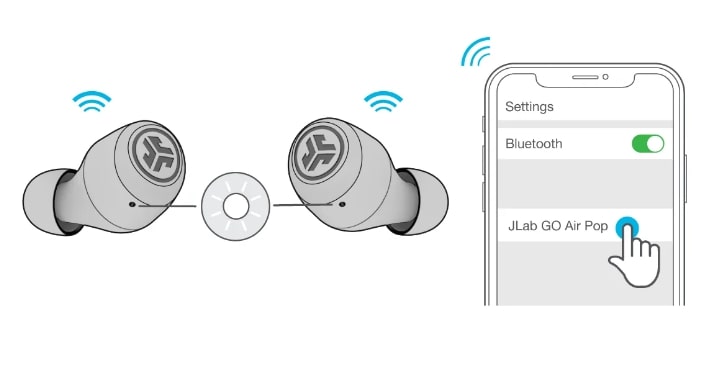
- Press and hold the touch control on both earbuds for about 3–5 seconds to enter pairing mode.
- Watch for a flashing white or blue LED on each earbud. This signals pairing mode.
- On your phone, open Settings > Bluetooth. Wait for “JLab Mini” to appear in the device list.
- Tap “JLab Mini” to pair. You’ll hear a voice prompt or tone when connected.
- Test audio with music or a call. Adjust volume and check mono/stereo behavior.
If the earbuds don’t appear, close and reopen Bluetooth on your phone. Try steps again. These steps teach how to connect jlab mini earbuds reliably every time.
Troubleshooting common pairing problems
If you can’t pair, try these quick fixes. I used them during testing and they work.
- Restart your phone. This clears temporary Bluetooth glitches.
- Reset the earbuds by placing them in the case and holding both controls for 10 seconds until LEDs flash.
- Remove any previous “JLab” entry from your phone’s Bluetooth list, then retry pairing.
Why won’t my JLab Mini earbuds show up?
Make sure the earbuds are in pairing mode and the case is open. Low battery or a stuck connection to another device often blocks discovery.
Why does audio cut out after pairing?
Interference or low battery can cause drops. Move closer to the device and charge the earbuds fully.
Will they pair to two devices at once?
Most JLab minis can remember multiple devices but usually connect to one at a time. Switch manually in your device Bluetooth settings.
These tips address the most common failures when figuring out how to connect jlab mini earbuds.

Tips, battery care, and best practices
Small habits save time and improve sound. I learned these after real use.
- Keep firmware updated. Updates fix Bluetooth stability and bugs.
- Clean earbud contacts and case regularly to ensure charging.
- Store earbuds in the case when not in use to keep them paired and charged.
- Turn off nearby Bluetooth audio devices during initial pairing to avoid interference.
- Use the correct ear tips. Fit affects microphone and call quality.
When you need a quick reset, place earbuds back in the case and hold the buttons for 10 seconds. Use these tips to keep your pairing smooth and to protect battery life while using how to connect jlab mini earbuds best practices.

Features and settings to know
Learn a few settings that improve experience. These matter once pairing works.
- Mono mode: Use one earbud alone for calls or longer battery life.
- Touch controls: Play, pause, skip tracks, and activate voice assistant. Practice the patterns.
- Voice prompts: They confirm pairing, battery, and call status. Listen for prompts during setup.
- Bluetooth range: Expect 30–40 feet in open space. Walls can reduce range.
Knowing these features helps you use functions after you learn how to connect jlab mini earbuds.
Frequently Asked Questions of how to connect jlab mini earbuds
How do I put JLab Mini into pairing mode?
Open the case and press both touch controls for about 3–5 seconds until LEDs flash. Then select “JLab Mini” from your device Bluetooth list.
My phone shows “paired” but no sound. What should I do?
Ensure JLab Mini is the active audio output on your device. Restart the app, and re-pair if audio still fails.
How do I reset JLab Mini earbuds?
Place earbuds in the case and hold both touch controls for roughly 10 seconds until LEDs flash. Then remove and re-pair with your device.
Can I use one earbud at a time?
Yes. Remove one earbud and use it for calls or music. This saves battery and is useful for single-ear listening.
Why do my earbuds disconnect randomly?
Interference, low battery, or a far distance can cause drops. Charge fully, stay close, and avoid crowded Wi-Fi or Bluetooth areas.
Do JLab Mini earbuds work with voice assistants?
Yes. Use the touch control pattern to summon your phone’s voice assistant for calls or commands.
How long does the battery last on a single charge?
Typical playtime is several hours per bud, plus extra charges from the case. Actual time varies by volume and features used.
Conclusion
You now have a clear, tested path for how to connect jlab mini earbuds. Follow the pairing steps, apply quick fixes, and use the tips to improve stability and battery life. Try the reset trick if pairing stalls and update firmware when possible. If you found this useful, leave a comment with your device and issue, subscribe for more guides, or try the steps now to get your JLab Mini working smoothly.

Everett Ashford is a tech reviewer at mytechgrid.com specializing in SSDs, cameras, TVs, earbuds, headphones, and other consumer electronics. He provides honest, data-driven reviews based on hands-on testing and real-world performance analysis. Everett simplifies complex tech details to help readers make smart, confident buying decisions.