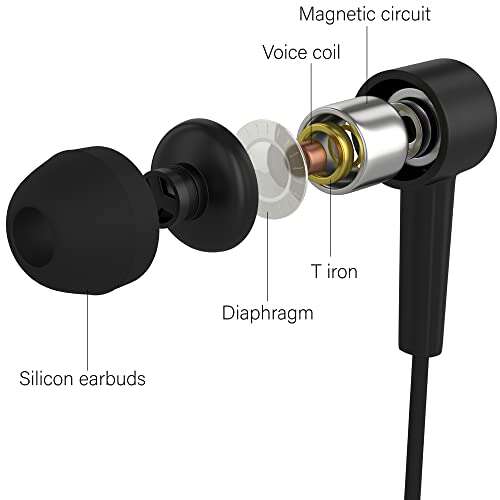
Clean the jack, check wiring, and replace the plug or resolder as needed to restore sound.
I’ve fixed dozens of headphone jacks for friends, clients, and my own gear. This guide on how to fix audio jack on headphones walks you through easy quick fixes, step-by-step repairs, tools to buy, and when to call a pro. You’ll get clear actions, safety tips, and real-world troubleshooting so you can decide whether to repair or replace your headphones.
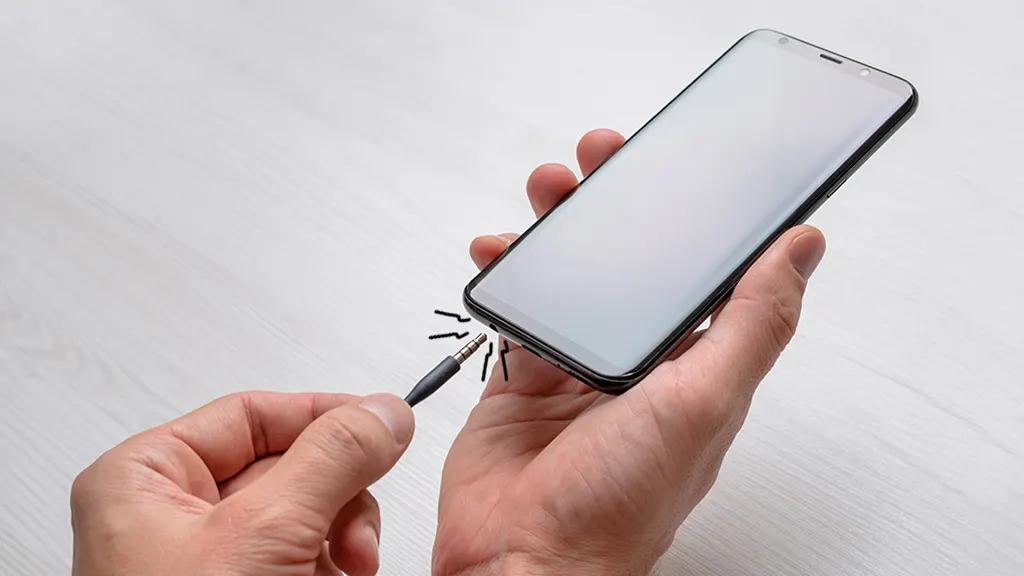
What an audio jack is and how it works
An audio jack is the physical connector that links your headphones to a device. The plug mates with metal contacts inside the jack. Those contacts carry left, right, and ground signals. A poor connection causes sound dropouts, crackling, or silence.
Common jack designs are 3.5mm stereo and TRRS (with mic). Headphone cable wires are thin and can break near the plug or inside the earcup. Knowing this helps when you learn how to fix audio jack on headphones.
Common causes of jack problems
Most failures fall into a few clear categories. Knowing the cause speeds repair.
- Dirt, lint, or corrosion inside the jack that blocks contacts.
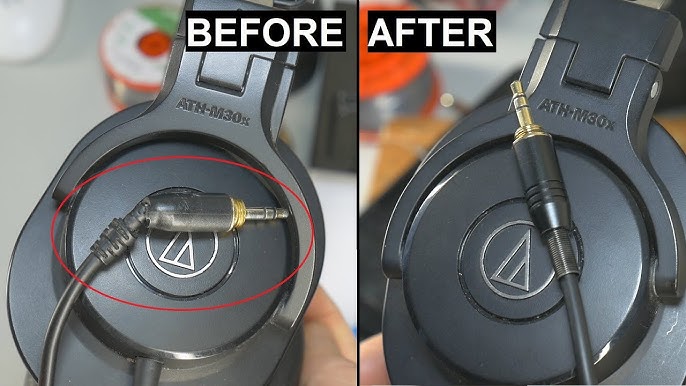
- Bent or damaged plug from yanking or bending.
- Broken or frayed internal wires near the plug or y-split.
- Loose or cracked solder joints on soldered plugs or PCBs.
- Faulty jack module inside earcups or on inline remotes.
- Manufacturing defects or wear after long use.
Understanding cause helps pick the right fix for how to fix audio jack on headphones.

Tools and parts you need
You don’t need a full workshop for most fixes. Gather these basics.
- Soldering iron (small, 15–30W) and lead-free or leaded solder.
- Wire strippers and small cutters.
- Multimeter or continuity tester.
- Replacement 3.5mm or TRRS plug (right-angle or straight).
- Tip cleaners, contact cleaner (electronic), and a thin toothpick.
- Heat shrink tubing and small pliers.
- Small Phillips or Torx screwdrivers for opening earcups.
- Magnifying glass or lamp for fine work.
Having the right tools makes how to fix audio jack on headphones much easier.
Safety and prep
Work safely and keep parts organized.
- Unplug and power down devices before testing.
- Work on a clean, static-free surface.
- Use low heat and avoid long soldering times to prevent damage.
- Keep small screws and springs in a tray.
- If headphones are under warranty, consider the warranty before opening them.
These steps reduce risk and protect your headphones while you learn how to fix audio jack on headphones.
Quick fixes you can try in minutes
Try these first. They are fast and often solve the issue.
-
Clean the jack and plug
- Power off. Use compressed air or a toothpick to remove lint from the jack.
- Apply a small amount of electronic contact cleaner to the plug and insert/remove several times.
- Test audio. Many crackles and dropouts clear with cleaning.
- This is the easiest step toward how to fix audio jack on headphones.
-
Wiggle and reposition
- Gently insert the plug and move it slightly while playing audio.
- If sound comes and goes, note where it works. That shows a wiring or contact problem.
- Use this info to decide if you need a deeper repair.
-
Try different cable and device
- Test the headphones on another phone or laptop.
- If the problem follows the headphones, focus on the jack or cable. If not, check the source device.

Step-by-step: replace the headphone plug
Replacing a damaged plug is one of the most common repairs. This covers standard 3.5mm plugs.
- Cut and strip
- Cut off the old plug close to the base.
- Strip about 6–8 mm of the cable jacket.
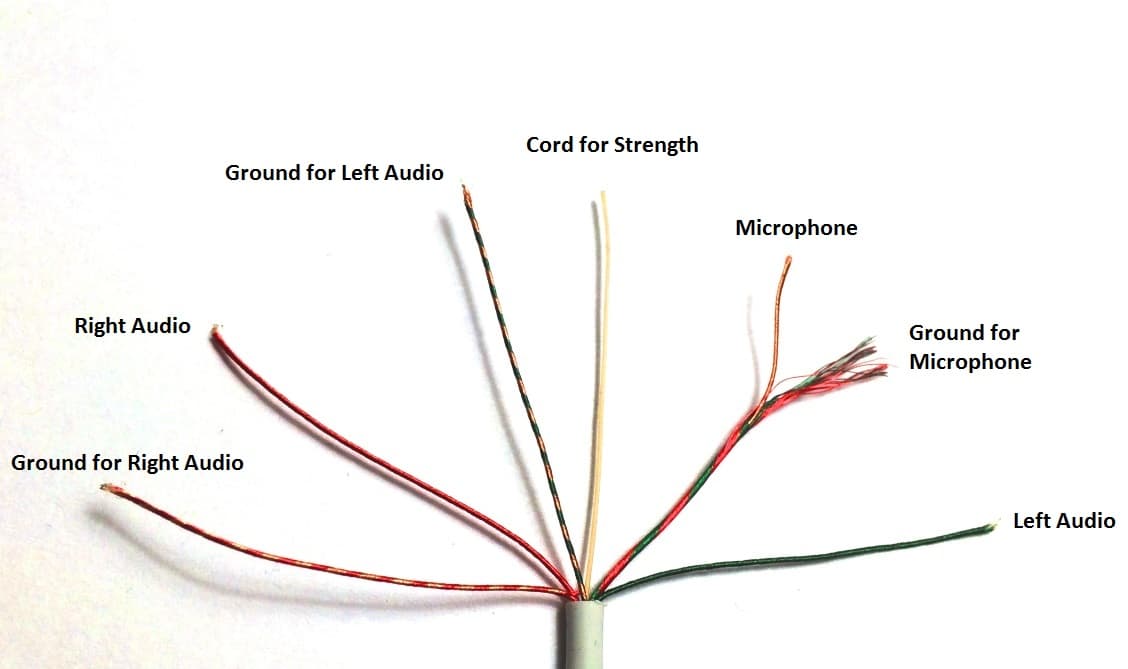
- Separate and strip each conductor about 2–3 mm.
- Identify wires
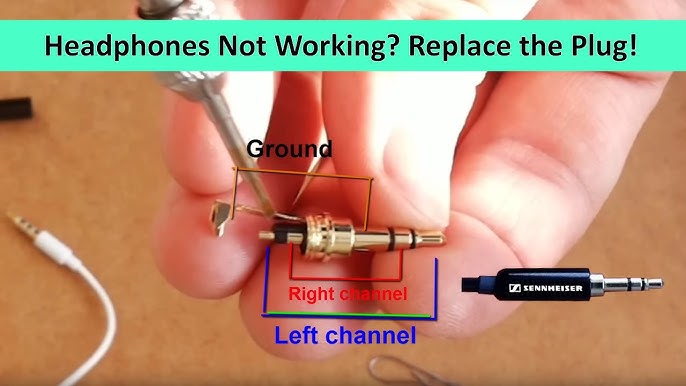
- Typical color codes: left (white or green), right (red), ground (bare or copper).
- Use a multimeter to confirm continuity if colors are unclear.
- Prepare the new plug
- Open the replacement plug housing.
- Slide the housing and any strain relief onto the cable first.
- Solder connections
- Tin each wire lightly.
- Heat each plug terminal briefly and solder the correct wire: tip = left, ring = right, sleeve = ground.
- Avoid excess solder and shorting terminals.
- Insulate and assemble
- Use small pieces of heat shrink around each solder joint if space allows.
- Slide housing into place and tighten screws or crimp.
- Test audio before final assembly.
This hands-on fix is central to how to fix audio jack on headphones. With care, it restores reliable sound.

Step-by-step: repair internal wiring or jack module
For issues inside earcups or inline remotes, follow safe disassembly.
- Open the earcup
- Remove ear pads or screws gently.
- Note how cables route and any clips or tapes.
- Inspect wiring
- Look for broken wires near solder joints or tinsel leads.
- Wiggle wires while playing audio to find intermittent spots.
- Re-solder or replace
- Clean old solder with a bit of flux and a solder wick.
- Re-solder broken joints with a small iron.
- Replace torn wire sections and use heat shrink to insulate.
- Replace jack module
- If the jack itself is a modular part, remove and replace it.
- Reassemble carefully and test before closing up.
These steps are core to advanced how to fix audio jack on headphones work. If you’re unsure, take photos as you disassemble to help with reassembly.

Advanced fixes and PCB-level repairs
Some headphones use PCB-mounted jacks or tiny connectors. These require more skill.
- Desoldering a PCB jack needs steady hands and wick or a desoldering tool.
- Replace surface mount parts only if you have experience.
- If the cable uses a tiny connector, source the exact part or consider plug replacement instead.
- For wireless or complex models, firmware or board faults may mimic jack issues.
If you lack the tools or skill, professional repair shops can handle PCB work safely. This is often the next step in how to fix audio jack on headphones when simpler fixes fail.
Troubleshooting checklist
Use this short checklist to diagnose quickly.
- Does cleaning the jack help?
- Is the issue on one ear or both?
- Does the problem move when you wiggle the cable?
- Is there visible fraying near the plug?
- Do other headphones work in the same device?
Answering these helps you pick a repair path and understand how to fix audio jack on headphones correctly.
Prevention tips to avoid future problems
Small habits extend headphone life.
- Pull from the plug, never the cable.
- Store cables loosely and avoid tight coils.
- Use strain relief or reinforced plugs.
- Keep jacks covered or use dust caps if you store gear in pockets.
- Replace worn plugs early before wires break.
Good habits minimize the need to repair and help you avoid frequent how to fix audio jack on headphones tasks.
Real-world experience and lessons learned
I’ve repaired many headphones for people who assumed they needed new sets. A quick clean fixed half of them. Replacing a cheap plug fixed most of the rest. I once ruined a delicate earcup by overheating the solder; now I use low-watt irons and heat sinks. If you try these repairs, take your time and use the right tools.
Lessons I learned:
- Test before cutting. Always confirm the wire that’s bad.
- Take photos while disassembling. They save time on reassembly.
- When in doubt, replace the plug. It is cheap and often solves the issue.
These are honest tips from hands-on experience about how to fix audio jack on headphones.
PAA-style quick questions
Can I fix a broken audio jack at home?
Most users can fix simple problems like dirt, bent plugs, or replacing the plug at home with basic tools and patience.
How long does it take to replace a headphone plug?
A simple plug replacement takes about 10–30 minutes for most people once you have the right tools.
Will contact cleaner damage my headphones?
Used sparingly, electronic contact cleaner is safe for metal contacts and rarely harms headphones, but avoid soaking foam, cloth, or drivers.
Is soldering always required?
Not always. Some replacement plugs use screw or clamp terminals. Soldering is common but not mandatory in every repair.
When should I seek professional repair?
Seek professional help for PCB-level faults, wireless/headphone electronics, or when you lack tools and confidence.
Frequently Asked Questions of how to fix audio jack on headphones
How do I know if the jack or cable is the problem?
Test the headphones on another device and try another cable or adapter. If the issue follows the cable, the cable or plug is likely bad; if it stays with the device, the jack inside the device may be the cause.
Can I fix a loose headphone jack without soldering?
Yes. Sometimes tightening a modular jack, replacing a worn plug, or using a small shim (temporary) can help. For permanent fixes, replacement or soldering is often best.
How much does professional repair cost?
Costs vary widely. Simple plug replacements are often inexpensive; PCB or manufacturer repairs can cost more than new headphones. Expect a range from a small fee to near replacement cost for premium models.
Will opening my headphones void warranty?
Most manufacturers state that opening the unit voids warranty. Check warranty terms before you disassemble. If under warranty, contact the maker first.
Can I use glue or tape to fix a broken cable?
Tape or glue can be a temporary fix but will not restore proper electrical contact or strain relief. For a lasting repair, cut and resolder or replace the plug.
Final thoughts
You can fix many headphone jack problems with basic tools, a bit of patience, and careful work. Start with cleaning and simple tests, then move to plug replacement or internal repairs if needed. If the job is complex or the headphones are expensive, consider a professional repair to avoid damage. Try one small repair today and see how much you can save and learn.
Take action: pick one quick fix from this guide and try it. If it works, share your success or questions below, or subscribe to get more practical repair guides.

Jamie Lee is a seasoned tech analyst and writer at MyTechGrid.com, known for making the rapidly evolving world of technology accessible to all. Jamie’s work focuses on emerging technologies, product deep-dives, and industry trends—translating complex concepts into engaging, easy-to-understand content. When not researching the latest breakthroughs, Jamie enjoys exploring new tools, testing gadgets, and helping readers navigate the digital world with confidence.