Replace worn padding, tighten loose screws, or swap a cracked shell to fix Beats headphones headband fast.
I’ve repaired many Beats headphones headband issues over the years, from simple padding wear to cracked shells and loose hinges. This guide shows clear, tested steps for how to fix Beats headphones headband problems. Read on for tools, step-by-step repairs, replacement options, and tips that keep your headphones working and comfy.

Why Beats headbands fail
Beats headphones headband problems come from everyday use. Sweat, drops, tight storage, and age all take a toll. Plastic shells crack. Padding peels. Screws back out. Knowing the common causes helps you choose the right fix and avoid repeat damage.

Tools and parts you’ll need
Gather parts and tools before you start. That keeps the repair fast and safe.
- Small Phillips screwdriver for hinge screws.
- Precision flat tool or plastic spudger to pry pads and trim.
- Clear epoxy or super glue for shell cracks.
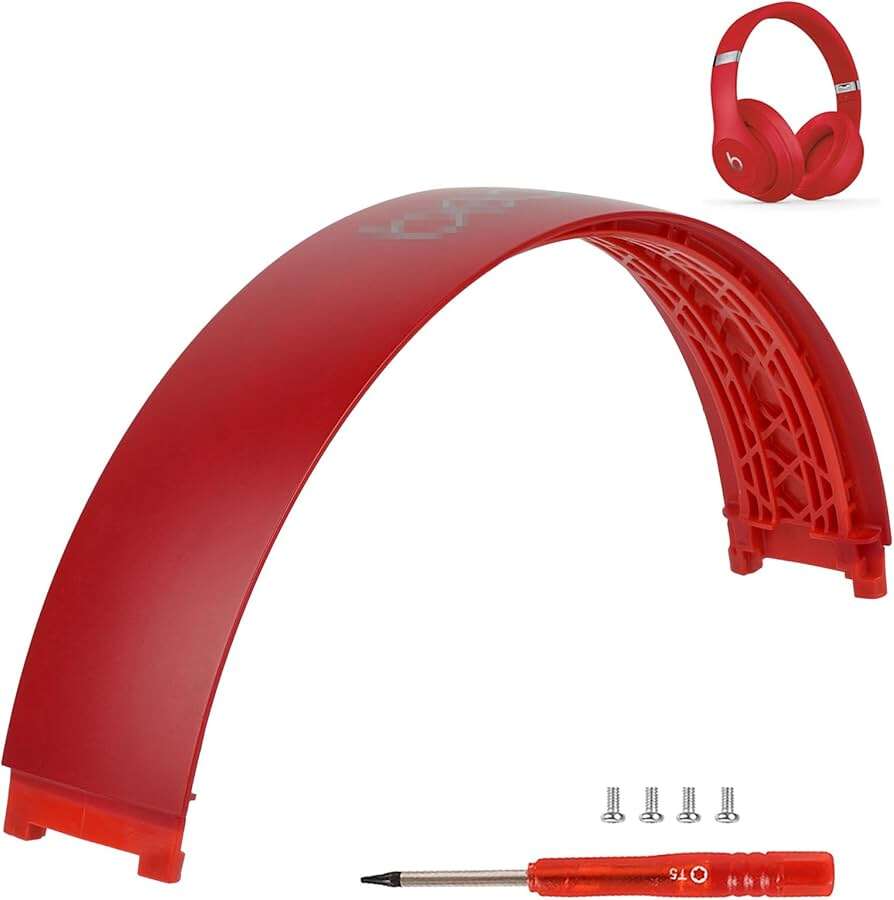
- Replacement headband shell or full headband for serious damage.
- New ear pad adhesive strips or foam replacement.
- Soft cloth and rubbing alcohol for cleaning.
Having the right parts makes fixing how to fix Beats headphones headband easier. If you need original parts, look for OEM or high-quality replacements.

Step-by-step repair guide for how to fix Beats headphones headband
Follow these steps for common fixes. Work on a clean table. Keep screws in a small dish.
- Diagnose the issue
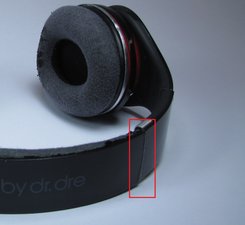
- Inspect the headband for cracks, loose screws, and peeling pads.
- Move the hinge and feel for grinding or play.
- Tighten loose screws
- Use the small Phillips screwdriver.
- Tighten gently—don’t strip threads.
- Reaffix or replace padding
- Remove old adhesive with rubbing alcohol.
- Apply new adhesive strips and press foam or pad in place.
- Repair small shell cracks
- Clean the crack area and let it dry.
- Apply a thin bead of clear epoxy and clamp gently until set.
- Replace a broken headband shell
- Remove screws at the hinges and ear cups.
- Swap in the new shell and reassemble.
- Test audio and fit
- Check sound and comfort.
- Play music and move the headband to ensure stability.
These steps cover most fixes for how to fix Beats headphones headband. If the internal wiring is damaged, stop and consult a technician.

When to replace the headband vs repair
Minor wear needs repair. Severe cracks, deep deforming, or exposed wiring call for replacement. Replacement is best when cost and long-term comfort matter.
- Repair when padding peels or screws are loose.
- Replace when shell is structurally compromised.
- Consider a full headband swap if multiple parts are failing.
I once repaired a Solo3 headband padding and saved the headphone. For a cracked Studio model shell, replacement was the smarter choice. Personal experience shows repair saves money when damage is limited.
Preventive care and maintenance tips
Small habits extend headband life. Keep the fit gentle and store properly.
- Store in a hard case to avoid bending or crushing.
- Wipe sweat and oils after use with a soft cloth.
- Avoid leaving headphones in hot cars or direct sun.
- Tighten screws every few months to prevent loosening.
These tips reduce the need to learn how to fix Beats headphones headband again and again.

Troubleshooting common issues and quick fixes
Here are quick answers to frequent problems you’ll see when you try to fix Beats headphones headband.
My headband creaks when I move it.
- Apply a tiny drop of silicone lubricant to the hinge and move it back and forth. If metal sits on metal, tighten screws and check for bent parts.
Padding keeps peeling off.
- Remove old glue and use high-strength adhesive strips or contact cement. Press firmly and let cure before use.
Headband still feels loose after tightening.
- Check for stripped screw holes or worn hinge pins. You may need a replacement screw or new hinge assembly.
These small checks help decide if you can repair or need to replace the headband. They also show simple ways to keep the headband working.

Personal tips, lessons learned, and mistakes to avoid
I’ve fixed dozens of headphones. Here’s what I learned.
- Don’t overtighten screws. Stripped threads are hard to fix.
- Clean before glueing. Oil blocks adhesive.
- Test with low volume after any repair. Protect drivers from sudden faults.
- Buy exact-fit replacement parts when possible.
These tips come from hands-on work. They make how to fix Beats headphones headband safer and more reliable.

Frequently Asked Questions of how to fix beats headphones headband
How long does a typical headband repair take?
Most simple repairs take 15 to 45 minutes. Replacements or glued cracks may need curing time, so add a few hours for drying.
Can I use household glue to fix a cracked headband?
Household glue often lacks strength. Use epoxy or a strong cyanoacrylate for structural cracks to ensure long-lasting repair.
Will replacing the headband affect sound quality?
Replacing the headband rarely affects sound. Only internal wiring damage or loose driver mounts can change audio performance.
Is it worth repairing older Beats headphones?
Yes, if the drivers and battery work well. Repairing headbands is cheaper than buying new quality headphones.
Where can I buy replacement headbands or parts?
Look for OEM parts or reputable third-party sellers. Check repair shops or online parts stores for exact model fit.
Conclusion
Fixing a Beats headphones headband is usually doable with basic tools, careful steps, and the right parts. Diagnose the problem first, then tighten, glue, or replace as needed. Small habits and regular checks cut future repairs. Try the steps here and you can save money and extend your headphones’ life. Leave a comment with your model and issue, or subscribe to learn more repair tips and guides.

Everett Ashford is a tech reviewer at mytechgrid.com specializing in SSDs, cameras, TVs, earbuds, headphones, and other consumer electronics. He provides honest, data-driven reviews based on hands-on testing and real-world performance analysis. Everett simplifies complex tech details to help readers make smart, confident buying decisions.