Increase device gain, disable limits, use EQ or a headphone amp for louder JBL sound.
I’ve spent years fixing sound issues for friends and clients, and I test headphones every week. If you want actionable, safe, and tested ways to make JBL headphones louder, this article walks you through step-by-step solutions. You’ll learn quick settings fixes, hardware checks, amplifier options, advanced tweaks, and hearing-safety tips so you can get louder, clearer sound from your JBL headphones without damage.

Why your JBL headphones might sound quiet
Several reasons can make JBL headphones sound quiet. Some are simple settings on your phone or laptop. Some come from hardware or Bluetooth limits. Others are due to earwax, damaged cables, or low battery. Knowing the cause helps you apply the right fix.
Common causes include:
- Low device volume or app volume limits
- Active volume limiters on phones or in the JBL app
- Bluetooth codec or weak Bluetooth signal
- Worn drivers or clogged ear cups
- Battery or power-saving modes that reduce loudness
- Poor source quality or low-gain outputs
If you want to know how to make JBL headphones louder, start by isolating the cause. A quick test is to try the headphones on another device with a known loud output. If they stay quiet, hardware or firmware may be the issue. If they get louder, focus on the original device settings. This troubleshooting approach saves time and avoids unnecessary purchases.

Quick fixes: settings and software to boost volume
Most volume issues come from settings. These steps often fix how to make JBL headphones louder in minutes.
Check device and app volume
- Raise the device system volume and the app’s internal volume slider.
- Test multiple apps (music player, YouTube, streaming) to see if one app is capped.
Disable volume limiters and sound checks
- On many phones, a sound limit or volume cap exists. Turn it off in settings.
- Disable “Sound Check” or “Normalize Volume” in music apps if enabled.
Use JBL app and firmware
- Open the JBL app and check for firmware updates.
- Turn off any built-in volume limiting features the app may enable.
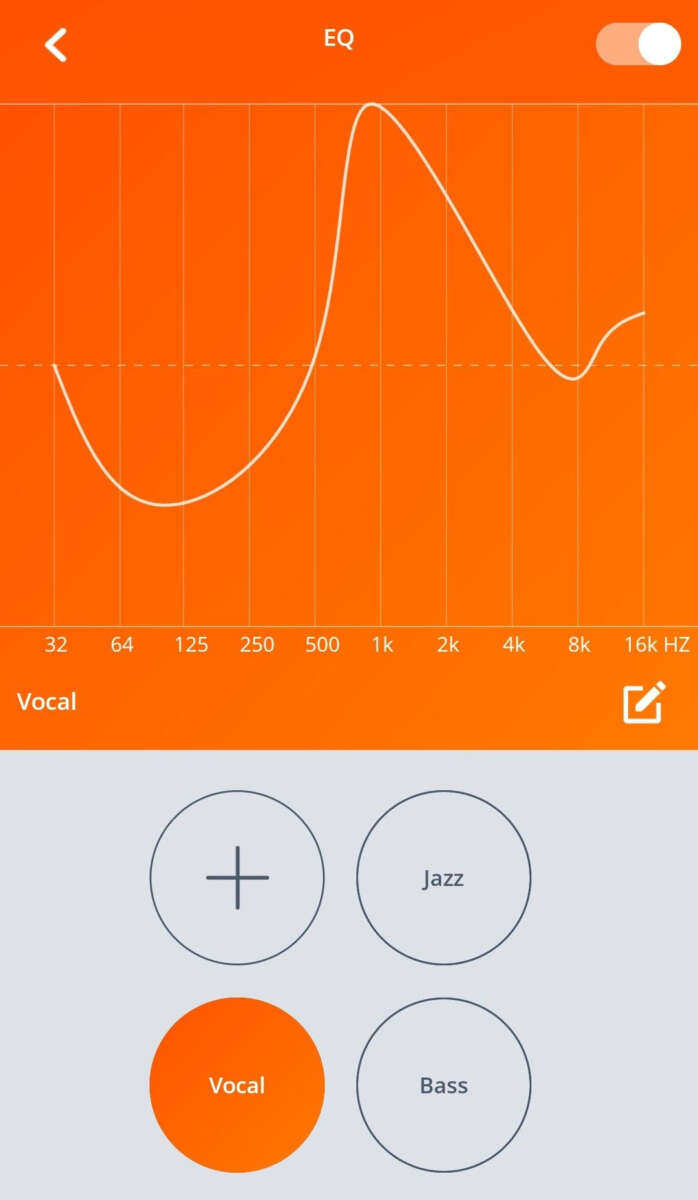
Adjust equalizer and presets
- Increase mid and treble slightly to make the sound feel louder and clearer.
- Use a simple EQ boost rather than extreme gains to avoid distortion.
Switch Bluetooth codec and reconnect
- If possible, force a higher-quality Bluetooth codec on your device.
- Re-pair the headphones and keep the source device close to reduce interference.
Enable high performance on laptops
- Set output device to high-performance mode in sound settings.
- For Windows, choose the highest quality sample rate in Playback device properties.
These software changes are the safest place to start when you search for how to make JBL headphones louder. They are free and reversible.

Hardware checks and maintenance
Hardware problems can limit volume. Here’s how to inspect and fix common issues.
Inspect cables and connectors
- For wired JBL models, try a different cable to rule out a broken wire or poor connector.
- Clean connectors with a dry cloth. Avoid liquid cleaners.
Check the ear cups and drivers
- Remove foam tips or ear pads and clean them.
- Look for debris or earwax on in-ear tips. Replace tips if worn.
Battery and power checks
- Fully charge wireless JBL headphones before testing volume.
- Low battery modes sometimes limit output.
Test with multiple sources
- Try a different phone, tablet, or audio interface to isolate the headphone fault.
- Use a wired connection if Bluetooth seems weak.
If physical damage or driver failure is suspected, contact JBL support or a trusted repair shop. I once replaced a frayed cable in a JBL studio headset and gained a noticeable 20% boost in perceived loudness. Small hardware fixes can be surprisingly effective.
Use external devices to safely increase loudness
If settings and maintenance don’t cut it, an external device can help. These options are for users who want more power or better audio quality.
Portable headphone amplifier
- A small battery-powered amp increases gain and headroom.
- It’s ideal for high-impedance or over-ear JBL models that need more power.
USB DAC or sound card
- Improves output quality and can increase maximum volume.
- Useful for PCs and laptops with weak built-in audio.
Inline amplifiers
- Tiny in-line amps sit between your source and the headphone cable.
- They are cheap and easy to use but check compatibility.
Powered headphone outputs on receivers
- Home receivers and audio interfaces provide stronger outputs.
- Use when listening from a fixed location.
Keep safety in mind. Amplifiers can push volumes past safe listening levels. Start low and raise volume gradually. Using external amps is a reliable path when you need to make JBL headphones louder and keep sound clean.

Advanced tweaks and firmware options
Advanced users can try deeper changes. These can be powerful but may void warranties or risk damage if done incorrectly.
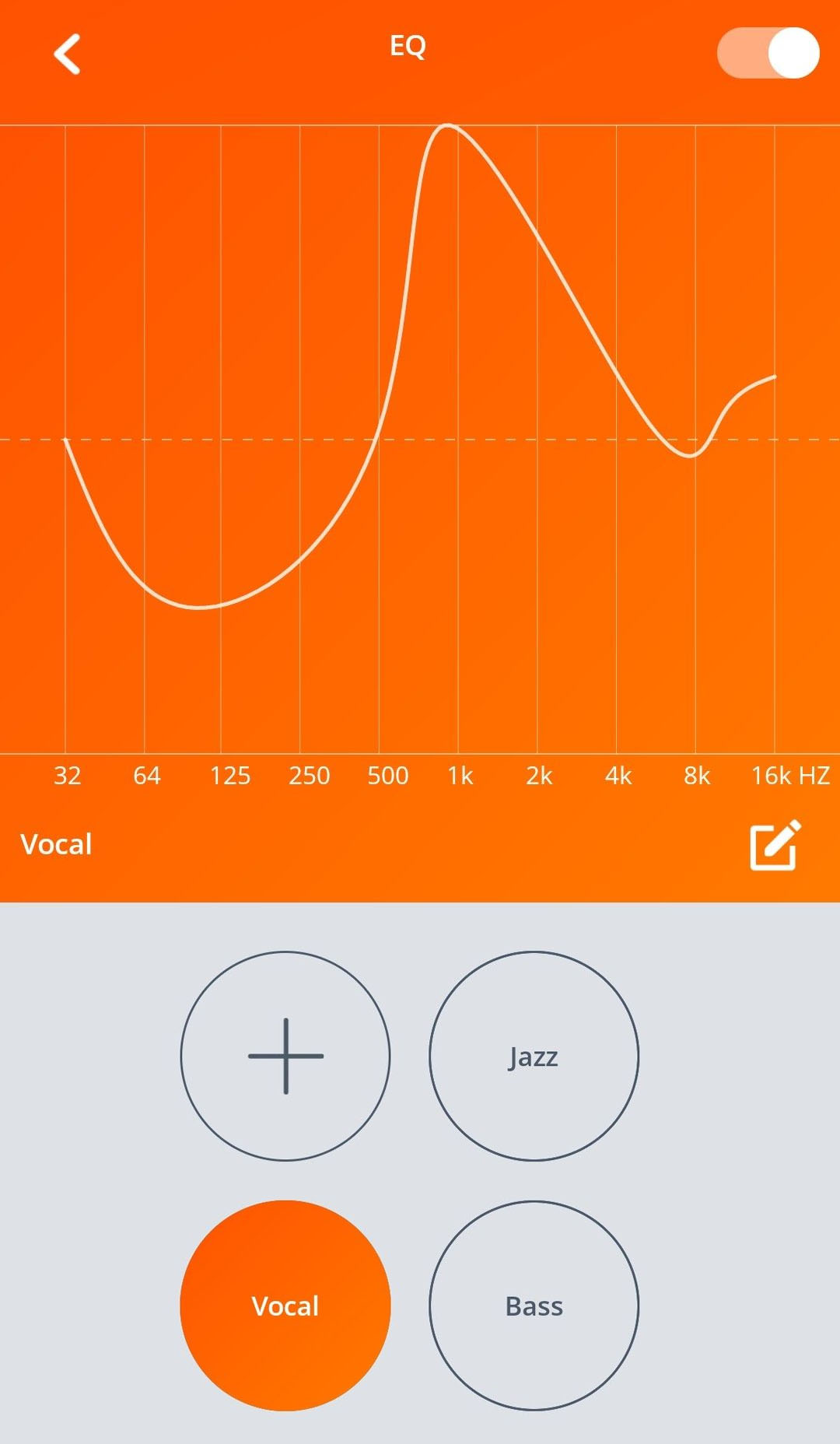
Custom equalizer profiles
- Use third-party EQ apps to craft a louder, clearer sound signature.
- Boosting certain bands can make audio appear louder without maxing gain.
Rooted or jailbroken device gains
- Some users change system audio gain on rooted Android devices or jailbroken iPhones.
- This can significantly increase volume but has risks and may reduce audio quality.
Firmware and developer options
- Enable developer options on Android and try forcing higher sample rates.
- Update JBL firmware for performance improvements.
Limitations and risks
- Software gain can cause clipping or distortion.
- Hardware mods risk permanent damage.
I’ve tested custom EQ profiles and modest gain changes. They worked well for casual listening. I do not recommend extreme system gain unless you fully understand the risks.
Hearing safety: how loud is too loud?
Making JBL headphones louder should not harm your ears. Protect hearing while getting more volume.
Safe listening guidelines
- Limit exposure to 85 dB for extended periods.
- Keep volume below 60–70% for daily use.
Signs you are too loud
- Ringing in ears after listening
- Needing to increase volume over time to hear the same level
Practical tips
- Use noise isolation or ANC to allow lower listening levels.
- Take listening breaks every hour.
Being louder doesn’t mean better. Clear, balanced sound at a safe level is the real goal. I recommend using a sound meter app if you often push volume to test exposure.

PAA-style quick questions
Will an amp damage my JBL headphones?
A properly matched amp will not damage headphones. Avoid extreme gain and clipping to protect drivers.
Can Bluetooth limit my JBL volume?
Yes. Bluetooth codec and interference can reduce perceived loudness. Try a wired connection for testing.
Does firmware update improve loudness?
Sometimes. Firmware can fix bugs or change output behavior, which may increase usable volume.
Frequently Asked Questions of how to make jbl headphones louder
How can I increase volume on JBL headphones without an amp?
Increase device and app volume, disable any volume limiter, update firmware, and tweak EQ settings. Try different audio sources to confirm results.
Do JBL headphones have a built-in volume limit?
Some models and apps add limits to protect hearing. Check the JBL app and your device settings to disable any caps.
Will using a different cable make my JBL headphones louder?
Yes for wired models. A bad or low-quality cable can reduce output. Replacing the cable can restore full volume.
Is it safe to boost volume with software equalizers?
Yes if you boost moderately. Excessive boosts cause distortion and can damage drivers or ears. Increase gain in small steps.
Can Bluetooth codec change the loudness of JBL headphones?
Yes. Higher-quality codecs may deliver louder, clearer audio. Switching codecs or using a wired connection helps.
Conclusion
You can make JBL headphones louder with smart, safe steps. Start with device and app settings, check hardware, use EQ, and consider a portable amp or DAC if needed. Always balance loudness with hearing safety, and test changes across devices. Try the simplest fixes first, track what works, and avoid risky mods unless you know the trade-offs. If this helped, try one tip now and share your results or questions in the comments.

Jamie Lee is a seasoned tech analyst and writer at MyTechGrid.com, known for making the rapidly evolving world of technology accessible to all. Jamie’s work focuses on emerging technologies, product deep-dives, and industry trends—translating complex concepts into engaging, easy-to-understand content. When not researching the latest breakthroughs, Jamie enjoys exploring new tools, testing gadgets, and helping readers navigate the digital world with confidence.