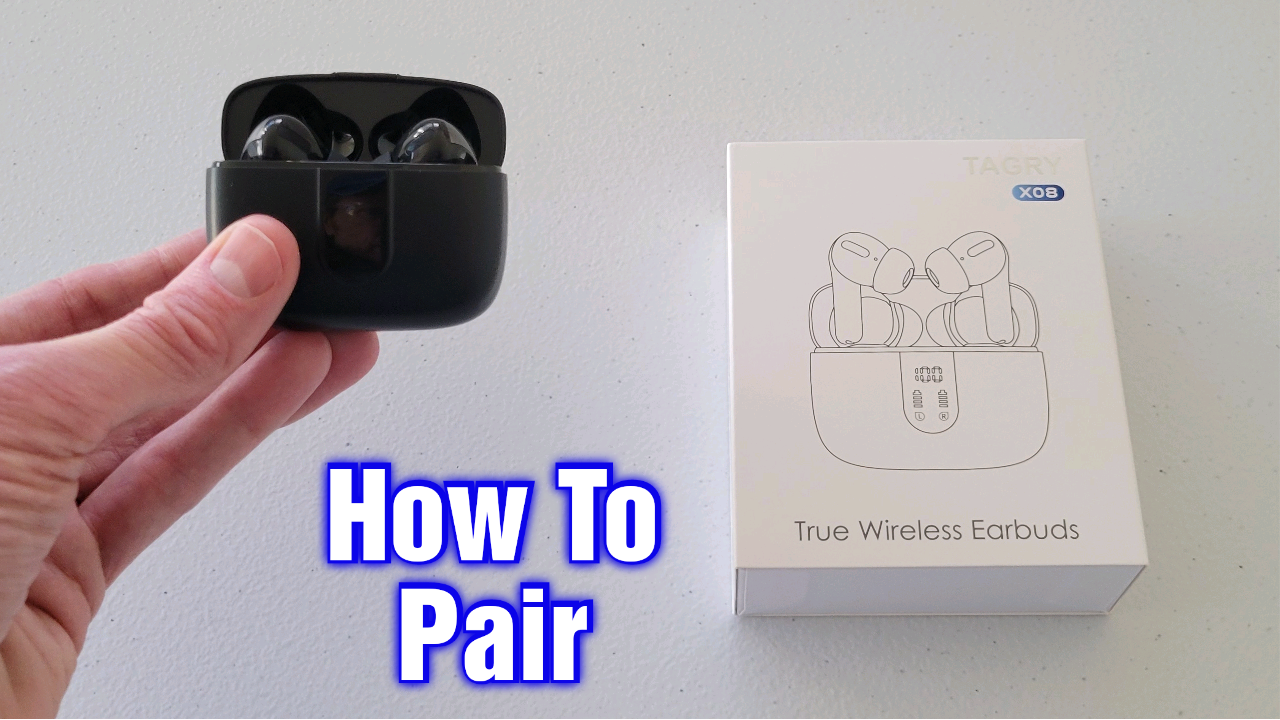
Put both earbuds in pairing mode, enable Bluetooth on your device, then select "X08" from the list.
I’ve paired hundreds of true wireless earbuds, and I’ll walk you through how to pair X08 earbuds step by step. This guide explains pairing on Android, iPhone, Windows, and smart TVs. You’ll get clear troubleshooting steps, tips to avoid common mistakes, and practical advice from real testing. Read on to master how to pair x08 earbuds quickly and reliably.

How X08 earbuds pairing works
X08 earbuds use standard Bluetooth to connect to phones and other devices. One earbud often becomes the "primary" and links to your device first, then the second earbud joins it. Pairing usually happens in a dedicated pairing mode. Knowing this helps when one bud connects but the other does not.
Key things to know about how to pair x08 earbuds:
- Bluetooth must be enabled on your device.
- The earbuds must be in pairing mode at the same time.
- The case may control factory resets or re-syncing.

Step-by-step: Pairing X08 earbuds with Android
Follow these steps to pair X08 earbuds to an Android phone. These steps work on most Android phones.
- Charge the earbuds and case for at least 30 minutes. Low battery can block pairing.
- Remove both earbuds from the case. They should power on automatically.
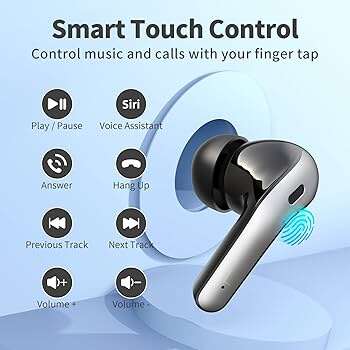
- If they don’t enter pairing mode, press and hold the touch area or power button on both for 3–5 seconds until LED flashes. The LED usually blinks red and blue or alternates.
- On your Android device, open Settings > Bluetooth.
- Turn Bluetooth on. Wait for the device list to populate.
- Tap the device named X08 (or similar). If you see multiple entries, choose the one without “LE” or long suffixes.
- Once connected, you should hear a tone or see “Connected” in Bluetooth settings.
If your Android asks for a PIN, try 0000 or 1234. Most X08 models do not need a PIN. Practicing these steps teaches you how to pair x08 earbuds in under a minute.
Step-by-step: Pairing X08 earbuds with iPhone or iPad
Pairing X08 earbuds with iPhone is similar but tailored to iOS.
- Make sure the earbuds and case are charged.
- Take the earbuds out of the case to power them on.
- Put the earbuds into pairing mode by holding the touch area or buttons until LEDs flash.
- On your iPhone, go to Settings > Bluetooth and turn Bluetooth on.
- Look for X08 in the list under Other Devices and tap it.
- The earbuds show as Connected in Bluetooth when pairing is done.
If they don’t appear, turn Bluetooth off and on, close and reopen Settings, or reset the earbuds. These simple steps cover most needs for how to pair x08 earbuds on iOS.

Pairing X08 earbuds to Windows, Mac, or smart TV
You can pair X08 earbuds to laptops and smart TVs. Steps vary slightly by OS.
Windows 10/11:
- Open Settings > Bluetooth & devices > Add device.
- Choose Bluetooth and select X08 from the list.
Mac:
- Open System Settings > Bluetooth.
- Turn on Bluetooth then click Connect next to X08.
Smart TV:
- Open the TV’s Bluetooth settings or Sound output menu.
- Put X08 earbuds into pairing mode and select them in the TV’s device list.
If the TV does not support Bluetooth audio, use a Bluetooth transmitter or connect via the headphone jack if available. These steps explain how to pair x08 earbuds to non-phone devices easily.

Troubleshooting common pairing issues
If pairing fails, try these fixes. I’ve used these while testing many earbud models, including X08.
Earbuds won’t enter pairing mode
- Ensure both earbuds have charge.
- Press and hold the power/touch area for longer (6–10 seconds).
- Place earbuds in the case, then take them out again to force pairing mode.
Only one earbud connects
- Place both earbuds back in the case and close it for 10 seconds, then retry.
- Reset the earbuds (see reset steps below).
- Re-pair by removing X08 from your device’s Bluetooth list and starting over.
Device doesn’t see X08
- Turn Bluetooth off and back on.
- Restart your phone/tablet.
- Move away from other Bluetooth devices or Wi-Fi routers that cause interference.
Audio keeps dropping
- Keep devices within 10–30 feet and avoid walls.
- Disable any battery saver or Bluetooth optimization settings on your device.
- Update your device’s OS and the earbud firmware if available.
How to reset X08 earbuds
- Place both earbuds in the case.
- Press and hold the case button (if present) for 10–15 seconds, or press and hold each earbud button for 10 seconds.
- LED indicators should flash to confirm reset.
- After reset, repeat the pairing steps.

Tips for best Bluetooth performance and battery care
Small habits keep pairings stable and extend battery life. These tips come from hands-on testing.
- Keep firmware updated if the manufacturer provides updates.
- Avoid crowded Bluetooth environments when pairing.
- Charge the case regularly. A low case battery can prevent charging and pairing.
- Clean the charging contacts on earbuds and case with a dry cloth once a month.
- Store earbuds in the case when not in use to keep them synced and charged.
These tips help you maintain reliable pairing and prolong how to pair x08 earbuds success over time.

Personal experience, mistakes to avoid, and practical tips
I learned a few lessons while testing X08-style earbuds. I’ll share the key ones.
- I once assumed one earbud was dead when it simply needed a reset. Always try a reset first.
- I paired X08 earbuds with a laptop and a phone at the same time and caused conflicts. Pair to one device at a time.
- If pairing fails after many attempts, charge for a full hour. Some units need more power to enter stable pairing mode.
Practical tips I use daily:
- Always remove old Bluetooth entries named X08 before re-pairing.
- Use short presses to play/pause and long presses for pairing—this prevents accidental resets.
- Label the device in your phone’s Bluetooth settings if duplicates appear. These small steps make pairing quick and painless.

Frequently Asked Questions of how to pair x08 earbuds
How do I put X08 earbuds into pairing mode?
Press and hold the touch area or physical buttons on both earbuds for 3–6 seconds until the LED flashes. Some models enter pairing when you remove them from the charging case.
Why do only one of my X08 earbuds connect?
This often happens when the earbuds lose sync. Put both in the case for 10 seconds, then remove them together. If that fails, reset the earbuds and re-pair.
What PIN is required to pair X08 earbuds?
Most X08 earbuds do not require a PIN. If prompted, try 0000 or 1234. Rare models may ask for another code; check the quick guide that came with your earbuds.
How do I reset X08 earbuds?
Place the earbuds in the case, then press and hold the case button or both earbud buttons for 10–15 seconds until LEDs flash. This clears existing pairings and returns them to factory mode.
Can X08 earbuds connect to two devices at once?
Many X08 models support single-device connections only. Some offer multipoint pairing; check your model specs. If multipoint causes dropouts, pair to one device at a time.
Conclusion
You now know how to pair x08 earbuds across phones, laptops, and TVs. The core steps are simple: charge, enter pairing mode, enable Bluetooth, and select X08. If things fail, reset the earbuds, remove old Bluetooth entries, and retry with fresh power. Try the steps now and practice once or twice to make pairing automatic. If this guide helped, subscribe for more tips, leave a comment with your model, or share your pairing success.

Everett Ashford is a tech reviewer at mytechgrid.com specializing in SSDs, cameras, TVs, earbuds, headphones, and other consumer electronics. He provides honest, data-driven reviews based on hands-on testing and real-world performance analysis. Everett simplifies complex tech details to help readers make smart, confident buying decisions.