Remove both JLab Go Air earbuds from the charging case, and they turn on automatically within a few seconds.
Knowing how to turn on JLab Go Air earbuds saves time when you are ready for music, calls, or a workout. Most JLab Go Air models use automatic power, so the earbuds wake when removed from the case and shut down when placed back inside. This guide explains how to turn on JLab Go Air earbuds manually, connect them to a phone, fix common power problems, and reset them when needed.

How to Turn On JLab Go Air Earbuds
The easiest way to turn on JLab Go Air earbuds is to remove them from the charging case. The earbuds should power on by themselves and enter pairing mode if they do not have a saved device nearby.
Follow these steps:
- Open the charging case.
- Remove both earbuds.
- Wait for the earbuds to flash or play a power-on sound.
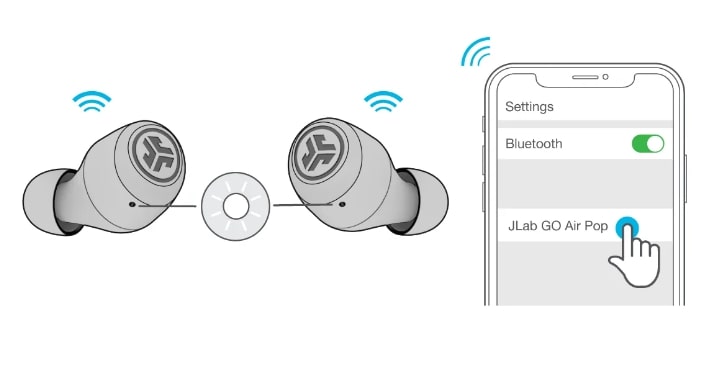
- Turn on Bluetooth on your phone.
- Select “JLab GO Air” or the name shown for your model.
- Tap “Pair” or “Connect.”
If the earbuds are already paired with your phone, they should connect within a few seconds. Keep the earbuds near the phone during the first connection.
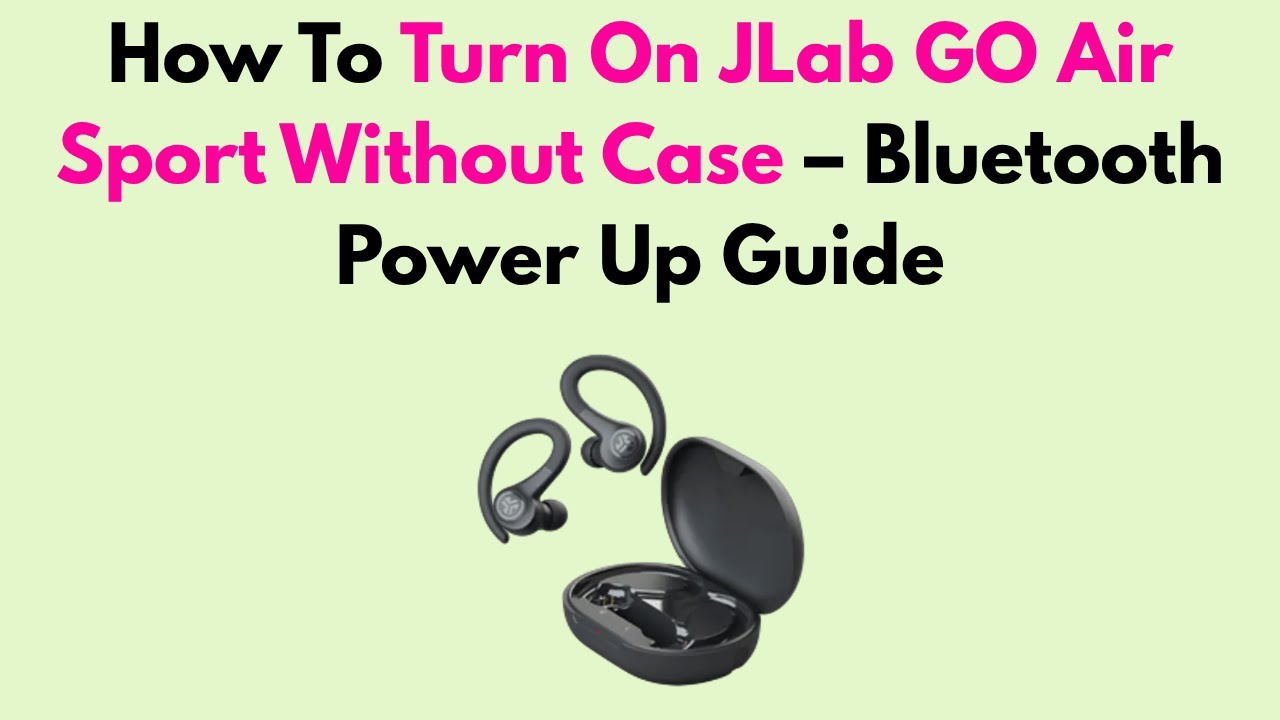
To turn on JLab Go Air earbuds without the case, touch and hold the control area on each earbud for about three seconds. The exact light pattern can vary by model, so check the user guide if the earbuds do not respond.
How JLab Go Air Earbuds Power On Automatically
JLab Go Air earbuds have an automatic power feature. When you remove the earbuds from the case, they normally turn on and try to connect to the last device they used.
This feature works because the case and earbuds use small charging contacts. When an earbud leaves the case, it stops charging and begins its startup process. Think of the case as both a charger and a small power switch.
The earbuds may not turn on automatically if:
• The case battery is empty.
• The earbud charging contacts are dirty.
• The earbuds are not seated correctly in the case.
• The earbuds were manually powered off.
• The earbuds have a software or pairing issue.
When learning how to turn on JLab Go Air earbuds, always check the case first. A low case battery is one of the most common causes of a silent earbud.
How to Turn On JLab Go Air Earbuds Manually
Sometimes you may want to power on JLab Go Air earbuds outside the charging case. This can help if the case is misplaced or the earbuds did not wake correctly.
To turn on JLab Go Air earbuds manually:
- Remove the earbuds from the case.
- Find the touch control on the outside of each earbud.
- Touch and hold the control for about three seconds.
- Release it when the earbud gives a sound or the LED begins to flash.
- Repeat the process on the other earbud if needed.
Use a light touch. Pressing too hard can push the earbud deeper into your ear or trigger another control. If the touch panel does not respond, wipe it with a dry, soft cloth and try again.
Some JLab Go Air versions may use slightly different touch commands. The official guide for your exact model is the best reference for timing and LED signals.

How to Connect JLab Go Air Earbuds After Turning Them On
Turning on JLab Go Air earbuds is only the first step. You must pair them with your phone, tablet, computer, or another Bluetooth device.
Pair with an iPhone or iPad
- Open Settings.
- Tap Bluetooth.
- Turn Bluetooth on.
- Remove the JLab earbuds from the case.
- Select “JLab GO Air” from the list.
- Accept the pairing request if one appears.
Pair with an Android phone
- Open Settings.
- Select Connected devices or Bluetooth.
- Turn Bluetooth on.
- Take the earbuds out of the case.
- Tap the JLab device name.
- Confirm the connection.
Pair with a Windows computer
- Open Settings.
- Choose Bluetooth & devices.
- Turn Bluetooth on.
- Select Add device.
- Choose Bluetooth.
- Select your JLab Go Air earbuds.
After the first pairing, the earbuds should connect automatically when they turn on. If several nearby devices have Bluetooth enabled, the earbuds may connect to the wrong device. Turn off Bluetooth on unused devices if this happens.

What the JLab Go Air LED Lights Mean
The LED lights provide useful clues when you turn on JLab Go Air earbuds. The exact colors may differ slightly between the original GO Air, GO Air Pop, and related models.
Common signals include:
• A flashing blue light usually indicates that an earbud is on or connected.
• A flashing blue and white light often indicates pairing mode.
• A red light may show that the earbud is charging.
• No light may mean the earbud is fully charged, powered off, or not making contact with the case.
• A repeated flash may indicate a reset or connection process.
Do not rely on the light alone. Also listen for a startup tone and check the Bluetooth menu on your phone. If the phone cannot find the earbuds, the earbuds may be off, already connected elsewhere, or in need of a reset.

What to Do If JLab Go Air Earbuds Will Not Turn On
If your earbuds do not respond, use a simple check before assuming they are broken. In many cases, the problem comes from charging contact, not the earbud battery itself.
Charge the case and earbuds
Connect the charging case to a reliable USB power source. Leave it connected for at least 15 to 30 minutes before testing the earbuds again.
If the case has no power, it cannot charge or wake the earbuds. A short charge can also help after the earbuds have been stored unused for a long time.
Clean the charging contacts
Look at the metal contacts on the earbuds and inside the case. Dust, skin oil, or pocket lint can block the connection.
Clean the contacts with a dry cotton swab or soft, dry cloth. Do not pour liquid into the case, and do not use a sharp metal object.
Check the earbud position
Place each earbud into its matching side of the case. Press it down gently and check whether the charging light appears.
If the light does not appear, remove the earbud and place it back. A loose fit can stop charging and prevent the earbud from turning on later.
Turn Bluetooth off and on
Bluetooth can sometimes keep an old connection active. Turn Bluetooth off on your phone, wait a few seconds, and turn it on again.
Then remove the earbuds from the case and search for them again. This often solves a temporary connection fault.
Try one earbud at a time
Remove only the left earbud and check whether it powers on. Return it to the case, then test the right earbud.
This test helps identify whether the issue affects one earbud or the whole system.
How to Reset JLab Go Air Earbuds
A reset can fix pairing problems, one-earbud audio, and earbuds that appear frozen. Resetting removes the old Bluetooth connection, so you will need to pair the earbuds again.
Use this general reset process for many JLab Go Air models:
- Open your phone’s Bluetooth settings.
- Find the JLab Go Air earbuds.
- Tap the information icon or settings button.
- Choose Forget This Device, Unpair, or Remove Device.
- Turn Bluetooth off.
- Place both earbuds in the charging case.
- Leave the case open.
- Tap one earbud’s touch control seven times.
- Tap the other earbud’s touch control seven times.
- Remove both earbuds and wait for them to sync.
- Turn Bluetooth on and pair again.
The seven-tap reset method is common across several JLab true wireless models, but controls can vary. If it does not work, use the reset instructions for the model printed on your case or packaging.
A common mistake is trying to reset the earbuds while they are still connected to the phone. Forget the Bluetooth connection first for a cleaner reset.
How to Turn On One JLab Go Air Earbud
You can usually use either JLab Go Air earbud alone. Remove the left or right earbud from the case, then wait for it to power on and connect.
If only one earbud works, place both earbuds in the case and reset them. One earbud may have lost its link with the other, even though it still turns on.
For single-earbud use, follow these steps:
- Put both earbuds in the case.
- Close the lid for a few seconds.
- Open the lid.
- Remove only the earbud you want to use.
- Select the JLab device in your Bluetooth settings.
If the phone shows separate left and right Bluetooth entries, the earbuds may not be synced. Forget both entries and complete the reset process.
How to Turn Off JLab Go Air Earbuds
To turn off JLab Go Air earbuds, place them back into the charging case. Close the lid after confirming that the earbuds sit correctly on the charging contacts.
You can also manually power them off by touching and holding the control for about three seconds. The manual power-off command may differ by model.
Turning the earbuds off helps protect battery life. It also prevents accidental Bluetooth connections when the earbuds are in your pocket or bag.
Tips for Better JLab Go Air Battery Life
Good charging habits can make it easier to turn on JLab Go Air earbuds every time you use them.
• Keep the charging case above a low battery level.
• Store both earbuds in the case when you are not using them.
• Clean the charging contacts once in a while.
• Avoid leaving the case in a hot car or direct sunlight.
• Use a suitable USB power source and cable.
• Do not force the earbuds into the case.
• Charge the case before long trips or workouts.
Lithium-ion batteries lose capacity over time. This is normal for wireless earbuds. If fully charged earbuds run for only a short period, the battery may be worn rather than simply switched off.
Common Mistakes When Turning On JLab Go Air Earbuds
Small setup mistakes can make working earbuds seem dead. These are the problems users most often overlook.
Mistaking pairing trouble for a power problem
If the LED turns on but your phone cannot find the earbuds, the earbuds are powered on. The problem is likely Bluetooth pairing, not power.
Forget the old connection and search again.
Leaving the earbuds connected to another device
JLab Go Air earbuds may connect to a nearby tablet, laptop, or phone that was used before. Turn Bluetooth off on that device before pairing with a new one.
Using the wrong touch area
The touch control is on the outer face of the earbud. Touching the ear tip or charging contact will not turn it on.
Ignoring the charging case
The case is part of the power system. If the case battery is empty or the contacts are blocked, the earbuds may not wake when removed.
Holding the controls too long
Long touches can trigger other functions or power the earbuds off. Use a gentle touch and hold for about three seconds when manually powering them on.
Frequently Asked Questions About How to Turn On JLab Go Air Earbuds
How do I turn on JLab Go Air earbuds for the first time?
Open the charging case and remove both earbuds. They should turn on automatically and enter pairing mode if no saved device is available.
Why are my JLab Go Air earbuds not turning on?
Charge the case, clean the earbud contacts, and place each earbud firmly in the correct side of the case. If they still do not respond, forget the Bluetooth connection and reset the earbuds.
Can I turn on JLab Go Air earbuds without the case?
Yes, in many models you can touch and hold the outer control area for about three seconds. The exact manual power command may vary, so check the guide for your specific JLab model.
How do I put JLab Go Air earbuds into pairing mode?
Remove both earbuds from the case and turn on Bluetooth on your device. If they do not appear, forget the old JLab Bluetooth connection and reset the earbuds before trying again.
Why does only one JLab Go Air earbud turn on?
One earbud may have a low charge, dirty contacts, or a lost connection with the other earbud. Charge both earbuds, forget the Bluetooth pairing, and perform a reset.
How do I know whether my JLab Go Air earbuds are on?
Look for a flashing LED, listen for a startup tone, or check your device’s Bluetooth list. A connected status confirms that the earbuds are powered and linked.
Do JLab Go Air earbuds turn off inside the case?
Yes, they normally power off and begin charging when placed correctly in the case. Make sure the charging contacts touch and close the lid if the earbuds remain active.
Conclusion
The simplest way to turn on JLab Go Air earbuds is to remove them from the charging case. For manual control, touch and hold the outer panel for about three seconds, then connect through your device’s Bluetooth settings.
If the earbuds do not respond, charge the case, clean the contacts, check their position, and reset the Bluetooth connection. These steps solve most power and pairing issues without extra tools. Try the process now, and share your experience or model-specific tips in the comments.

Everett Ashford is a tech reviewer at mytechgrid.com specializing in SSDs, cameras, TVs, earbuds, headphones, and other consumer electronics. He provides honest, data-driven reviews based on hands-on testing and real-world performance analysis. Everett simplifies complex tech details to help readers make smart, confident buying decisions.