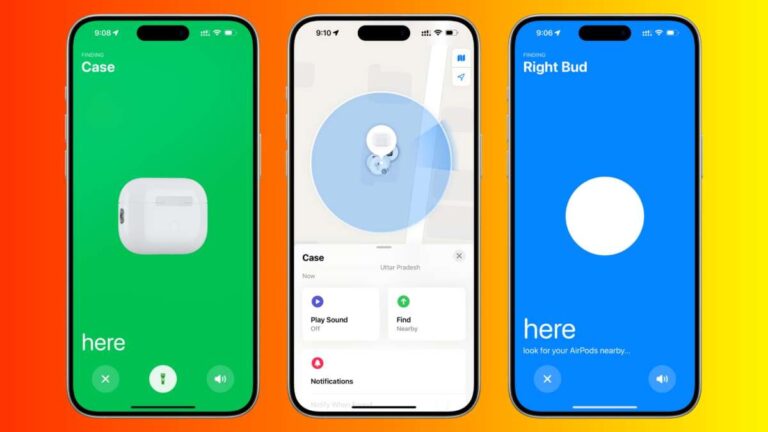
Use Bluetooth range checks, retrace steps, scan with the JLab app or a BLE scanner, and search common spots.
I’ve spent years troubleshooting earbuds and lost cases, and I know how frustrating it feels to misplace a small charging case. This guide explains, step by step, how to find lost JLab earbuds case with practical search tactics, phone-based tools, replacement options, and prevention tips so you can recover your case faster and avoid repeats.

How JLab earbuds and cases behave
JLab earbuds use Bluetooth Low Energy to pair and communicate with a host phone. The charging case holds and recharges the earbuds and often has no built-in GPS. That means locating a lost JLab earbuds case relies on Bluetooth signals, last-known connection data, audible clues from the earbuds, and solid old-fashioned searching.
Common facts to remember:
- Cases are passive and usually only broadcast when a bud or the case itself has power.
- “Last connected” info on your phone gives a time and sometimes a device name to help narrow where you last had them.
- If the earbuds are inside and paired, they may emit audio or remain discoverable briefly.

Immediate steps when you realize you’ve lost the case
Act fast. Each minute can reduce the chance of finding the case if it’s out of Bluetooth range.
Do this right away:
- Retrace your steps in reverse order from when you last used them.
- Check pockets, bags, jacket linings, and the places you unload things.
- Look where you charge devices, like desks and nightstands.
- Turn on your phone’s Bluetooth and open Bluetooth settings to see if the case or earbuds show as “connected” or “last connected.”
If you act quickly, you often find the case before battery drains or before it’s moved.

Use Bluetooth and phone tools to locate the case
Smartphones can help you find an item with Bluetooth range. The trick is to use the right tools and read signal strength.
Practical methods:
- Check your phone’s Bluetooth list for “JLab” or the earbuds model name. A connection or “last connected” timestamp narrows the timeline.
- Open the JLab app if you have it. Some JLab models show battery and connection details that hint where they were last active.
- Use a Bluetooth LE scanner app to see signal strength. Walk slowly and watch signal bars to guide you closer.
- If the earbuds are in the case and the case opens or has a locate feature, follow any audible alerts from the buds.
Limitations and tips:
- Bluetooth range varies by phone and environment; expect reliable range of 20–60 feet indoors.
- Thick walls and metal obstructions can cut range greatly, so move systematically through rooms.

Physical search tactics that actually work
Bluetooth helps, but physical search wins most of the time. Use method and patience.
Search plan:
- Scan likely spots quickly: couch cushions, under furniture, laundry baskets, car seats, backpacks, and purse compartments.
- Use a bright flashlight near floor level; shining light across surfaces highlights small objects.
- Empty one container or one couch cushion at a time to avoid re-searching areas.
- Ask people nearby: roommates, family, coworkers. Fresh eyes help.
- Check lost-and-found desks at work, gyms, cafes, or transit hubs if you used those places recently.
Small tricks that help:
- Shake large fabric items (jackets, hoodies) outdoors to avoid scattering debris.
- Use a broom handle to probe beneath furniture without moving heavy pieces.
- Call local spots where you may have been and leave contact details.
If you can’t find it: replacement, warranty, and support
Sometimes the case is lost for good. Know your options and steps to recover or replace.
What to do next:
- Check purchase records and serial number if you registered the product. This helps with support and warranty claims.
- Contact JLab support with model info and purchase proof. They can confirm compatible replacement cases and pairing steps.
- Consider buying an OEM replacement case or a compatible third-party case. Make sure the replacement specifically lists compatibility with your JLab model.
- If you plan to replace, learn how to pair a new case to your earbuds—usually a simple reset or pairing process documented in the user manual.
Cost and notes:
- Replacement case price varies by model. OEM cases are often pricier than third-party options.
- Be cautious with low-cost knockoffs; check return policies and reviews.

Prevention: how to avoid losing your JLab earbuds case again
A few small habits greatly reduce loss risk. Make your case hard to misplace.
Simple prevention steps:
- Choose a dedicated spot at home and at work for the case. Always return it there.
- Attach a slim Bluetooth tag or Tile-style tracker to the case or a case loop. This adds network-location options.
- Use a bright skin, sticker, or keychain to make the case visible.
- Build a habit: pocket check before leaving places. Pair a reminder with your phone’s location alerts.
- Carry the case in a specific compartment of your bag to make it easy to find.
These small moves cut future panic and save time.

My experience and lessons learned
I once lost a charging case in a taxi and found it using a mix of Bluetooth range checking and calling the ride service quickly. I retraced steps and asked the driver to check the seat gap. The case was near the floorboard.
Key lessons from that day:
- Act fast and use Bluetooth tools immediately.
- People help—ask the driver or venue staff.
- A tracker attached to the case makes recovery far easier.
I now use a thin tracker and always pocket-check before I leave. It saves stress and time.

Frequently Asked Questions of how to find lost jlab earbuds case
How can I tell if my JLab case is within Bluetooth range?
Open your phone’s Bluetooth settings and look for the JLab device name. If it shows “connected” or reappears on a scanner app, it is likely within range; move around to watch signal strength increase.
Does the JLab app help locate a lost case?
The JLab app can show battery and last connection status for supported models, which helps narrow where the case was last active. It doesn’t offer full GPS tracking but is useful for timing and connection clues.
Can I use a Tile or AirTag with my JLab case?
Yes, you can attach a slim Tile or use an AirTag with a compatible holder on the case or keyring. This gives you a separate tracking layer independent of the earbuds’ Bluetooth.
What if only one earbud is lost with the case?
Search as if both are missing. Check pairing status in your phone and use the earbud’s audible alerts if supported. If you can’t find the missing earbud or case, you can often buy single replacements or a new case from JLab.
How do I pair a replacement case to my earbuds?
Pairing steps differ by model, but usually involve resetting the earbuds and placing them in the new case while following the manual’s instructions. Contact JLab support for exact steps for your model if needed.
Conclusion
Finding a lost JLab earbuds case is a mix of quick tech checks, methodical searching, and good follow-up. Use Bluetooth and the JLab app to narrow the search, apply focused physical search tactics, and prepare for replacement if needed. Add a tracker and a consistent habit to prevent future loss. Take action now: try the Bluetooth scan, retrace your steps, and consider a slim tracker to protect your next case. If this helped, leave a comment or share your recovery story.

Everett Ashford is a tech reviewer at mytechgrid.com specializing in SSDs, cameras, TVs, earbuds, headphones, and other consumer electronics. He provides honest, data-driven reviews based on hands-on testing and real-world performance analysis. Everett simplifies complex tech details to help readers make smart, confident buying decisions.