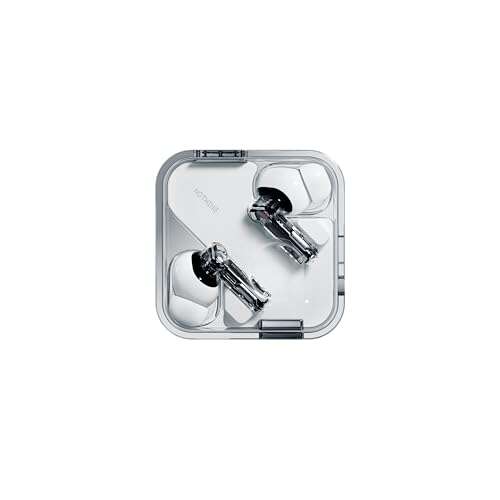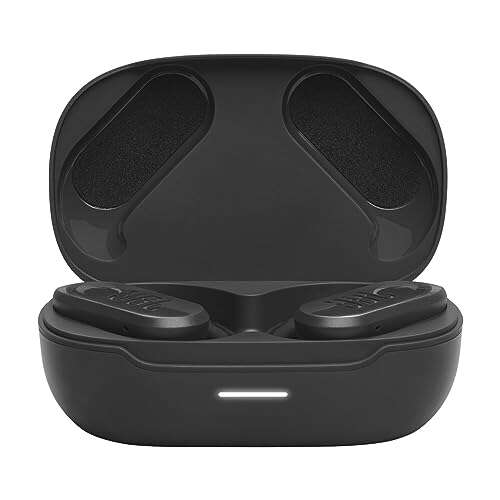
AXIL XCOR earbuds pair with your phone, fit securely, and use simple controls for sound and hearing protection.
Learning how to use AXIL XCOR earbuds is easier when you follow the right order: charge them, pair them, choose a comfortable fit, and test the controls before wearing them for long periods. This guide explains the setup process, sound modes, Bluetooth use, cleaning, safety, and common fixes in clear steps.
What Are AXIL XCOR Earbuds?
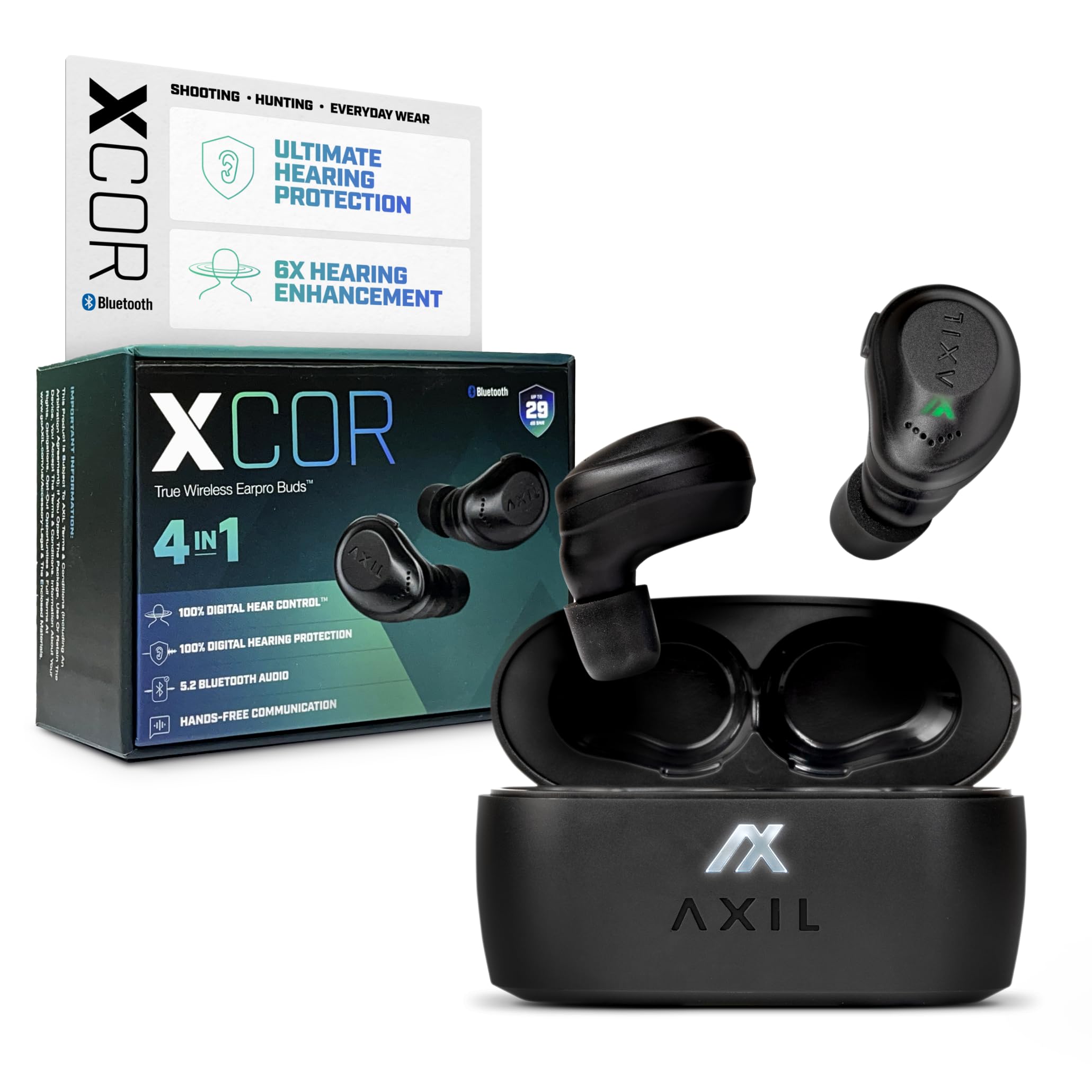
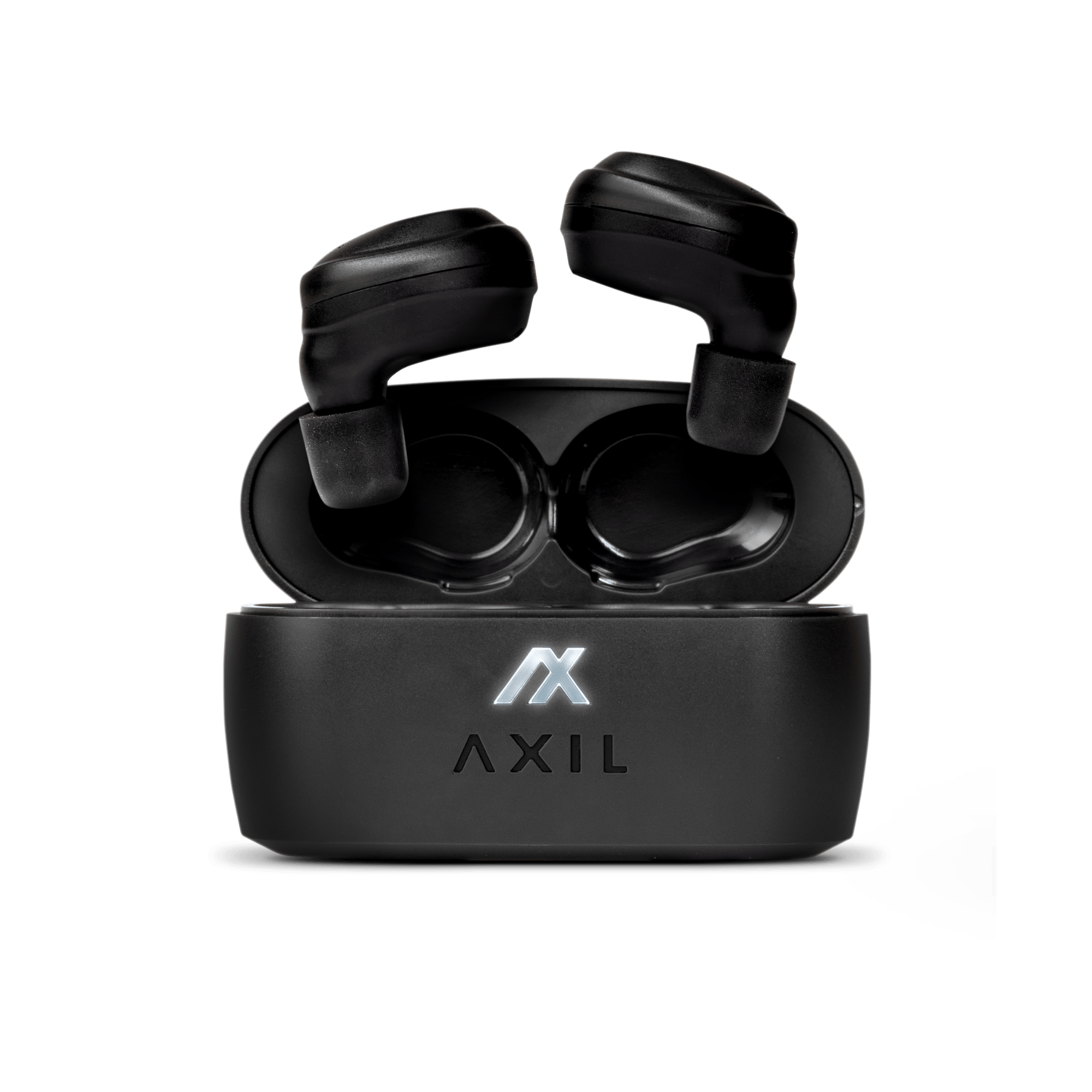
AXIL XCOR earbuds are wireless in-ear devices designed to combine everyday audio with hearing support and sound protection. Depending on the exact XCOR version, features may include Bluetooth audio, selectable sound modes, rechargeable batteries, microphones, and a charging case.
They are not the same as ordinary music earbuds. The design may help users hear speech or nearby sounds while also reducing harmful noise. Still, they should not replace professionally fitted hearing aids or certified hearing protection in every situation.
When learning how to use AXIL XCOR earbuds, first check the manual included with your exact model. Button functions, charging lights, ear tips, and mode names can vary between product versions.
How to Charge AXIL XCOR Earbuds
Charge the earbuds before the first use. New earbuds may arrive with some battery power, but a full charge makes pairing and testing much easier.
- Place both earbuds in the correct slots inside the charging case.
- Make sure each earbud touches its charging pins.
- Connect the case to power with the included charging cable.
- Watch the indicator light for the charging status.
- Leave the earbuds in the case until the case and earbuds are fully charged.
If one earbud does not charge, remove it and place it back in the slot. Check for dirt, moisture, or a protective film covering the charging contacts.
A common mistake is charging the case but not checking the earbuds. The case can have power while one earbud remains empty because it was not seated correctly.

How to Pair AXIL XCOR Earbuds With a Phone
Pairing connects the earbuds to your phone, tablet, or another Bluetooth device. Keep the earbuds close to the phone during the first setup.
- Charge both earbuds and place them in the case.
- Remove the earbuds from the case.
- Open the Bluetooth settings on your phone.
- Turn Bluetooth on.
- Look for the AXIL XCOR name in the available device list.
- Tap the name to connect.
- Accept the pairing request if your phone shows one.
- Play a short audio clip to test the connection.
If the earbuds do not appear, place them back in the case and remove them again. You may also need to press or hold the control button, depending on the version.
When learning how to use AXIL XCOR earbuds, pair them with only one device at first. Pairing with several phones at once can make troubleshooting harder.
Pairing With an iPhone
Open Settings, select Bluetooth, and wait for the AXIL XCOR name to appear. Tap the name, then check that the status changes to Connected.
Pairing With an Android Phone
Open Settings, select Connected devices or Bluetooth, and turn Bluetooth on. Choose the AXIL XCOR listing and follow the on-screen steps.
Pairing With a Computer
Open the computer’s Bluetooth menu and add a new device. Select the earbuds, then choose them as the computer’s audio output if sound still plays through the built-in speakers.

How to Wear AXIL XCOR Earbuds Correctly
A proper fit affects comfort, sound quality, and hearing protection. The earbud should sit securely without causing pressure or pain.
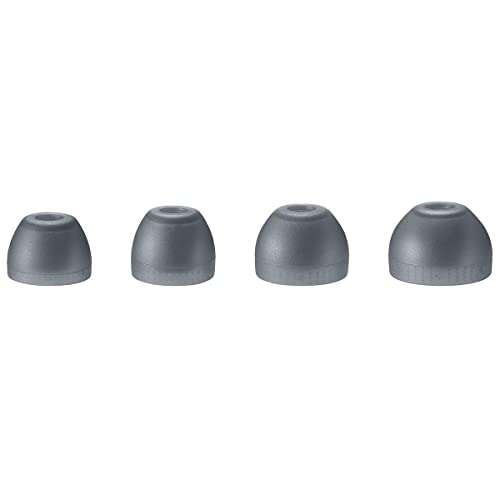
Try the included ear tips one size at a time. The right tip should create a gentle seal, but it should not feel forced deep inside the ear canal.
Use this simple fit test:
- Insert the left and right earbuds gently.
- Turn your head from side to side.
- Speak out loud and listen to your voice.
- Check whether outside sound seems balanced.
- Try a larger or smaller tip if the earbuds feel loose or tight.
Do not push the earbuds farther into your ears to increase bass or block more sound. Deep insertion can cause discomfort and may irritate the ear canal.
In hands-on setup sessions, I have found that users often choose ear tips that are too small. They feel easy to insert, but they may leak sound and fall out during walking. A slightly larger tip often gives a steadier fit.

How to Turn AXIL XCOR Earbuds On and Off
Most true wireless earbuds turn on when removed from the charging case. They usually turn off when returned to the case, but some models also use button controls.
To turn them on:
- Remove both earbuds from the case.
- Wait for the status light or startup tone.
- Place them in your ears.
- Confirm that both sides are connected.
To turn them off:
- Return both earbuds to their charging slots.
- Confirm that the case recognizes them.
- Close the lid.
- Charge the case if its battery is low.
If your model uses manual controls, follow the button instructions in the product guide. Avoid guessing, because a short press and a long press may perform different actions.

How to Use the Controls
The controls may be touch-sensitive or physical buttons. The exact commands depend on the XCOR model, so use the included guide to confirm each action.
Common controls may include:
• Single press: Play or pause audio
• Double press: Answer or end a call
• Long press: Change a sound or hearing mode
• Left earbud press: Previous track or volume control
• Right earbud press: Next track or volume control
These commands are examples, not a universal control map. Test each control while the earbuds are outside your ears before using them in traffic, at work, or around machinery.
Keep your finger on the control area rather than pressing the earbud deeper into your ear. This small habit improves comfort and reduces the chance of losing the seal.

How to Adjust Hearing or Sound Modes
AXIL XCOR earbuds may include different listening modes for music, speech, ambient sound, or noise control. The names and number of modes can differ by model.
Start in the standard or normal mode. Use a low volume and listen in a quiet room. Then test speech, music, and background noise separately.
When changing modes:
- Pause your audio.
- Use the earbud control or companion feature listed in your manual.
- Wait for the tone or voice prompt.
- Speak with another person.
- Choose the mode that sounds clear and comfortable.
Do not assume that an amplification mode is safe at every volume. Hearing safety depends on sound level, exposure time, and the noise around you. The National Institute for Occupational Safety and Health recommends controlling loud noise exposure rather than relying on earbuds alone.
If speech sounds sharp, lower the volume. If voices sound muffled, try a different ear tip or mode before increasing volume.
How to Use AXIL XCOR Earbuds for Music and Calls
After pairing, open your music, podcast, or video app and start playback. Adjust volume from the phone or the earbuds, if your model supports onboard volume control.
For phone calls, speak in a calm voice and keep the microphones clear. Wind, hair, masks, and heavy background noise can affect call quality.
Use these practical tips:
• Keep the phone within normal Bluetooth range.
• Avoid covering the microphone openings.
• Pause music before answering an important call.
• Lower the volume before starting a new audio app.
• Test one call in a quiet room before using the earbuds outdoors.
Bluetooth audio can cut out when the phone is behind thick walls or inside a bag. Moving the phone closer often solves the problem.

How to Use AXIL XCOR Earbuds in Loud Environments
Some XCOR models are built with hearing protection features, but users must understand the limits. No electronic earbud can make every loud environment safe.
For shooting, industrial work, concerts, or power tools, check the product’s official noise reduction rating and instructions. In some settings, you may need certified over-ear protection in addition to earbuds.
Follow these safety steps:
- Put the earbuds in before entering the loud area.
- Check that both earbuds fit firmly.
- Keep the volume low.
- Avoid removing one earbud near loud equipment.
- Leave the area if you notice pain, ringing, or muffled hearing.
- Follow workplace safety rules at all times.
The Centers for Disease Control and Prevention warns that repeated loud sound can damage hearing. A safe routine is more important than relying on a single product feature.

How to Clean and Maintain AXIL XCOR Earbuds
Earwax, sweat, and dust can block the speaker openings or charging contacts. Clean the earbuds often, especially after exercise or outdoor use.
Use this method:
• Remove the ear tips if the design allows it.
• Wipe the earbuds with a soft, dry cloth.
• Use a dry, soft brush to clear the speaker mesh.
• Clean the charging contacts with a dry cotton swab.
• Let the earbuds dry fully before placing them in the case.
Do not pour water on the earbuds or use alcohol directly on openings. Do not use sharp pins to scrape the mesh, because you could damage the speaker or push debris inside.
Store the case in a cool, dry place. Heat, moisture, and direct sunlight can reduce battery life over time.
Common AXIL XCOR Problems and Fixes
Only One Earbud Works
Return both earbuds to the case, close the lid, and wait several seconds. Remove them together and try again.
If the issue remains, forget the AXIL XCOR connection in your phone’s Bluetooth settings. Then restart the earbuds and pair them again.
The Earbuds Will Not Pair
Turn Bluetooth off and back on. Move away from other Bluetooth devices, and make sure the earbuds are not already connected to another phone.
A reset may be required. Use the reset steps for your exact model instead of holding random buttons, since the process can vary.
The Sound Is Too Quiet
Check the phone’s volume and the earbud volume. Then inspect the ear tips and speaker mesh for wax or dirt.
A poor seal can also make sound seem weak. Try another ear tip before increasing volume.
The Sound Cuts Out
Keep the phone nearby and remove physical barriers between the phone and earbuds. Low battery, wireless interference, or a crowded Bluetooth area can also cause interruptions.
Restarting both the phone and earbuds often restores a stable connection.
The Case Does Not Charge the Earbuds
Check that the case itself has battery power. Clean the charging pins and confirm that each earbud sits in the correct slot.
If the case light does not respond with a known working cable and charger, contact AXIL customer support.
Tips for Longer Battery Life
Rechargeable batteries gradually lose capacity. Good habits can help the earbuds remain useful for longer.
• Store the earbuds in the case when not in use.
• Avoid leaving the case in a hot car.
• Do not let the battery remain empty for weeks.
• Keep the charging contacts clean.
• Use moderate volume whenever possible.
• Turn off Bluetooth when you do not need the earbuds connected.
Battery life depends on volume, calls, sound modes, Bluetooth use, and battery age. Treat the advertised runtime as a test estimate rather than a promise for every user.
Mistakes to Avoid When Learning How to Use AXIL XCOR Earbuds
The setup is simple, but a few mistakes can lead to poor sound or frustration.
• Using the wrong ear tip size: This can cause leaks, discomfort, or weak bass.
• Increasing volume too quickly: Your ears may need time to adjust.
• Ignoring one-sided charging: One dead earbud can look like a Bluetooth problem.
• Cleaning with water: Moisture can damage internal parts.
• Wearing them in unsafe traffic conditions: You must remain aware of cars, bikes, and other hazards.
• Treating them as medical hearing aids: Anyone with hearing loss should seek advice from a hearing professional.
The best way to use AXIL XCOR earbuds is to treat them as a tool, not a cure-all. Comfort, safe volume, and proper fitting matter as much as advanced features.
Frequently Asked Questions About How to Use AXIL XCOR Earbuds
How do I connect AXIL XCOR earbuds to my phone?
Charge the earbuds, remove them from the case, open your phone’s Bluetooth settings, and select the AXIL XCOR name. If they do not appear, place them back in the case and try again.
Why is only one AXIL XCOR earbud working?
The earbuds may not have synchronized, or one side may not be charging. Place both earbuds in the case, clean the charging contacts, remove the old Bluetooth connection, and pair them again.
Can I use AXIL XCOR earbuds without Bluetooth?
Some functions, such as hearing or ambient modes, may work without Bluetooth, depending on the model. Bluetooth is needed for wireless music, calls, and other phone audio features.
How loud should AXIL XCOR earbuds be?
Use the lowest volume that lets you hear clearly. If you notice ringing, pain, or muffled hearing after use, stop wearing the earbuds and consider speaking with a hearing professional.
How do I clean AXIL XCOR earbuds?
Wipe them with a soft, dry cloth and use a dry, soft brush on the speaker mesh. Keep water away from openings and allow the earbuds to dry before placing them in the charging case.
Are AXIL XCOR earbuds hearing aids?
They may offer hearing support or sound enhancement, but they should not automatically be treated as prescription hearing aids. People with ongoing hearing difficulty should receive a hearing evaluation.
Conclusion
Using AXIL XCOR earbuds well comes down to a few steady habits: charge both earbuds, pair them carefully, choose the right ear tips, learn the controls, and keep the volume comfortable. Clean the earbuds often, protect them from moisture, and follow certified hearing protection rules in loud places.
Take a few minutes today to test the fit, pairing, sound modes, and controls in a quiet room. If you still have trouble, check the manual for your exact XCOR version or contact AXIL support, then share your experience or explore more practical earbud guides.

Everett Ashford is a tech reviewer at mytechgrid.com specializing in SSDs, cameras, TVs, earbuds, headphones, and other consumer electronics. He provides honest, data-driven reviews based on hands-on testing and real-world performance analysis. Everett simplifies complex tech details to help readers make smart, confident buying decisions.