Introduction
For people buying a laptop in the United States, 32GB of RAM can make a clear difference when the computer handles large files, many apps, virtual machines, creative work, or demanding games. It gives the system more room to keep active data ready for use.
The main advantage is not that every task becomes twice as fast. Instead, 32GB RAM helps prevent slowdowns when several demanding tasks run at once. It can also extend a laptop’s useful life as software becomes more demanding.
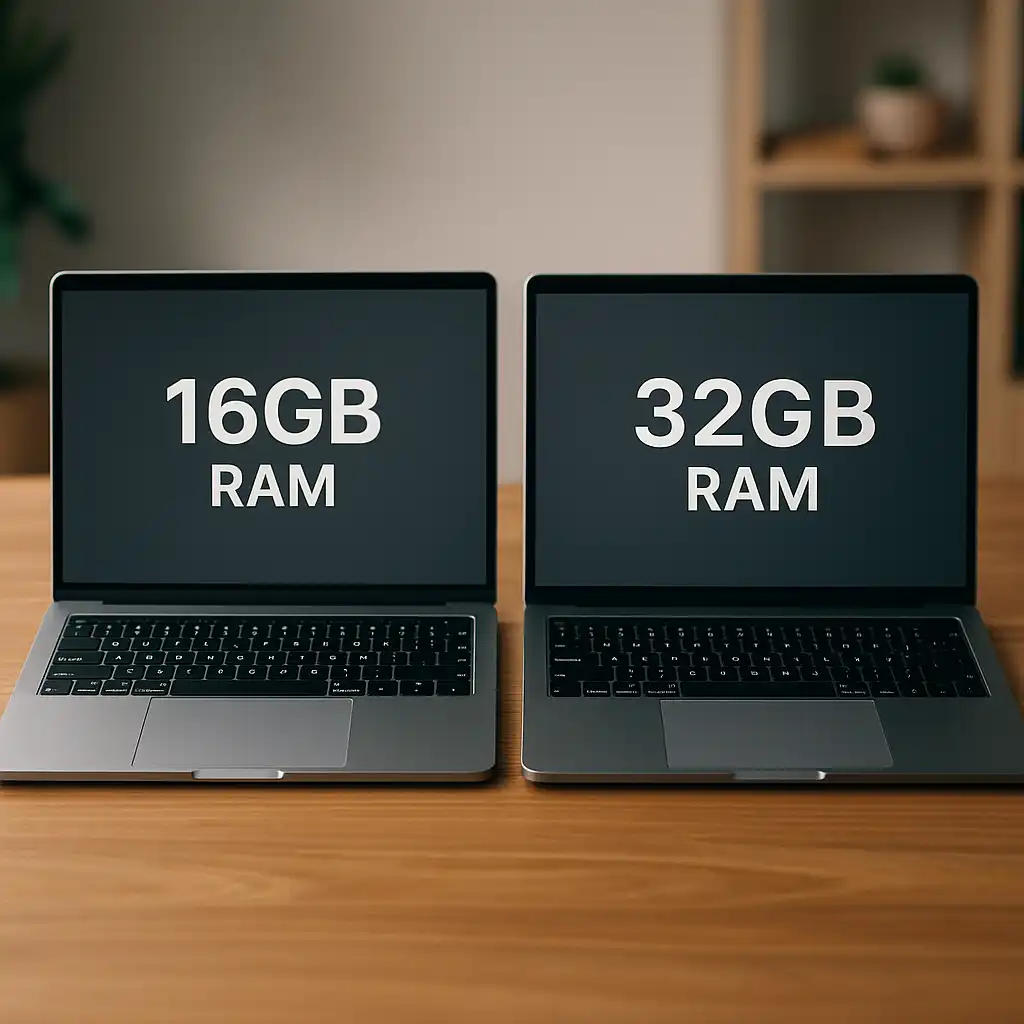
For basic web use, email, schoolwork, and office documents, 16GB is often enough. A 32GB laptop makes more sense for professionals, creators, developers, gamers, and users who keep many apps and browser tabs open.


What Does 32GB RAM Mean?
RAM, or random access memory, is the laptop’s short-term working space. The operating system, open apps, browser tabs, and active files use RAM while the laptop is running.
RAM is different from storage:
| Component | Main job | What happens when you have more? |
|---|---|---|
| RAM | Holds active data for quick access | Better multitasking and fewer slowdowns |
| SSD | Stores files, apps, and the operating system | More room for files and faster loading |
| CPU | Processes instructions | Faster work in supported tasks |
| GPU | Handles graphics and video work | Better graphics performance |
A laptop does not permanently store files in RAM. When you shut it down, the data in RAM is cleared. Your documents and apps remain on the SSD or another storage device.
A 32GB laptop usually provides more usable headroom than a 16GB model. However, the exact amount available to apps will be lower because Windows or macOS uses part of the memory.
The Main Advantages of a Laptop With 32GB RAM
1. Smoother multitasking
A 32GB laptop can keep more active apps in memory at the same time. This helps when you move between a browser, spreadsheet, video call, music app, and work software.
With less RAM, the operating system may move inactive data from RAM to the SSD. This process is called paging or swapping. An SSD is much slower than RAM, so heavy paging can cause pauses.


More RAM does not remove every slowdown. A weak processor, slow SSD, poor cooling, or limited internet connection can still affect performance. But 32GB can reduce memory-related slowdowns.
2. Better performance with many browser tabs
Modern browsers can use substantial memory, especially when tabs contain video, online documents, dashboards, web apps, or large images.
With 32GB RAM, you can keep more tabs open before the laptop needs to unload or reload them. This is useful for:
- Research and online learning
- Software development
- Financial or business dashboards
- Online writing and editing
- Managing several cloud apps
- Comparing products or documents
The benefit depends on the sites and extensions you use. Ten simple text pages may use less memory than a few complex web apps.
3. Stronger support for creative work
Photo, video, music, and design programs often work with large files. A high-resolution image, layered design file, or 4K video project can use much more memory than a normal document.
A 32GB laptop can help with:
- Editing large photos
- Working with many design layers
- Editing high-resolution video
- Using large audio sample libraries
– Running animation and 3D design software - Switching between creative apps
RAM is only one part of creative performance. Video editing also depends on the CPU, GPU, storage speed, display, and cooling system. A laptop with 32GB RAM but a weak GPU may still struggle with complex 3D work.
4. More comfortable software development
Developers often run several tools at once. A typical setup may include an integrated development environment, browser windows, a local database, a code compiler, a testing tool, and a communication app.
Thirty-two gigabytes can also help developers run:
- Docker containers
- Local web servers
- Android emulators
- iOS simulators on compatible Apple hardware
- Virtual machines
- Large code projects
- Data analysis tools
A virtual machine reserves part of the laptop’s RAM for another operating system. If the laptop has only 16GB, assigning memory to a virtual machine can leave too little for the main system. With 32GB, both environments have more room.
5. Better support for virtual machines
Virtual machines let you run another operating system inside your main operating system. For example, a developer may run Linux on a Windows laptop, or a tester may use a separate environment for older software.
Each virtual machine needs its own share of memory. A laptop with 32GB RAM can often run one or more moderate virtual machines more comfortably than a 16GB model.
The exact limit depends on the virtual machine’s settings and the host laptop. Giving too much RAM to a virtual machine can slow the main operating system. More RAM helps, but it does not replace a fast CPU or adequate storage.
6. Fewer slowdowns during gaming and streaming
Most games do not require 32GB RAM to run. Many work well with 16GB, depending on the game and the laptop’s graphics hardware.
However, 32GB can help when you:


- Play demanding modern games
- Stream gameplay
- Record video in the background
- Run a browser with many tabs
- Use voice chat and other apps
- Install large game modifications
The graphics processor usually has a greater effect on frame rate than system RAM. A laptop with 32GB RAM and an entry-level GPU will not perform like a gaming laptop with a powerful GPU.
7. More headroom for future software
Software tends to gain features over time. Operating systems, browsers, security tools, and creative apps may use more memory as they grow.
Starting with 32GB gives the laptop more headroom. This may help it remain comfortable to use for longer, especially if the RAM cannot be upgraded later.
This is a practical advantage, not a guarantee. A laptop’s useful life also depends on battery health, processor performance, storage capacity, repair options, operating system support, and build quality.
8. Better performance with integrated graphics
Some laptops use integrated graphics. Integrated graphics share system memory with the CPU instead of having a separate pool of video memory.
When integrated graphics reserve or use part of the system RAM, less memory remains for Windows or macOS and your apps. In this situation, 32GB can provide more breathing room.
The improvement varies by laptop. Faster shared memory and a stronger graphics design may matter as much as total RAM capacity.
9. More flexibility for professional workflows
A 32GB laptop can suit users who need one computer for several roles. For example, a worker may use it for office tasks during the day, photo editing in the evening, and software testing later.
This flexibility can reduce the need to close apps or restart the computer between tasks. It is most valuable when your work changes throughout the day and each task uses a different group of programs.

Who Should Buy a 32GB RAM Laptop?
A 32GB laptop is a strong fit for users who regularly do one or more of the following:
- Edit photos or high-resolution video
- Use CAD, 3D, animation, or engineering software
- Run virtual machines or containers
- Develop software with several tools open
- Use large data sets or analytical programs
- Stream and record games
- Keep many demanding apps open
- Use integrated graphics for heavier work
- Plan to keep the laptop for several years
A 32GB model may also suit a power user who dislikes closing apps or waiting for tabs to reload.
Who may not need 32GB?
You may not need 32GB if you mainly use a laptop for:
- Web browsing with a modest number of tabs
- Microsoft Word or Google Docs
- Video calls
- Basic schoolwork
- Streaming movies and TV
- Simple accounting or point-of-sale tasks
For these uses, 16GB is often a balanced choice. Eight gigabytes can work for light tasks, but it gives you less room for multitasking.
The best choice depends on your actual workload, not just the largest available memory number.


Does 32GB RAM Make a Laptop Faster?
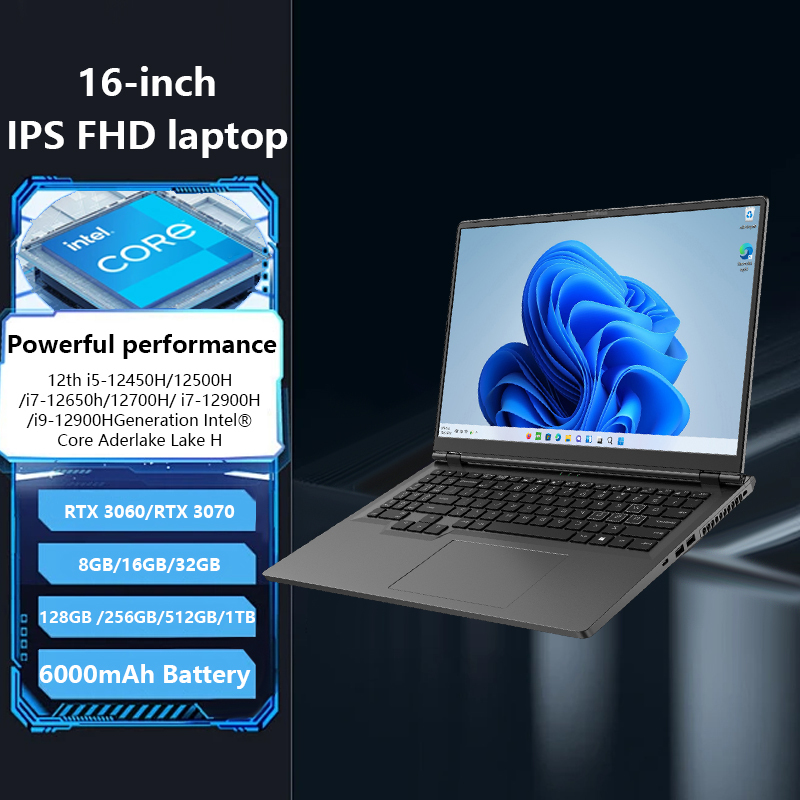
A laptop with 32GB RAM is not automatically faster in every task. More RAM mainly helps when the laptop would otherwise run short of memory.
You may notice a clear benefit when:
- Apps reload after you switch away from them
- The system becomes slow with many tabs open
- The SSD stays busy during simple multitasking
- Video or design software becomes unresponsive
- A virtual machine leaves the main system sluggish
- Games stutter while other apps run in the background
You may notice little or no benefit when:
- You use only one light app at a time
- The CPU is already the main limit
- The GPU cannot handle the workload
- The laptop overheats and reduces its clock speed
- The software itself is poorly optimized
Think of RAM as desk space. A larger desk helps you keep more work in front of you. It does not make your hands move faster, and it does not improve the quality of your tools.

32GB RAM Compared With 16GB and 64GB
The right amount depends on the work you do. This table provides a general guide, not a performance guarantee.
| RAM capacity | Best suited for | Main limitation |
|---|---|---|
| 8GB | Basic browsing, email, and light documents | Limited multitasking |
| 16GB | School, office work, browsing, and many games | Can become tight for professional workloads |
| 32GB | Creative work, development, gaming with background apps, and heavy multitasking | Costs more and may not help light users |
| 64GB or more | Large virtual machines, advanced 3D, professional video, scientific work, and large data sets | Higher cost and often unnecessary for normal use |
For many US laptop buyers, 16GB is the practical middle ground. Thirty-two gigabytes is more suitable when the user already knows that memory-heavy tasks are part of the workload.
Sixty-four gigabytes can be useful for specialized work, but it is not automatically better for everyday use. Unused RAM does not create a direct speed benefit.

What Other Laptop Features Matter?
RAM should be judged with the rest of the laptop. A balanced system often performs better than a machine with a large memory number and weak supporting parts.
Check these features before buying:
Processor
The CPU affects app speed, compiling, calculations, and many general tasks. A 32GB laptop with a low-power processor may be less suitable for demanding work than a 16GB laptop with a much stronger processor.
Graphics processor
The GPU matters for games, 3D work, video effects, and some AI workloads. System RAM does not replace dedicated graphics memory.
Storage
Choose an SSD rather than a hard disk drive when possible. Also check capacity. A 32GB laptop with a small SSD may force you to manage files or use external storage.


Cooling
Powerful components need adequate cooling. If a laptop becomes too hot, it may lower performance to control temperature.
Display
Creative and professional users should check resolution, brightness, color coverage, refresh rate, and screen size. RAM cannot improve a poor display.
Battery and weight
Higher-performance laptops may be heavier or use more power. A 32GB configuration does not always reduce battery life by itself, but the processor, GPU, screen, and cooling system have major effects.
Upgrade options
Some laptops allow RAM upgrades. Others use soldered memory that cannot be replaced. If the RAM is soldered, choose the capacity carefully because you may not be able to add more later.
Is 32GB RAM Worth the Extra Cost?
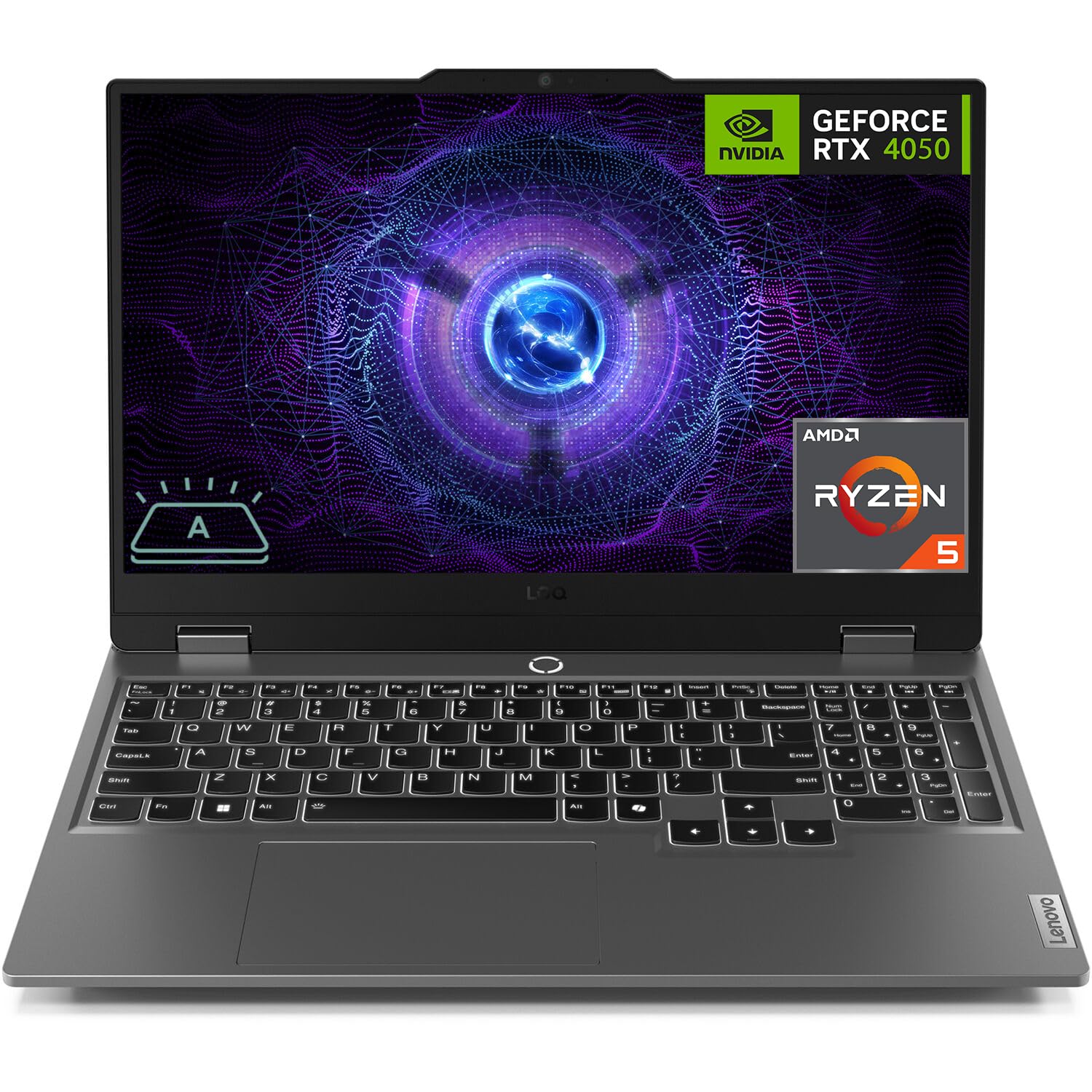
Thirty-two gigabytes is worth the extra cost when it prevents you from replacing the laptop early or supports software you already use. It is less valuable when your workload stays light.
Use this simple decision method:
- List the programs you use at the same time.
- Identify your most demanding task.
- Check the software maker’s current memory guidance.
- Decide whether you will run virtual machines, containers, or large projects.
- Check whether the laptop’s RAM can be upgraded.
- Compare the full system, not RAM alone.
For example, a student who uses a browser, documents, email, and video calls may gain little from 32GB. A computer science student who runs an IDE, several containers, a database, and a browser may benefit from it every day.
Pricing changes by brand, processor, storage, and sales period. Compare two laptops with similar CPUs, SSDs, displays, and warranties before assigning value to the RAM upgrade.

Common Mistakes to Avoid
Assuming more RAM fixes every performance problem
Slow startup, low frame rates, fan noise, and short battery life may have other causes. Check the CPU, GPU, SSD, temperatures, and software settings.
Confusing RAM with storage
Thirty-two gigabytes of RAM does not mean the laptop stores 32GB of files. A laptop may have 32GB RAM and a 512GB SSD, for example. These are separate specifications.
Ignoring memory type and layout
Two laptops with 32GB RAM may perform differently. Memory speed, memory channels, processor design, and whether the RAM is soldered can affect results.
Buying based only on future-proofing
Future needs are hard to predict. Buy extra RAM when it matches a likely workload, not simply because a larger number sounds better.
Overlooking upgrade limits
A laptop may advertise 32GB as its maximum supported memory. Others may have no removable RAM. Confirm the manufacturer’s specifications for the exact model and configuration.

How Can You Check Whether You Need More RAM?
You can monitor memory use while performing your normal work.
On Windows, open Task Manager with Ctrl + Shift + Esc, then select Performance and Memory. On macOS, open Activity Monitor and choose the Memory tab.
Watch the system while your usual apps are open. High memory use alone is not proof of a problem because modern operating systems use available RAM for caching. Look for repeated slowdowns, heavy memory pressure, frequent app reloads, or sustained swap or paging activity.
Test the workload you actually care about. Open your usual tabs, files, apps, and background tools. If the laptop remains responsive, moving to 32GB may not create a noticeable improvement for that task.

Frequently Asked Questions
Is 32GB RAM overkill for a laptop?
It can be unnecessary for basic tasks, but it is not excessive for development, creative work, virtual machines, large projects, or heavy multitasking. The answer depends on workload rather than the laptop’s size.
Is 32GB RAM enough for gaming?
For many games, 32GB is enough and provides room for streaming, recording, browsers, and voice chat. The GPU, CPU, cooling, and game settings still have a larger effect on frame rate.
Is 32GB better than 16GB for college?
It depends on the major and software. Sixteen gigabytes is often enough for general coursework. Thirty-two gigabytes is more useful for engineering, architecture, computer science, media production, data analysis, and virtual machines.
Can I upgrade a laptop from 16GB to 32GB?
Sometimes. Check whether the laptop has removable memory slots, whether some memory is soldered, and the maximum supported capacity. Follow the manufacturer’s service instructions or use a qualified repair shop if the upgrade requires opening the laptop.
Does 32GB RAM improve battery life?
Not by itself. More RAM may reduce slow paging in some workloads, but the CPU, GPU, display, software, and power settings usually have a greater effect on battery life.
Should I choose 32GB RAM or a faster processor?
Choose based on the bottleneck in your work. If memory use is near its limit and causes paging, 32GB may help more. If apps are limited by processor speed, a faster CPU may provide the larger improvement.
Conclusion
The main advantage of a laptop with 32GB RAM is greater working space for demanding tasks. It can make multitasking smoother, reduce memory-related slowdowns, support creative software, and provide more room for virtual machines, development tools, games, and large projects.
For basic US school, office, and home use, 16GB may offer better value. Choose 32GB when your current workload needs it, when the RAM cannot be upgraded, or when you plan to keep the laptop for several years.
Before buying, compare RAM with the processor, GPU, SSD, cooling, display, battery, and upgrade options. A balanced laptop is usually a better choice than one with 32GB RAM and weak components elsewhere.

Everett Ashford is a tech reviewer at mytechgrid.com specializing in SSDs, cameras, TVs, earbuds, headphones, and other consumer electronics. He provides honest, data-driven reviews based on hands-on testing and real-world performance analysis. Everett simplifies complex tech details to help readers make smart, confident buying decisions.