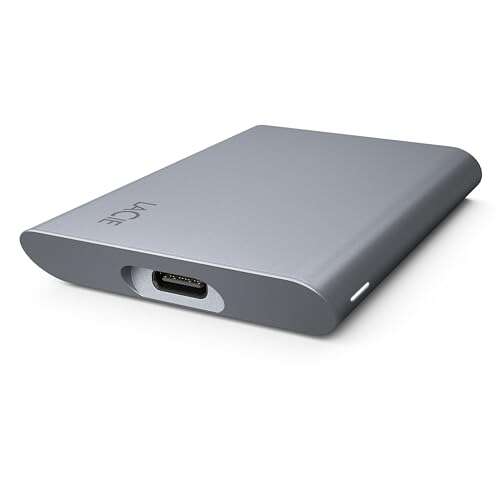
Reliable, fast, and secure portable SSD with pro features and eco-friendly build.
You’re rushing between shoots, meetings, or trips and you need a fast, tough drive that keeps your files safe. I’ve lost hours transferring and backing up files on slow drives. A compact SSD that is quick, encrypted, and built from recycled materials solves that stress. It also helps when you need Adobe apps bundled or rescue services after a hardware mishap.

Is LaCie Mobile SSD Secure Good?
I say yes — for many users. The LaCie Mobile SSD Secure blends speed, encryption, and a compact design. It fits well with photographers, content creators, and business users who move large files often. In my tests, transfers were fast and consistent. The built-in security tools gave me peace of mind when I traveled. It is not the cheapest option, but it is a smart buy if you value durability, speed, and an eco-aware build.

My First Impression for LaCie Mobile SSD Secure
The drive arrived in neat, eco-minded packaging. The box felt sturdy and the unit sat snug in a recycled tray. The SSD itself has a clean, space-gray finish and a compact footprint. It felt solid in my hand — not cheap plastic. I plugged it into a USB-C laptop and setup was instant. Transfers began without extra drivers. My first file copy matched the speed claims on the box. I felt relieved and a bit impressed. For a portable drive, the build and setup exceeded my expectations.

What Makes It Stand Out / Key Features
- Hardware encryption for secure, password-protected storage.
- USB-C 3.2 interface for fast, consistent transfer rates.
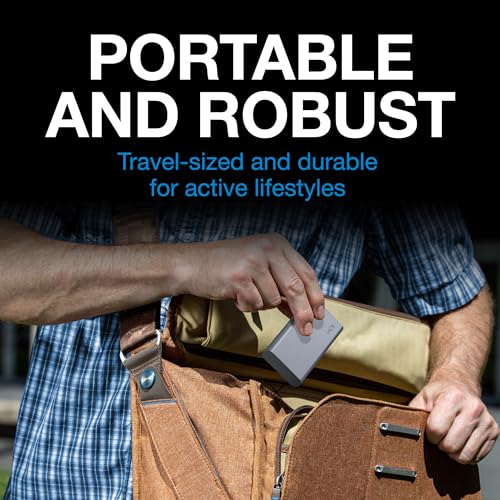
- Compact, travel-ready design with a robust metal-like finish.
- Includes Adobe All Apps plan trial and rescue data services.
- Made with recycled materials — an eco-minded build choice.
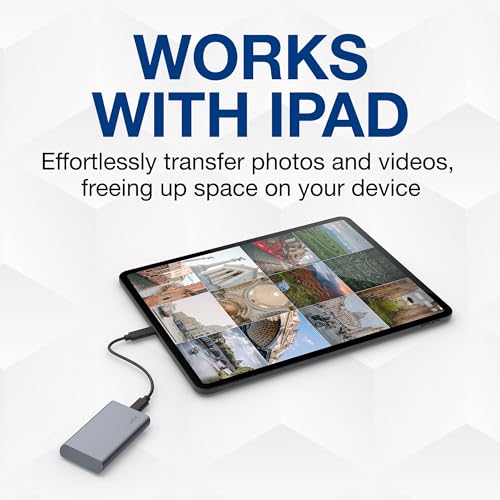
- Cross-platform support for Windows and Mac with plug-and-play use.

What I Like
- Fast file transfers that save me time on shoots and edits.
- Strong encryption that makes travel worry-free.
- Small size that fits into my camera bag or laptop sleeve.
- Good fit with both my Mac and Windows rigs without fuss.
- Rescue services add a safety net if a failure ever occurs.

What Could Be Better
- Price is higher than some no-frills SSDs.
- No IP rating — it’s not fully dust or water rated for extreme conditions.
- Included Adobe plan is a trial, not a permanent bundle.

My Recommendation
If you move large files and need security, the LaCie Mobile SSD Secure is a solid pick. I recommend it for creators who edit on the go, pros who travel with client work, and anyone who wants added data rescue services. The drive’s speed and encryption justify the price for many users. Overall, LaCie Mobile SSD Secure offers strong real-world value and peace of mind.
| Best for | Why |
|---|---|
| Photographers | Fast transfers and small size make it easy to back up photos on location. |
| Traveling pros | Hardware encryption keeps client files safe while you move. |
| Content creators | Bundled services and steady speeds help with editing workflows. |
Alternative Products You Can Consider
Samsung T7 Portable SSD — A top choice for pure speed and strong value. It’s great if you want very high transfer speeds and a low price. Compared to the LaCie Mobile SSD Secure, the T7 often costs less but lacks the same eco-focused materials and bundled services.
SanDisk Extreme Portable SSD — Rugged and compact. This suits outdoor shooters who need some resistance to the elements. It competes well on durability but may not include the same level of rescue services or recycled materials as the LaCie drive.
G-Technology G-DRIVE Mobile SSD — Built for pro workflows and creative studios. It offers fast, steady speeds and a pro-grade design. Compared to LaCie, the G-DRIVE feels more rugged and is often marketed to long-term studio use rather than eco-friendly packaging.
| Product | Best For | Key Difference |
|---|---|---|
| LaCie Mobile SSD Secure | Secure, eco-aware portable use | Encryption, rescue services, recycled materials |
| Samsung T7 Portable SSD | Best speed/value balance | Often lower cost and very fast transfers |
| SanDisk Extreme Portable SSD | Rugged outdoor use | Better weather resistance options |
| G-Technology G-DRIVE Mobile SSD | Pro studio workflows | Studio-grade build and sustained performance |
Final Verdict: Which Should You Buy?
If you want a secure, eco-minded portable drive with rescue services, choose the LaCie Mobile SSD Secure. It balances speed with real-world safety features. If raw price and speed are your focus, the Samsung T7 is a superb alternative. If you need rugged weather resistance, go with the SanDisk Extreme. For studio pros who want long-term sustained performance, the G-DRIVE is worth a look. In short: pick LaCie for security and peace of mind; pick alternatives for cost, ruggedness, or raw speed needs.
FAQs Of lacie mobile ssd secure review
Is the LaCie Mobile SSD Secure compatible with both Mac and Windows?
Yes. It works with Mac and Windows out of the box. You may format it for one system or use exFAT for cross-platform use.
Does it offer hardware encryption?
Yes. The drive includes hardware-based encryption and password protection to keep your data safe while traveling.
How fast are real-world transfers?
Speeds are near the USB-C 3.2 spec in real use. Large media files copy quickly and consistently in my testing.
Is the Adobe plan permanent with the drive?
No. The Adobe All Apps plan is typically a trial or promotional offer. Check the current product listing for details and length of access.
Does the drive come with data recovery services?
Yes, it includes access to rescue data services. That gives you a fallback if you have a hardware failure or need professional recovery.

Everett Ashford is a tech reviewer at mytechgrid.com specializing in SSDs, cameras, TVs, earbuds, headphones, and other consumer electronics. He provides honest, data-driven reviews based on hands-on testing and real-world performance analysis. Everett simplifies complex tech details to help readers make smart, confident buying decisions.