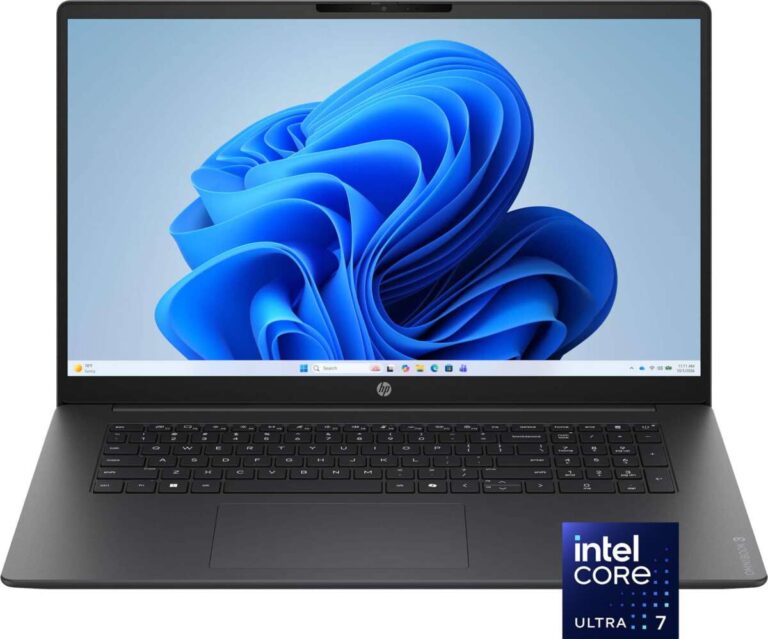
A laptop with a long battery life can help people in the United States work, study, and stay connected for more hours without searching for an outlet. This is useful on long flights, crowded college campuses, trains, coffee shops, client sites, and during power outages.
The main advantages are greater mobility, fewer work breaks, less charger dependence, and better support for travel. A long-lasting battery does not make every laptop better, though. A model with excellent battery life may have a dimmer screen, lower performance, a larger battery, or a higher price. The best choice depends on how and where you use your computer.

The main advantages of a laptop with long battery life
A laptop with long battery life gives you more usable time away from a wall outlet. That simple benefit can improve work, school, travel, and daily convenience in several ways.


1. More freedom to work anywhere
A long-lasting laptop lets you work in places where power outlets are limited or unavailable. You can move from a desk to a meeting room, classroom, library, or outdoor space without carrying your charger from place to place.
This freedom matters for:
- Students moving between classes
- Remote workers using shared spaces
- Sales staff visiting customers
- Photographers and other mobile professionals
- Travelers working on planes or in airports
- People who work during commutes
A laptop that lasts most of a workday can feel less restrictive than one that needs a charge after only a few hours.
2. Fewer interruptions
Low battery warnings can break your focus. You may need to stop a video call, save a project, find an outlet, or switch to a phone. A larger battery reserve reduces these interruptions.
This does not mean battery life prevents every problem. Video calls, games, bright screens, and demanding software can drain power much faster than simple web browsing. Still, a laptop with more battery capacity gives you a larger margin before those tasks become urgent.
3. Better support for travel
Long battery life is especially useful during travel in the United States and abroad. An airplane seat may not have a working outlet. A train or bus may have limited charging points. Airports can also have crowded charging areas.


A laptop that lasts longer can help you:
- Watch downloaded videos
- Read documents
- Write reports
- Review presentations
- Process photos
- Join short work sessions
- Handle delays without losing access to your files
Airlines may also restrict the size of spare lithium-ion batteries and power banks that passengers can carry. The Federal Aviation Administration explains current rules for portable batteries and power banks, so travelers should check the rules before packing a large spare battery.
4. More resilience during power outages
A laptop can serve as a temporary work and communication tool when household power fails. With a charged battery, you may still be able to access local files, write notes, check saved instructions, or use an internet connection if your network equipment remains powered.
A laptop battery will not replace a generator or uninterruptible power supply. Your modem and router may stop working, and cellular networks may become congested. However, a charged laptop can give you useful time while you wait for power to return.
5. Less dependence on chargers and outlets
A long battery life reduces the need to carry a charger everywhere. That can make a laptop bag lighter and reduce cable clutter.
You may still want a charger for long workdays. Battery capacity also declines over time, so a laptop that lasts all day when new may provide less time after years of use. Even so, needing a charger less often is a practical advantage.
6. More flexibility in meetings and classes
Meetings and classes often run longer than planned. A laptop with a healthy battery can handle notes, presentations, documents, and research without forcing you to sit near an outlet.
This is helpful when outlets are:
- Behind furniture
- Too far from your seat
- Already occupied
- Unsafe because of loose cables
- Unavailable in older buildings
A long-lasting battery cannot solve every classroom or meeting-room problem, but it removes one common source of stress.

How long battery life is measured
Laptop battery life is usually measured in hours, but no single number applies to every user. Battery runtime depends on the screen, processor, software, network connection, temperature, and workload.
Manufacturers may publish results from their own tests. For example, Apple, Microsoft, and other brands often list estimated wireless web or video playback times. These figures are useful for comparison within a product line, but they are not a guarantee of your real-world runtime.
The U.S. Department of Energy explains that battery performance depends on factors such as use, temperature, and charging conditions. A laptop used for gaming will usually consume power much faster than one used for reading text.
Common factors that reduce runtime
Battery power often falls faster when you use:
- A bright screen
- A high screen refresh rate
- Video calls
- 3D games
- Video editing software
- Large file transfers
- Multiple external displays
- Cellular data
- Poor Wi-Fi signals
- Background apps
- High-performance processor modes
Heat can also affect battery performance. A laptop working hard in a hot car or in direct sunlight may run less efficiently and may slow down to protect its components.


Battery capacity and battery life are not the same
Battery capacity describes how much energy the battery stores. It is often shown in watt-hours, or Wh. Battery life describes how long the laptop runs under a particular workload.
A larger battery does not always produce longer runtime. One laptop may have a larger battery but also use more power because of a faster processor, brighter display, or dedicated graphics chip.
A simple way to understand the relationship is:
Estimated runtime = battery energy in watt-hours ÷ average power use in watts
For example, a hypothetical 60 Wh battery powering a laptop at an average of 10 watts could provide about six hours under those conditions. If the laptop uses 20 watts, the same battery would last about three hours.
This is only a simplified estimate. Real laptops change power use constantly, and usable capacity falls as the battery ages.

Who benefits most from long battery life?
Long battery life is most valuable when you often work away from a reliable outlet. It may be less important if your laptop stays on a desk near power all day.
Students
Students may spend hours moving between classrooms, libraries, study halls, and campus buildings. A laptop that can last through several classes reduces the need to search for charging space.
Students should also consider weight, keyboard comfort, screen quality, repair options, and cost. A very light laptop with a modest battery may be easier to carry than a heavier model with more capacity.
Remote and hybrid workers
Remote workers may use a laptop in different rooms or locations. Hybrid workers may move between home, an office, a coworking space, and client sites.
Long battery life can make it easier to change locations without planning every move around an outlet. It can also provide backup time during short power interruptions.
Frequent travelers
Travelers benefit from a laptop that can handle long periods without charging. Battery life is especially useful when flights are delayed or when power outlets are crowded.
Travelers should check airline rules before carrying spare lithium-ion batteries. The battery inside a laptop and a separate power bank may have different practical considerations.
Field workers
Inspectors, real estate agents, construction managers, journalists, and service workers may work in buildings or outdoor areas without convenient power. Long battery life can support forms, photos, maps, email, and reports throughout the day.


Rugged design, screen brightness, water resistance, and cellular connectivity may matter as much as battery capacity for this group.
Home users during outages
A long-lasting battery can keep a household connected for longer during an outage. It may support schoolwork, local documents, entertainment, and communication.
The laptop will not keep a home Wi-Fi network running unless the network equipment has backup power. A separate uninterruptible power supply may be needed for that purpose.

Long battery life can reduce energy use, but the effect is limited
A laptop with a long battery life may use less energy during light work if it is designed to be efficient. However, long battery life alone does not prove that a laptop uses less electricity overall.
Energy use depends on:
- The laptop’s power draw
- How long it is used
- How often it is charged
- Charger efficiency
- Display size and brightness
- Processor and graphics workload
- Sleep and standby behavior
The ENERGY STAR computer program provides efficiency criteria for computers and related equipment. An efficient laptop may reduce electricity use, but the battery’s runtime rating should not be treated as an energy-efficiency score.
There is also a practical environmental benefit when a durable laptop remains useful for more years. Longer service life can reduce the need to replace the entire computer. Battery replacement may eventually be needed, but replacing a battery is different from replacing a laptop.

What are the trade-offs of a laptop with long battery life?
Long battery life has clear benefits, but it can involve trade-offs. A larger battery may add weight or take up internal space. Some laptops achieve long runtime by using lower-power processors, integrated graphics, or screens with modest brightness.
Before buying, compare these areas:
| Factor | Possible benefit | Possible trade-off |
|---|---|---|
| Larger battery | More time away from an outlet | More weight or size |
| Low-power processor | Longer runtime and less heat | May be slower for demanding work |
| Integrated graphics | Lower power use | Limited performance for advanced games or 3D work |
| Smaller display | Lower power use and easier carrying | Less room for multitasking |
| High-capacity battery | More reserve for travel | May cost more |
| Fast charging | Less time connected to power | May create more heat during charging |
| Bright, high-resolution display | Better image quality | Often uses more power |
A laptop for office work may prioritize efficiency. A mobile workstation for 3D design may need a powerful processor and graphics chip, which can reduce battery life. Neither design is automatically better.
Long battery life may cost more
Efficient processors, high-capacity batteries, and lightweight materials can raise the price. A more expensive laptop may still be worthwhile if you rely on it for work or travel, but the value depends on your needs.
Do not pay only for a large advertised runtime. Check whether the laptop also has the ports, storage, memory, screen, keyboard, and performance you need.
Battery life decreases over time
Rechargeable lithium-ion batteries gradually lose capacity. The rate varies with use, heat, charging habits, and age.


A laptop may show a battery health or maximum capacity reading in its operating system. These readings are estimates, not exact laboratory measurements. If the battery swells, becomes unusually hot, smells strange, or damages the case, stop using the laptop and seek qualified service. Do not puncture, crush, or open a swollen lithium-ion battery.

How to choose a laptop with good battery life
Start with your actual workload, then compare battery results under similar conditions. A good buying process looks beyond the headline number.
1. Define your normal tasks
List the tasks you perform most often:
- Web browsing
- Email and office documents
- Video calls
- Programming
- Photo editing
- Video editing
- Gaming
- Music and video playback
A laptop that lasts 12 hours during light web use may last much less during gaming or video editing.
2. Check the manufacturer’s test conditions
Look for the test type, such as wireless web browsing or video playback. Compare laptops tested under similar conditions.
Do not compare a video playback claim from one model with a web-browsing claim from another and assume the numbers are equal.
3. Review independent testing
Independent reviews can help reveal real-world runtime. Give more weight to tests that explain their method, screen brightness, software, network settings, and workload.
A review from one model cannot prove that every laptop from the same brand performs the same way. Exact processor, display, battery size, and software versions matter.
4. Check battery capacity
Wh can provide useful context, especially when comparing similar laptops. It should not be used alone to predict runtime.
A smaller, efficient laptop may last longer than a larger model with a higher-power processor.
5. Consider charging options
USB-C Power Delivery can make charging more convenient, but not every USB-C port supports charging. Check the laptop’s specifications or manual.
Also verify:
- Charger wattage
- Included charger type
- Whether charging works while the laptop is running
- Whether a travel charger can provide enough power
- Whether a power bank supports the required USB-C output
Using an unsuitable charger may result in slow charging or no charging. Follow the manufacturer’s instructions.
6. Balance battery life with repairability
Check whether the manufacturer provides battery service, replacement parts, repair instructions, or authorized service options. A laptop with excellent new-battery runtime may be less attractive if the battery is difficult or expensive to replace.

Common mistakes when judging laptop battery life
The most common mistake is treating an advertised runtime as a guaranteed daily result. Manufacturers test under selected conditions, while users run many different apps.
Avoid these mistakes:
- Comparing different test types as if they were identical
- Ignoring screen brightness
- Assuming more Wh always means more runtime
- Choosing battery life while overlooking performance
- Forgetting that batteries age
- Using an underpowered or incompatible charger
- Leaving a laptop in a hot car
- Assuming a laptop will power a router during an outage
- Treating battery life as a substitute for a power bank on a long trip
Battery saver modes can extend runtime, but they may reduce background activity, brightness, performance, or notifications. Use them when extra time matters, but understand what the mode changes.

Key takeaways
- A laptop with long battery life gives you more time away from a wall outlet.
- The biggest benefits are mobility, fewer interruptions, easier travel, and better backup during short outages.
- Advertised runtime depends on test conditions and may not match demanding work.
- Battery capacity, shown in watt-hours, is useful but does not tell the whole story.
- Larger batteries can add weight, cost, and size.
- Battery life decreases over time, and safe battery care matters.
- Compare real workloads, independent tests, charging support, repair options, and total value before buying.
Frequently asked questions
Is 8 hours of laptop battery life enough?
Eight hours may be enough for a typical school or office day with light web use and documents. It may not be enough for continuous video calls, gaming, editing, or high screen brightness. Your workload matters more than the number alone.
Does a bigger laptop battery always last longer?
No. A larger battery stores more energy, but a laptop may also use more power. Processor type, display, graphics, software, and network use affect total runtime.
Can I use a power bank to charge a laptop?
Sometimes. The laptop must support charging through USB-C, and the power bank must provide a suitable USB-C Power Delivery output. Check the required wattage and the laptop maker’s guidance before relying on a power bank.
How can I extend my laptop’s battery life during the day?
Lower the screen brightness, close unused apps, limit background syncing, use battery saver mode, disable unused wireless features, and avoid high-performance settings when they are not needed. Keeping the laptop cool can also help it operate efficiently.
Should I leave my laptop plugged in all the time?
Modern laptops often include charging controls that reduce stress from constant full charging, but features vary by model. Check the manufacturer’s battery-care settings. Keep the laptop cool, and do not use it if the battery is swollen or damaged.
Conclusion
The advantages of a laptop with a long battery life are practical: more freedom, fewer interruptions, easier travel, and more backup time when power is unavailable. These benefits are strongest for students, travelers, remote workers, field staff, and anyone who regularly works away from an outlet.
For the best result, compare battery claims under matching test conditions and consider your real workload. Also weigh performance, screen quality, weight, charging support, repair options, and battery aging. The right laptop is not simply the one with the largest advertised number; it is the one that gives you enough runtime for your work without creating trade-offs you cannot accept.

Everett Ashford is a tech reviewer at mytechgrid.com specializing in SSDs, cameras, TVs, earbuds, headphones, and other consumer electronics. He provides honest, data-driven reviews based on hands-on testing and real-world performance analysis. Everett simplifies complex tech details to help readers make smart, confident buying decisions.