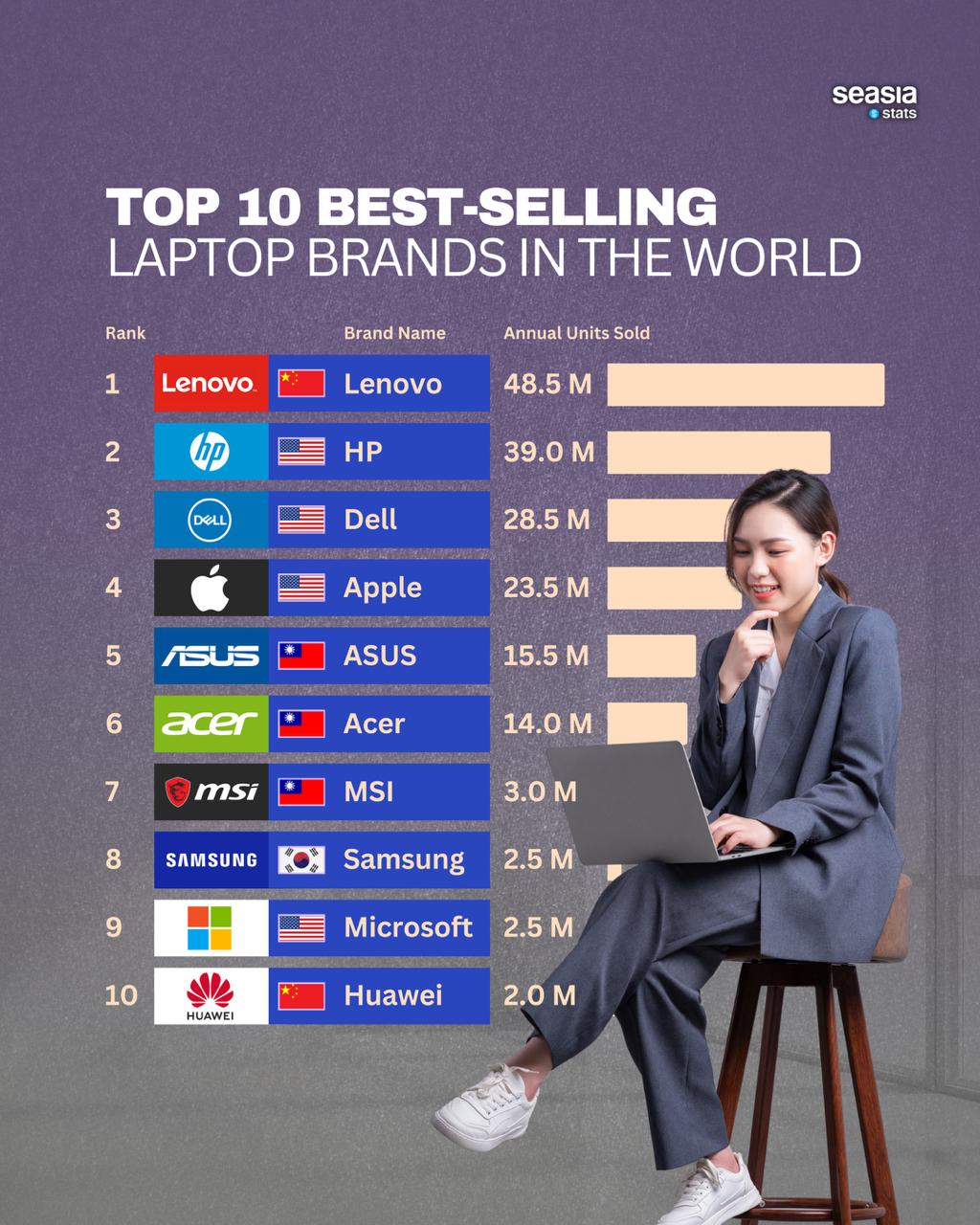
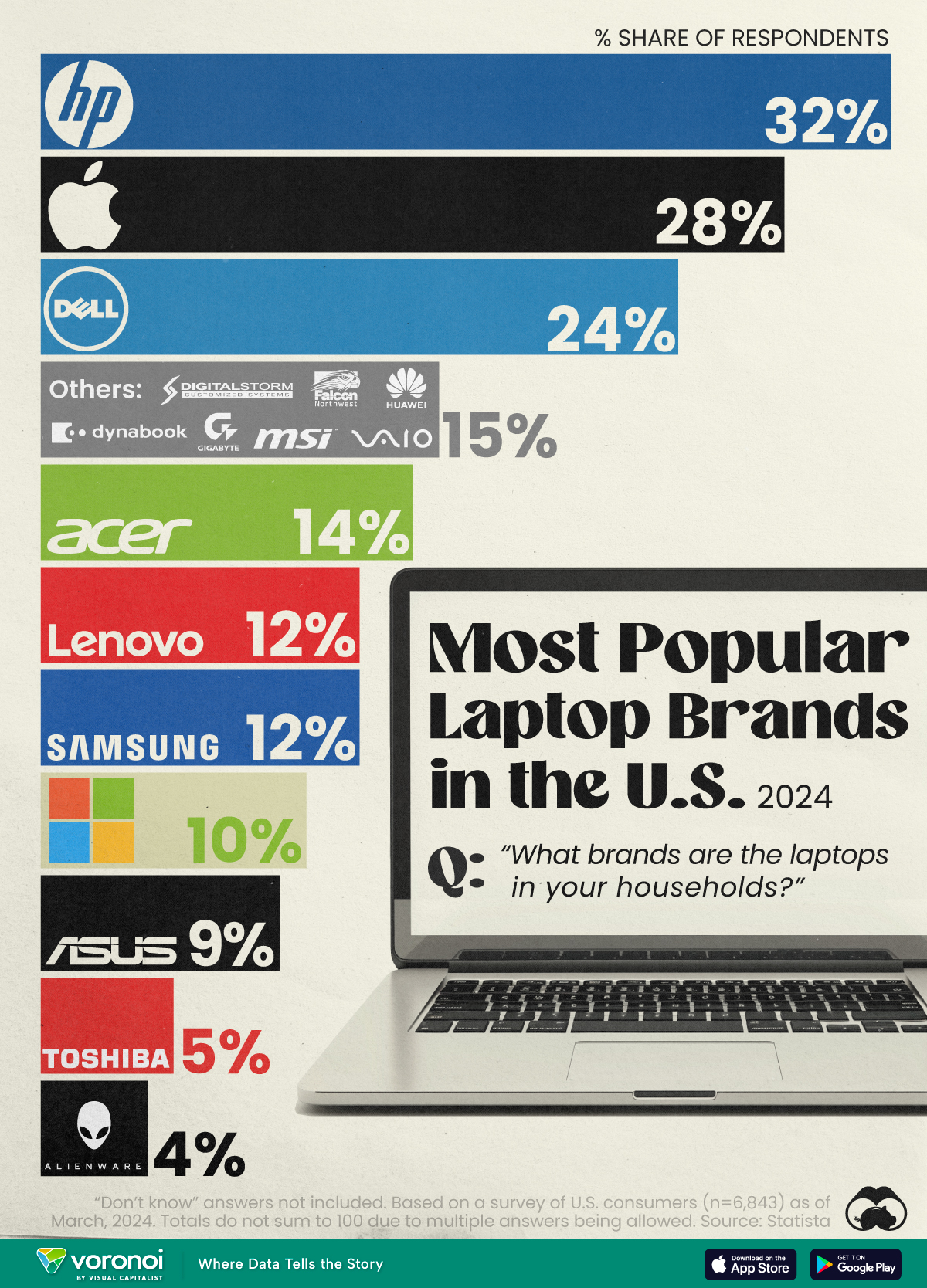
Apple, Lenovo, Dell, HP, ASUS, Acer, Microsoft, and Framework make some of the best laptops for most buyers.
Choosing among the best brands of laptops to buy depends on your budget, work, study needs, battery expectations, and preferred operating system. After comparing build quality, keyboard comfort, repair options, performance, warranties, and long-term value, I find that no single brand wins for everyone. The right choice is the laptop that fits your daily habits without making you pay for features you will never use.
What Are the Best Brands of Laptops to Buy?
The best laptop brands combine dependable hardware, strong customer support, useful software, and good value over several years. A low price can look attractive, but a weak hinge, poor screen, or short battery life may cost more in frustration later.
For most people, these brands are the strongest choices:
• Apple is ideal for users who want excellent build quality, long battery life, quiet performance, and simple software.
• Lenovo is a top choice for business laptops, students, and buyers who value comfortable keyboards.
• Dell offers a broad range of laptops, from affordable Inspiron models to premium XPS and business latitude systems.
• HP provides many options for home users, professionals, students, and creative workers.
• ASUS is known for strong performance, OLED displays, gaming laptops, and innovative designs.
• Acer is one of the best brands for affordable laptops and practical everyday computers.
• Microsoft makes clean, lightweight Surface laptops with excellent Windows integration.
• Framework is a leading option for people who care about repairability, upgrades, and reducing electronic waste.
Brand reputation matters, but the individual model matters even more. A premium brand can still sell a weak budget laptop, while a midrange model from a value-focused brand may perform very well.

Best Laptop Brands by Type of User
The answer to what are the best brands of laptops to buy changes based on how you plan to use the computer. A student may value low weight and battery life, while a video editor may need a powerful processor, a color-accurate display, and plenty of memory.
Best laptop brands for students
Students often need a laptop that is light, reliable, and easy to carry between home, class, and the library. Battery life and keyboard comfort are usually more important than extreme speed.
Good choices include:
• Apple MacBook Air for long battery life, quiet operation, and a high-quality display.
• Lenovo IdeaPad or Yoga models for flexible Windows options and comfortable keyboards.
• Acer Aspire models for students working with a tighter budget.
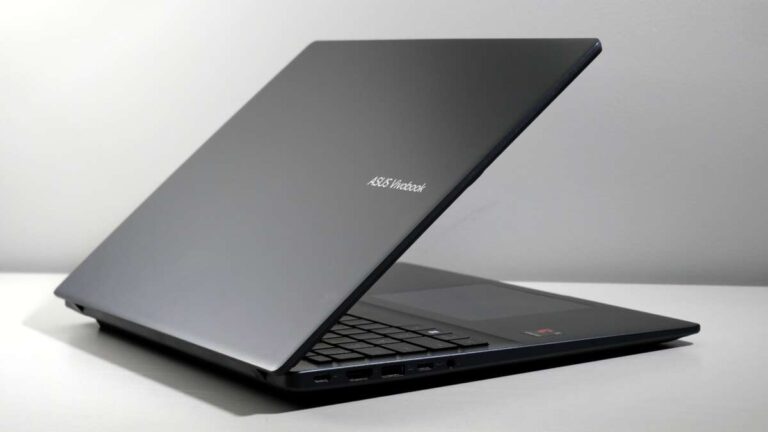
• ASUS Vivobook models for attractive designs and strong everyday performance.
• Microsoft Surface Laptop for a clean, portable Windows experience.
Try to choose at least 8GB of memory and a 256GB solid-state drive. If you can afford it, 16GB of memory and 512GB of storage will make the laptop more comfortable for several years.
Best laptop brands for business
Business users need more than speed. They often need a comfortable keyboard, strong security, dependable support, and a webcam that works well for meetings.
Lenovo ThinkPad laptops remain famous for their keyboards and durable design. Dell Latitude and HP EliteBook models are also strong business choices. Apple MacBook models work well for professionals who use macOS and do not depend on Windows-only programs.
Business laptop features worth considering include:
• A fingerprint reader or facial login
• A privacy shutter for the webcam
• Wi-Fi 6E or newer wireless support
• A backlit keyboard
• A reliable warranty
• Easy access to business software
In my experience comparing work laptops, the keyboard is easy to overlook. Yet professionals may type thousands of words each week. A comfortable keyboard can improve your workday more than a small increase in processor speed.
Best laptop brands for gaming
Gaming laptops need strong graphics hardware, efficient cooling, a fast display, and a durable power adapter. ASUS ROG, Lenovo Legion, Dell Alienware, HP Omen, Acer Predator, and Razer Blade are among the leading gaming lines.
ASUS and Lenovo often provide a strong balance between price and performance. Alienware and Razer focus more on premium designs, materials, and brand appeal. Acer Predator can offer powerful components at a competitive price.
Before buying a gaming laptop, check:
• The dedicated graphics processor
• The screen refresh rate
• The cooling system
• The amount of memory
• The laptop’s weight
• Battery performance away from the charger
A gaming laptop is usually heavier and louder than a regular laptop. That trade-off is normal. Powerful parts generate heat, and fans must move that heat away from the processor and graphics chip.
Best laptop brands for creative work
Photographers, designers, video editors, and music producers need accurate displays and strong sustained performance. Apple MacBook Pro models are popular among creative professionals because of their displays, speakers, battery life, and efficient processors.
Dell XPS, ASUS ProArt, Lenovo Yoga Pro, HP Spectre, and Microsoft Surface Laptop Studio models can also serve creative users. Windows may be the better choice when you need specialized 3D, engineering, or studio software.
Look for:
• At least 16GB of memory
• A bright display with good color coverage
• A powerful processor
• A dedicated graphics processor for 3D or video work
• Fast storage of at least 512GB
• Ports that match your camera, monitor, or audio gear
A beautiful screen does not replace strong performance. For serious editing, check independent performance tests rather than relying only on marketing terms such as “professional” or “creator.”

Apple: Best for Battery Life and Premium Simplicity
Apple is one of the best brands of laptops to buy if you want a refined laptop with excellent battery life and a quiet design. The MacBook Air is especially attractive for students, writers, office workers, and travelers. The MacBook Pro is better for demanding work such as software development, video editing, and large photo projects.
Apple’s main strengths include:
• Excellent aluminum construction
• Long battery life
• Sharp, bright displays
• Strong speakers and trackpads
• Efficient Apple silicon processors
• Long software support
The biggest limitation is compatibility. Some business, engineering, gaming, and school programs work only on Windows. MacBooks also offer limited upgrade options, so you should choose enough memory and storage at the time of purchase.
A MacBook Air is often the safest premium recommendation for general users. It feels like a quiet electric car: smooth, efficient, and simple, but not the right tool for every road.
Lenovo: Best for Keyboards and Business Laptops
Lenovo is often near the top of any discussion about what are the best brands of laptops to buy. Its ThinkPad range is respected for excellent keyboards, practical designs, and business features. The IdeaPad family targets budget and everyday users, while Yoga models focus on flexible designs and premium finishes.
Lenovo’s strengths include:
• Excellent keyboards on many models
• Wide price range
• Strong business laptop selection
• Convertible two-in-one designs
• Good port variety on many ThinkPads
The main challenge is the large number of models. Specifications can vary greatly between two laptops with similar names. Always check the exact processor, display resolution, memory, storage, and battery size before purchasing.
ThinkPad laptops are particularly useful for people who write, code, or work with documents all day. The keyboard tends to feel more comfortable than the shallow keyboards found on some thin laptops.

Dell: Best for Variety and Business Support
Dell is one of the best laptop brands for buyers who want many choices. Its product range includes affordable everyday laptops, premium XPS computers, gaming Alienware models, and business-focused Latitude systems.
Dell is known for:
• A broad selection of laptop sizes
• Strong business support programs
• Premium displays on selected models
• Gaming options across several price levels
• Easy access to configuration choices
Dell’s quality is not identical across its full product line. An entry-level Dell may use a basic screen and plastic body, while a premium model can offer excellent materials and performance. This difference is why reading the full specification sheet matters.
When considering what are the best brands of laptops to buy, Dell is a strong choice for professionals who need business support or buyers who want to configure a system for a specific purpose.
HP: Best for Home, Office, and Premium Windows Laptops
HP makes laptops for nearly every type of buyer. Pavilion models usually target home and school users. Envy laptops offer a more polished design, while Spectre models focus on premium materials and features. EliteBook systems are built for business environments.
HP’s advantages include:
• A wide range of prices
• Attractive premium designs
• Strong business laptop options
• Many touchscreen and convertible models
• Good availability in retail stores
Some lower-priced HP laptops use dim screens or limited memory. These parts may not be obvious in a store advertisement. Look for a display with at least 300 nits of brightness if you expect to work near windows or outdoors.
HP is a good choice when you want a Windows laptop that looks polished and is easy to find locally. Just compare the exact model rather than judging the brand by one product.
ASUS: Best for OLED Displays and Performance
ASUS has become one of the most interesting laptop brands in recent years. Vivobook models often provide good value, Zenbook models offer slim premium designs, and ROG laptops target gamers. ProArt systems are aimed at creators.
ASUS stands out for:
• High-quality OLED displays
• Strong gaming performance
• Innovative form factors
• Competitive specifications
• Lightweight premium laptops
OLED screens produce deep black levels and vivid colors. They look impressive, but they may use more power in some situations and can show image retention under unusual conditions. Most users will not experience a problem with normal mixed use, but it is still wise to enable display care features.
ASUS is among the best brands of laptops to buy when screen quality matters. It is especially appealing to movie fans, photographers, gamers, and people who want a colorful display.

Acer: Best Budget Laptop Brand
Acer is a strong option for buyers who need a functional laptop without spending a large amount. Aspire models are suited to web browsing, schoolwork, office tasks, and video calls. Swift models are lighter and more premium, while Nitro laptops offer affordable gaming performance.
Acer’s main benefits include:
• Competitive prices
• Good everyday performance
• Many Chromebook choices
• Affordable gaming laptops
• Simple, practical designs
Budget laptops often make compromises. The screen may be less bright, the body may flex more, and the speakers may sound basic. These limits are acceptable if you mainly browse the web, write documents, stream video, or use cloud applications.
Acer is often one of the best laptop brands for families and students. Choose a model with a solid-state drive, not a slow mechanical hard drive. That single difference can make the computer feel much faster.

Microsoft: Best for a Clean Windows Experience
Microsoft Surface laptops are designed to show what a polished Windows computer can feel like. They are usually thin, light, quiet, and easy to carry. The displays, keyboards, and trackpads are often strong.
Surface laptops work well for:
• Students
• Writers
• Office workers
• Travelers
• People who prefer simple hardware
The main drawbacks are price, limited ports, and fewer upgrade options on some models. Gamers and users with specialized hardware may need a more flexible laptop from another brand.
Microsoft is a strong answer to what are the best brands of laptops to buy for people who want Windows without unnecessary software. It offers a clean experience that feels close to using a well-organized smartphone.

Framework: Best for Repairability and Upgrades
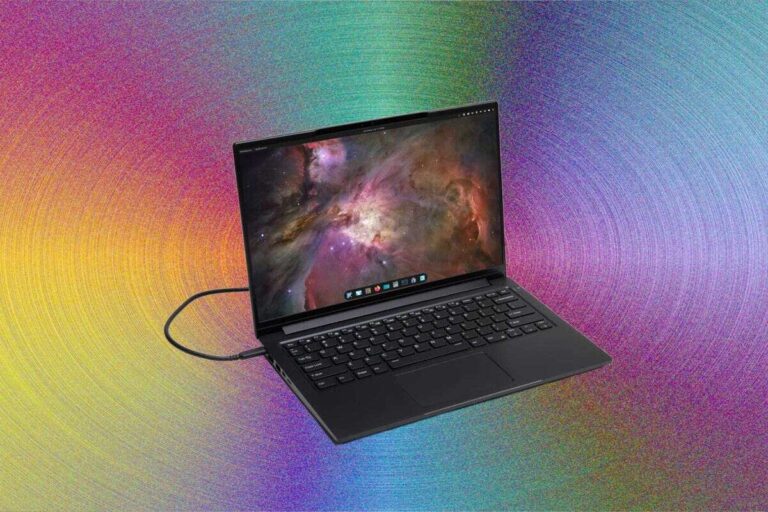
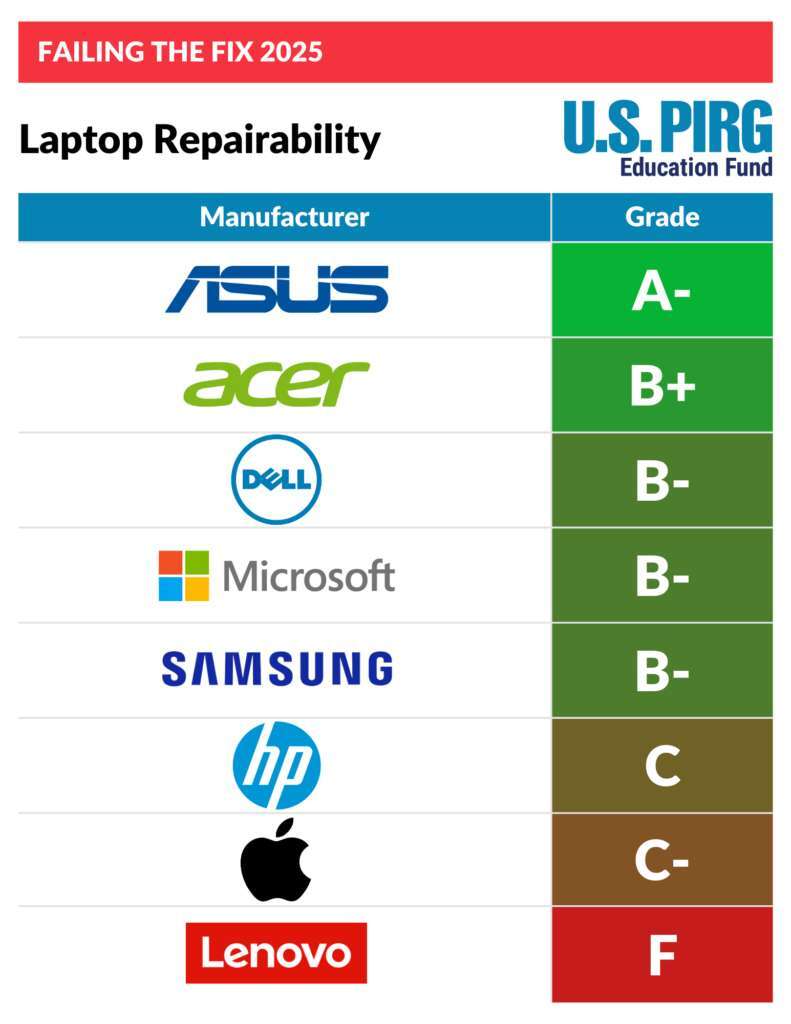
Framework is different from most laptop brands. Its computers are designed so users can replace or upgrade many parts, including memory, storage, ports, and sometimes the mainboard.
Framework is appealing because:
• Parts are designed to be replaceable
• Memory and storage can be upgraded
• Port modules provide flexibility
• Repair information is accessible
• The design may reduce long-term waste
The trade-off is that Framework laptops may not have the same retail availability, speaker quality, or gaming selection as larger brands. Repairable design also means the buyer must be comfortable using basic tools.
For people who dislike disposable electronics, Framework is one of the best brands of laptops to buy. It is a reminder that a laptop can be more like a bicycle than a sealed appliance: parts can be maintained instead of thrown away.
How to Choose the Best Laptop Brand for Your Needs
A simple buying process can help you avoid an expensive mistake. Start with your daily tasks, then choose the brand and model that supports those tasks.
Use these steps:
-
List your main activities. Include work, school, gaming, photo editing, travel, and video calls.
-
Set a realistic budget. Keep some money for a case, mouse, warranty, or external storage.
-
Choose the operating system. Decide between Windows, macOS, ChromeOS, and specialized Linux support.
-
Select the right size. A 13- or 14-inch laptop is easier to carry, while a 15- or 16-inch model gives you more screen space.
-
Check the key specifications. Focus on memory, storage, processor class, display quality, and battery size.
-
Read independent reviews. Look for tests of battery life, heat, fan noise, keyboard comfort, and screen brightness.
-
Check support and return policies. A good warranty can matter more than a small discount.
For most buyers, 16GB of memory and 512GB of solid-state storage provide a comfortable starting point. A 1080p display is still fine for many people, but a brighter screen with better color can improve daily comfort.
When deciding what are the best brands of laptops to buy, do not let one specification control the entire decision. A fast processor cannot fix a bad keyboard, a dim screen, or poor customer support.
Laptop Features That Matter Most
Laptop specifications can feel like alphabet soup. The key is to connect each feature to a real benefit.
Processor
The processor affects app speed, multitasking, and battery efficiency. Modern Intel Core Ultra, AMD Ryzen, and Apple silicon chips can all provide excellent results when matched to the right laptop.
Office users do not need the most expensive processor. Editors, developers, and gamers may benefit from a higher-performance chip with better cooling.
Memory
Memory, also called RAM, helps the laptop run several apps at once. Choose:
• 8GB for basic browsing and light schoolwork
• 16GB for most users
• 32GB or more for demanding creative work, software development, and advanced gaming
Storage
A solid-state drive makes startup and app loading much faster than an older hard drive. Choose at least 256GB for light use, but 512GB is a better long-term choice.
Large games, videos, and photo libraries can fill storage quickly. You may need 1TB or an external drive for those files.
Display
Look at screen size, resolution, brightness, refresh rate, and color quality. A bright 1080p screen is usually better for office work than a high-resolution display that is dim and reflective.
Gamers should consider a high refresh rate. Creators should look for accurate colors. Travelers may prefer a smaller screen that reduces weight.
Battery life
Manufacturers test battery life under controlled conditions. Real use can vary based on screen brightness, apps, wireless connections, and processor load.
Independent reviews are useful because they test laptops in more realistic conditions. Treat advertised battery life as a guide, not a promise.
Common Laptop Buying Mistakes to Avoid
Even experienced buyers can focus on the wrong details. These mistakes are common and easy to prevent.
• Buying based only on processor branding. A powerful chip in a poorly cooled laptop may not perform well for long periods.
• Choosing too little memory. Saving money on 8GB may lead to slow multitasking later.
• Ignoring the display. A weak screen can make every work session less comfortable.
• Assuming every USB-C port does the same thing. Some support charging, video output, or fast data, while others do not.
• Forgetting the charger size. Powerful laptops may use large, heavy adapters.
• Buying a gaming laptop for basic work. It may be loud, heavy, and expensive without improving your daily tasks.
• Choosing the cheapest model from a premium brand. Entry-level models may have very different screens, materials, and features.
• Ignoring repair and warranty terms. A low price is less attractive if support is difficult to reach.
One mistake I often see is buying for an imagined future instead of real needs. People spend extra for professional features, then use the laptop mainly for email, documents, and streaming. Buy for your likely workload, not for a fantasy version of your life.
Are Premium Laptop Brands Worth the Money?
Premium laptops can be worth the money when you value build quality, battery life, screen quality, speakers, keyboard comfort, and long-term support. They are not automatically faster than cheaper models.
A premium laptop may also have a better hinge, trackpad, webcam, cooling system, and resale value. Those small improvements add up when you use the computer every day.
However, budget and midrange laptops have improved. For simple tasks, a well-chosen Acer, Lenovo, ASUS, HP, or Dell can provide excellent value. Compare real features rather than assuming a higher price guarantees a better experience.
The best brands of laptops to buy are not always the most expensive brands. Value comes from matching the hardware to your needs.
Frequently Asked Questions About What Are the Best Brands of Laptops to Buy
What is the best laptop brand overall?
Apple, Lenovo, Dell, HP, and ASUS are excellent overall choices, but the best brand depends on your operating system and workload. Apple is strong for battery life and simplicity, while Lenovo, Dell, and HP offer broader Windows selections.
Which laptop brand lasts the longest?
Apple, Lenovo ThinkPad, Dell Latitude, HP EliteBook, and Framework laptops can last for many years when properly maintained. Longevity depends on the model, build quality, battery health, software support, and whether the laptop can be repaired or upgraded.
Is Lenovo better than HP?
Neither brand is always better. Lenovo often has an advantage in keyboard comfort and business laptops, while HP offers attractive designs and a wide range of home, premium, and professional models.
Is Dell better than ASUS?
Dell is often better for business support and traditional work laptops, while ASUS is strong for OLED displays, gaming, and high-performance designs. Compare the specific models because quality can vary within both brands.
What laptop brand is best for students?
Apple, Lenovo, Acer, ASUS, and Microsoft all make good student laptops. Choose based on weight, battery life, keyboard quality, software compatibility, and price rather than brand name alone.
How much should I spend on a good laptop?
A dependable laptop for basic work often costs about $500 to $800, while premium, gaming, and professional models can cost $1,000 or more. Set a budget based on your workload and prioritize memory, storage, display quality, and warranty support.
Is Apple or Windows better for laptops?
Neither system is best for everyone. macOS offers a simple experience and works well with Apple devices, while Windows supports more games, business tools, hardware choices, and specialized software.
Conclusion
The best laptop brands include Apple, Lenovo, Dell, HP, ASUS, Acer, Microsoft, and Framework, but the ideal choice depends on your needs. Apple leads in battery life and simplicity, Lenovo excels at keyboards and business use, Dell and HP offer broad selections, ASUS delivers strong displays and performance, Acer provides value, Microsoft offers polished Windows laptops, and Framework focuses on repairability.
Before you buy, compare the exact model, not just the logo on the lid. Check the display, memory, storage, battery tests, ports, warranty, and return policy. Use this guide to narrow your options, then explore independent reviews and choose the laptop that will make your everyday work easier.

Everett Ashford is a tech reviewer at mytechgrid.com specializing in SSDs, cameras, TVs, earbuds, headphones, and other consumer electronics. He provides honest, data-driven reviews based on hands-on testing and real-world performance analysis. Everett simplifies complex tech details to help readers make smart, confident buying decisions.