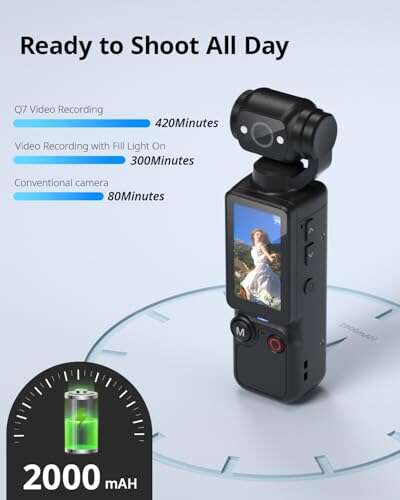
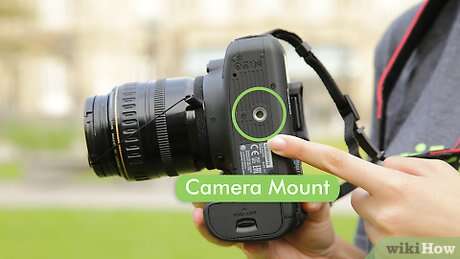
A digital camcorder records moving video and sound digitally, then saves the footage to memory for easy playback and sharing.
A digital camcorder is a purpose-built video camera designed to capture smooth motion, clear sound, and long recordings with simple controls. Unlike a still camera or smartphone, it often puts video comfort first, with a hand-friendly body, strong zoom, image stabilization, and useful recording features. This guide explains what a digital camcorder is, how it works, its benefits and limits, and how to choose the right model.
What Is a Digital Camcorder?
A digital camcorder is an electronic device that captures video and audio as digital data. It uses a lens, image sensor, processor, microphone, and storage system to create a video file that you can watch, edit, copy, or share.
The word “camcorder” combines “camera” and “recorder.” Older camcorders recorded video onto tape, but modern digital camcorders usually save files to SD cards, internal memory, or both.
A digital camcorder may record in several formats, including:
• Full HD, usually 1920 × 1080 pixels
• 4K UHD, usually 3840 × 2160 pixels
• Standard-definition video on some older models
• Compressed formats such as MP4 or AVCHD
The main purpose of a digital camcorder is video recording. It is made for moments such as family events, school plays, travel videos, interviews, sports, weddings, and documentaries.

How Does a Digital Camcorder Work?
A digital camcorder follows a simple path: light enters the lens, reaches the image sensor, and becomes digital information. The processor then compresses and stores that information as a video file.
Here is the basic process:
- The lens gathers light and forms an image.
- The image sensor changes light into electronic signals.
- The processor turns those signals into digital video.
- The microphone records sound.
- The camcorder combines the video and audio.
- The storage system saves the finished file.
The image sensor is one of the most important parts. Common sensor types include CMOS and, in older designs, CCD. Sensor size also matters. A larger sensor can often capture more light and create better background blur, while a smaller sensor can keep more of the scene in focus.
The camcorder also uses a video codec. A codec compresses video so the file takes up less storage space. H.264 is common, while newer models may use H.265, also called HEVC. Higher-quality settings usually create larger files.
Sound quality depends on the built-in microphone, microphone placement, and recording environment. Some professional or advanced consumer camcorders include microphone inputs, headphone ports, manual audio controls, and support for external microphones.
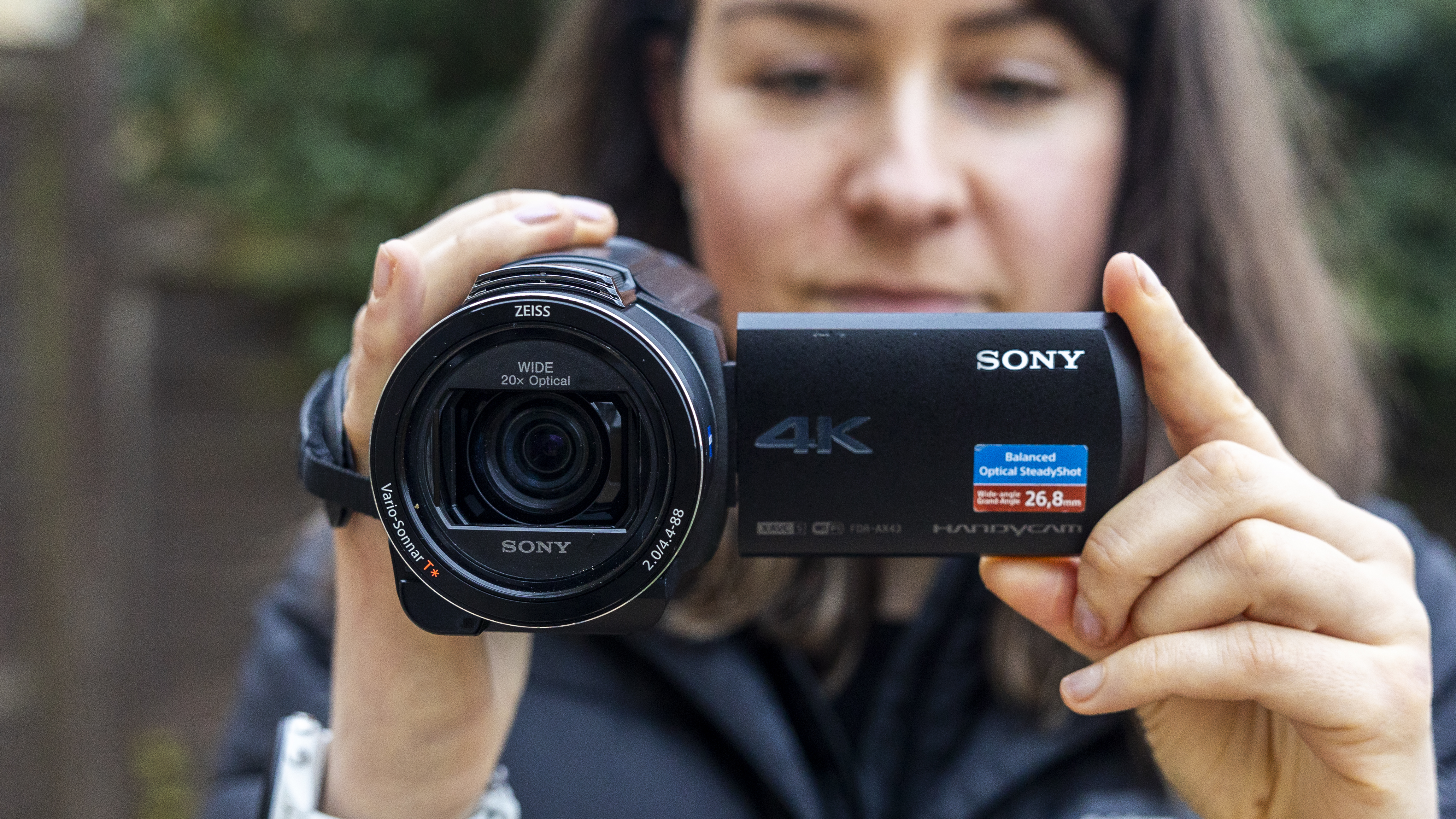
Main Parts of a Digital Camcorder
Knowing the key parts helps you understand what affects video quality and ease of use.
Lens
The lens controls how much of the scene the camcorder sees. A wide lens is useful for rooms, landscapes, and group shots. A telephoto lens helps you record subjects from a distance.
Many camcorders include optical zoom. Optical zoom changes the lens position and keeps the image clear. Digital zoom enlarges the image through software, which can reduce detail and add blur.
Image Sensor
The sensor captures light. Larger sensors often perform better in dim places, but sensor size is only one part of video quality. Lens quality, processing, stabilization, and lighting also matter.
Image Stabilization
Image stabilization reduces the effect of hand movement. Optical stabilization moves lens elements or the sensor. Electronic stabilization adjusts the image through software.
Stabilization is especially helpful when you use a long zoom. Even a small hand movement can look large when the subject is far away.
Microphone
The built-in microphone is convenient for casual recording. However, it may capture wind, handling noise, room echo, or sounds from behind the camcorder.
An external microphone can make voices sound clearer. For interviews, a wired lavalier microphone or a small shotgun microphone is often a major upgrade.
Viewfinder and LCD Screen
Many digital camcorders have a flip-out LCD screen. Some also include an electronic viewfinder. A viewfinder can help you frame shots in bright sunlight when the LCD screen is hard to see.
Storage and Battery
Modern models often use removable SD, SDHC, or SDXC memory cards. Battery life varies by model, resolution, screen use, zoom activity, and temperature.
A spare battery and a second memory card can prevent a missed recording. This is a small lesson that saves a lot of stress during long events.
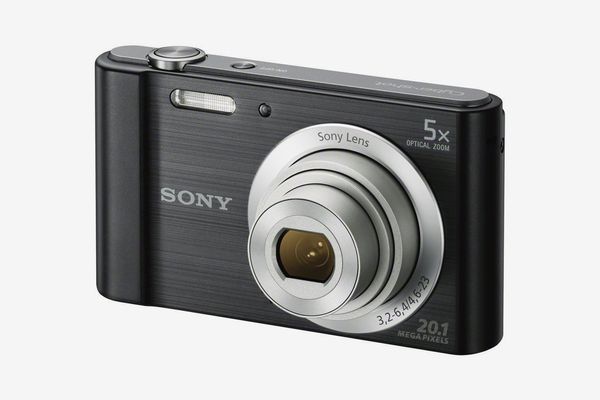
Digital Camcorder vs. Other Video Cameras
A digital camcorder is not the only tool for recording video. Each type of camera has a different strength.
Digital Camcorder vs. Smartphone
A smartphone is convenient and always nearby. It can produce excellent video in good light, especially with newer models.
A digital camcorder often offers:
• Longer recording comfort
• More powerful optical zoom
• Better physical controls
• Larger batteries
• Easier one-hand operation
• Dedicated video buttons
• Fewer interruptions from calls and notifications
A phone may be the best choice for short clips. A digital camcorder can be better for a full school play, sports game, or travel day.
Digital Camcorder vs. DSLR or Mirrorless Camera
DSLR and mirrorless cameras often provide larger sensors and interchangeable lenses. They can create beautiful images and strong background blur.
However, they may be less comfortable for long video sessions. Some models can also face heat limits, complex menus, autofocus changes, or recording limits.
A digital camcorder usually offers a simpler video-first design. It may not produce the same artistic look as a large-sensor camera, but it is often easier to operate for continuous recording.
Digital Camcorder vs. Action Camera
An action camera is small, tough, and wide-angle. It works well for cycling, hiking, water sports, and hands-free recording.
A digital camcorder usually provides better ergonomics, longer optical zoom, a larger screen, and more control over long recordings. It is less suited to extreme mounting or rough outdoor use unless it has proper protection.
Digital Camcorder vs. Professional Video Camera
Professional video cameras can include large sensors, interchangeable lenses, advanced audio systems, and broadcast-quality controls. They are powerful but often costly and heavy.
A consumer digital camcorder offers a more practical balance for families, schools, small businesses, and independent creators.
Benefits of Using a Digital Camcorder
A digital camcorder remains useful because it solves several problems at once. It is designed around video, not still photography with video added later.
Easy Long-Form Recording
A digital camcorder is comfortable to hold for extended periods. Its shape often includes a hand strap, a top handle, or a balanced grip.
This design matters during events. Holding a small phone for two hours can cause hand strain, while a camcorder spreads the weight more naturally.
Strong Optical Zoom
Optical zoom lets you record distant subjects without the same loss of detail caused by digital enlargement. This is useful at concerts, sports games, graduations, and wildlife locations.
Use zoom with care. Slow, steady zoom movements usually look more professional than fast changes.
Good Battery Performance
Many camcorders use larger batteries than smartphones. This gives them an advantage during travel, interviews, and event recording.
Still, battery claims are measured under set conditions. Bright screens, 4K recording, image stabilization, and frequent zooming can reduce real-world battery life.
Simple Video Controls
A digital camcorder often has direct controls for recording, zoom, focus, exposure, and playback. Beginners can use automatic modes, while experienced users can adjust settings manually.
Reliable Framing
The flip-out screen makes it easy to frame unusual shots. It can also help when recording yourself, filming from a low angle, or working in a crowded space.
Practical File Sharing
Digital files are easier to copy and edit than tape recordings. You can move them to a computer, back them up, and upload them to a video platform.

Limitations of a Digital Camcorder
A digital camcorder is useful, but it is not perfect. Understanding its limits helps you set realistic expectations.
Many consumer camcorders use small sensors. They may produce more noise in dim rooms than a mirrorless camera with a larger sensor. Good lighting can improve the result more than a high pixel count alone.
Built-in microphones are also limited. They are fine for nearby sound, but they may not deliver clean speech in a noisy room. If audio matters, use an external microphone or place the camcorder closer to the speaker.
Some low-cost models advertise very high digital zoom numbers. These figures can sound impressive, but digital zoom does not provide the same detail as optical zoom. Check the optical zoom range first.
Another limitation is file size. High-resolution video can fill a memory card quickly. For example, 4K footage usually uses more storage than Full HD, especially at higher bit rates.
Older digital camcorders may also use outdated batteries, connectors, or storage formats. Before buying a used model, check whether replacement parts and compatible cables are still available.

What to Look for When Buying a Digital Camcorder
The best digital camcorder depends on how you plan to use it. A parent recording a school play needs different features from a filmmaker or travel vlogger.
1. Choose the Right Resolution
Full HD is still suitable for many family videos and online projects. It uses less storage and is easier for older computers to edit.
4K can provide more detail and allow some cropping during editing. However, it requires more storage, stronger computer hardware, and more power.
2. Check Optical Zoom
Look for the optical zoom specification, not only the total zoom number. A 20x optical zoom is generally more useful than a high digital zoom claim.
A wide starting angle also matters. A camcorder with a wide lens is easier to use indoors and in small rooms.
3. Consider Low-Light Performance
If you record indoors, review the sensor size, lens aperture, and low-light examples. A bright lens can help, but no small camcorder can create clean footage in complete darkness.
A small LED light can often improve indoor video more than changing one camera setting.
4. Review Audio Features
Look for:
• Microphone input
• Headphone output
• Manual audio levels
• Wind protection options
• Built-in microphone placement
Audio is easy to ignore until you watch a recording and discover that voices are hard to hear.
5. Examine Stabilization
Optical stabilization is helpful for handheld recording and long zoom shots. Test whether stabilization works at the resolution and frame rate you plan to use.
A tripod remains the best option for locked-off shots.
6. Check Battery and Storage
Confirm the battery rating, charging method, and card type. Buy cards with enough speed for the selected video setting.
Use reputable memory cards. A failed card can damage a once-in-a-lifetime recording.
7. Think About Weight and Grip
A feature-rich model is not useful if it is uncomfortable to hold. Try to imagine recording for 30 minutes or more.
A balanced grip, clear controls, and a responsive zoom rocker can make a bigger difference than a minor resolution upgrade.

How to Use a Digital Camcorder Well
Good footage comes from more than the camcorder. Your habits, light, sound, and camera movement all play a role.
Prepare Before Recording
Charge the battery and format the memory card in the camcorder. Check the date, time, resolution, frame rate, and audio settings.
Record a short test clip. Watch it with headphones if possible. This quick check can reveal a blocked microphone, poor focus, or a full memory card.
Use Stable Camera Movement
Keep both hands on the camcorder when possible. Tuck your elbows close to your body and move your whole body instead of only your wrists.
For a smooth pan, turn slowly from your waist. Avoid repeated zooming unless it helps the story.
Improve the Light
Place the main light in front of the subject. Avoid putting a bright window directly behind the person unless you want a silhouette.
Soft window light can look natural and flattering. At night, add a small light rather than relying on extreme gain.
Record Clean Audio
Move closer to the subject when you can. Wind protection helps outdoors, and an external microphone helps in busy places.
Listen for air conditioners, traffic, music, and people talking nearby. Viewers may forgive a slightly soft image, but poor speech audio quickly becomes frustrating.
Capture Extra Footage
Record a few seconds before and after important moments. This gives you room to edit without cutting too close to the action.
Also record simple detail shots, such as hands, signs, decorations, or scenery. These clips can make a home video feel more complete.
How to Store and Protect Digital Camcorder Video
Digital video needs a clear backup plan. A memory card is not a permanent archive.
Follow this simple workflow:
- Copy the files to a computer or external drive.
- Keep the original files unchanged.
- Create a second backup on another drive or secure cloud storage.
- Organize clips by date, event, and location.
- Eject the memory card safely before removing it.
- Do not format the card until the backup is complete.
The 3-2-1 backup approach is useful for important footage. Keep three copies, on two types of storage, with one copy stored elsewhere.
Store the camcorder in a dry, cool place. Remove the battery if the device will sit unused for a long time. Avoid leaving memory cards or batteries in a hot car.
For older tape-based camcorders, digitize the footage before the tape, camera, or connector fails. Digital transfer can preserve family memories that cannot be recreated.
Is a Digital Camcorder Still Worth Buying?
Yes, a digital camcorder can still be worth buying if you record long events, need powerful zoom, or want a simple video-focused device.
It may not be the best choice for every creator. A smartphone is often enough for quick social clips, while a mirrorless camera may be better for cinematic work.
Choose a digital camcorder when these needs matter:
• You record for long periods
• You need strong optical zoom
• You want easy handheld operation
• You prefer dedicated video controls
• You need reliable event recording
• You want fewer phone-related interruptions
For casual short videos, use the device you already own. For important events, a digital camcorder can provide comfort, consistency, and dependable recording.
Common Mistakes to Avoid
Many video problems come from simple oversights rather than poor equipment.
• Relying only on digital zoom: Move closer or use optical zoom when possible.
• Ignoring sound: Test the microphone before the main recording.
• Recording with a nearly full card: Check available storage first.
• Forgetting spare power: Carry a charged backup battery or power bank if supported.
• Holding the camera too loosely: Use the grip and keep movements slow.
• Shooting every clip in 4K: Choose 4K only when the extra detail is useful.
• Skipping backups: Copy important footage as soon as possible.
• Using automatic exposure near windows: Watch for bright backgrounds that make faces too dark.
• Buying based only on megapixels: Video quality also depends on the lens, sensor, processor, sound, and stabilization.
One practical lesson is simple: preparation often improves video more than expensive equipment. A charged battery, clear audio, and steady framing can make an ordinary digital camcorder perform very well.
Frequently Asked Questions About What Is a Digital Camcorder
What is a digital camcorder used for?
A digital camcorder is used to record moving video and sound in a digital file. Common uses include family events, travel, interviews, school performances, sports, and online content.
What is the difference between a camcorder and a digital camera?
A camcorder is designed mainly for video recording and often provides longer recording time, stronger zoom, and better handheld comfort. A digital camera may focus more on still photos, although many digital cameras also record high-quality video.
Do digital camcorders use memory cards?
Most modern digital camcorders use SD, SDHC, or SDXC memory cards. Some models also include internal memory, but you should check the exact card type, capacity, and speed required by the camcorder.
Is a digital camcorder better than a smartphone?
A digital camcorder can be better for long recordings, optical zoom, physical controls, and battery life. A smartphone is often better for convenience, quick sharing, and short videos in good lighting.
Can a digital camcorder record in 4K?
Some modern digital camcorders can record in 4K UHD, while others record in Full HD. 4K provides more detail but creates larger files and may require faster memory cards and more powerful editing equipment.
Do digital camcorders record sound?
Yes, digital camcorders normally include built-in microphones that record sound with the video. Models with microphone inputs and headphone outputs offer more control and usually work better for interviews or serious projects.
Are old digital camcorders still useful?
An older digital camcorder can still be useful if its battery, storage, lens, and recording functions work properly. However, check its file format, video resolution, connection ports, and replacement parts before relying on it for an important event.
Conclusion
A digital camcorder is a dedicated video device that captures moving images and sound, then saves them as digital files. Its biggest strengths are comfortable long-form recording, optical zoom, simple controls, useful stabilization, and strong event-recording performance.
It also has limits, including weaker low-light results on some models, basic built-in microphones, and large file sizes at high resolutions. The right choice depends on your needs, so compare optical zoom, audio ports, stabilization, battery life, storage, and handling before you buy.
If you plan to record a performance, trip, interview, or family milestone, test your settings before the event and create a backup plan. Explore more video guides, compare suitable models, and share your recording goals in the comments.

Everett Ashford is a tech reviewer at mytechgrid.com specializing in SSDs, cameras, TVs, earbuds, headphones, and other consumer electronics. He provides honest, data-driven reviews based on hands-on testing and real-world performance analysis. Everett simplifies complex tech details to help readers make smart, confident buying decisions.