ISO controls a camera sensor’s sensitivity to light, shaping exposure and image noise.
I’ve shot in low light, bright sun, and everything between, so I know how confusing the question what is ISO on a camera can feel at first. This article explains what is ISO on a camera in plain language, shows how ISO works with shutter speed and aperture, and gives practical tips to get great images with minimal noise. Read on for clear steps, real-life examples from my shoots, and simple rules you can use the next time you pick up your camera.

What is ISO on a camera — the simple definition
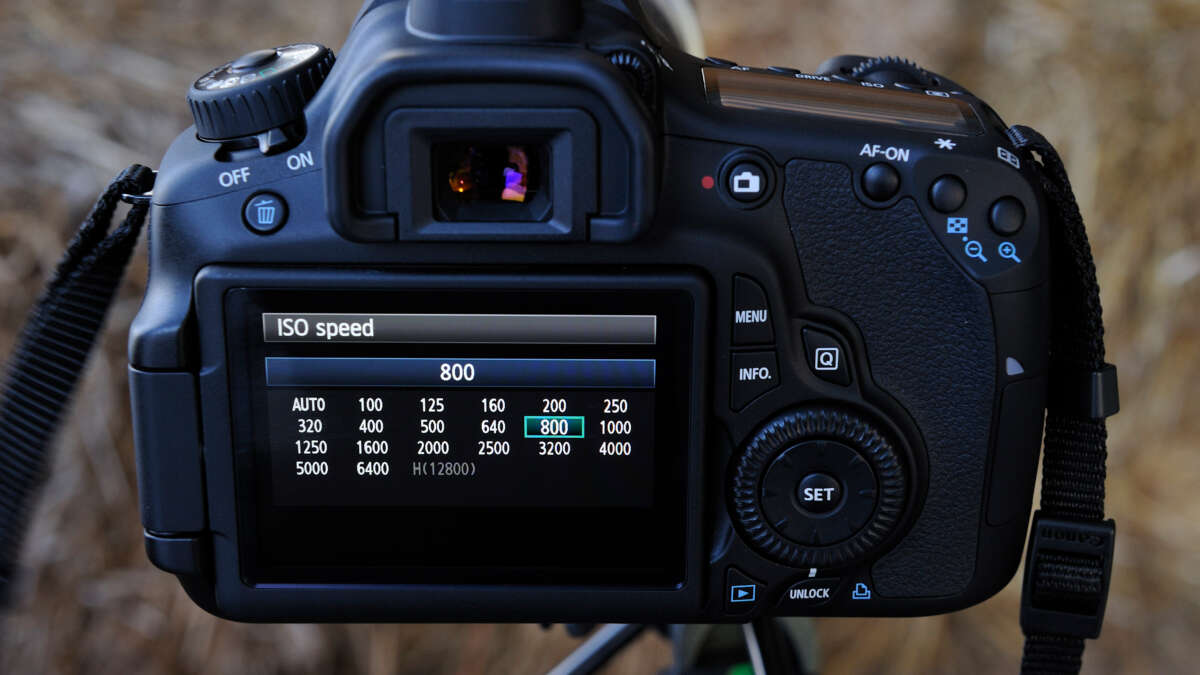
ISO on a camera is a number that tells how sensitive your camera’s sensor is to light. Changing ISO makes the image brighter or darker without touching shutter speed or aperture. Higher ISO values make the sensor more sensitive so you can shoot in darker places, but they also increase noise. Lower ISO values give cleaner images but need more light.
What is ISO on a camera affects exposure directly. Think of ISO as a volume knob for light on the sensor. Turn it up to brighten an image, turn it down for cleaner shots.
How ISO works: the technical basics
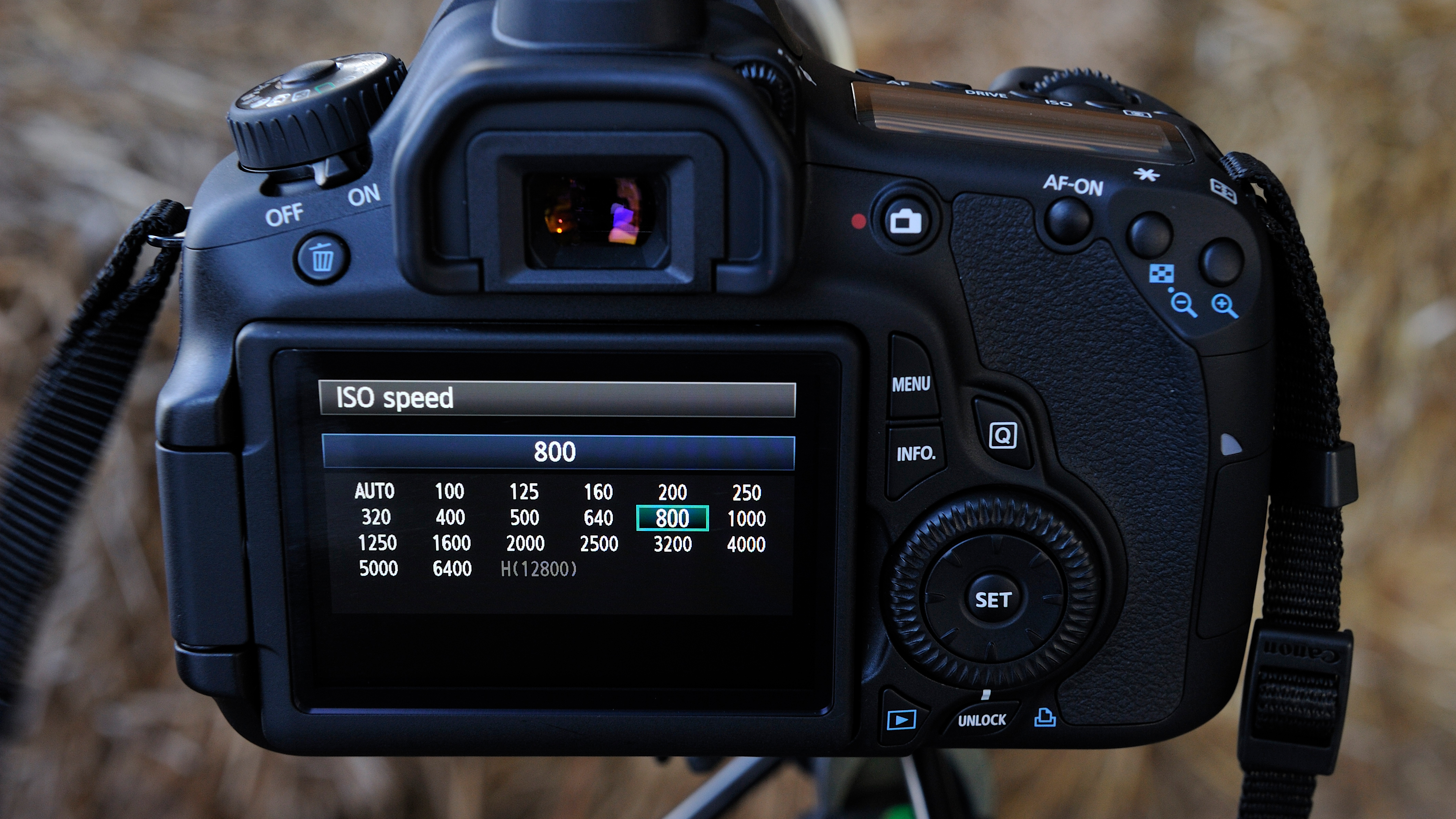
ISO started as a film standard, and digital cameras copied that scale. Typical steps are 100, 200, 400, 800, 1600, 3200, and so on. Each step usually doubles or halves the sensitivity.
Key points:
- ISO 100 is low sensitivity and is ideal for bright light and fine detail.
- ISO 800 to 3200 is used for dim light, indoors, or night scenes.
- Each doubling of ISO equals one stop of light, which is the same amount of exposure change as doubling shutter speed or aperture area.
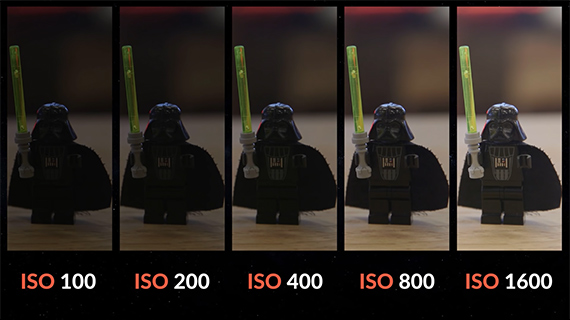
Inside a digital camera, raising ISO amplifies the electrical signal from the sensor. That amplification also boosts electronic noise, which shows as grain, color speckles, or loss of detail. Modern sensors and processing reduce noise, but the trade-off still exists.

Exposure triangle: how ISO fits with shutter and aperture
The exposure triangle has three parts: aperture, shutter speed, and ISO. You need to balance all three to get a correct exposure.
How to think about it:
- Aperture affects depth of field and how much light enters.
- Shutter speed controls motion blur and exposure time.
- ISO controls sensor sensitivity and the amount of visible noise.
If you want a fast shutter speed to freeze motion, you can increase ISO to keep the exposure right. If you want shallow depth of field, open the aperture and reduce ISO if possible. The goal is to use the lowest ISO that achieves the look you want.
Noise, image quality, and why ISO matters
Noise is the main downside of raising ISO. Noise reduces detail and sharpness. It can also create color shifts and blotchy areas in the shadow regions.
What affects noise:
- Sensor size: larger sensors usually produce less noise at the same ISO than smaller sensors.
- Sensor design and processing: newer sensors and better noise reduction work well at higher ISO.
- RAW vs JPEG: RAW files keep more detail and let you reduce noise better in post.
Practical rule: If the final result is for social media at small size, higher ISO noise might be acceptable. For large prints or critical detail, keep ISO as low as practical.
Native ISO and ISO invariance explained
Some cameras have a native or base ISO where the sensor performs best. Shooting at base ISO gives the cleanest image and widest dynamic range.
ISO invariance:
- An ISO-invariant sensor lets you underexpose and brighten in post with less noise penalty.
- Not every camera is ISO invariant, so test your camera to know its behavior.
To test your camera, take two shots: one at base ISO and correct exposure, another underexposed by two stops then boosted in post. Compare noise and shadow detail to see if your camera is ISO invariant.

When to raise ISO: practical situations
Knowing when to increase ISO keeps your shots usable. Here are common cases:
- Indoor events and concerts where flash is not allowed.
- Fast action or sports to keep shutter speed high.
- Night street photography and handheld low-light scenes.
- Small-aperture needs when you want deep focus but limited light.
Use this rule: raise ISO only as much as needed to achieve the shutter speed and aperture you want. Excess ISO gives more noise without benefit.
Personal experience: mistakes, lessons, and tips
I learned quickly that blindly maxing ISO is a common beginner mistake. Early on, I shot concerts at ISO 12800 and ended with noisy files that were hard to save. After testing my camera, I adopted these habits:
- Find the lowest usable ISO for the scene and the final output size.
- Use faster lenses (wider aperture) to avoid pushing ISO too high.
- Shoot RAW to get better noise reduction later.
- Trust the histogram more than the camera preview for exposure decisions.
A useful tip from my shoots: when possible, stabilize the camera and use a slightly slower shutter speed rather than hiking ISO. That often yields cleaner images.
Working examples and step-by-step settings
Example 1: Indoor portrait with some motion
- Aperture: f/2.8 to blur background.
- Shutter speed: 1/125 to freeze small movements.
- ISO: Start at 800 and increase if needed to expose correctly.
Example 2: Landscape at sunrise
- Aperture: f/8 for depth.
- Shutter speed: variable; use tripod and long exposure.
- ISO: 100 or camera base ISO for best detail.
Example 3: Street at night, handheld
- Aperture: f/1.8 or f/2.8 to gather light.
- Shutter speed: 1/125 or faster for handheld.
- ISO: 1600 to 6400 depending on your camera and noise tolerance.
These examples show how what is ISO on a camera guides your choices in real situations. Test similar setups and adjust to your gear and taste.
Tips to control noise and get better results
Small practices improve high-ISO images:
- Shoot RAW for better post-processing control.
- Expose correctly; underexposing then lifting in post increases noise.
- Use noise reduction software carefully to preserve detail.
- Prefer faster lenses when low light is common in your shooting.
- Keep sensor clean and update camera firmware for improved processing.
These habits reflect years of shooting and editing. They help you make the most of what is ISO on a camera in everyday work.
Related concepts and quick definitions
- Base ISO: The native lowest ISO with best dynamic range.
- Gain: Electronic amplification applied when ISO increases.
- Stops: Units of exposure; doubling ISO equals one stop.
- Native ISO: Same as base ISO on many cameras.
- ISO invariance: How much changing ISO affects final image after editing.
Understanding these terms clarifies why what is ISO on a camera matters for creative results.
PAA-style quick questions
How does ISO affect shutter speed and aperture?
ISO lets you use faster shutter speeds or smaller apertures by increasing sensor sensitivity, keeping exposure balanced without changing light.
Is higher ISO always worse?
Higher ISO increases noise, but modern cameras can handle high ISO well. Whether it is “worse” depends on output size and your noise tolerance.
Can I fix ISO noise in editing?
You can reduce noise in RAW files with software, but heavy noise removal can soften details. Better to manage ISO during shooting when possible.
Frequently Asked Questions of what is iso on a camera
What is ISO on a camera and why is it important?
ISO on a camera sets the sensor’s sensitivity to light. It’s important because it directly affects exposure and image noise.
Should I always use the lowest ISO?
You should use the lowest ISO that lets you get the shutter speed and aperture you need for the shot.
How much noise is acceptable at high ISO?
Acceptable noise depends on the image use; web images tolerate more noise than large prints.
Does sensor size change ISO performance?
Yes. Larger sensors usually produce less noise at the same ISO, resulting in cleaner images.
Is RAW better when shooting high ISO?
Yes. RAW retains more data and allows better noise reduction and recovery than JPEG.
Can I rely on automatic ISO?
Auto ISO is useful in changing light, but set limits for maximum ISO and minimum shutter speed to avoid unwanted noise or motion blur.
Conclusion
Understanding what is ISO on a camera gives you control over exposure and image quality. Use ISO to balance shutter speed and aperture, test your camera to find its native performance, and adopt simple habits like shooting RAW and using faster lenses. Start practicing with the examples above and try one change at a time to see real improvement. If you found this guide helpful, try a few test shots tonight, compare the results, and leave a comment or subscribe for more photography tips.

Jamie Lee is a seasoned tech analyst and writer at MyTechGrid.com, known for making the rapidly evolving world of technology accessible to all. Jamie’s work focuses on emerging technologies, product deep-dives, and industry trends—translating complex concepts into engaging, easy-to-understand content. When not researching the latest breakthroughs, Jamie enjoys exploring new tools, testing gadgets, and helping readers navigate the digital world with confidence.