Introduction
If people in your home, office, classroom, or public transit in the United States can hear your headphones, the sound is likely escaping through the ear cups or earbuds. The most common causes are high volume, a poor seal, open-back headphone design, loose ear tips, or damaged padding.
This does not always mean your headphones are broken. Some headphones are designed to let sound pass through. Others simply leak more sound when you raise the volume. The good news is that you can often reduce the noise without buying new headphones.
The quick answer: why can others hear my headphones?
Others can hear your headphones because sound is escaping into the air instead of staying inside your ears. The main causes include:


- The volume is too high.
- Your headphones have an open-back design.
- The ear cups or ear tips do not fit well.
- The ear pads are worn, cracked, or compressed.
- Your earbuds are not inserted or positioned correctly.
- Noise cancellation is reducing outside noise but not stopping sound leakage.
- The headphones have a design that naturally leaks more sound.
- A damaged speaker, cable, or housing is causing unusual noise.
A small amount of leakage is normal, especially in a quiet room. If someone can clearly hear the words in your music from several feet away, the volume may be too high or the headphones may not be sealing properly.
How headphone sound leakage works
Headphones create sound by moving air. The speaker driver inside each ear cup or earbud vibrates and sends sound toward your ear. Some of that energy also moves away from the headphone and into the surrounding air.
A good seal limits this escape. A poor seal acts like an open door.
Sound may escape in two main ways:
- Through gaps around your ears or ear canals
- Through the headphone housing, vents, or open grille
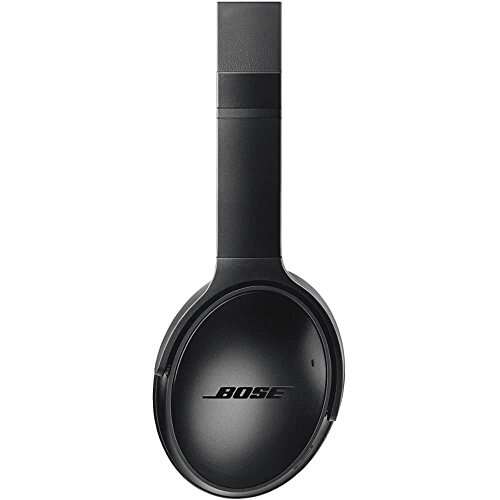
Closed-back headphones use solid outer shells. They usually keep more sound inside. Open-back headphones have vents or grilles on the outside of the ear cups. These vents can make music sound more spacious, but they also allow sound to travel outward.
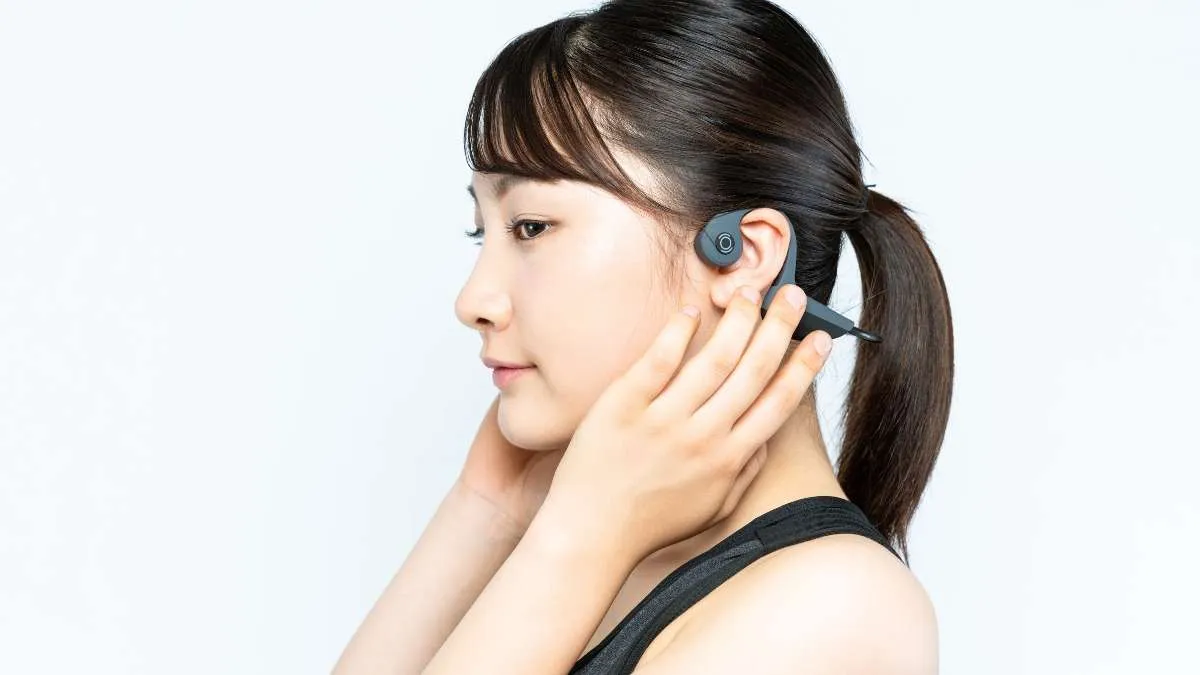
Earbuds can leak sound when they sit loosely in the ear. This is more common with earbuds that rest outside the ear canal. In-ear headphones with properly fitted silicone or foam tips often leak less, but fit still matters.


Sound leakage is different from sound traveling through a desk
If you use wired headphones, sound may also travel through physical contact. For example, a vibrating ear cup or cable can touch a desk, chair, or wall. That contact can transmit a faint buzzing or tapping sound.
This is called structure-borne sound. It is less common than normal air leakage, but it can explain why someone nearby hears noise even when the room volume seems low.

The most common causes of headphone leakage
1. The volume is too high
High volume is the most common cause of audible headphone leakage. As you increase volume, the headphone drivers move more air. More sound energy escapes through small gaps and vents.
High volume can also harm your hearing. The national Institute for Occupational Safety and Health uses 85 dBA over an 8-hour workday as a recommended exposure limit, with shorter safe exposure times as sound levels rise. Consumer headphone volume does not always match a known sound level, so the exact risk depends on the device, headphone model, fit, and listening time.
A simple practical rule is this: if another person can hear your music clearly, lower the volume. You should also be able to hear normal speech around you when it is safe and appropriate to do so.
2. Your headphones have an open-back design
Open-back headphones have openings on the outside of the ear cups. These openings let air move through the headphones. That can create a natural, wide sound, but it also means people nearby may hear your music.
Open-back headphones are best for quiet private spaces. They are usually a poor choice for:
- Offices
- Libraries
- Classrooms
- Airplanes
- Shared bedrooms
- Public transit
- Waiting rooms
Closed-back headphones usually leak less, but they are not always silent. Sound can still escape through the ear pads, vents, and gaps around the head.
3. The ear cups do not seal around your ears
Over-ear headphones should surround your ears with a soft, even seal. Sound may leak if:
- Your ears are larger than the ear cushions
- The headband is too loose
- Glasses create a gap
- Hair sits between the pad and your skin
- The ear cups are tilted
- The cushions have lost their shape
- The headphone size does not match your head
Even a small gap can increase leakage. It can also make outside noise easier to hear, which may lead you to raise the volume.
4. Your ear tips do not fit
Earbuds need a stable fit to work well. If the tips are too small, sound can escape around the ear canal. If they are too large, they may feel painful and may not sit at the correct angle.
Try each included tip size. The right size should feel secure without causing pressure or pain. Foam tips may create a stronger seal for some people, but they need to be inserted correctly and replaced when worn.
Do not force an earbud deep into your ear. Stop if you feel pain, pressure, ringing, or a sudden change in hearing.
5. The ear pads or tips are damaged
Worn ear pads are a common reason headphones begin leaking more than they used to. Look for:


- Cracks in the leather or synthetic covering
- Flattened foam
- Loose stitching
- Gaps between the pad and the ear cup
- Hardened or peeling material
- Ear tips that no longer hold their shape
Replacement pads can restore the fit on some headphones. Use the correct size and model. A poor replacement may reduce comfort or change the sound.
6. Noise cancellation is being misunderstood
Active noise cancellation, or ANC, reduces some outside sounds by creating an opposing signal. It does not make headphones soundproof, and it does not guarantee that music will stay inside the ear cups.
ANC mainly helps with steady outside sounds, such as engine noise or air-conditioning. It does not fully block voices, sudden sounds, or headphone leakage. In fact, some people turn up the volume when ANC is off, which can make leakage worse.
7. The headphones are damaged
A damaged headphone may produce sounds that seem louder or unusual. Possible signs include:
- One side sounds much louder than the other
- Crackling at normal volume
- Buzzing when the cable moves
- Rattling inside an ear cup
- Distortion on bass notes
- Sound that changes when you press the housing
- A loose hinge or broken ear cup
If the problem continues at low volume with a good fit, test the headphones with another device. If the issue follows the headphones, inspect the cable, connector, ear pads, and housing. Do not open a battery-powered wireless headphone unless the manufacturer provides safe repair instructions.

How to stop others from hearing your headphones
Start with the safest and simplest checks. You usually do not need special equipment.
Step 1: Lower the volume
Reduce the volume until nearby people cannot clearly identify the music or speech. Then listen for a few minutes. If the sound is still loud to others, continue with the fit checks below.
Avoid using maximum volume to overcome outside noise. If you need more volume because of traffic, an airplane cabin, or another loud place, use headphones that fit well and reduce outside noise instead.
Step 2: Check the headphone type
Look at the outer side of the ear cups.
- A solid outer shell usually indicates a closed-back design.
- A visible grille or open vents may indicate an open-back design.
- Earbuds that rest outside the ear canal usually allow more leakage than sealed in-ear models.
If you use open-back headphones, leakage is a design feature. You may need closed-back headphones for shared spaces.
Step 3: Improve the fit
For over-ear headphones:
- Center each ear inside the ear cup.
- Move the headband until the cups sit evenly.
- Check that hair is not trapped under the pads.
- Check whether glasses create a large gap.
- Make sure the pads touch your head all the way around.
For earbuds:
- Clean the ear tips and speaker openings.
- Try a different tip size.
- Insert each earbud gently.
- Turn the earbud slightly until it feels stable.
- Make sure both earbuds sit at the same depth and angle.
A good fit should reduce both leakage and the need to raise the volume.
Step 4: Inspect the pads and tips
Replace damaged or flattened pads when replacement parts are available. Clean removable ear tips according to the manufacturer’s instructions.


Do not soak electronic parts. Do not use sharp objects to clear wax or dirt from a speaker grille. A soft, dry brush may be safer for surface debris, but follow the product manual first.
Step 5: Test the headphones in a quiet room
Use a simple test:
- Play spoken audio or music at your normal volume.
- Ask someone to stand about 3 feet away.
- Have that person report whether they hear sound.
- Repeat the test after lowering the volume.
- Test again with a different tip or pad position.
This test is not a laboratory measurement. It only helps identify whether volume or fit changes the problem.
Step 6: Test another device and another audio source
Connect the headphones to another phone, tablet, or computer. Try both music and spoken audio.
If leakage changes greatly between devices, check the original device’s volume settings, equalizer, sound enhancement, or hearing-safety controls. If the leakage remains the same, the headphone design or fit is more likely responsible.

A practical diagnosis table
Use the symptom that best matches what you see.
| What you notice | Most likely cause | Best first action |
|---|---|---|
| People hear music only at high volume | Volume is too high | Lower the volume |
| People hear music even at moderate volume | Poor seal or open design | Check fit and headphone type |
| Leakage started recently | Worn pads, loose parts, or damage | Inspect and replace worn parts |
| One side leaks more | Uneven fit or damaged ear cup | Reposition and test each side |
| Leakage is worse with glasses | Gap around the ear cup | Adjust the cups or try different pads |
| Earbuds leak but sound is quiet to you | Ear tips are too small or loose | Try a larger or different tip |
| Noise continues with no audio playing | Electrical or mechanical fault | Test another device and seek service |
| Others hear rattling or crackling | Damaged driver or housing | Stop using at high volume and inspect the unit |
| ANC changes outside noise but not leakage | ANC is not designed to prevent leakage | Improve the seal or lower the volume |
The key distinction is whether the sound is normal music leakage or a fault. Normal leakage rises with volume and changes with fit. A fault may include buzzing, crackling, rattling, imbalance, or noise when no audio is playing.
Do Bluetooth headphones leak less than wired headphones?
No. Bluetooth and wired connections do not determine how much sound escapes.
Leakage depends mainly on:
- Headphone construction
- Open-back or closed-back design
- Ear cup or ear tip fit
- Volume
- Pad condition
- Driver and housing design
A wired closed-back headphone may leak less than a wireless open-back headphone. A wireless earbud may leak more than a wired in-ear monitor if the wireless model fits loosely.
Bluetooth can create a different issue: audio may continue playing at a higher device volume than expected after reconnecting. Check the volume on both the headphones and the source device before listening.

Can others hear my headphones on a phone call?
Yes. People nearby may hear the other person’s voice through your headphones. This is normal sound leakage from the headphone speakers.
There are two separate problems:


- Nearby people hear the call audio. This is caused by headphone leakage.
- The person on the call hears nearby people. This is caused by microphone pickup.
A microphone does not stop the headphone speaker from leaking sound. If privacy matters, use well-sealed earbuds or closed-back headphones at a low volume. For sensitive calls, move to a private space and avoid speakerphone use.
Do louder bass or equalizer settings cause more leakage?
They can. Bass uses larger driver movement than many high-frequency sounds. A strong bass boost may increase vibration and make leakage more noticeable, especially through gaps or a loose housing.
Equalizer settings do not create sound from nowhere, but they can change how much energy the headphones produce at certain frequencies. If leakage is strongest during bass-heavy songs, reduce the bass boost and test again.
Also check any setting called:
- Bass boost
- Loudness
- Sound enhancer
- Volume normalization
- Headphone amplification
- Spatial audio
These settings vary by device and app. Turn off one setting at a time so you can identify the cause.

Headphone leakage and hearing safety
Headphone leakage is mainly a privacy and comfort issue, but the volume that causes it may also affect hearing.
The National Institute for Occupational Safety and Health recommends limiting occupational noise exposure to 85 dBA as an 8-hour time-weighted average. The exposure limit becomes shorter as sound levels rise. Personal listening levels can be difficult to estimate because phones, apps, and headphones produce different results.
Use these safer listening habits:
- Keep the volume as low as practical.
- Take regular breaks.
- Avoid maximum volume.
- Use a good seal so you do not need to overpower background noise.
- Pay attention to ringing, muffled hearing, or ear pain.
- Stop listening and seek medical advice if symptoms persist.
Do not use noise-canceling headphones as a reason to ignore safety signals, alarms, traffic, or nearby hazards. In the United States, workplace rules may also apply in environments with hazardous noise. Follow your employer’s hearing-protection policy when required.

When should you replace or repair the headphones?
Consider repair or replacement when:
- The ear pads no longer seal.
- The headphones leak heavily at low volume.
- The housing is cracked.
- The driver rattles or distorts.
- One side is much louder.
- The cable or connector is damaged.
- The battery becomes swollen or unusually hot.
- The headphones produce noise with no audio playing.
Stop using wireless headphones if the battery swells, smells unusual, becomes very hot, or changes shape. Keep the device away from heat and do not puncture it. Contact the manufacturer or a qualified electronics service provider for safe handling.
If the headphones are under warranty, document the fault with a short description and contact the manufacturer before opening or modifying them.
Common mistakes that make headphone leakage worse
Turning up the volume to block background noise
This increases leakage and may increase hearing risk. A better fit or a quieter location is usually the safer answer.
Assuming ANC prevents sound from escaping
ANC reduces some external noise. It does not seal the ear cups or stop music from traveling outward.
Wearing over-ear headphones too loosely
A loose fit leaves gaps around the pads. Adjust the headband before changing equalizer settings.
Using the wrong ear tip size
A small ear tip may feel comfortable but fail to seal. Test more than one size.
Cleaning with water or sharp tools
Moisture and sharp objects can damage the driver or push debris farther inside. Use the manufacturer’s cleaning method.
Testing only in a noisy place
A bus or busy street can hide leakage. Test in a quiet room with another person nearby.

Frequently asked questions
Is it normal for people to hear my headphones?
A small amount of leakage is normal, especially at high volume or with open-back headphones. Clear music heard from several feet away suggests excessive volume, a poor fit, a worn seal, or a design that naturally leaks.
Are over-ear headphones quieter than earbuds?
Not always. Closed-back over-ear headphones may leak less than loose earbuds, but open-back over-ear headphones can leak more. The seal and design matter more than the size alone.
Can earwax make headphones leak sound?
Earwax can affect fit and sound quality, but do not try to remove deep earwax with cotton swabs or sharp tools. If you suspect impacted earwax or notice hearing changes, ask a health professional for advice.
Why can people hear my headphones when the volume is low?
Possible causes include open-back construction, a poor ear seal, damaged pads, loose ear tips, a cracked housing, or sound traveling through a surface. Test another position, another device, and another audio source.
Should I buy new headphones?
Buy new headphones only if fit adjustments, lower volume, cleaning, and pad or tip replacement do not solve the problem. For shared spaces, choose a well-sealed closed-back model or snug in-ear headphones. For quiet private rooms, open-back headphones may still be suitable.
Key takeaways
- High volume is the most common reason others hear your headphones.
- Open-back headphones allow sound to escape by design.
- A poor ear cup or ear tip seal can make leakage much worse.
- ANC reduces outside noise but does not make headphones silent to people nearby.
- Lower the volume, improve the fit, and inspect worn pads before replacing the headphones.
- Crackling, rattling, heat, battery swelling, or sound with no audio may indicate damage.
Conclusion
Others can hear your headphones because sound is escaping through the headphone design, the ear seal, or the volume level. Start by lowering the volume and checking the fit. Then inspect the ear pads, ear tips, vents, and housing.
If you need privacy in a shared U.S. space, use a well-fitting closed-back or in-ear design. If the headphones still leak at low volume or produce crackling and rattling, stop using them at high volume and arrange repair or replacement.
Sources for further reading
- National Institute for Occupational Safety and Health: Noise and Hearing Loss Prevention
- Occupational Safety and Health Administration: Occupational Noise Exposure
- National Institute on Deafness and Other Communication Disorders: Noise-Induced Hearing Loss
- Apple Support: Headphone Notifications and Hearing Safety

Everett Ashford is a tech reviewer at mytechgrid.com specializing in SSDs, cameras, TVs, earbuds, headphones, and other consumer electronics. He provides honest, data-driven reviews based on hands-on testing and real-world performance analysis. Everett simplifies complex tech details to help readers make smart, confident buying decisions.