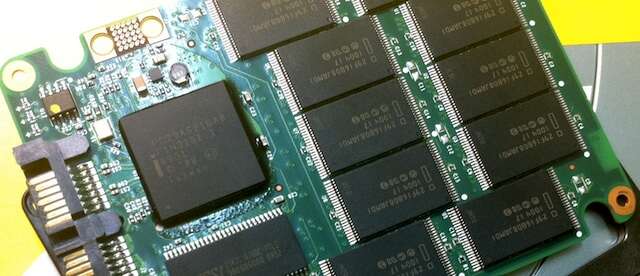
An SSD stores and retrieves data using flash memory chips and a smart controller, no moving parts.
I’ve worked with storage for years, built PCs, and tested drives in real scenarios. In this article I’ll explain how does an ssd work in clear terms. You’ll learn the core parts, step-by-step read/write flow, performance factors, endurance limits, and practical tips to pick and use SSDs well. Expect plain language, hands-on advice, and the technical clarity you need to make smart choices.
How an SSD works: the basics
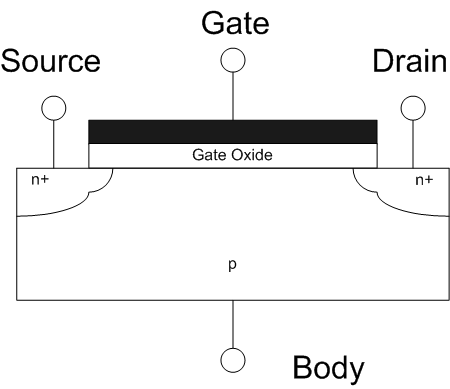
To understand how does an ssd work, start with a simple idea: it stores data in tiny electric cells. Those cells are organized as pages and blocks inside NAND flash chips. A controller sits between the chips and your computer. The controller manages reads, writes, and wear. The result is fast access and low latency compared with spinning disks.

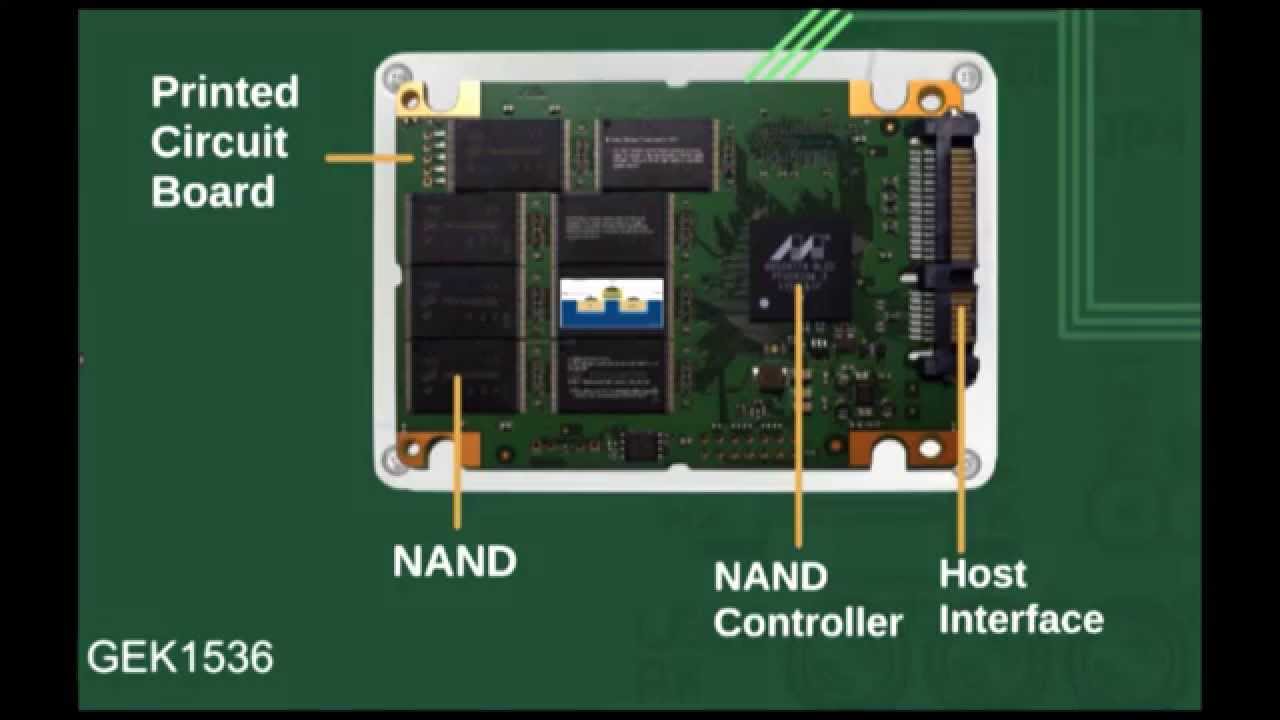
Key components of an SSD
To see how does an ssd work in practice, know the parts that make it run.
-
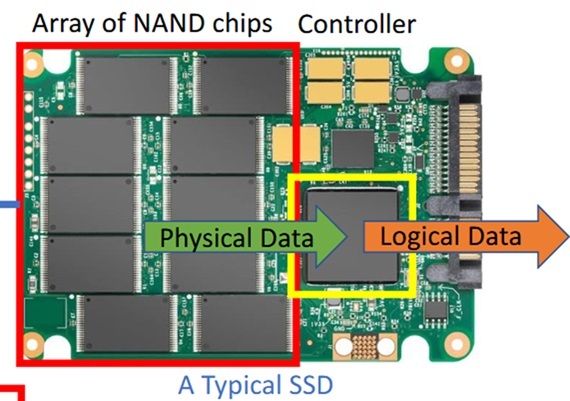
NAND flash memory
Stores bits as electrical charge in cells. Comes in types like SLC, MLC, TLC, and QLC. More bits per cell trade cost for lower endurance. -
SSD controller
Acts like a tiny CPU. It runs firmware, maps logical addresses to physical cells, and handles error correction. -
DRAM or cache
A fast buffer that stores mapping tables and speeds up writes. Some DRAM-less drives use a host memory buffer instead. -
Interface and form factor
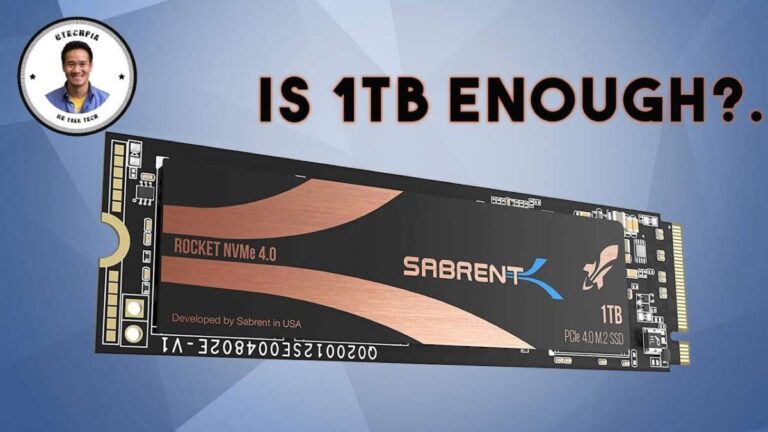
SATA, PCIe, NVMe, M.2, and U.2 change speed and compatibility. Interface choice affects throughput. -
Firmware features
Wear leveling, garbage collection, TRIM support, and ECC are crucial for reliability and performance.

The read and write process: step by step
If you ask how does an ssd work during reads and writes, here’s a simple flow.
-
Read
The controller looks up the logical address in its mapping table. It reads the flash page and returns data to the host. Reads are direct and fast. -
Write
Flash cannot overwrite a page directly. The controller writes new data to a free page and marks the old page invalid. This is called out-of-place write. -
Erase
Invalid pages are cleared in blocks. A block is much larger than a page. Erasing is slower and done less often. -
Garbage collection and TRIM
The controller compacts valid data and frees blocks. The operating system sends TRIM commands to tell the SSD which data is no longer needed.
These behaviors explain why SSDs perform best with some free space and proper firmware management.

How SSD performance is measured
When you want to know how does an ssd work for speed, look at a few metrics.
-
Throughput (MB/s)
Measures sustained data transfer. Good for large file copies. -
IOPS (input/output operations per second)
Measures small random reads/writes. Important for apps and OS responsiveness. -
Latency
Time to complete a single operation. SSD latency is low compared to HDDs. -
Queue depth and parallelism
NVMe and modern controllers handle many parallel requests. Higher queue depth can increase throughput.
Real-world performance also depends on firmware, interface, and how full the drive is.
Types of SSDs and interfaces
People often ask how does an ssd work across different types. Here’s a quick map.
-
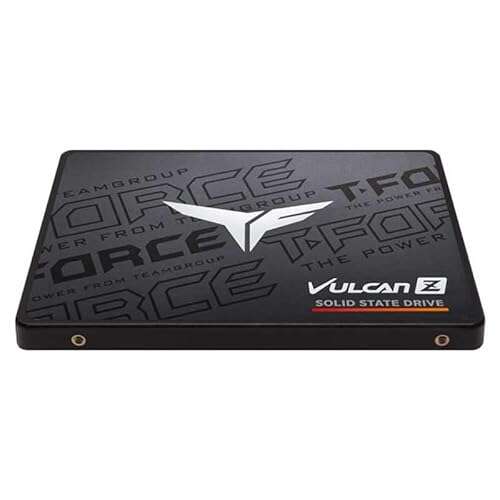
SATA SSDs
Use the SATA interface. They are fast versus HDDs but limited by SATA bandwidth. -
NVMe SSDs (PCIe)
Use the PCIe bus with the NVMe protocol. Much higher throughput and lower latency. -
M.2 form factor
A small slot used for both SATA and NVMe SSDs. Check compatibility before buying. -
External SSDs
Use USB or Thunderbolt. Speed depends on the external interface.
Choosing the right type depends on budget, device compatibility, and speed needs.

Wear, endurance, and maintenance
To answer how does an ssd work long-term, consider wear and maintenance.
-
Endurance metrics
Drives list TBW (terabytes written) or DWPD (drive writes per day). These indicate expected lifespan. -
Wear leveling
The controller spreads writes across cells to avoid early failure. -
Error correction and over-provisioning
ECC fixes bit errors. Over-provisioning reserves spare blocks to replace worn ones. -
Firmware updates and backups
Keep firmware current. Back up important data—SSDs can fail like any device. -
Avoid filling the drive completely
Leaving free space helps garbage collection and maintains speed.
Practical tips and personal experience
I’ve swapped many HDDs for SSDs in desktops and laptops. Boot times dropped from minutes to seconds. Apps launch instantly. Here are hands-on tips from those builds.
-
Choose capacity wisely
Buy a drive with room to spare. Performance drops when an SSD is near full. -
Check endurance ratings
For heavy writes, prefer higher TBW or enterprise-grade drives. -
Enable TRIM
Most modern OSes do this automatically. TRIM helps keep write speeds steady. -
Update firmware carefully
Firmware can fix bugs and improve life. Back up before updating. -
Use over-provisioning if possible
Set aside spare space to boost endurance and speed.
A lesson I learned: cheap TLC drives can be tempting. They work great for everyday tasks but avoid them for write-intensive servers.
Quick questions many users ask
Q: Will an SSD speed up my old laptop?
A: Yes. Replacing an HDD with an SSD often gives the biggest single boost to boot and app load times.
Q: Do SSDs need defragmentation?
A: No. Defragmentation adds unnecessary writes and can shorten SSD life. The OS handles optimization differently for SSDs.
Q: How long will an SSD last in normal use?
A: With typical consumer use, most SSDs last many years. Endurance ratings and backup habits matter.
Frequently Asked Questions of how does an ssd work
How does an SSD work compared to an HDD?
An SSD uses flash memory and a controller, while an HDD uses spinning disks and a mechanical arm. SSDs are faster, quieter, and more shock resistant.
How does an SSD work when it’s full?
When an SSD is very full, garbage collection has fewer spare blocks to use. Performance can drop and write amplification can increase. Leaving free space helps maintain speed.
How does an SSD work with TRIM enabled?
TRIM lets the OS tell the SSD which blocks are unused. The controller can then erase or reuse those blocks efficiently. This keeps writes faster over time.
How does an SSD work in a RAID setup?
In RAID, multiple SSDs can increase speed or redundancy. But SSD traits like TRIM support and wear leveling behave differently in RAID. Use compatible controllers and test performance.
How does an SSD work after a power loss?
Many drives include power-loss protection to flush caches and avoid data corruption. Not all consumer drives have full protection, so backups remain essential.
Is how does an ssd work dependent on operating system?
The core operation is hardware-driven, but the OS impacts performance via drivers, TRIM support, and how it schedules I/O. Modern OSes include SSD-aware features.
Can I clone my HDD to learn how does an ssd work?
Yes. Cloning moves your OS and files to an SSD so you can experience speed gains. Use proper cloning tools and ensure the target drive has enough capacity.
Conclusion
Understanding how does an ssd work gives you the power to choose and use storage wisely. SSDs use flash memory, a controller, and smart firmware to deliver fast, reliable storage with no moving parts. Keep drives updated, leave some free space, and back up data to get the best life and performance. Try swapping an SSD into an older system to feel the difference, and share your results or questions below. Want more guides like this? Subscribe or leave a comment and I’ll cover the next topic you care about.

Jamie Lee is a seasoned tech analyst and writer at MyTechGrid.com, known for making the rapidly evolving world of technology accessible to all. Jamie’s work focuses on emerging technologies, product deep-dives, and industry trends—translating complex concepts into engaging, easy-to-understand content. When not researching the latest breakthroughs, Jamie enjoys exploring new tools, testing gadgets, and helping readers navigate the digital world with confidence.