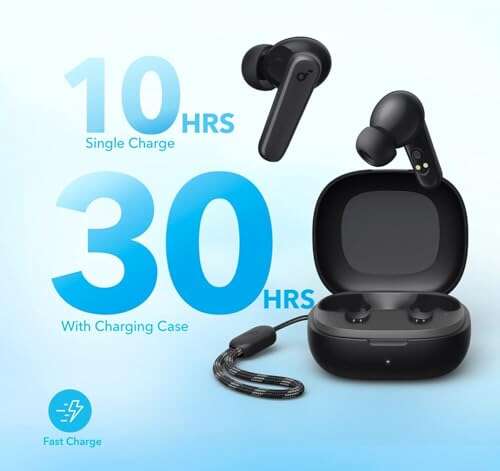
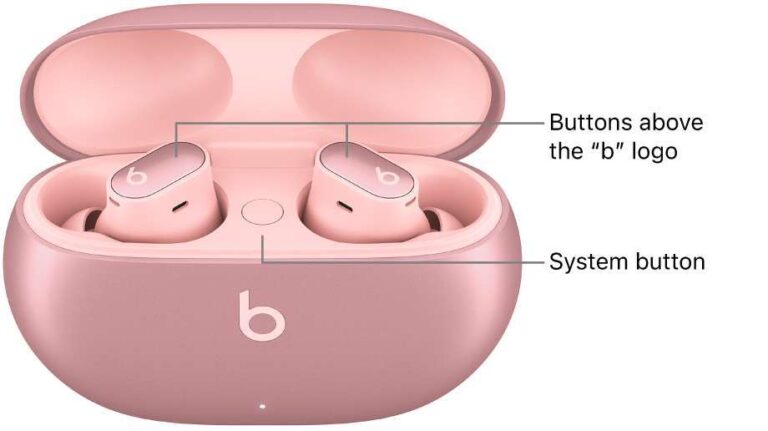
Hold each earbud for 2–3 seconds or open the charging case; they power on and enter pairing mode automatically.
I’ve spent years testing earbuds and helping friends troubleshoot Bluetooth gear, so I’ll walk you through exactly how to turn on Soundcore earbuds, get them paired, and keep them running smoothly. This guide covers step-by-step actions, common problems, quick fixes, and practical tips drawn from hands-on experience so you can use your earbuds with confidence.

How to turn on Soundcore earbuds — basic, universal steps
Most Soundcore earbuds follow the same simple power rules. Use these quick steps for most models.
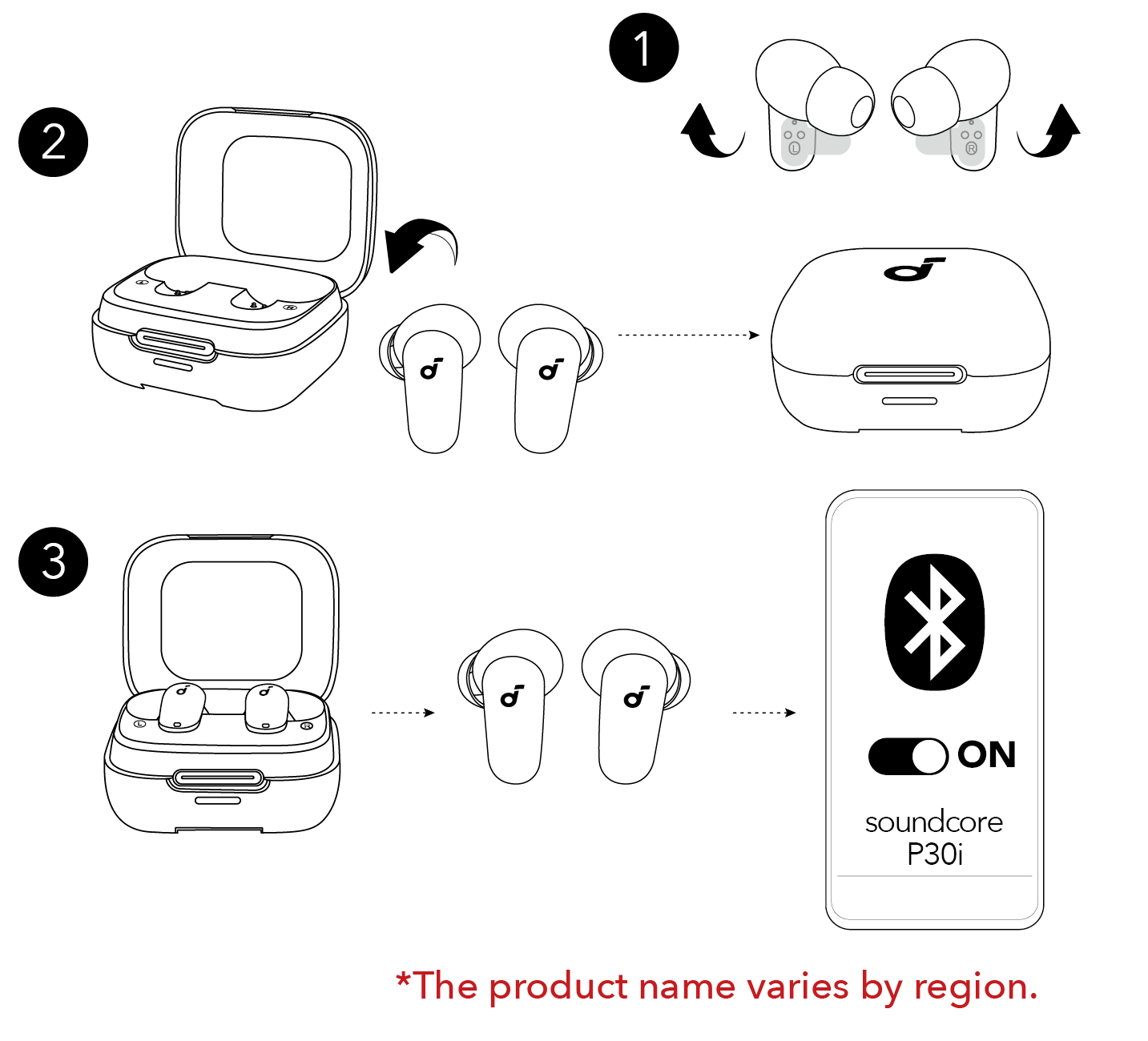
- Remove earbuds from the charging case to power them on automatically.
- If they stay off, press and hold the multifunction button on each bud for 2–4 seconds to turn them on.
- If the case holds power and the earbuds are inside, open the case lid and wait; many models power on and enter pairing mode automatically.
- For single-ear use, remove one earbud and press its button if it doesn’t switch on by itself.
If an LED flashes white or blue, the earbud is on and ready to pair. If nothing happens, charge the case and earbuds for at least 15–20 minutes and try again. I’ve found that a short initial charge often fixes “dead” earbuds on day one. This approach works for how to turn on Soundcore earbuds in nearly every scenario.
How to turn on Soundcore earbuds and pair with your phone
Pairing is the next step after powering on. These steps apply to Android and iPhone.
- Turn on the earbuds using the steps above so they enter pairing mode. Many models flash blue/white when in pairing mode.
- On your phone, open Settings > Bluetooth and set Bluetooth to On.
- Look for the Soundcore model name in the device list and tap to connect.
- If the earbuds don’t appear, press and hold the multifunction button for 5–7 seconds to force pairing mode.
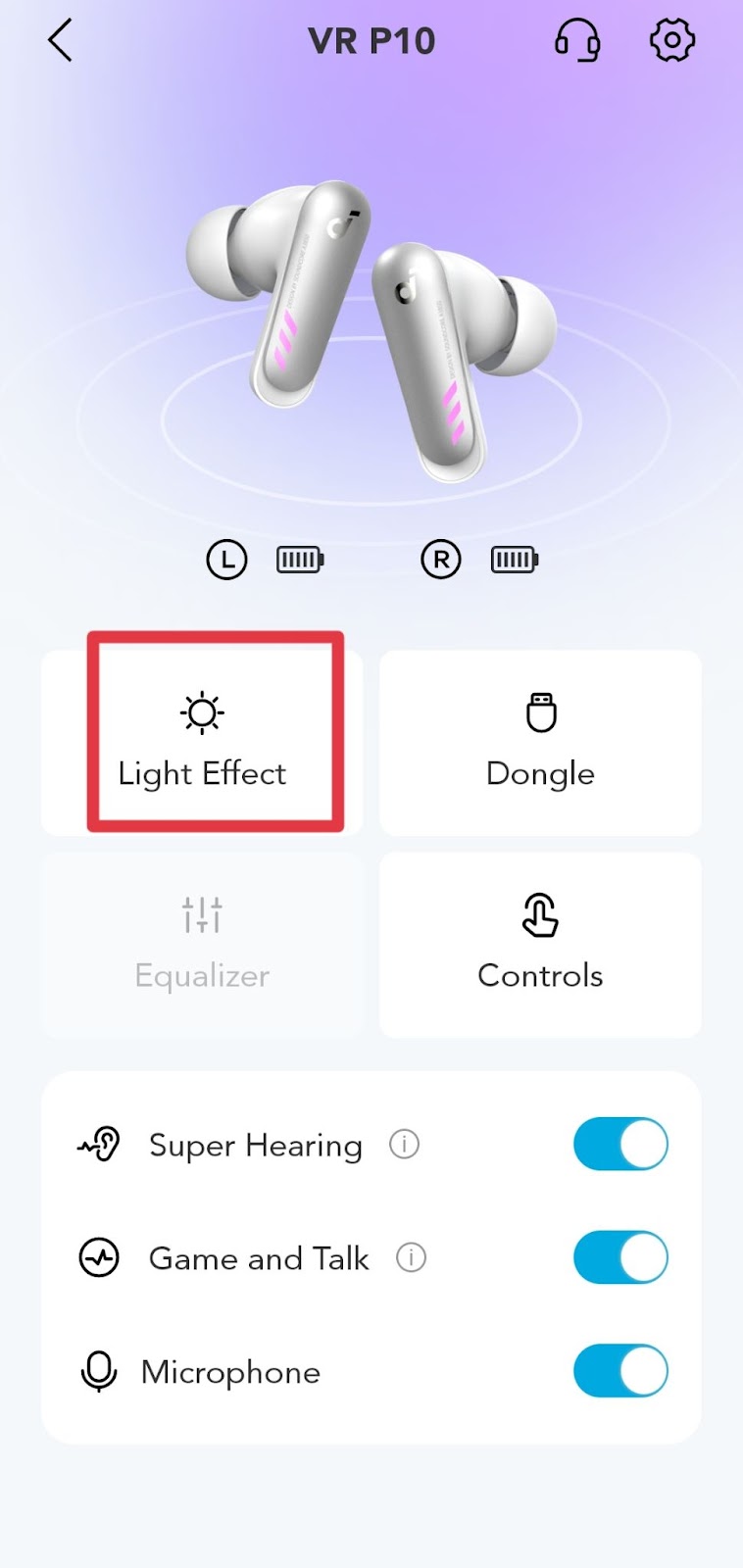
- Use the Soundcore app to manage settings and firmware; it often prompts you to update after the first connection.
I always open the Soundcore app after initial pairing. The app confirms the earbuds are on, shows battery levels, and helps with firmware updates. This is the cleanest way to learn how to turn on Soundcore earbuds and keep them connected.

Troubleshooting: earbuds won’t turn on or won’t pair
If your earbuds won’t turn on, follow these checks in order. These fixes solved many real-world issues I encountered while testing multiple models.
- Charge issues
- Plug the charging case into power for at least 30 minutes.
- Ensure contact points on the earbuds and case are clean. Dirt can block charging.
- Reset the earbuds
- Place both earbuds in the case. Press and hold the button on the case or the earbuds for 10–15 seconds to reset (method varies by model).
- After reset, repeat the power and pairing steps.
- Battery drain or deep discharge
- If the battery was fully drained, a long charge (1–2 hours) may be needed before the earbuds respond.
- Firmware or Bluetooth conflicts
- Restart your phone.
- Delete old Bluetooth pairings that might conflict.
- Update firmware via the Soundcore app.
- Hardware issues
- Inspect for visible damage.
- If one bud powers on but the other doesn’t, try swapping charging slots in the case to isolate a slot or contact issue.
When I once found a pair that refused to power on, a 90-minute charge and a reset brought them back to life. That experience taught me to rule out charging and reset before assuming hardware failure.
Model differences and special cases
Some Soundcore models use touch gestures. Others have physical buttons. Know your model for exact steps.
- Touch-control models
- Tap or longer press gestures power on or wake the bud. Check the manual for the exact gesture.
- Button-control models
- Press and hold the button for 2–4 seconds to power on or off.
- Ear-detection and auto-power
- Many models turn on when you put them in your ears. If ear detection fails, clean sensors and firmware-update.
- Single-bud use
- Remove one bud and wait a few seconds. If it does not power on, press the bud’s button to activate it.
Learning these small differences makes it faster to turn on Soundcore earbuds across models. When I switched from a button model to a touch model, I had to relearn gestures—but the core power logic stayed the same.

Practical tips, battery care, and best practices
Protect battery life and avoid common mistakes when turning on and using Soundcore earbuds.
- Short-term habits
- Close the case when not using earbuds to keep them off and save battery.
- Store earbuds in the case during flights or travel to avoid accidental powering.
- Charging best practices
- Use the supplied cable or a certified cable. Fast charging helps but don’t overheat the case.
- Avoid leaving the case empty on a charger for long periods.
- Firmware and app
- Keep firmware current through the Soundcore app to avoid power bugs.
- Cleaning and maintenance
- Wipe charging pins gently with a soft, dry cloth.
- Avoid liquids near charging ports.
- Safety tips
- Don’t use damaged earbuds. Stop using them if they overheat or smell odd.
I learned the value of closing the case after short uses. It saved battery and kept earbuds ready to go. These small habits simplify how to turn on Soundcore earbuds every day.
Quick PAA-style questions
How long do I hold Soundcore earbuds to turn them on?
Hold the button or touch area for about 2–4 seconds. If that doesn’t work, try 5–7 seconds for pairing mode.
Will Soundcore earbuds turn on automatically when removed from the case?
Most models do power on automatically when removed. If yours do not, enable auto-play settings in the app or update firmware.
What if one earbud won’t power on?
Charge both buds in the case, swap slots, reset the earbuds, and update firmware. If the problem persists, contact support.

Frequently Asked Questions of how to turn on soundcore earbuds
How do I force my Soundcore earbuds into pairing mode?
Press and hold the multifunction button for 5–7 seconds until the LED flashes in pairing color. Then connect via Bluetooth settings.
Can I turn on only one Soundcore earbud?
Yes. Remove one earbud from the case and press its button if it doesn’t power on automatically.
Why do my earbuds blink but not connect?
Blinking usually means pairing mode. Restart Bluetooth on your phone, forget old Soundcore entries, and try pairing again.
How long does it take to charge so they can turn on?
A short 15–20 minute charge may allow them to boot. Full charge typically takes 1–2 hours depending on model.
Will firmware updates affect how to turn on Soundcore earbuds?
Firmware updates can improve power management and pairing behavior. Install updates via the Soundcore app for best results.
Conclusion
You now know clear, practical steps for how to turn on Soundcore earbuds, pair them, and troubleshoot common problems. Start by checking charge, using the case open method, and trying the 2–4 second press. Keep firmware updated and the charging contacts clean to avoid most issues.
Try these steps on your earbuds now, and leave a comment with your model if you need tailored help. Subscribe or check the Soundcore app for updates and tips to get the best performance from your earbuds.

Jamie Lee is a seasoned tech analyst and writer at MyTechGrid.com, known for making the rapidly evolving world of technology accessible to all. Jamie’s work focuses on emerging technologies, product deep-dives, and industry trends—translating complex concepts into engaging, easy-to-understand content. When not researching the latest breakthroughs, Jamie enjoys exploring new tools, testing gadgets, and helping readers navigate the digital world with confidence.