An IP camera is a network connected video camera that streams and records over Internet Protocol.
I’ve worked with security systems for years, and I’ll break down what is an IP camera in clear, practical terms. This guide explains how IP cameras work, the main types, setup tips, security risks, and real-world use cases so you can choose and use them with confidence. Read on to get simple, expert-level answers to everything about what is an IP camera and how it can fit your needs.

How IP cameras work
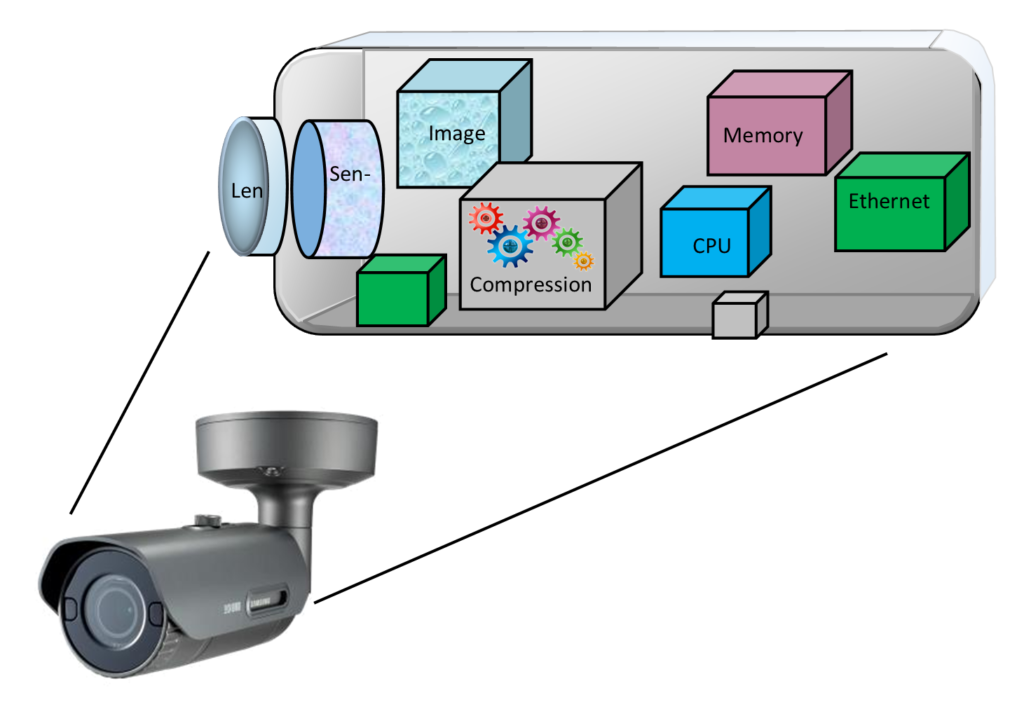
An IP camera is a smart camera that sends video and audio over a network. It captures images with a sensor, converts them to digital data, and uses networking protocols to stream and store that data. Many IP cameras compress video using H.264 or H.265 to save bandwidth and storage.
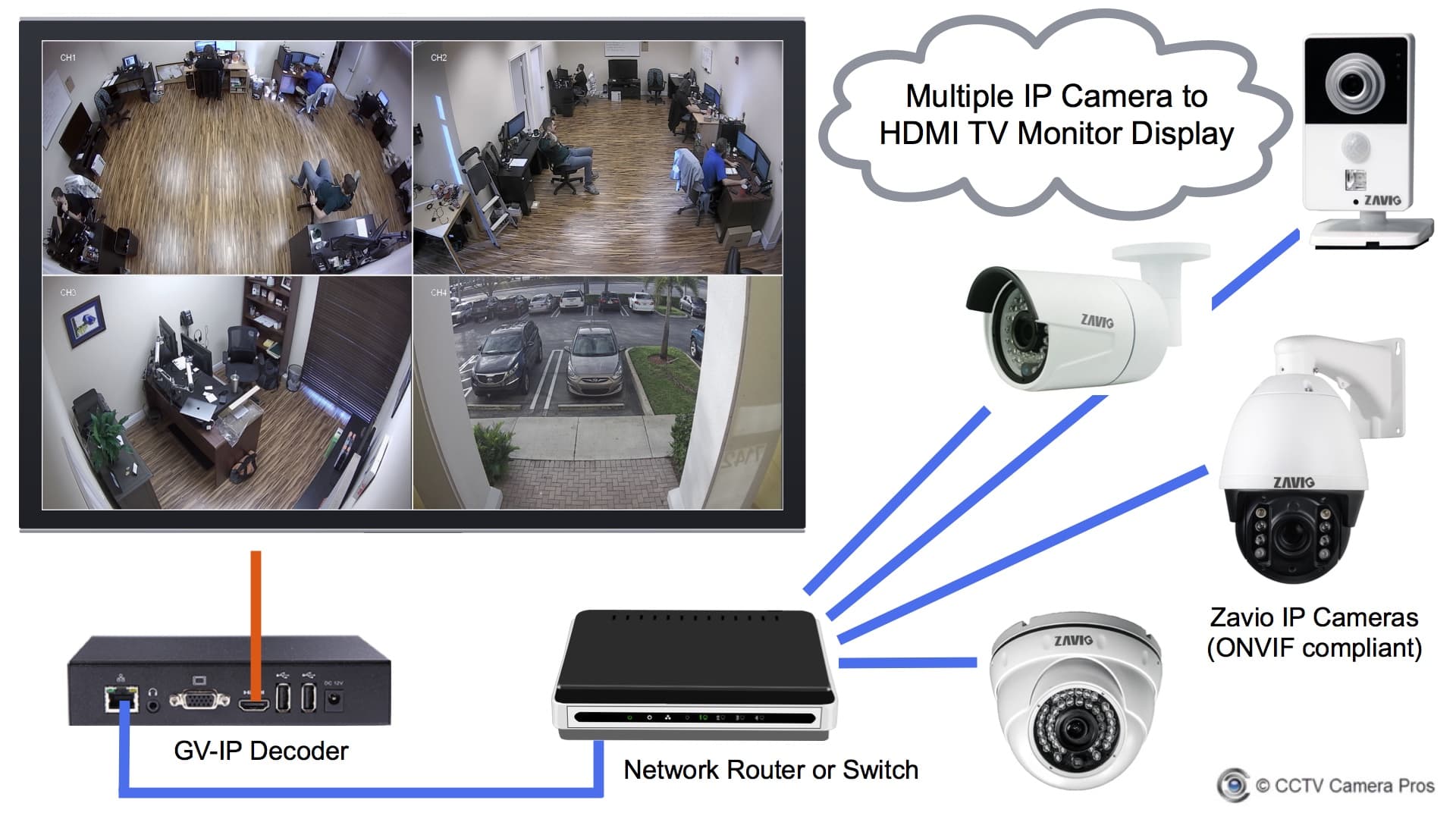
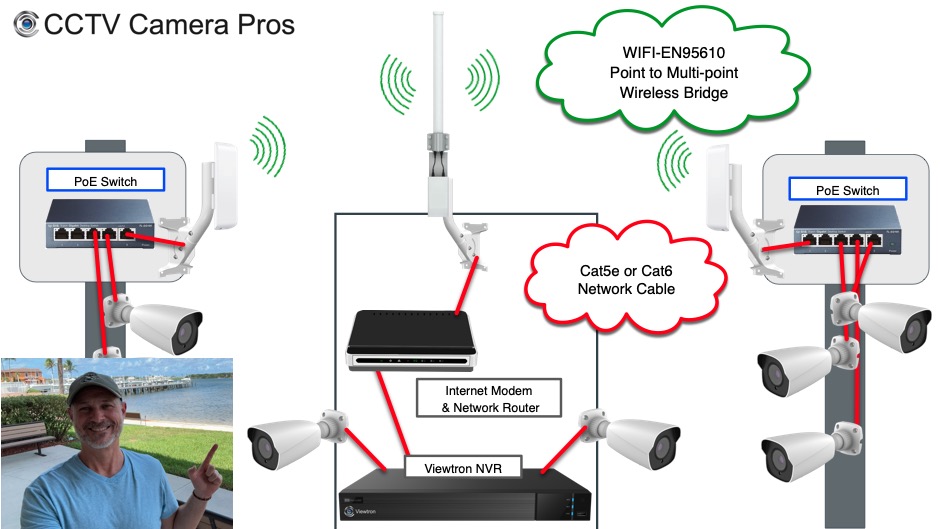
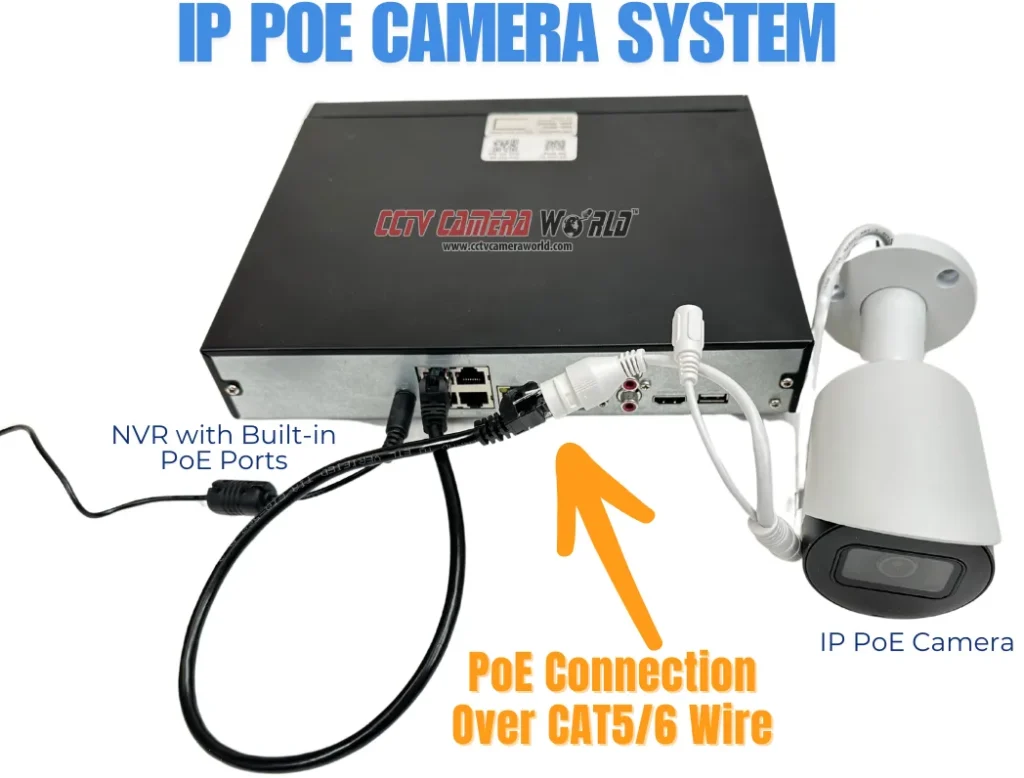
IP cameras can connect via Wi-Fi or Ethernet. Power over Ethernet (PoE) lets a single cable carry both power and data. Some cameras include onboard storage, while others stream to a network video recorder (NVR) or cloud service.
Common network features include:
- IP addressing so each camera has its own network identity.
- RTSP, ONVIF, and proprietary protocols for live view and control.
- Secure access via HTTPS or encrypted streams.
My experience: when I first installed an IP camera system, PoE simplified cable runs and cut setup time in half. Using an NVR gave reliable local recording without recurring cloud fees.
Types of IP cameras
There is a wide range of IP camera types to fit different locations and needs. Knowing the options helps answer what is an IP camera for your site.
Common types:
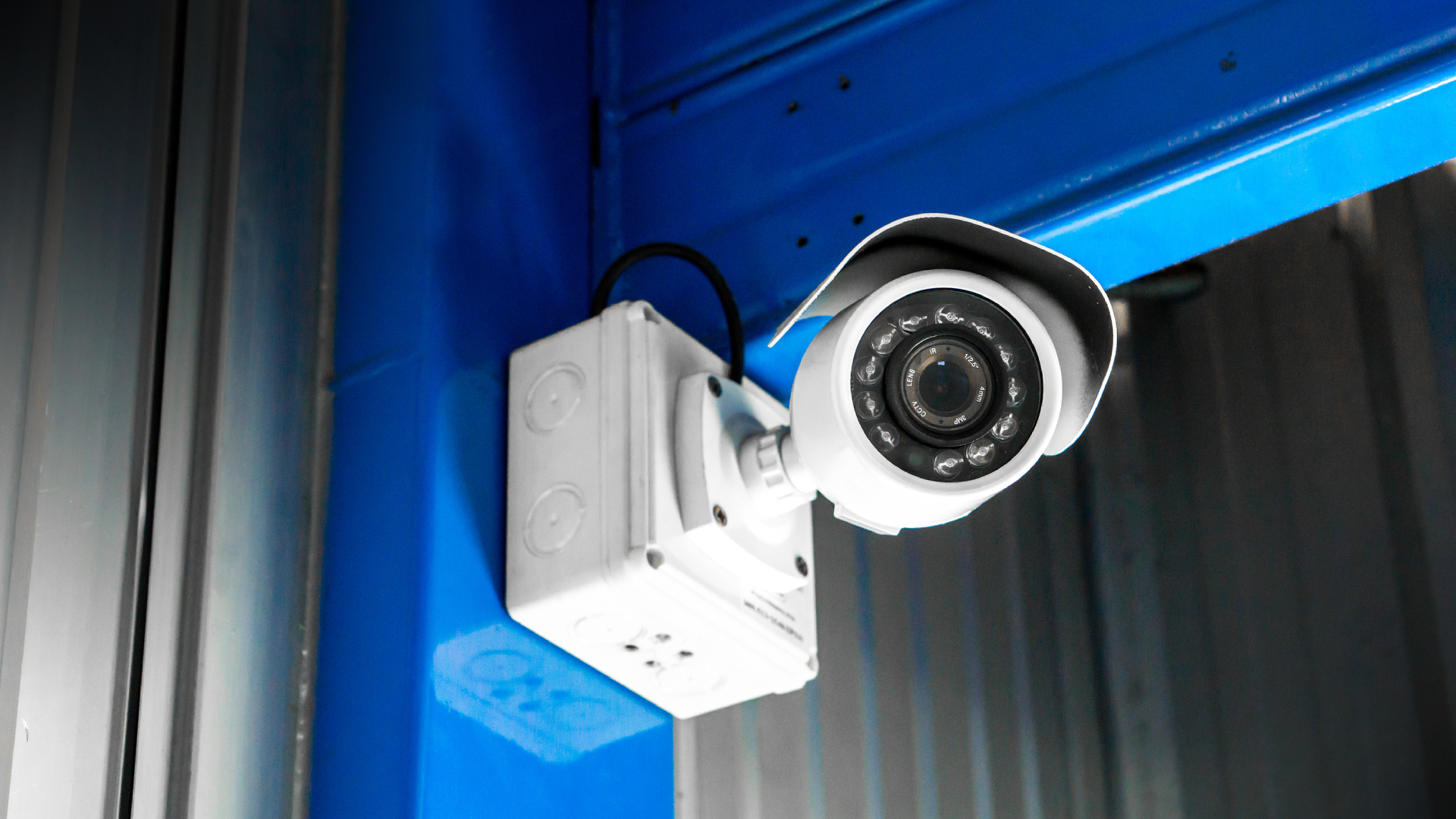
- Fixed camera: A simple, non-moving camera for focused monitoring.
- PTZ camera: Pan-tilt-zoom camera for wide coverage and remote control.
- Dome camera: Low-profile design for indoor and outdoor use.
- Bullet camera: Long-range, visible deterrent for entry points.
- Fisheye camera: 360-degree view for broad coverage with de-warping.
- Thermal camera: Detects heat, useful for low-light or safety monitoring.
- Wireless camera: Uses Wi-Fi for flexible placement without Ethernet.
- 4K/HD cameras: Higher resolution for more detail and better zoom.
Tip: Match camera type to task. For a front door, I prefer a door-focused bullet or fixed camera. For parking lots, PTZ or high-resolution cameras work best.
Key features and benefits
Understanding what is an IP camera feature set helps you pick the right model. Here are the core features and why they matter.
Important features:
- Resolution and frame rate — sharper images and smoother motion.
- Compression (H.264/H.265) — reduces bandwidth and storage needs.
- Night vision and IR — for low-light recording.
- Motion detection and smart analytics — trigger alerts and reduce false positives.
- Two-way audio — allows listening and speaking through the camera.
- Onboard storage and cloud backup — local RAID, SD cards, or cloud storage.
- Remote access apps — view live feeds on phone or web from anywhere.
- PoE support — simpler wiring with single-cable power and data.
Benefits of IP cameras:
- Scalable systems: add more cameras without heavy rewiring.
- Higher image quality than many analog systems.
- Easier remote access and integration with other systems.
- Better analytics and smart alerts for proactive security.
Personal note: I once relied on motion-based alerts to catch a delivery mistake. Fine-tuning sensitivity reduced false alarms and saved valuable time.

Setup and installation: practical steps
If you’re wondering what is an IP camera and how to set it up, follow these simple steps.
Step-by-step setup:
- Choose camera locations with clear sight lines and power or PoE access.
- Mount cameras securely and point them at the intended area.
- Connect each camera to the network via Ethernet or Wi-Fi.
- Assign IP addresses or use DHCP with reserved leases on your router.
- Update firmware immediately for security and stability.
- Configure storage: NVR, NAS, cloud, or local SD card.
- Set strong admin passwords and enable encryption or two-factor auth.
Practical tips:
- Use PoE switches to avoid separate power runs.
- Test viewing angles during daylight and at night.
- Label cables and record camera IPs for future troubleshooting.
From my installs: I always update firmware before exposing a camera to the internet. That small step prevented at least two compatibility headaches.

Network, security, and privacy considerations
A top question about what is an IP camera relates to security and privacy risks. IP cameras can be secure if you follow a few rules.
Key security practices:
- Change default usernames and passwords immediately.
- Use strong, unique passwords or a password manager.
- Keep firmware up to date to patch vulnerabilities.
- Disable UPnP on routers if not needed to prevent unwanted port mapping.
- Use VPN or secure cloud services when accessing feeds remotely.
- Place cameras to avoid capturing private neighbors or sensitive areas.
Privacy and legal notes:
- Laws vary by location; notify people if you record public or shared spaces.
- Be mindful of audio recording laws in your area.
- Mask private zones with physical covers or software where needed.
Real-world note: I once saw a camera accidentally aimed at a neighbor’s window. Fixing that and informing them preserved trust and avoided a complaint.
IP cameras vs analog cameras
When deciding what is an IP camera versus analog, here’s a clear comparison.
Advantages of IP cameras:
- Superior image quality and resolution.
- Easier scalability and remote access.
- Advanced analytics and software integration.
- Simplified wiring with PoE.
Advantages of analog (coax) systems:
- Lower upfront cost for basic setups.
- Simpler for small, legacy systems.
Limitations:
- IP cameras need a reliable network and more initial setup.
- Higher-quality IP systems can cost more than basic analog kits.
If you need modern features like cloud access, mobile alerts, and AI detection, an IP camera system is usually the better choice. For very small budgets or existing coax infrastructure, analog may still make sense.
Common use cases and real-world examples
Understanding what is an IP camera in practice helps you pick the right use case.
Typical uses:
- Home security: porch, driveway, and entry monitoring.
- Business surveillance: cash registers, stock rooms, and entrances.
- Retail analytics: customer flow and heat mapping.
- Schools and campuses: building safety and access control.
- Traffic and municipal monitoring: intersections and crosswalks.
- Wildlife and research: remote observation with thermal or low-light cams.
Example: I used a dome IP camera for a small shop. Motion alerts cut theft losses and gave clear evidence to resolve incidents quickly. The analytics also highlighted slow traffic times, which helped adjust staff schedules.
Buying guide and practical tips
When shopping for what is an IP camera, use this checklist to make smart choices.
Checklist:
- Decide on resolution needed: 1080p, 4K, or higher.
- Choose wired (PoE) or wireless based on placement and reliability.
- Verify ONVIF compatibility for third-party NVR support.
- Check night vision range and low-light performance.
- Evaluate storage options: local NVR, NAS, or cloud plan.
- Confirm warranty, support, and update policy.
- Read reviews for real-world reliability and firmware updates.
Budget tips:
- Invest in a few high-quality cameras for key zones.
- Use lower-cost cameras for less critical areas.
- Consider total cost: cameras, NVR, storage, and cloud subscriptions.
My buying mistake: I once bought a cheap camera with no firmware updates. It worked for a month and then lost features. Buy from brands that publish regular security patches.
Frequently Asked Questions of what is an ip camera
What is the difference between an IP camera and a network camera?
An IP camera and a network camera are the same thing. Both terms mean a camera that transmits video over an IP network.
Can IP cameras work without internet?
Yes. IP cameras can record locally to an NVR or SD card and work on a local network without internet. Internet is only required for remote access or cloud services.
Do IP cameras need a special recorder?
No. IP cameras can stream to NVRs, NAS devices, or cloud platforms, but some can also record to onboard SD cards. Choose a recorder based on your storage and retrieval needs.
Is my IP camera safe from hacking?
IP cameras can be secure if you use strong passwords, update firmware, disable unnecessary ports, and use encrypted connections. Follow best practices to reduce risk.
How much bandwidth does an IP camera use?
Bandwidth depends on resolution, frame rate, and compression. A 1080p camera typically uses 1–4 Mbps with H.264; H.265 can reduce that by 30–50 percent.
Can IP cameras integrate with smart home systems?
Yes. Many IP cameras integrate with smart hubs and voice assistants through standard protocols or vendor apps. Check compatibility before you buy.
Conclusion
IP cameras are versatile, network-connected devices that deliver high-quality video, smart features, and flexible storage options. Knowing what is an IP camera helps you match camera types, security practices, and setup choices to your real needs. Take action: map your coverage needs, pick a few well-reviewed IP cameras that support firmware updates, and secure them with strong passwords and network protections. If you want help choosing the right camera for your space, leave a comment or subscribe for practical reviews and setup guides.

Everett Ashford is a tech reviewer at mytechgrid.com specializing in SSDs, cameras, TVs, earbuds, headphones, and other consumer electronics. He provides honest, data-driven reviews based on hands-on testing and real-world performance analysis. Everett simplifies complex tech details to help readers make smart, confident buying decisions.