Use your phone's camera, flashlight, and apps to spot hidden lenses and wireless signals quickly.
I’ve spent years testing privacy tools and teaching people simple, reliable ways to check their space. This article shows exactly how to detect hidden camera with mobile phone, step by step. You’ll get clear, practical methods you can use right now, reasons why each method works, and the limits to expect. Read on for expert tips and real-world checks that make finding a hidden camera with a phone fast and doable.

How mobile phones can help detect hidden cameras
Phones are versatile. They can see light, scan networks, and sense signals. Together, these abilities let your phone find many kinds of hidden cameras. A lens reflects light. Some cameras use Wi-Fi, Bluetooth, or radio signals. Many cameras use infrared LEDs that phone cameras can show. Other cameras leak data on a local network. If you know what to look for, your phone becomes a strong first line of defense.
Key ways your phone helps detect hidden cameras:
- Use the phone camera to spot tiny lens reflections.
- Use the camera to detect infrared light at night.
- Scan Wi-Fi and Bluetooth to find unknown devices.
- Use apps to discover network cameras, open ports, or streaming services.
Why this matters: Knowing how to detect hidden camera with mobile phone helps protect privacy in hotels, rentals, offices, and at home. These checks are fast and low-cost. They do not replace law enforcement when needed, but they give you quick, actionable evidence.
Step-by-step phone checks to find hidden cameras
Here’s a simple, ordered routine you can follow in any room. Repeat the steps slowly and keep notes if you find anything odd.
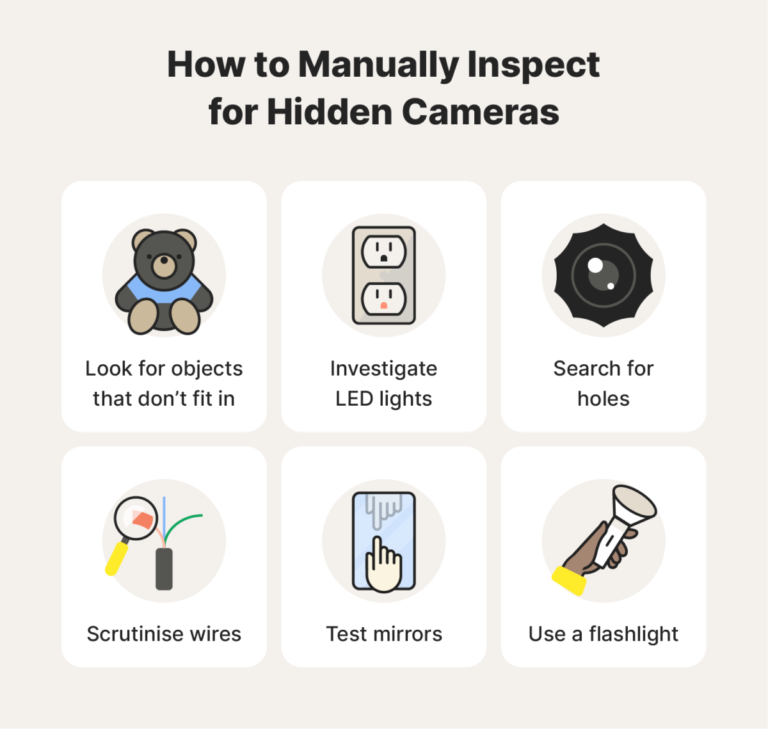
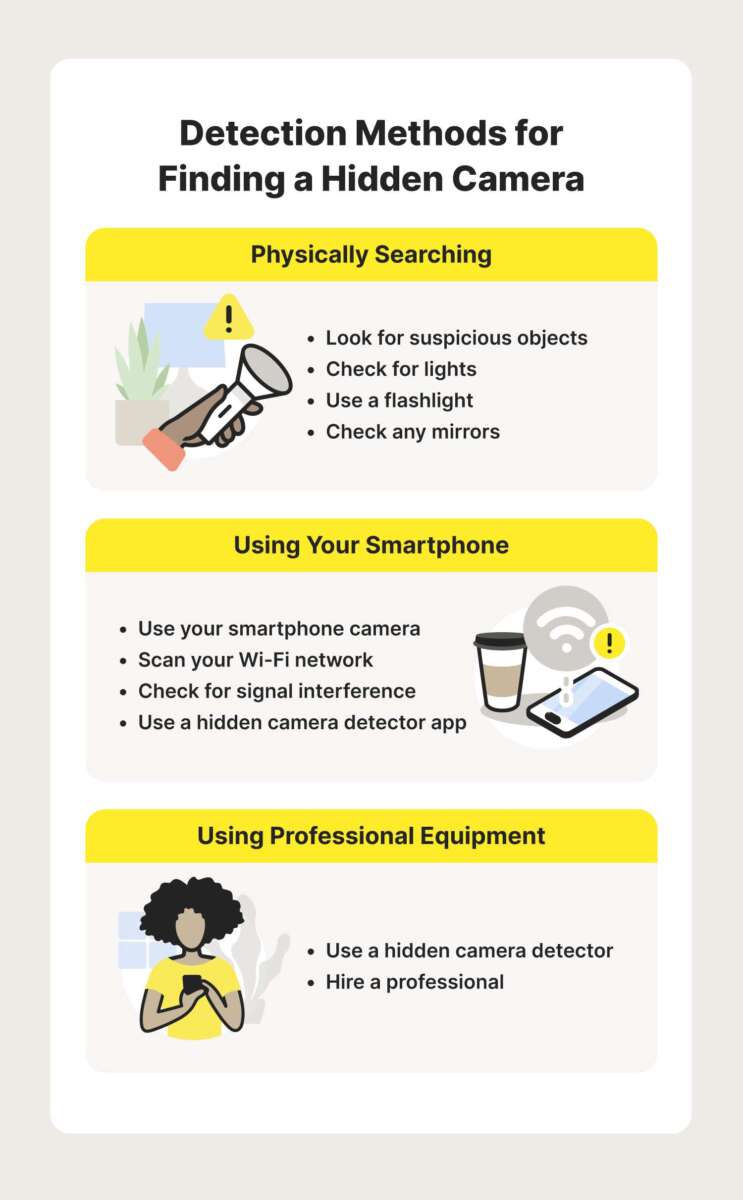
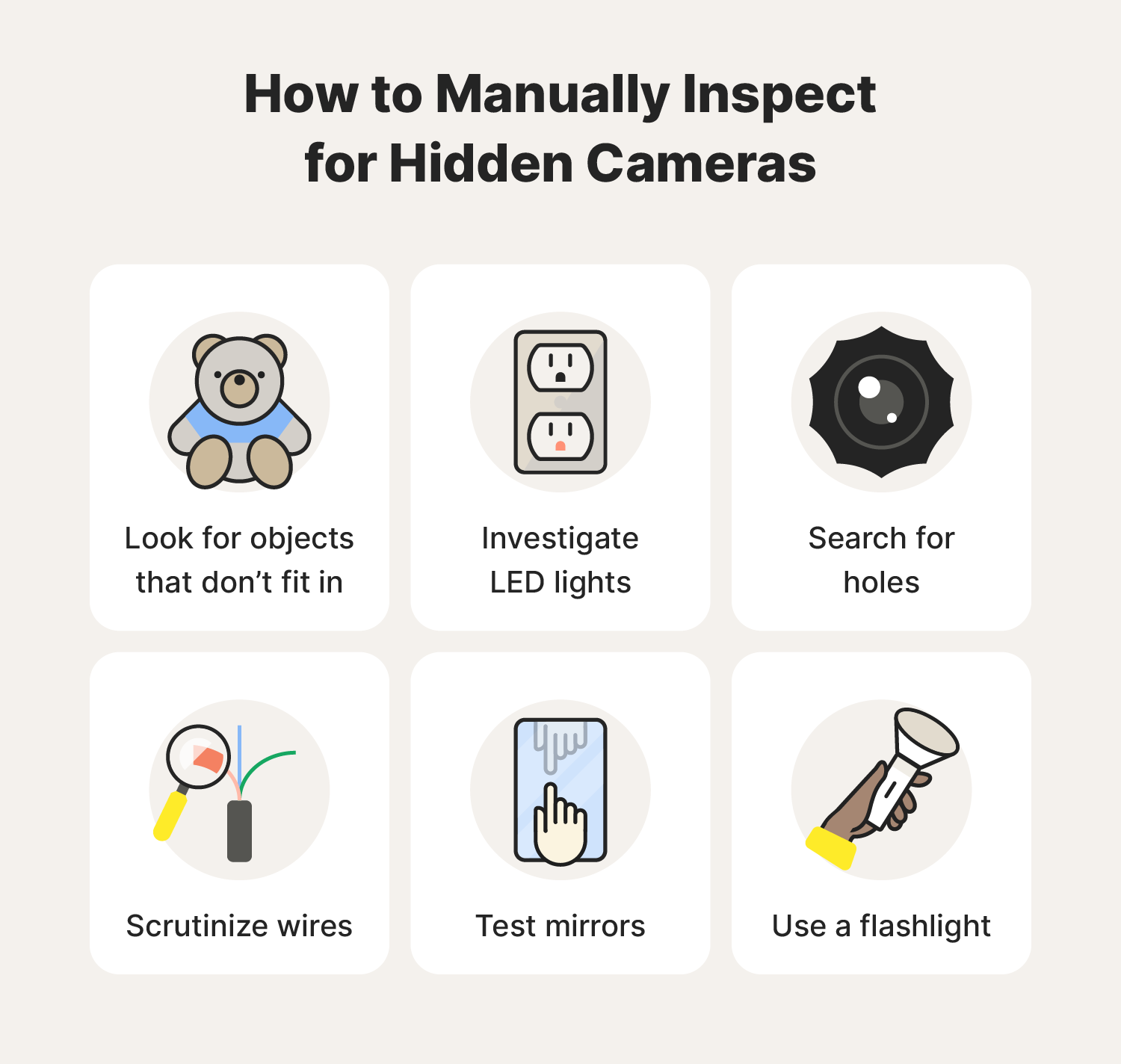
- Do a slow visual sweep
- Turn off lights and look for odd holes or objects that don't belong.
- Check clocks, smoke detectors, picture frames, vents, lamps, and power strips.
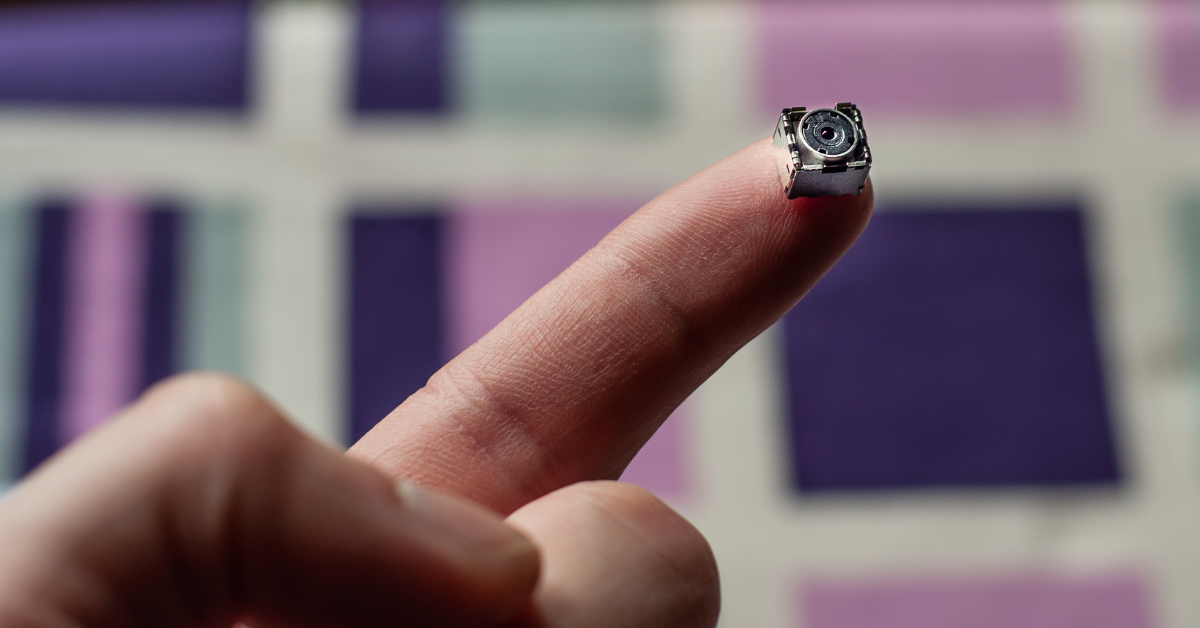
- Look for tiny glass dots or pinholes that could hide a lens.
- Use your phone camera to find lenses
- Turn on your phone camera and slowly scan the room.
- Tilt the phone and change angles; lenses reflect even faint light.
- Examine suspicious items close up with zoom on.
- Check for infrared LEDs with the camera
- Switch off room lights or go to a darker spot.
- Open the front or rear camera and point at areas you suspect.
- Look for small, bright purple or white dots on the screen — those are often IR LEDs.
- Try both selfie and main cameras; sensors differ and show IR differently.
- Use your phone flashlight to test reflections
- Shine the flashlight across vents, holes, and objects at a low angle.
- Watch the camera live view for glints. Lenses often create a tiny bright dot.
- Scan Wi-Fi networks
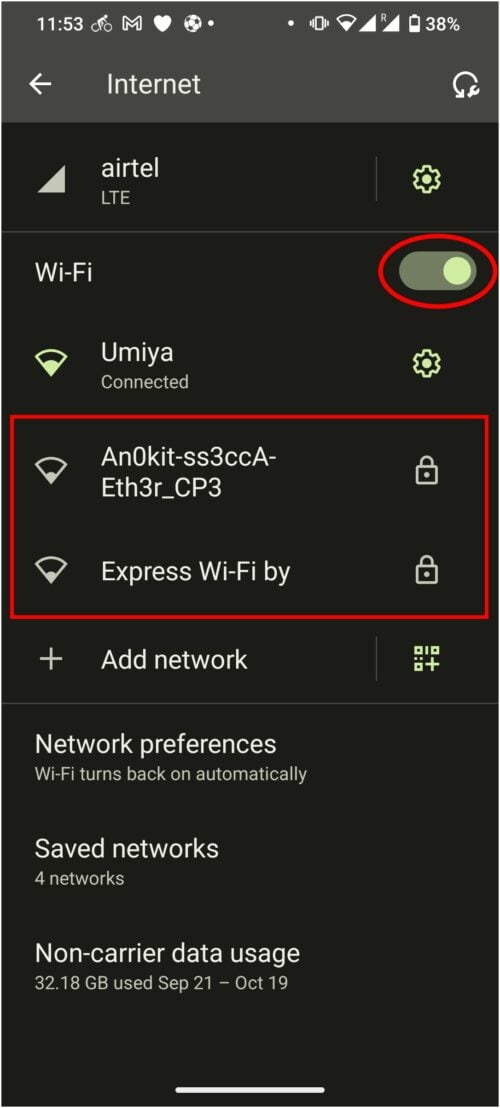
- Open Wi-Fi settings and look for unfamiliar SSIDs in the immediate area.
- Use a network scanner app to list devices on the network. Unknown devices with camera-like ports are suspicious.
- Scan Bluetooth and nearby devices
– Open Bluetooth settings and scan. Some cameras advertise via Bluetooth.
- Pairing attempts or odd device names mean investigate further.
- Use network tools to look deeper
- With a scanner app, inspect MAC addresses and manufacturers.
- Look for devices with IPs that host web interfaces or streaming services.
- Try common camera ports like 554 (RTSP) or 80 (HTTP) securely; do not attempt hacking.
Follow each step calmly. If you find evidence, document it with photos and avoid touching or removing devices.

Apps and tools you can use on your phone
Your phone can run several useful tools. Use trusted apps from official stores. Read reviews and check permissions before installing.
Useful app types and what they do:
- Camera app — find lens reflections and IR LEDs.
- Flashlight or strobe app — helps with reflection tests.
- Network scanner — shows devices on local Wi-Fi, IPs, and open ports.
- UPnP and RTSP detector — finds streaming camera services.
- Bluetooth scanner — lists discoverable Bluetooth devices.
- RF detector apps — use the phone mic or external adapters to spot radio signals, though reliability varies.
Limitations of apps:
- Apps cannot find fully offline cameras with no wireless.
- RF detection with a phone microphone is limited. External RF dongles are more accurate.
- Network scanners need access to the same network to see devices fully.
When you use apps, keep privacy in mind. Do not share sensitive network data publicly.

Advanced techniques and troubleshooting
If basic checks do not answer your concerns, use these more advanced steps. These need more care and may require technical comfort.
-
Port and service checks
- Use a scanner to detect open ports on devices.
- Services like RTSP, ONVIF, or HTTP on odd devices are red flags.
-
MAC vendor lookup
- Check the MAC address vendor to see device manufacturers.
- Unknown vendors or camera brands on unexpected objects suggest caution.
-
Traffic inspection
- Monitor network traffic with an app to see streaming or consistent uploads.
- High, continuous outbound traffic from a device can signal a camera streaming.
-
External RF or lens detectors
- Professional RF detectors find non-Wi-Fi cameras.
- Lens finders or optical tools detect micro-lenses better than simple phone methods.
Safety and legal notes:
- Don’t hack into networks or devices. Scanning for information on a network you own is okay. Scanning other networks can be illegal.
- If you suspect criminal activity, contact authorities rather than trying to dismantle devices.
What types of hidden cameras you're likely to find
Understanding device types helps you search smarter. Hidden cameras come in many forms.
Common camera types:
- Wi-Fi IP cameras that stream to the internet.
- Battery cameras that store footage locally on an SD card.
- Wired hidden cameras that feed video to a recorder.
- Analog pinhole lenses disguised in household items.
- USB or power-adapter cameras that mask as charging devices.
Common hiding places:
- Smoke detectors, air purifiers, and clocks.
- Lamps, picture frames, and mirrors.
- Electrical outlets, chargers, and stuffed toys.
- Furniture seams and vents.
Knowing these types helps when you test how to detect hidden camera with mobile phone. For example, network scans help with Wi-Fi cameras. Camera reflection tests help find pinhole lenses.
My experience: real checks, real lessons
I once stayed in a short-term rental that felt odd. I used these checks in this order: visual sweep, camera IR test, then network scan. I found a small camera disguised in a clock. Here’s what I learned.
Lessons learned:
- Start visually. Many secret cameras are visible if you look slowly.
- Use the phone camera in a dark room; IR LEDs show up clearly.
- Network scans often reveal devices that look innocent but stream video.
- Document evidence and report it to property management or police.
- Stay calm. Do not confront anyone aggressively.
Mistakes to avoid:
- Don’t assume every small hole is a camera; you can get false positives.
- Don’t break property or remove devices. Preserve evidence and call authorities.
- Don’t rely on a single method. Use both visual and technical checks.
Quick checks (short questions and answers)
Can my phone detect an invisible camera lens?
Yes. Your phone camera can often show tiny lens reflections and infrared LEDs that the naked eye misses.
Will scanning Wi‑Fi always find a hidden camera?
No. Wi‑Fi scans find cameras on the same network, but they won’t find offline or wired-only cameras.
Is it safe to use network scanner apps?
Yes, for your own network. Avoid scanning networks you do not own. Always respect local laws and privacy.
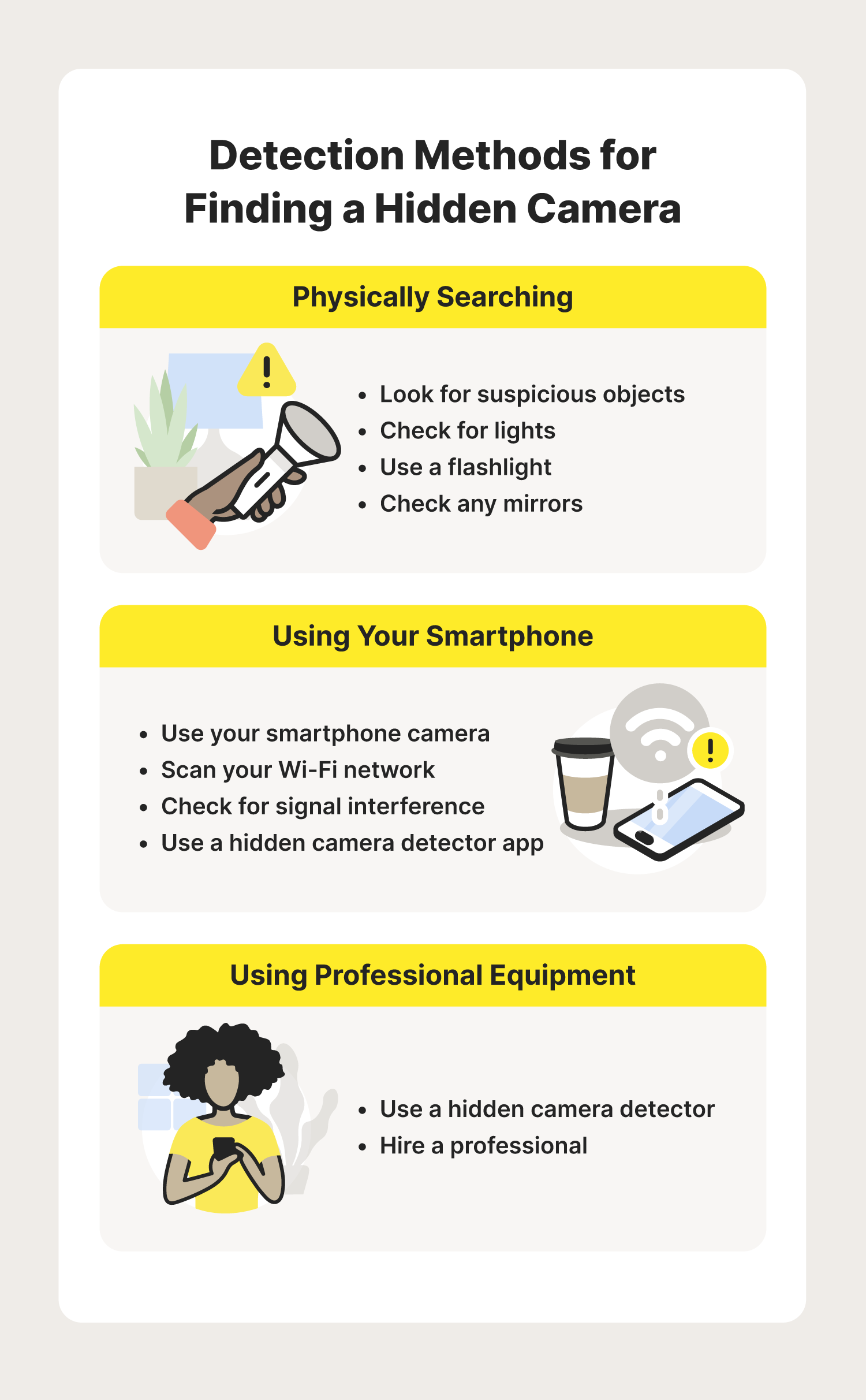
Frequently Asked Questions of how to detect hidden camera with mobile phone
How can I use my phone camera to find hidden cameras?
Open your phone’s camera and scan the room slowly. In dim light, look for small, bright reflections or purple dots from infrared LEDs.
Can a phone detect cameras that are not connected to Wi‑Fi?
Yes and no. A phone camera can spot lenses and IR lights. But network scans cannot detect cameras that are fully offline.
Which apps help find hidden cameras with a mobile phone?
Use trusted network scanner and camera detector apps from official stores. Look for apps that show devices, IPs, and services.
Are there false positives with these phone methods?
Yes. Reflective objects, glass, and LED lights can appear like camera signals. Always cross-check with multiple methods.
What should I do if I find a hidden camera?
Document it with photos, avoid touching the device, and report it to building management or law enforcement. Preserve the scene for investigators.
Can hotels legally have cameras in rooms?
Hotels must follow local laws and disclose surveillance in private spaces. Cameras in private rooms without notice are illegal in many places.
Do all phone cameras show infrared light?
Most modern phone cameras show IR light to some degree. Try both front and rear cameras, as sensors differ.
Conclusion
You can take meaningful steps to protect your privacy using simple phone methods. Start with a careful visual sweep, use your phone camera to check for lens reflections and IR LEDs, and run network and Bluetooth scans when possible. Combine techniques to reduce false positives. If you find a device, document and report it rather than removing it yourself. Practice these checks whenever you travel, rent, or stay in unfamiliar spaces to stay safe and informed.
Take action today: try the step-by-step routine in this guide the next time you feel uneasy about a space. If you found this useful, leave a comment or share your experience so others can learn.

Everett Ashford is a tech reviewer at mytechgrid.com specializing in SSDs, cameras, TVs, earbuds, headphones, and other consumer electronics. He provides honest, data-driven reviews based on hands-on testing and real-world performance analysis. Everett simplifies complex tech details to help readers make smart, confident buying decisions.