To find TOZO earbuds, check their last known location, use the TOZO app, and retrace where you last used them.
Losing small wireless earbuds is easy, but finding them is often possible if they still have battery power or recently connected to your phone. This guide explains how to find TOZO earbuds using Bluetooth, the TOZO app, your phone’s location history, and simple search methods that work in real homes, cars, offices, and bags.
What to Know Before You Search for TOZO Earbuds
Before learning how to find TOZO earbuds, it helps to understand how most wireless earbuds work. TOZO earbuds usually connect through Bluetooth, but standard Bluetooth does not provide live GPS tracking. Your phone can show that the earbuds are nearby, but it cannot always show their exact position.
The best results depend on four things:


• The earbuds still have battery power.
• Bluetooth was enabled on your phone.
• The earbuds were paired with your phone before they went missing.
• The earbuds are outside the charging case or have recently connected.
If the earbuds are inside a closed charging case, the case may block the Bluetooth signal. Some TOZO models may also turn off or enter a low-power state when placed in the case. This means a tracking app may show only the last time and place your earbuds were connected.


How to Find TOZO Earbuds With Bluetooth
Bluetooth is the fastest method for how to find TOZO earbuds when they are close by. It works best in a home, office, hotel room, gym locker area, or car.
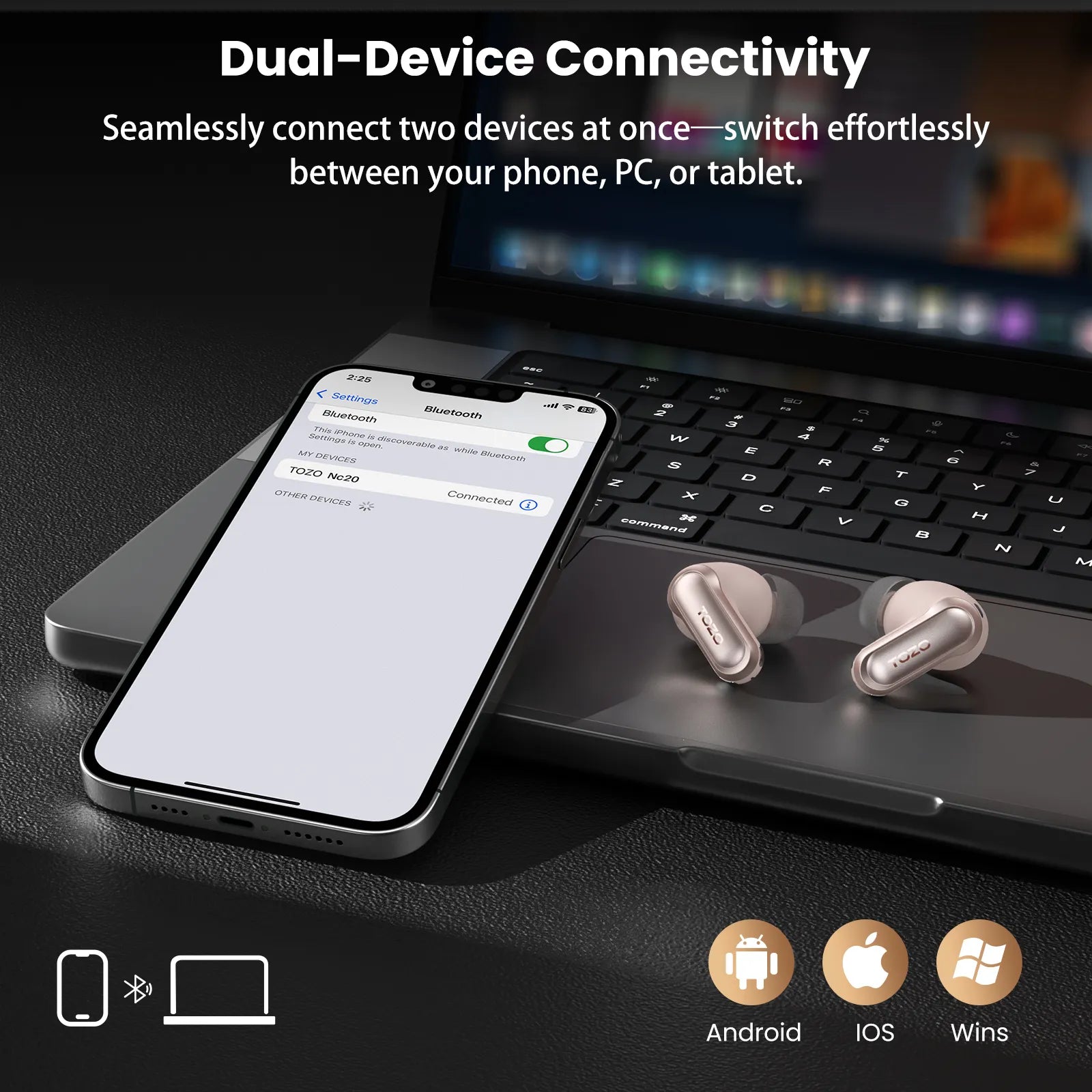
Step 1: Open your phone’s Bluetooth settings
On an iPhone, open Settings, then Bluetooth. On most Android phones, open Settings, then Connected devices or Bluetooth.
Look for your TOZO model in the list of paired devices. It may appear as “TOZO-T10,” “TOZO A1,” “TOZO NC9,” or another model name.
Step 2: Check the connection status
If the earbuds show as Connected, they are likely nearby and powered on. If they show as Not Connected, they may be out of range, inside the case, turned off, or out of battery.
Walk slowly around the places where you last used them. Keep the Bluetooth screen open and watch for the connection to appear or disappear.
Step 3: Move closer in small steps
Bluetooth range can reach around 30 feet in open space, but walls, furniture, metal, and other devices can reduce that range. Walk one room at a time instead of moving randomly.
Try these common locations:
• Couch cushions and blankets
• Jacket and pants pockets
• Bed sheets and pillowcases
• Desk drawers
• Backpacks and laptop bags
• Car seats and floor mats
• Gym bags
• Kitchen counters


• Charging areas near outlets
When the earbuds connect, stop moving and search the area carefully. A connection tells you they are close, but it does not tell you which side of the room they are on.
How to Find TOZO Earbuds With the TOZO App
Some TOZO earbuds work with the official TOZO app. Depending on the model, the app may show battery levels, connection details, controls, firmware updates, or a last connected location. App features can vary, so your exact TOZO model matters.
Check whether your model supports the app
Search for the TOZO app in the Apple App Store or Google Play Store. Install the official app, then sign in or continue as a guest if that option is available.
After opening the app:
-
Turn on Bluetooth.
-
Remove the earbuds from the charging case.
-
Put the earbuds into pairing mode if needed.
-
Select your TOZO model.
-
Check for a device location, connection status, or last connected record.
If the app includes a “Find Earbuds” feature, follow its instructions. Some apps can help identify a nearby connection or play a sound. However, not every TOZO model supports sound alerts or location tracking.
Understand the app’s limits
The TOZO app is not a replacement for GPS. It usually cannot locate earbuds that are far away, powered off, or fully out of battery. It may also fail to find one earbud if only the other earbud is connected.
For accurate results, check the model’s user manual or the product page for supported features. Avoid assuming that every TOZO product has the same tracking tools.


How to Find TOZO Earbuds on an iPhone
If you use an iPhone, the Find My app may help only if your TOZO model supports Apple’s Find My network. Many standard Bluetooth earbuds do not appear in Find My as trackable devices.
Open the Find My app and select the Devices tab. If your TOZO earbuds appear, you may be able to view their last known location, play a sound, or mark them as lost. The available tools depend on the model and how it connects to Apple devices.
If the earbuds do not appear in Find My, use the Bluetooth method instead. You can also check your iPhone’s Bluetooth settings and look at the last place you remember seeing a connection.
Check your recent locations
Think about the last time your iPhone connected to the earbuds. You may have used them during a commute, at work, while walking, or at a coffee shop.
Review:
• Your recent photos and videos
• Calendar events
• Ride-share history
• Fitness or map activity
• Text messages about where you were
• Your car, desk, or home entry area
This method may seem simple, but memory works better when you connect the missing item to a recent activity.
How to Find TOZO Earbuds on Android
Android phones can help you search for TOZO earbuds through Bluetooth and, in some cases, the TOZO app. Google’s Find My Device service does not automatically track every Bluetooth earbud. The earbuds must support the required tracking network or device feature.
Start by opening Settings and checking Connected devices. Select Bluetooth, then look for your TOZO model. If the earbuds connect, keep your phone nearby and search slowly.


You can also try a Bluetooth scanner app. These apps estimate signal strength by showing whether a Bluetooth device is getting closer or farther away. Use this as a guide, not as an exact map.
A stronger signal usually means you are closer. A weaker signal suggests that you should move back or check another area. Walls and metal can affect signal strength, so test the method in an open space before relying on it.

How to Find TOZO Earbuds When They Are Still Connected
A connected earbud is much easier to find than one that is offline. If your phone shows that the earbuds are connected, pause other audio and listen carefully.
Some TOZO models let you control audio or use the app to play a sound. If your model does not offer a sound feature, you can play music at a safe volume. Do not turn the volume high enough to damage your hearing.
Try this search pattern:
-
Stand still and check whether both earbuds are connected.
-
Move to the last room where you used them.
-
Check soft surfaces first.
-
Look under furniture and inside bags.
-
Walk toward areas with chargers or outlets.
-
Refresh the Bluetooth screen after each move.
One common mistake is searching only at eye level. Earbuds often fall into gaps, slide under furniture, or become hidden beneath fabric. Use a flashlight at floor level because the plastic surface may reflect light.
How to Find One Lost TOZO Earbud
Finding one missing TOZO earbud can be harder than finding the pair. The missing earbud may not connect if the other earbud is inside the charging case or if the two earbuds use a shared connection.
Remove the earbud you still have and place it in the case. Then check Bluetooth again. Next, remove the case from your search area and walk around with your phone.
If the missing earbud connects, it is likely within Bluetooth range. Search the floor, furniture edges, pockets, and bags near you.
Try these extra steps:
• Turn off nearby Bluetooth devices to reduce confusion.
• Search with the room quiet.
• Use a flashlight under sofas and beds.
• Check laundry baskets and bedding.
• Look near doors, where earbuds often fall while people remove jackets.
If the missing earbud has no battery, Bluetooth cannot help. At that point, physical searching and retracing your steps are the most reliable options.

How to Find TOZO Earbuds That Are Dead
If your TOZO earbuds are out of battery, no app can create a live Bluetooth signal. You may still find their last connected location, but the map or record will not show their current position.
Start at the last place your phone connected to them. Then retrace your movements from that point. Follow the same route and check every place where you stopped.
A useful method is to divide the search into zones:
• Zone one: your last room or work area
• Zone two: the path to the door
• Zone three: your vehicle or travel route
• Zone four: your bag, coat, and laundry
• Zone five: public places you visited
Do not repeat the same search in the same way. Change your angle, move furniture, empty pockets, and inspect containers. A small earbud can hide in plain sight, much like a coin under a rug.
How to Find TOZO Earbuds in the Charging Case
Earbuds inside the charging case may be harder to track. The case can prevent the earbuds from maintaining an active Bluetooth connection, especially when the lid is closed.
Search for the case as well as the earbuds. Many people find the earbuds only after locating the case in a bag, car cup holder, nightstand, or jacket pocket.
Check these places carefully:
• Near phone and laptop chargers
• Beside your bed
• Inside backpacks
• In coat pockets
• Between car seats
• On bathroom counters
• Near gym equipment
• In desk drawers
If the case has a working battery, opening the lid near your phone may cause the earbuds to appear again. If nothing happens, charge the case for at least a short time, then try pairing again.
How to Find TOZO Earbuds in Your House
When searching at home, use a slow and organized method. Begin with the last place you clearly remember using the earbuds. Do not start with every room at once.
Search from high-use areas to low-use areas:
-
Sofa and living room
-
Bed and bedroom floor
-
Desk and office chair
-
Kitchen counter
-
Bathroom
-
Entryway
-
Laundry area
Ask yourself what happened after you removed the earbuds. Did you put them in the case? Did you fall asleep while wearing them? Did you change clothes? Did you place them near your phone?
In my experience helping people troubleshoot lost devices, the biggest mistake is relying on memory alone. A written timeline often reveals that the item was left in a place people did not first consider.
How to Find TOZO Earbuds in a Car
A car is one of the most common places to lose small earbuds. They can slide beneath the seat, fall between the center console, or become trapped in a door pocket.
Park safely and use a bright flashlight. Check each area in order:
• Driver and passenger seats
• Seat rails and floor mats
• Center console
• Door pockets
• Glove compartment
• Cup holders
• Back-seat pockets
• Trunk and cargo area
Move the seats forward and backward. Check beneath the mats and along the edges of the carpet. If the earbuds connect to your phone, walk around the outside of the car and then search the area with the strongest signal.
Do not search while driving. Pull over in a safe place or wait until you reach your destination.
What to Do If You Cannot Find TOZO Earbuds
If you still cannot find the earbuds, wait a few minutes and restart the search with a clear plan. Stress makes people scan the same place repeatedly without noticing small details.
Try these steps:
• Charge your phone.
• Refresh Bluetooth.
• Restart the phone.
• Reopen the TOZO app.
• Check the last connected location.
• Contact places you visited.
• Ask household members whether they moved the earbuds.
• Search bags and laundry again.
If the earbuds were lost in a public place, contact the location’s lost-and-found team. Give them the brand, model, color, and case description. If your earbuds contain personal data, remember that standard TOZO earbuds usually do not store personal files, passwords, or messages.
Do not use unofficial apps that ask for unnecessary account access. A Bluetooth scanner may help, but it cannot guarantee recovery and may collect device information.
How to Prevent Losing TOZO Earbuds Again
Learning how to find TOZO earbuds is useful, but prevention saves more time. Build a simple habit: earbuds go into the case immediately after use.
You can also:
• Keep the charging case in one dedicated pocket.
• Attach a small Bluetooth tracker to the case if it fits safely.
• Choose a bright case or protective cover.
• Avoid placing earbuds on beds or couches.
• Use a tray near your door or desk.
• Check the case before leaving a car or public space.
• Charge the earbuds before travel.
A tracker attached to the case usually helps you find the case, not each earbud separately. Check the tracker’s size and weight before attaching it, and do not block the case hinge or charging port.
Common Mistakes When Looking for TOZO Earbuds
Several mistakes can make a search longer than it needs to be. Knowing them can improve your chances of success.
Assuming Bluetooth gives an exact location
Bluetooth can suggest distance, but it does not provide a precise indoor map. Signal strength can change because of walls, metal, furniture, and other wireless devices.
Searching only where you last sat
Earbuds may fall while you walk, remove clothing, or place a bag down. Search the path between locations, not only the original spot.
Forgetting the charging case
The case may be separate from the earbuds. Check both the place where you last listened and the place where you normally charge.
Using unsafe volume levels
Playing loud audio may damage your hearing. Use moderate volume and rely on careful searching.
Believing every TOZO model has the same features
TOZO products differ in app support, controls, battery behavior, and compatibility. Check your model’s manual before expecting Find My or sound alerts to work.
How to Find TOZO Earbuds: A Simple Search Checklist
Use this checklist when you need a fast plan:
-
Check whether your phone still shows the earbuds as connected.
-
Open the TOZO app if your model supports it.
-
Review the last place and time you used them.
-
Search soft surfaces, pockets, bags, and charging areas.
-
Walk slowly while watching the Bluetooth connection.
-
Check the car, entryway, desk, and laundry.
-
Search for the charging case separately.
-
Contact lost and found if the earbuds may be in public.
-
Mark the location as found once you recover them.
This process works because it combines technology with normal physical searching. Neither method is perfect by itself, but together they cover most situations.
Frequently Asked Questions About How to Find TOZO Earbuds
Can I track TOZO earbuds with GPS?
Most TOZO earbuds do not have built-in GPS. You may see their last connected location through a compatible app or phone feature, but live GPS tracking depends on the exact model.
Can I find TOZO earbuds if they are inside the case?
It may be difficult because the case can interrupt the Bluetooth signal. Search for the case first, and check your phone again after opening or charging it.
How do I find one lost TOZO earbud?
Place the earbud you still have in the charging case, then walk around with your phone and check Bluetooth. If the missing earbud has battery power, it may reconnect when you get close.
Do TOZO earbuds work with Apple Find My?
Only models that specifically support Apple Find My can use that network. Standard TOZO Bluetooth earbuds may not appear in the Find My app, so check the product manual for compatibility.
Can Android find lost TOZO earbuds?
Android can show whether paired TOZO earbuds are nearby through Bluetooth. Google Find My Device support depends on the earbud model and whether it supports Google’s tracking network.
What if my TOZO earbuds have no battery?
Bluetooth tracking will not work when the earbuds are completely dead. Retrace your steps from the last connected location and search pockets, bags, furniture, cars, and charging areas.
Can I make TOZO earbuds beep?
Some models or app versions may support a sound or find feature, but this is not available on every TOZO product. Check the TOZO app and your model’s instructions before relying on it.
Conclusion
The best way to find TOZO earbuds is to combine Bluetooth, the TOZO app, last connected information, and a careful physical search. Start by checking whether they are still connected, then search nearby spaces, soft surfaces, bags, cars, and the charging case.
Remember that most Bluetooth earbuds are not GPS devices. Battery life, model support, distance, and the charging case all affect what your phone can detect. Once you find them, create one storage habit and keep the case in the same place each day.
Use this checklist the next time your earbuds go missing, and share your own search tip or experience in the comments.

Everett Ashford is a tech reviewer at mytechgrid.com specializing in SSDs, cameras, TVs, earbuds, headphones, and other consumer electronics. He provides honest, data-driven reviews based on hands-on testing and real-world performance analysis. Everett simplifies complex tech details to help readers make smart, confident buying decisions.