Remove the Heyday earbuds from their charging case, then hold each touch control or button for three seconds.
Learning how to turn on Heyday earbuds is usually simple, but the exact method can vary by model. Most Heyday wireless earbuds power on when you open the case or remove them, while some need a long press on the control surface. This guide explains both methods, plus charging, pairing, reset steps, and fixes for earbuds that stay off.

How to turn on Heyday earbuds
Most Heyday true wireless earbuds turn on in one of two ways:
- Open the charging case and remove both earbuds.
- Press and hold the button or touch panel on each earbud for about three seconds.
You may hear a tone, see a flashing LED, or hear a voice prompt such as “power on.” These signs mean the earbuds are active.
To turn on Heyday earbuds correctly, follow these steps:
- Place both earbuds in the charging case.
- Make sure the case has some battery power.
- Open the lid.
- Remove the left and right earbuds.
- Wait five to ten seconds for them to start.
- If they do not respond, press and hold the control area on each earbud for three to five seconds.
- Watch for a light or listen for a startup sound.
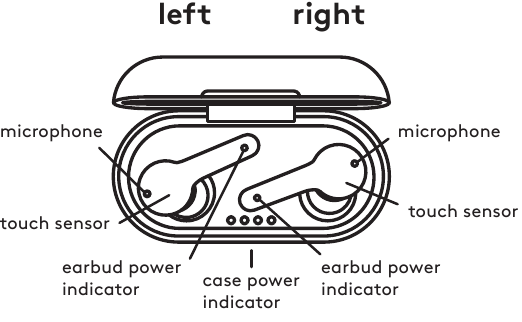
Some models use a physical button. Others use a touch-sensitive panel. Press gently on touch controls. Do not push hard, because touch controls work through a sensor rather than a mechanical switch.
When you turn on Heyday earbuds for the first time, they may enter pairing mode automatically. A flashing blue, white, or red-and-blue light often shows that the earbuds are ready to connect.
How Heyday earbuds power on automatically
Heyday earbuds often use sensors inside the charging case. When you open the lid and remove the earbuds, the case tells them to wake up. Think of the case as a small dock that also controls power.
Automatic power-on may fail in these situations:
• The charging case battery is empty.
• The earbuds are not seated correctly in the case.
• The charging contacts are dirty.
• The earbuds are already connected to another device.
• The earbuds are fully drained.
• The case lid is open but the earbuds have not made contact with the charging pins.
To test automatic startup, put both earbuds back into the case. Check that each earbud shows a charging light. Then close the lid for about ten seconds. Open it again and remove the earbuds one at a time.
If one earbud turns on and the other does not, the problem may be a charging contact rather than a power problem. Clean the metal contacts with a dry cotton swab. Avoid water, alcohol, sharp tools, and excess force.
A common setup mistake is removing the earbuds before the case has charged. New earbuds may arrive with only a small amount of battery power. Charge the case and earbuds for at least 30 minutes before trying again.
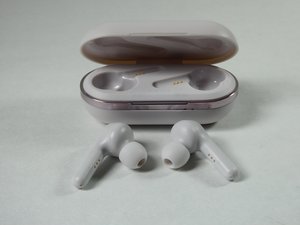
How to turn on Heyday earbuds manually
Manual startup helps when automatic power-on does not work. The steps can differ slightly between Heyday models, so use the control area shown in your product guide.
Try this method:
- Remove the earbuds from the case.
- Find the button or flat touch panel on each earbud.
- Press and hold the control for three to five seconds.
- Release it after the LED flashes or a sound plays.
- Repeat the process on the other earbud if needed.
Some Heyday earbuds turn on when you hold only one earbud. Others require both earbuds to be activated. If one side stays off, press and hold that earbud alone.
Do not tap the control quickly. A short tap may pause music, answer a call, or do nothing. A long press is normally used for power or pairing.
If the LED flashes but the earbuds do not connect, they are likely powered on. The next step is Bluetooth pairing, not another power press.
When I review setup instructions for wireless earbuds, the most useful lesson is to watch the LED pattern instead of relying only on sound. A light gives a clear clue, especially in a noisy room or when the voice prompt is disabled.

How to pair Heyday earbuds with a phone
Turning on Heyday earbuds and pairing them are separate steps. Power makes the earbuds active. Pairing connects them to your phone, tablet, computer, or another Bluetooth device.
Use these steps for most Android and iPhone devices:
- Turn on Heyday earbuds.
- Keep the earbuds close to your phone.
- Open your phone’s Settings app.
- Select Bluetooth.
- Turn Bluetooth on.
- Look for a name such as “Heyday Earbuds,” “Heyday TWS,” or a similar model name.
- Tap the name.
- Accept the pairing request if one appears.
The earbuds may flash blue or white while searching for a device. Once connected, the light may stop flashing or change to a slower pattern.
If the earbuds do not appear, place them in the case and remove them again. You can also turn Bluetooth off and back on. Keep other nearby phones and tablets away during setup, because the earbuds may try to reconnect to a device they remember.
For the best result, pair the earbuds with only one device during the first setup. After they connect, you can test music, calls, and both left and right channels.
What if only one Heyday earbud connects?
Put both earbuds into the charging case, close the lid, and wait ten seconds. Remove both at the same time and allow them to link to each other before opening Bluetooth settings.
If one earbud still fails, forget the Heyday device in your phone’s Bluetooth menu and reset the earbuds. This clears an old connection that may be blocking the two earbuds from syncing.
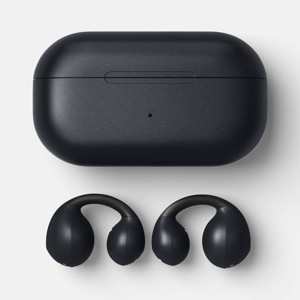
How to tell whether Heyday earbuds are on
The LED is the fastest way to check the power state. However, colors can vary by model, so use them as general clues rather than exact rules.
Common signs include:
• A flashing light means the earbuds are searching for a connection or entering pairing mode.
• A solid light may mean an earbud is charging or connected.
• A light that turns off may mean the earbud is active and connected.
• A startup tone or voice prompt confirms that the earbud has powered on.
• Music playing from both sides confirms that the earbuds are on and linked.
Try playing a short video after pairing. If sound comes from both earbuds, the startup process worked. If sound comes from only one side, check the phone’s audio balance and the earbud connection.
On an iPhone, check the audio balance under Accessibility and Audio/Visual. On Android, look for accessibility audio settings. A shifted balance can make one earbud seem dead even when it is powered on.
Also check the volume. Very low volume, mute controls, or an active Do Not Disturb mode can make working earbuds seem inactive.

How to charge Heyday earbuds before turning them on
A low battery is one of the main reasons Heyday earbuds will not turn on. The earbuds charge through small metal contacts inside the case. The case itself charges through its own cable port.
To charge them properly:
- Put both earbuds into the case.
- Match the left earbud with the left slot and the right earbud with the right slot.
- Press each earbud down gently.
- Confirm that the charging lights turn on.
- Connect the case to a power source.
- Charge until the case indicator shows a full or near-full battery.
Use the cable supplied with the earbuds when possible. A standard USB power adapter is usually suitable, but avoid damaged cables and loose power ports.
Check the charging contacts if there is no light. Pocket lint, dust, or a thin plastic film can block the connection. New products sometimes have protective film over the contacts. Remove it before charging.
Do not use the earbuds while they are inside the case. The case is designed to charge and store them, not to provide normal playback.
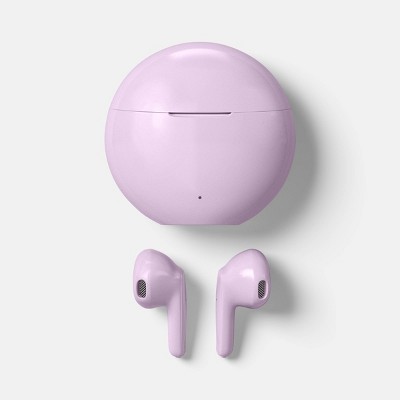
How to reset Heyday earbuds that will not turn on
A reset can fix failed pairing, uneven sound, and earbuds that appear frozen. The reset method differs by model, but many Heyday earbuds use a long press while the earbuds are in the charging case.
Try this general reset process:
- On your phone, open Bluetooth settings.
- Select the Heyday earbuds.
- Choose Forget This Device, Unpair, or Remove.
- Turn off Bluetooth.
- Put both earbuds into the charging case.
- Leave the case open.
- Press and hold the earbud buttons or touch controls for about ten to fifteen seconds.
- Look for a rapid flash or reset tone.
- Close the case for ten seconds.
- Remove both earbuds and turn Bluetooth back on.
- Pair them again.
Some models reset through the case button rather than the earbud controls. If your case has a button, hold it while the earbuds are inside. Check the model’s printed guide if this method does not work.
A reset removes saved pairing information. It does not repair a broken battery, damaged button, liquid damage, or a faulty charging port.
Avoid repeating the reset many times in a row. First charge the earbuds and clean the contacts. Resetting cannot help if the battery has no power.

Heyday earbuds still will not turn on: troubleshooting steps
If you cannot turn on Heyday earbuds after charging and resetting, work through the following checks.
Check the charging case
Connect the case to power and look for an indicator light. If the case shows no light, try another cable, adapter, or outlet. A faulty cable can make the earbuds seem defective.
Check the earbud contacts
Remove dust from the case and earbuds with a dry, soft cotton swab. Make sure each earbud sits flat in its slot and that the magnets pull it into place.
Try a longer press
Hold the button or touch area for five seconds. If that fails, try ten seconds while the earbud is outside the case. Use light pressure on touch controls.
Remove old Bluetooth connections
Your earbuds may be connecting to a laptop, television, or another phone nearby. Turn Bluetooth off on those devices, then pair the earbuds with your preferred phone.
Test each earbud alone
Remove only the left earbud and try to turn it on. Then repeat with the right earbud. This can show whether the problem affects one earbud or the whole set.
Check for physical damage
Stop using the earbuds if they are swollen, unusually hot, cracked, wet inside, or producing a burning smell. Lithium-ion batteries can be unsafe when damaged. Contact the retailer or manufacturer for support instead of opening the earbuds.
If the earbuds remain completely dark after a full charge, the battery or internal circuit may have failed. At that point, replacement or warranty service is more practical than further button combinations.
Tips for using Heyday earbuds every day
Good care makes startup problems less likely. Keep the case charged and return the earbuds to it after use.
Follow these habits:
• Store the earbuds in the case when you are not wearing them.
• Wipe sweat and moisture from the earbuds before storage.
• Keep the charging contacts clean.
• Do not leave the case in a hot car or direct sun.
• Avoid charging with damaged cables.
• Keep the earbuds and case away from water unless the exact model has a suitable water-resistance rating.
• Update your phone’s operating system if Bluetooth problems continue.
Battery capacity naturally declines over time. Shorter play time after months or years of use can be normal. It does not always mean the power controls are broken.
Also remember that water resistance is not the same as waterproofing. A model made for light sweat may still fail after swimming, showering, or heavy rain. Check the product packaging for its actual protection rating.
Frequently Asked Questions About How to Turn On Heyday Earbuds
How do I turn on Heyday earbuds for the first time?
Open the charging case and remove both earbuds. If they do not start automatically, press and hold each earbud’s button or touch panel for three to five seconds.
Why will my Heyday earbuds not turn on?
The earbuds may have a dead battery, dirty charging contacts, or a case with no power. Charge the case, clean the contacts with a dry cotton swab, and try the manual power method.
Do Heyday earbuds turn on when removed from the case?
Most true wireless Heyday earbuds are designed to turn on when removed from the case. This feature may not work if the case is empty, the earbuds are not seated correctly, or the charging contacts are blocked.
How long should I hold the Heyday earbud button?
Start with a three-second press. If the earbud does not respond, hold the button or touch control for up to five seconds, since timing can vary between Heyday models.
How do I put Heyday earbuds into pairing mode?
Remove both earbuds from the case and turn on Bluetooth on your phone. If they do not appear, press and hold the earbud controls until the LEDs flash, then select the Heyday device from the Bluetooth list.
Can I turn on only one Heyday earbud?
Yes, many Heyday models allow one earbud to work alone. Remove the earbud you want to use and press its control for several seconds if it does not power on automatically.
How do I reset Heyday earbuds?
Forget the earbuds in your phone’s Bluetooth settings. Then place both earbuds in the case and hold their controls, or the case button if available, for about ten to fifteen seconds.
Conclusion
To turn on Heyday earbuds, open the case and remove them first. If automatic startup fails, press and hold each control for three to five seconds. Charge the case, clean the contacts, check Bluetooth, and reset the earbuds when pairing or syncing problems continue.
Start with the simple steps before assuming the earbuds are broken. With proper charging and storage, your Heyday earbuds should be ready for music, calls, and podcasts in just a few seconds. Share this guide with anyone who needs help setting up their earbuds or explore the product instructions for your exact Heyday model.

Everett Ashford is a tech reviewer at mytechgrid.com specializing in SSDs, cameras, TVs, earbuds, headphones, and other consumer electronics. He provides honest, data-driven reviews based on hands-on testing and real-world performance analysis. Everett simplifies complex tech details to help readers make smart, confident buying decisions.