Local camera stores, thrift shops, online marketplaces, and used electronics dealers are the best places to buy a digicam nearby.
Finding where to buy digicam near me can feel harder than expected because many compact digital cameras are older models. The best choice depends on your budget, camera style, battery needs, and how much risk you accept when buying used. This guide explains where to look, what to check, and how to avoid common mistakes.
Where to buy digicam near me
The fastest way to find a digicam near you is to search Google Maps, local resale apps, camera shops, thrift stores, and electronics retailers. Try search terms such as “used digital camera near me,” “compact camera store near me,” and “vintage digicam near me.”
You may find new, used, refurbished, or open-box cameras. Most older digicams are sold secondhand, so stock can change from day to day.
The most useful local options include:
• Independent camera stores: These shops often test used cameras before selling them. Staff may also help you compare image quality, batteries, lenses, and memory cards.
• Thrift stores: Good deals are possible, but cameras may be untested. Check the battery compartment and ask whether returns are allowed.
• Pawn shops: Pawn shops can have older Sony, Canon, Nikon, Panasonic, and Fujifilm models. Prices may be flexible, but testing is essential.
• Used electronics stores: These stores may offer short warranties. That extra protection can be worth paying for.
• Local resale apps: Facebook Marketplace, OfferUp, Craigslist, and similar apps may have the lowest prices. Meet in a safe public place and test the camera first.
• Estate sales and garage sales: These are useful for finding older cameras with cases, chargers, and manuals.
• Camera shows and flea markets: Sellers may carry several models at once, which makes comparison easier.
When searching for where to buy digicam near me, do not focus only on the word “digicam.” Sellers may list the same product as a point-and-shoot camera, compact digital camera, pocket camera, or old digital camera.

Best local places to check first
A camera shop is usually the safest first stop. A good shop will often tell you whether the camera was tested and may let you inspect sample photos. Some stores also clean the lens, check the flash, and include a limited return period.
Thrift stores and pawn shops can offer better prices. However, they may not know the camera’s full history. Treat every camera as untested unless you can turn it on, take a photo, review the image, and test the flash.
Local online listings are another strong option. They give you more choices and often show clear photos of the actual camera. Still, avoid sellers who refuse basic testing or pressure you to pay before meeting.
Use this order when deciding where to buy digicam near me:
-
Visit a used camera store if you want advice and a return policy.
-
Check local resale listings if you want the lowest possible price.
-
Search thrift and pawn shops for unusual older models.
-
Look at estate sales for camera bundles and accessories.
-
Use online retailers when local stock is limited.
A common mistake is choosing the first attractive camera you see. Instead, compare at least three listings. Look at the model, condition, included accessories, return terms, and total cost.
How to search for a digicam near you
Start with map searches. Add your city, neighborhood, or ZIP code to phrases such as “where to buy digicam near me” and “used point-and-shoot camera near me.”
Then check the store’s recent photos, reviews, opening hours, and inventory notes. Some stores show products online, but many used camera stores do not list every item on their website.
You can also set alerts on resale apps. Use several search phrases because sellers may not know the term “digicam.” Try:
• Compact digital camera
• Old Canon camera
• Used Sony Cyber-shot
• Vintage digital camera
• Point-and-shoot camera
• Small camera with flash
• CCD digital camera
Before traveling to a store, call ahead. Ask if the camera turns on, whether the lens opens correctly, and if a battery and charger are included. This simple call can save time and prevent a wasted trip.
If you prefer online shopping, choose a seller with clear photos, a strong transaction history, and a fair return policy. Stock photos are not enough. You should see the actual camera, screen, lens, ports, and battery compartment.

Should you buy a new or used digicam?
Most people looking for where to buy digicam near me are considering a used camera. Older digicams are popular because they create a soft flash look, strong colors, and a nostalgic feel that many phones do not copy perfectly.
A used camera can also be inexpensive. You may find a basic older model for around $20 to $75. Popular or collectible models may cost $100 to $300 or more. Prices vary greatly by brand, condition, memory card type, and online demand.
New compact cameras are less common than they were in the past. They may offer better batteries, modern image sensors, optical zoom, and warranties. However, they can cost much more than an older digicam.
Choose a used digicam when:
• You want a retro look.
• You enjoy using physical buttons and a small screen.
• You have a limited budget.
• You want a simple camera for parties, travel, or daily snapshots.
Choose a newer compact camera when:
• You need dependable battery life.
• You want image stabilization.
• You plan to record better video.
• You need easier access to replacement batteries and memory cards.
A phone remains the easiest tool for quick photos. A digicam is different because the process feels slower and more deliberate. It is like using a small notebook instead of typing a message. The limits can make the experience more enjoyable.

What to check before buying a digicam
Never judge a used digicam only by its body. A clean shell can hide a weak battery, damaged sensor, or failing lens motor.
Use this inspection checklist before you pay:
• Power: Confirm that the camera turns on without repeated resets.
• Lens: Check that the lens extends and retracts smoothly.
• Screen: Look for cracks, dark areas, lines, or severe discoloration.
• Flash: Take a flash photo and confirm that the flash fires.
• Shutter: Take several photos at different distances.
• Zoom: Move through the full optical zoom range.
• Focus: Photograph both a nearby object and a distant object.
• Buttons: Test the menu, playback, zoom, shutter, and power controls.
• Ports: Inspect the USB, charging, and video ports for damage.
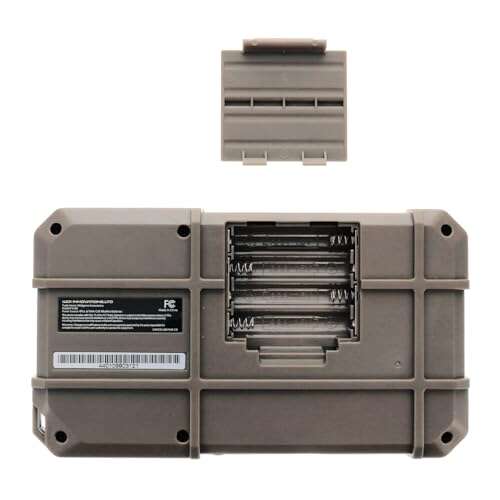
• Battery compartment: Look for white, green, or crusty corrosion.
• Memory card slot: Make sure the card fits and the camera saves photos.
• Lens cover: Check that it opens fully and does not stick.
• Image files: Review a photo on the camera screen and, if possible, on a phone or computer.
A camera may work indoors but fail outdoors. Take one photo in a bright area and one in a darker area. Check for strange lines, colored spots, heavy blur, or a constant error message.
One buying lesson worth remembering is that accessories can change the real price. A camera that costs $25 may need a $20 battery, a $15 charger, and a special memory card. Always calculate the full cost before deciding.

Batteries, chargers, and memory cards
Battery problems are common with older digicams. Lithium-ion batteries lose capacity over time, even when a camera has been stored carefully. Some cameras use common batteries, while others require a model-specific battery that may be harder to find.
Check the exact battery number printed on the old battery or inside the compartment. Do not assume that two batteries with similar shapes are safe to use together. The wrong voltage can damage the camera.
Older digicams may also use unusual memory cards. Common formats include:
• SD and SDHC cards
• Memory Stick
• xD-Picture Card
• CompactFlash
• microSD cards with adapters
Some older cameras cannot read high-capacity cards. A camera may work best with a small card, such as 1GB, 2GB, or 4GB, depending on its manual and firmware.
Ask the seller whether the camera includes:
• A working battery
• A compatible charger
• A memory card
• A USB cable
• A wrist strap
• A case
• The original manual
If the camera uses a proprietary charger, confirm that one is available before buying. This is one of the most useful questions to ask when deciding where to buy digicam near me.
Best digicam brands and models to consider
The best model depends on the look and features you want. Brand names can help, but condition matters more than reputation.
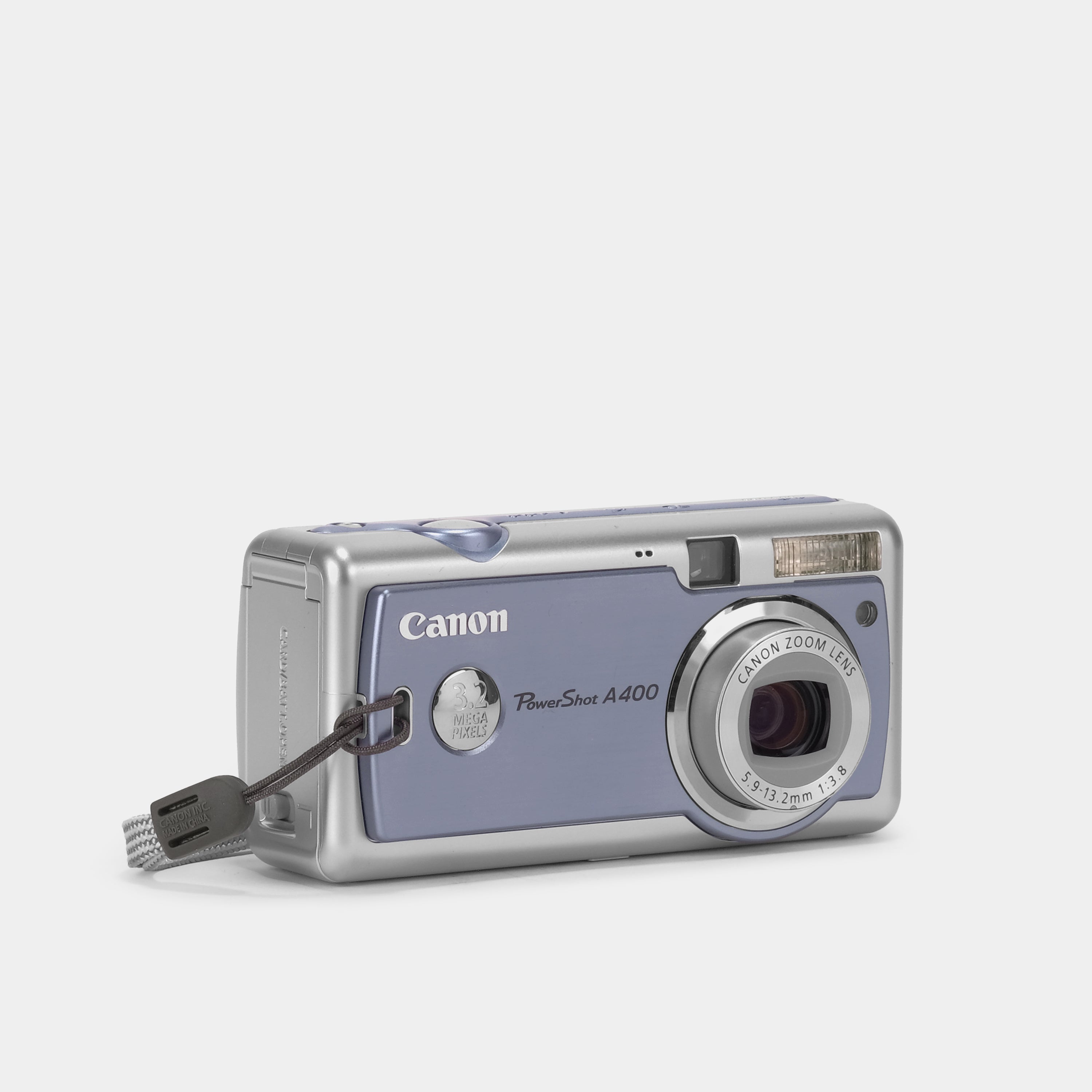
Canon PowerShot cameras are popular for simple controls, natural colors, and easy menus. Many models use standard SD cards, but battery and video features vary.
Sony Cyber-shot cameras are small and often have sharp lenses. Some use Memory Stick cards, so check the card cost before buying.
Nikon Coolpix cameras are known for straightforward operation and a wide range of compact models. Some older versions use proprietary batteries or less common cards.
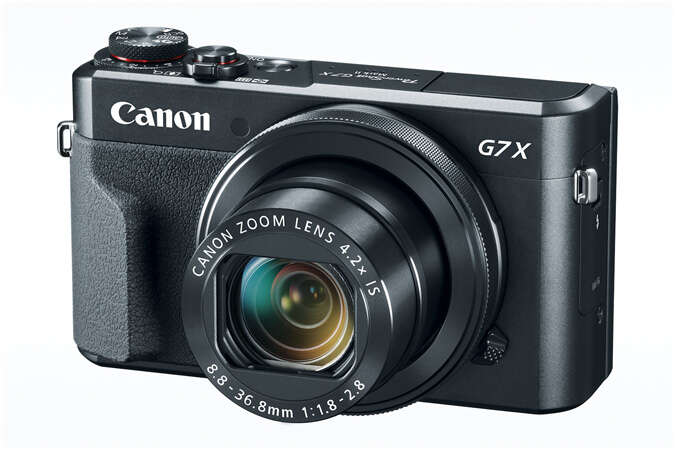
Panasonic Lumix compact cameras often provide useful optical zoom and good travel features. They may be a strong choice if you want more control than a basic point-and-shoot offers.
Fujifilm FinePix cameras can produce attractive colors and come in many designs. Some models are sought after for their flash look and older sensor style.
Olympus and Kodak compact cameras may also be worth considering. They can be affordable, but inspect the battery compartment and memory card requirements carefully.
Do not buy a model only because it is trending on social media. A famous camera may be overpriced, heavily used, or difficult to repair. The best digicam is one that works well, fits your budget, and uses accessories you can actually find.

How much should you pay for a digicam?
There is no single correct price. A basic working digicam may cost less than a meal, while a rare model with a popular sensor can cost several hundred dollars.
Consider these general price groups:
• Under $30: Often older, untested, incomplete, or heavily worn cameras.
• $30 to $80: A practical range for many working compact cameras.
• $80 to $150: Better condition, popular models, or cameras with useful accessories.
• $150 to $300: Collectible models, advanced compact cameras, or highly demanded designs.
• Over $300: Usually rare, premium, collectible, or unusually clean models.
These ranges are general examples, not fixed market values. Local demand can be very different from online demand. A camera listed at a high price does not mean it is worth that amount.
Compare sold listings when possible. Asking prices show what sellers want, not what buyers actually pay. Include shipping, taxes, batteries, chargers, and memory cards in your comparison.
A short return window adds real value. Paying slightly more for a tested camera may be smarter than buying a cheap camera that needs repairs. With old electronics, low price and low risk rarely arrive together.

How to avoid scams when buying locally
Local camera deals can be safe when you use basic precautions. Meet in a busy public place, such as a coffee shop, library, or police department exchange area. Bring a charged phone, a compatible memory card, and cash only when appropriate.
Be careful when a seller:
• Refuses to let you test the camera.
• Uses only stock images.
• Claims the camera works but cannot show a sample photo.
• Demands a deposit before you see the item.
• Says the price is available for only a few minutes.
• Gives a vague answer about the battery or charger.
• Has several identical high-demand cameras with no clear history.
Check the seller’s profile and message history. Keep communication inside the selling platform when possible. Avoid payment methods that remove buyer protection.
Online marketplace listings can be useful, but photos may hide damage. Ask for close-up images of the lens, screen, battery compartment, and model label. Also request a photo of the camera turned on if the listing does not include one.
When deciding where to buy digicam near me, trust clear evidence more than a dramatic description. A simple listing with honest flaws is often safer than a perfect-sounding listing with few details.
Tips for getting better digicam photos
A digicam does not need to be expensive to create good photos. Learn how its flash, focus, and exposure behave.
Use the flash when you want the classic direct-light look. Keep your subject within the flash range, which is often only a few feet on small cameras. Too much distance can make the image dark.
Hold the camera steady. Older compact cameras may struggle in low light. Brace your elbows, lean against a wall, or use a fast shutter setting if the camera allows it.
Clean the lens with a soft lens cloth. Fingerprints can make photos look hazy and reduce contrast. Do not use rough fabric or household glass cleaner.
Try these simple habits:
• Take several photos instead of relying on one shot.
• Use natural light near a window.
• Avoid digital zoom when optical zoom is available.
• Leave space around your subject for cropping.
• Carry a spare battery or power bank if supported.
• Transfer photos often so a damaged card does not erase everything.
The charm of a digicam often comes from its limits. You do not need perfect sharpness in every frame. A little grain, flash glare, or motion blur can make a photo feel personal rather than polished.
What to do after buying a digicam
Start by checking the model number and downloading the correct manual. The manual can explain battery types, memory card limits, flash settings, and error codes.
Format the memory card inside the camera if the manual recommends it. Formatting removes old files and helps the camera create the right folder structure. Save any important photos first because formatting permanently deletes data.
Clean the outside with a dry microfiber cloth. Use a blower for loose dust near the lens, but never force dust deeper into the camera. If the battery compartment has corrosion, professional cleaning may be safer than scraping it yourself.
Create a simple care routine:
-
Remove the battery if you will not use the camera for several weeks.
-
Store the camera in a dry place away from heat.
-
Keep it in a small padded case.
-
Avoid moisture, sand, and extreme temperatures.
-
Back up photos to a computer or cloud service.
-
Replace swollen or leaking batteries at once.
If a camera shows a lens error, do not force the lens by hand. That can turn a small problem into permanent damage. Check the battery, restart the camera, and seek repair advice if the error continues.
Frequently Asked Questions About Where to Buy Digicam Near Me
Where is the best place to buy a digicam near me?
A used camera store is often the best option because staff may test the camera and offer a return period. Local resale apps can cost less, but you should inspect and test the camera before paying.
How much does a used digicam usually cost?
Many basic working digicams cost about $30 to $150, although rare or highly popular models may cost more. The final price depends on condition, brand, accessories, battery health, and memory card type.
Are thrift stores good places to buy digicams?
Thrift stores can have excellent bargains, but many cameras are sold without testing. Check that the camera powers on, the lens moves, the flash works, and the battery compartment has no corrosion.
What should I bring when testing a digicam?
Bring a compatible memory card, a charged battery if you have one, and a phone or laptop for reviewing photos. Ask the seller whether you can test the camera before completing the purchase.
Is it better to buy a digicam online or locally?
Local purchases let you inspect the camera and avoid shipping damage. Online marketplaces offer more choice, but use sellers with clear photos, strong reviews, accurate descriptions, and a fair return policy.
What memory card do older digicams use?
Older cameras may use SD, Memory Stick, xD-Picture Card, or CompactFlash. Check the exact model before buying a card because some cameras support only small-capacity or specific card formats.
Can a digicam still take good photos?
Yes. A working digicam can take enjoyable photos, especially in daylight and with careful use of flash. Image quality depends on the sensor, lens, lighting, camera condition, and the photographer’s technique.
Conclusion
The best answer to where to buy digicam near me is to check used camera stores, resale apps, thrift shops, pawn shops, estate sales, and local electronics dealers. Compare several listings, test the camera, inspect the battery compartment, and confirm the charger and memory card before paying.
A low price is helpful, but a tested camera with usable accessories is often the better deal. Start with local searches today, ask direct questions, and choose a digicam that fits both your budget and your style.

Everett Ashford is a tech reviewer at mytechgrid.com specializing in SSDs, cameras, TVs, earbuds, headphones, and other consumer electronics. He provides honest, data-driven reviews based on hands-on testing and real-world performance analysis. Everett simplifies complex tech details to help readers make smart, confident buying decisions.