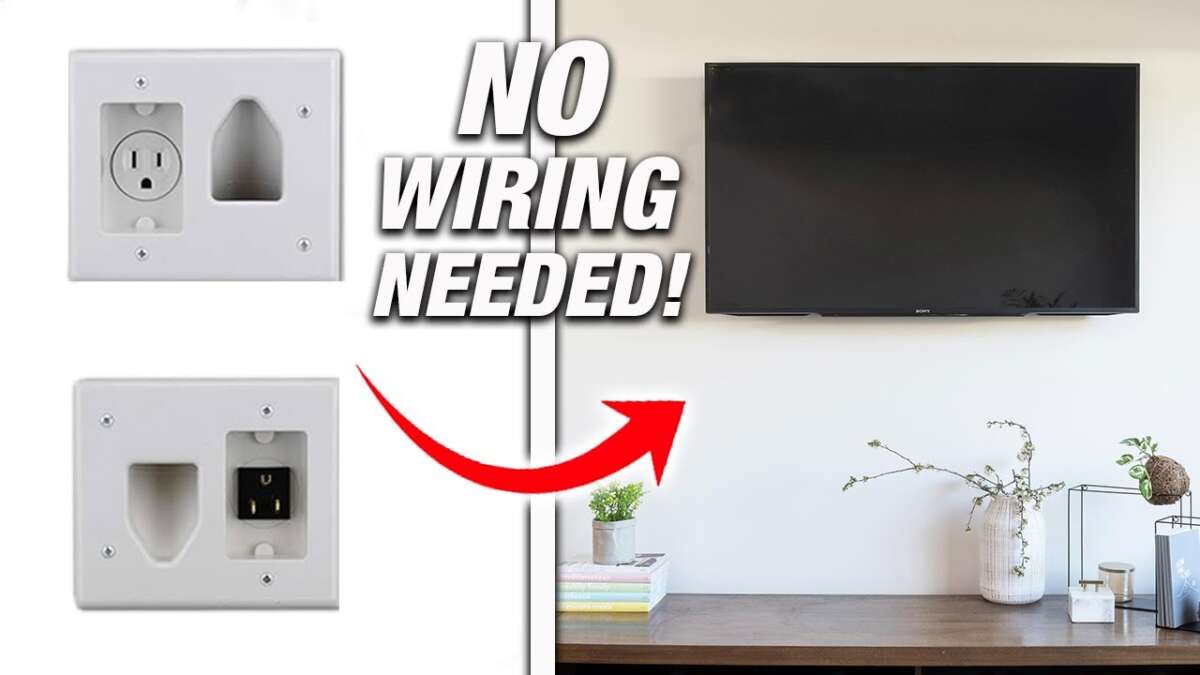
Use an in-wall cable kit, plan the outlet location, and route only approved cables behind the wall.
Wall mounting a TV without cords showing can make a room look cleaner, larger, and more finished. The key is not simply hiding cables behind the screen. You must plan the TV height, locate the studs, choose in-wall-rated cables, and keep power wiring safe and code compliant. This guide explains how to wall mount a TV without cords showing, including simple surface solutions and professional-looking behind-the-wall methods.

What You Need to Wall Mount a TV Without Cords Showing
Before you drill, gather the right tools and check your wall. A little planning can prevent crooked mounting, damaged wires, and unnecessary patchwork.
For most installations, you will need:
• A TV wall mount that matches your TV’s VESA pattern and weight
• A stud finder
• A level
• A tape measure
• A pencil
• A drill and drill bits
• A screwdriver or socket wrench
• A fish tape or cable puller
• An in-wall cable management kit
• In-wall-rated HDMI and other signal cables
• A power outlet, if one is not already near the TV
• A drywall saw, if you are cutting access holes
• A voltage tester
• Wall anchors, when suitable for the wall type
Check the TV manual and wall mount instructions before beginning. The mount must support the TV’s weight, and its VESA hole pattern must match the mounting holes on the back of the screen.
The most important safety point is the power cord. Do not run a normal TV power cord inside the wall. Standard appliance cords are not designed for concealed wiring and may violate local electrical rules. Use a listed in-wall power relocation kit or have an electrician install a new outlet behind the TV.

Choose the Best Cable-Hiding Method
There is more than one way to hide TV cords. The best option depends on your wall, your budget, and whether you own or rent the home.
Method 1: Run cables inside the wall
This creates the cleanest look. HDMI, Ethernet, optical audio, and other low-voltage cables pass through two wall openings behind the TV and near the media console.
Use cables labeled for in-wall installation. Look for ratings such as CL2 or CL3 for residential low-voltage wiring. These ratings show that the cable is designed for use inside walls, but you should still follow local code and the cable maker’s instructions.
Never place a power cord in the wall. Instead, use an in-wall power kit with a recessed outlet or ask a licensed electrician to install a proper receptacle.
Method 2: Install a recessed outlet
A recessed outlet sits inside the wall cavity. It gives the TV’s plug more room and keeps the plug from pressing against the back of the screen.
This works especially well with slim TVs and low-profile mounts. A standard outlet may push the TV forward or prevent the mount from sitting flat.
Method 3: Use a paintable cord cover
A cord raceway is a good choice when you do not want to cut the wall. These channels attach to the wall, hold the cables, and can often be painted to match the room.
This is the best option for renters or for people who want a quick weekend project. It may not look quite as seamless as an in-wall installation, but a well-painted raceway can blend in very well.
Method 4: Hide cables behind furniture or trim
You can route cables down the back of a media console, behind a baseboard, or along existing trim. Cable clips and fabric sleeves can keep the wires neat.
This method is simple, but it works best when the furniture sits directly below the TV. Avoid pinching cables under heavy furniture or routing them where people may trip.

Plan the TV Location Before Drilling
Good planning is the foundation of learning how to wall mount a TV without cords showing. Do not begin by holding the bracket against the wall and guessing.
First, decide where the center of the screen should sit. Many people place the TV too high, especially above a fireplace. A comfortable viewing position usually keeps the center of the screen near seated eye level, although room layout and furniture height may change that recommendation.
Sit in your normal viewing spot and look straight ahead. The TV should feel comfortable without forcing your neck upward. If you mount it above a fireplace, check the heat level first. Excess heat can damage electronics, and some TV makers may not recommend that placement.
Next, consider every device that will connect to the TV:
• Cable or satellite box
• Streaming device
• Game console
• Blu-ray player
• Soundbar
• AV receiver
• Ethernet cable
• Antenna cable
• Optical audio cable
Make a simple cable map. Decide which devices need to connect directly to the TV and which can connect to a receiver or soundbar. This prevents the common mistake of mounting the TV first and discovering that one needed cable is too short.
A useful rule is to install one or two spare in-wall-rated HDMI cables. Technology changes quickly, and an extra cable can save you from opening the wall again. Do not leave large coils of cable inside the wall, though. Store extra length in an accessible area instead.
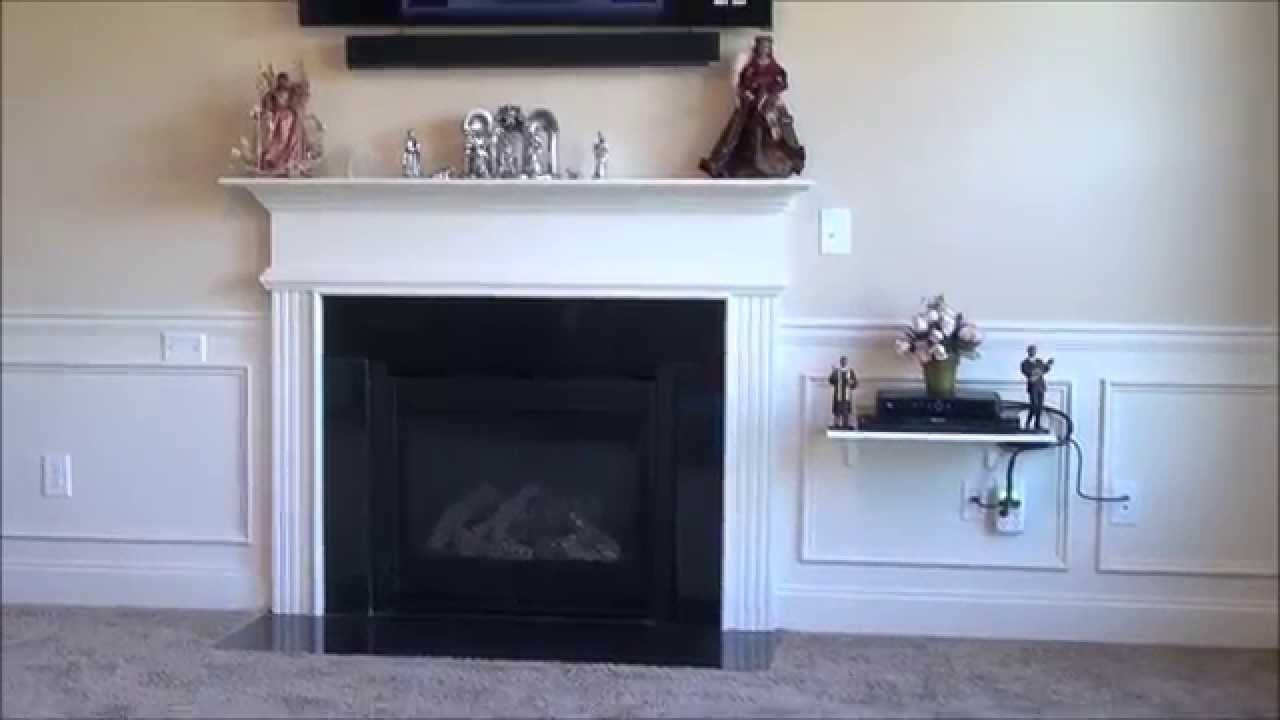
Find Studs and Check for Hidden Wiring
A TV mount should usually attach to wall studs. Studs provide stronger support than drywall anchors, especially for large or articulating TVs that pull away from the wall.
Use a stud finder to locate the studs, then confirm their positions with a small test hole or by checking nearby outlets. In many homes, studs are spaced about 16 inches apart, but spacing can vary.
Mark the center of each stud with a pencil. Hold the mount against the wall and check that its holes line up with solid wood. Use a level before marking the mounting holes.
Before cutting any cable openings, inspect the wall carefully. Electrical wires, plumbing pipes, and other obstacles may run through the cavity. A stud finder with wire detection can help, but these tools are not perfect.
Follow these precautions:
• Turn off power to nearby circuits before cutting near electrical wiring.
• Use a voltage tester to confirm that wires are not energized.
• Avoid drilling directly above or below outlets and switches unless you know how the wiring runs.
• Stop if you hit metal, resistance, or an unexpected object.
• Install protective nail plates if a cable passes near a stud hole or electrical wiring.
If you are unsure about what is inside the wall, contact an electrician. A small service call is cheaper than repairing a water line, electrical cable, or damaged structural member.
Install the Wall Mount Securely
Once you know where the studs are, attach the bracket according to the manufacturer’s instructions. Use the supplied lag bolts or hardware recommended for your wall type.
Do not rely on drywall anchors alone for a heavy TV unless the mount maker specifically approves them for that load. Toggle bolts and other anchors can work in some situations, but they are not a replacement for proper stud attachment when studs are available.
Follow these steps:
-
Hold the wall plate against the wall at the chosen height.
-
Place a level on the plate and adjust it until it is straight.
-
Mark the mounting holes over the studs.
-
Drill pilot holes that match the hardware instructions.
-
Attach the wall plate and tighten the bolts firmly.
-
Check that the plate is level again after tightening.
-
Attach the mounting arms or brackets to the TV.
-
Lift the TV onto the wall plate with another person.
-
Lock the brackets and test the safety catches.
A large TV can be awkward and heavy. Do not try to lift it alone. Ask someone to help, especially when using a full-motion mount.
One lesson learned from many mounting projects is to avoid fully tightening everything too early. Leave enough adjustment to level the bracket, then tighten the hardware once the position is correct.
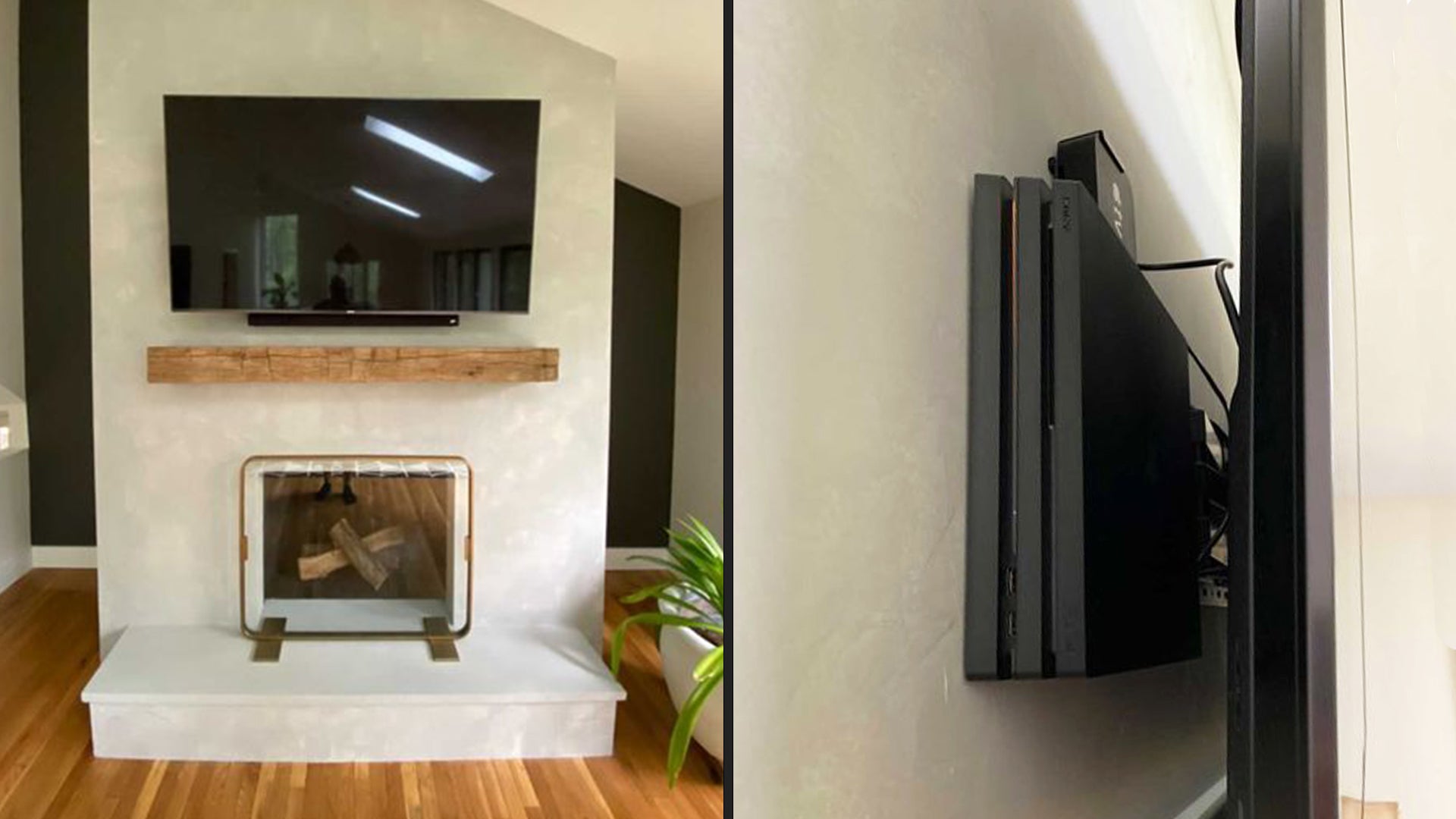
Run HDMI and Other Low-Voltage Cables Inside the Wall
After the mount is secure, you can create the cable openings. Most installations need one opening behind the TV and another behind the media console.
Place the upper opening where the TV will hide it. Keep it clear of the mount, mounting arms, and any place where the TV may press against the cable.
Place the lower opening near the equipment. It should be easy to reach and should not sit directly behind a shelf or cabinet panel.
The basic process looks like this:
-
Mark the upper and lower cable openings.
-
Use an electrical box or cable pass-through plate as a template.
-
Cut the openings carefully with a drywall saw.
-
Check the cavity for obstructions.
-
Attach the cable to fish tape or a cable puller.
-
Pull the cable from one opening to the other.
-
Leave enough slack at both ends for connection and service.
-
Install brush plates or low-voltage wall plates.
-
Connect the cables and test each device.
Do not force HDMI connectors through small holes. The ends can break, and sharp edges can damage the cable. If the connector is too large, use a larger opening or a cable designed for the installation.
Avoid tight bends. HDMI cables can lose performance when sharply folded or crushed behind a wall-mounted TV. Keep the bend radius gentle, especially near the TV and wall plate.
For long runs, use high-quality cables that support the resolution and refresh rate you need. A 4K gaming setup may require a cable rated for the required bandwidth, while a basic streaming TV may need less. Test the cable before closing the wall openings.

Handle the TV Power Cable Safely
Power is the part of how to wall mount a TV without cords showing that requires the most care. Low-voltage signal cables and household power cables follow different rules.
The safest options are:
• Install a new electrical outlet behind the TV.
• Use a listed in-wall power relocation kit.
• Have a licensed electrician move the existing outlet.
An in-wall power kit generally includes a power inlet near the equipment and a power outlet behind the TV. The kit uses components designed to be installed inside the wall.
Do not place a power strip, extension cord, or ordinary TV power cable inside the wall. Do not connect two extension cords together. These shortcuts can create heat, hidden failure points, and fire risks.
The National Electrical Code and local rules may require specific box types, cable ratings, spacing, and installation methods. Rules also differ by state, city, and building type. If you are not comfortable working with household wiring, hire a licensed electrician.
A recessed outlet is often the cleanest choice because it keeps the plug from pushing the TV away from the wall. It also reduces strain on the power cable.
After installation, check that:
• The plug is fully inserted.
• The cable is not pinched.
• The outlet is accessible for service.
• The TV has proper ventilation.
• No cable rests against a hot fireplace surface.

Connect the TV and Hide the Remaining Cables
With the mount and wall wiring complete, connect the TV before pushing it fully into place. It is much easier to fix a loose HDMI connection while the screen is still accessible.
Label both ends of each cable. For example, use labels such as “game console,” “soundbar,” and “receiver.” This small step makes future troubleshooting much easier.
Connect the cables in a gentle loop. Do not let the cables hang from the TV ports. Use short hook-and-loop straps to bundle them, but do not compress the bundle tightly.
If the TV has a one-connect box or external control box, plan that location before mounting. Some TVs carry nearly all connections through a separate box, which can make how to wall mount a TV without cords showing much easier. The box still needs ventilation and a practical route for its cable.
Turn on every connected device and test:
• Picture
• Sound
• HDR
• 4K resolution
• Gaming refresh rate
• Ethernet
• Streaming apps
• Remote control functions
• Soundbar or receiver switching
Do this before installing the final trim or sealing any openings. A cable can look fine and still fail at a higher resolution or refresh rate.
Common Mistakes to Avoid
Even experienced installers can make small errors. These are the problems I see most often when people attempt how to wall mount a TV without cords showing.
Mounting the TV too high
A high TV may look dramatic, but it can cause neck discomfort. Sit in the main viewing seat before selecting the height.
Using the wrong cable
A regular HDMI cable may not be rated for in-wall use. Choose a cable marked for in-wall installation and suited to your signal needs.
Forgetting future devices
A setup may begin with one streaming device and later add a console, soundbar, or antenna. Add spare low-voltage capacity while the wall is open.
Cutting into a stud
Do not cut through a structural stud just to create a cable path. Shift the opening or use a professional solution.
Ignoring the mount’s movement
A full-motion mount needs extra cable slack. If the cable is too tight, moving the TV can pull on the ports or damage the cable.
Closing the wall before testing
Always test every connection first. Drywall repair is simple, but it is still frustrating when you must reopen a finished wall.
Blocking ventilation
A TV needs airflow. Do not push it against a wall, cabinet, fireplace surface, or cable bundle in a way that traps heat.
Options for Renters and Apartment Dwellers
You can still enjoy how to wall mount a TV without cords showing if you rent. The main goal is to avoid permanent changes.
A paintable cable raceway is usually the best solution. Choose a low-profile channel, attach it neatly, and paint it after the adhesive or mounting hardware has set.
Other renter-friendly options include:
• A freestanding TV stand designed to look like a wall mount
• A floor-to-ceiling TV pole mount
• Furniture that hides the cable path
• A fabric cable sleeve behind the TV
• A wireless HDMI system for compatible devices
Wireless HDMI can reduce visible cables, but it is not perfect. Some systems add delay, require separate power, or may not support every 4K, HDR, or high-refresh feature. Check the specifications before buying.
Ask your landlord before drilling into studs or installing an outlet. Even small changes may affect your lease or security deposit.
How Much Does It Cost?
The cost of how to wall mount a TV without cords showing depends on the method and the wall condition.
A basic project may include:
• Fixed TV mount: about $30 to $100
• Tilting or full-motion mount: about $50 to $300
• In-wall cable kit: about $20 to $80
• In-wall-rated HDMI cable: about $15 to $100
• Paintable raceway: about $15 to $60
• Professional installation: often $150 to $500 or more
• New electrical outlet: commonly several hundred dollars, depending on access and local labor rates
These are broad estimates, not fixed prices. Brick, concrete, plaster, difficult access, large TVs, and complex wiring can raise the final cost.
DIY installation can save money, but electrical work is not the right place to cut corners. A professional can also help when the wall contains insulation, plumbing, metal studs, or unusual framing.
When to Hire a Professional
You can often handle a simple TV mount and surface raceway yourself. However, some situations deserve professional help.
Contact an electrician or qualified installer when:
• You need a new electrical outlet.
• You are unsure about existing wiring.
• The wall is made of brick, concrete, tile, or plaster.
• The TV is very large or heavy.
• The mount must attach to metal studs.
• You want the TV mounted above a fireplace.
• The wall contains plumbing or HVAC ducts.
• You need cables routed through multiple floors.
• You are installing a recessed power system.
A professional installation also makes sense when the TV is expensive or difficult to replace. The goal is a clean look without creating a safety problem inside the wall.
Frequently Asked Questions About How to Wall Mount a TV Without Cords Showing
Can I run my TV power cord inside the wall?
No. A standard TV power cord should not be concealed inside a wall. Use an approved in-wall power kit or have an electrician install a proper outlet behind the TV.
What cables can go inside the wall?
Low-voltage cables such as HDMI, Ethernet, coaxial, and optical audio cables can usually go inside the wall when they are labeled and approved for in-wall use. Check local rules and the cable rating before installation.
How do I hide TV cords without cutting the wall?
Use a paintable cable raceway, cord cover, furniture channel, or fabric sleeve. These options are useful for renters and can look neat when aligned with the wall and painted to match.
Should the TV outlet be behind the TV?
A recessed outlet behind the TV often creates the cleanest result. It keeps the plug from pushing the screen forward, but the outlet must be installed correctly and remain safe to access.
How much slack should I leave behind a wall-mounted TV?
Leave enough slack to connect the TV and move it if you have an articulating mount. Avoid large coils, tight bends, and cable tension at the TV ports.
Can I mount a TV above a fireplace?
You can, but heat and viewing height are important concerns. Test the fireplace surface temperature, follow the TV maker’s limits, and consider professional advice if the TV will sit high or close to heat.
Do I need a stud to mount a TV?
Most heavy TVs should be attached to studs or a properly reinforced surface. Some mounts allow approved anchors, but drywall alone may not safely support a large or moving TV.
Conclusion
Learning how to wall mount a TV without cords showing starts with careful planning. Find the studs, choose a compatible mount, use in-wall-rated low-voltage cables, and handle household power with an approved kit or professional installation.
For a seamless look, route HDMI and network cables through the wall and place a recessed outlet behind the TV. For a faster or renter-friendly solution, use a paintable raceway. Test every connection before finishing the installation, and never hide an ordinary power cord inside the wall.
Take your time, measure twice, and treat safety as part of the design. If this guide helped, explore more home theater resources or share your own wall-mounting tips in the comments.

Everett Ashford is a tech reviewer at mytechgrid.com specializing in SSDs, cameras, TVs, earbuds, headphones, and other consumer electronics. He provides honest, data-driven reviews based on hands-on testing and real-world performance analysis. Everett simplifies complex tech details to help readers make smart, confident buying decisions.