Mounting a TV to a plaster wall is safe when you locate solid framing, use the right mount, and avoid relying on plaster alone.
Learning how to mount a TV to plaster wall takes more care than mounting one to modern drywall. Plaster can crack, crumble, or hide wood lath, metal lath, pipes, and wires. This guide explains how to inspect the wall, find a secure fixing point, choose suitable hardware, and hang your TV with confidence.
Understand your plaster wall
Plaster walls are not all built the same. Older homes often have wood lath covered with several layers of plaster. Some walls use expanded metal lath, while others have plaster over brick, block, or drywall.
This matters because the wall surface is not always the part that should carry the TV. Plaster is a finish layer. The real support should come from wall studs, masonry, or a properly installed structural backing.
When learning how to mount a TV to plaster wall, first identify the wall type:
• Plaster over wood lath usually has wood studs behind it.
• Plaster over metal lath may resist drills and can crack more easily.
• Plaster over drywall may need special care because the plaster adds weight but does not improve anchor strength.
• Plaster over brick or concrete needs masonry anchors rather than wood screws.
• Decorative plaster, loose plaster, and damaged plaster may not be suitable for a TV mount without repair.
A plaster wall can be strong, but it can also be brittle. Think of it like a hard shell over a frame. The shell looks solid, yet the frame does most of the work.

Check the TV and wall mount first
Before drilling, check the television and mounting bracket. The TV manual lists its weight, VESA pattern, and approved screw size. The wall mount should have a weight rating higher than the TV’s total weight.
VESA refers to the spacing of the mounting holes on the back of the TV. Common patterns include 200 × 200, 400 × 200, and 400 × 400 millimeters. Measure the hole spacing if the TV manual does not provide it.
Choose a mount that suits your room:
• A low-profile mount sits close to the wall and puts less leverage on the fasteners.
• A tilting mount helps reduce glare and improves viewing from a higher seat.
• A full-motion mount is useful in large rooms but places more force on the wall when extended.
A full-motion bracket acts like a lever. The farther the TV moves from the wall, the more stress reaches the screws and anchors. For an older plaster wall, a fixed or tilting mount is often the safer choice.
Check these details before you buy hardware:
• TV weight, including any soundbar attachment or adapter
• VESA hole spacing
• Mount weight rating
• Mounting hole locations
• Screw length and diameter
• Wall type
• Stud spacing
Never assume the screws included with the mount will suit your wall. They may work for wood studs but not for masonry or a different plaster system.

Find studs, pipes, and electrical wires
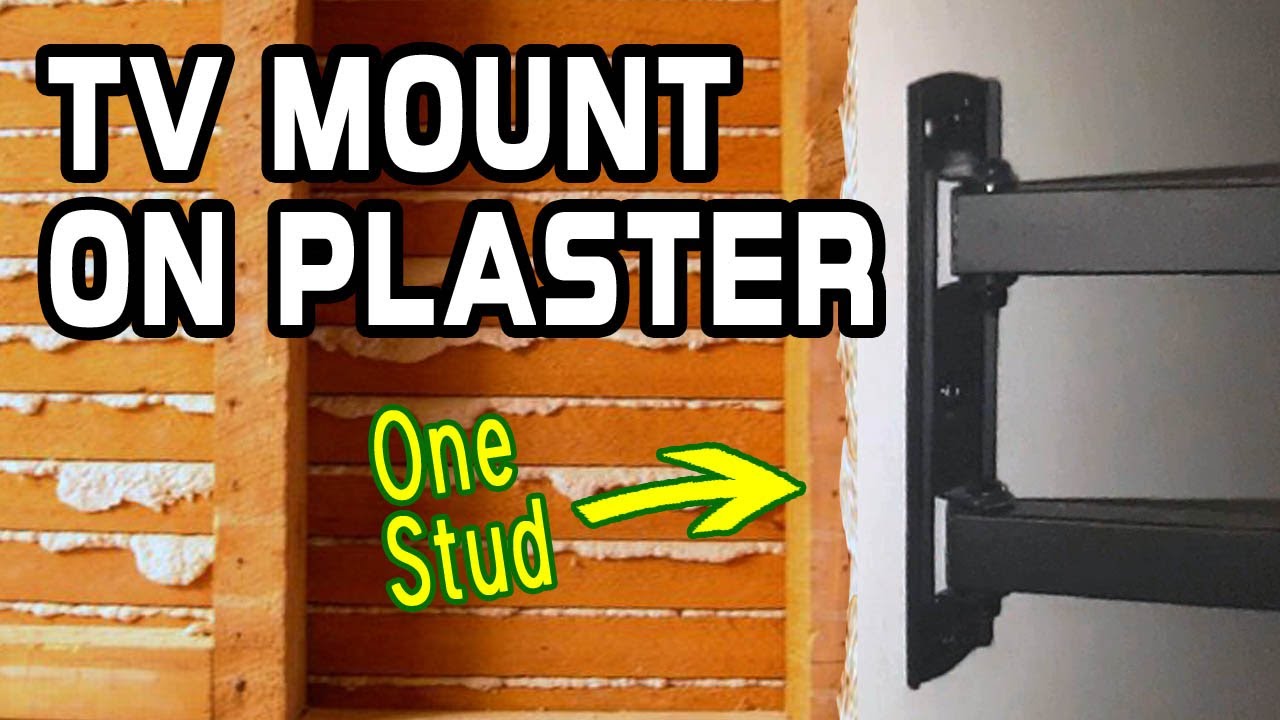
The safest way to mount a TV to plaster wall is to fasten the bracket to studs whenever possible. Most wood studs are spaced 16 inches on center, but older homes may use different spacing.
Start by tapping the wall and using a stud finder designed for deep scanning. Plaster and metal lath can confuse electronic stud finders, so confirm the result with more than one method.
Useful ways to locate a stud include:
• Scan several times from different directions.
• Look for nearby outlets, switches, trim, or door frames.
• Use a strong magnet to find screws or nails in the lath.
• Drill a small test hole in an inconspicuous spot.
• Measure from a confirmed stud rather than trusting standard spacing.
Do not drill directly above or below outlets and switches. Electrical cables may run vertically or horizontally from these boxes. Plumbing pipes can also run inside the wall, especially near bathrooms, kitchens, and radiators.
Turn off power to nearby circuits before making a test hole. A noncontact voltage tester can help, but it is not a substitute for caution. If you are unsure what is inside the wall, stop and call a qualified electrician or installer.
My most common lesson from older walls is simple: spend more time scanning than drilling. A five-minute check can prevent a cracked wall, damaged cable, or expensive repair.

Gather the right tools and hardware
The tools for how to mount a TV to plaster wall depend on what is behind the plaster. Gather the following items before you begin:
• TV wall mount rated for the TV’s weight
• Stud finder or magnetic finder
• Tape measure and pencil
• Level
• Drill and suitable drill bits
• Screwdriver or socket wrench
• Wood screws or structural lag screws for studs
• Masonry anchors and screws for brick or concrete
• Washers sized for the mounting bolts
• Masking tape
• Vacuum or dust collection nozzle
• Safety glasses
• A second person to help lift the TV
For wood studs, use structural screws or lag screws that penetrate the stud by the amount specified by the mount manufacturer. The screw must pass through the bracket, plaster, and any gap before reaching solid wood.
For masonry, use anchors designed for the exact type of brick or concrete. Do not use ordinary plastic drywall plugs for a heavy TV. They may pull out or break under load.
Avoid using toggle bolts or hollow-wall anchors as the main support for a large television. These anchors can work for light objects, but a TV mount creates repeated pulling and twisting forces. A plaster wall anchor may be useful only when the mount manufacturer and a qualified professional confirm that the wall can support it.
Prepare the mounting area
Choose a location with a comfortable viewing angle and enough space around the TV. The center of the screen is often close to seated eye level, but room layout matters more than a strict height rule.
Avoid placing the TV where it will face:
• Direct sunlight
• Strong heat from a fireplace or radiator
• Damp air or splash water
• A narrow corner that prevents ventilation
• A wall with hidden plumbing or electrical hazards
The TV should have room for airflow. Do not press it against a wall or cover its ventilation openings. Follow the clearance instructions in the TV manual.
Place the mount against the wall and mark its holes. Use masking tape over the marks if the plaster surface is fragile. The tape can reduce surface chipping when the drill starts, although it cannot prevent every crack.
Before drilling, hold the mount at the intended height and check it from the sofa. Ask another person to stand back and look at the position. This small step can save you from mounting the TV too high.

Drill plaster without causing cracks
Drilling plaster requires a light touch. High speed, heavy pressure, and the wrong bit can turn a small hole into a large damaged area.
Use this process:
-
Put on safety glasses and place a vacuum nozzle below the drilling point.
-
Mark the center of each hole clearly.
-
Start with a small pilot bit at low speed.
-
Let the bit cut through the plaster. Do not force it.
-
If you hit wood, switch to a bit suited to the screw and stud.
-
If you hit masonry, switch to a masonry bit and use the anchor instructions.
-
If you hit metal, stop and investigate before continuing.
-
Clean dust from the hole before inserting an anchor.
Wood lath may sit behind the plaster. You can drill through the plaster and lath, but the final screw must enter the stud or another approved structural support. Do not mistake resistance from lath for proof that the hole is secure.
If the plaster begins to crack, stop. Remove loose material, inspect the damage, and move the mounting point if needed. A small crack can spread when the bracket is tightened.
One mistake I have seen often is tightening the lag screws too much. The bracket should be firm, but crushing plaster under the bracket can create a weak ring around the hole. Tighten the hardware evenly and stop when the mount is secure.

Attach the bracket to studs or masonry
Hold the wall plate in position and insert the screws with washers. If you are using wood studs, make sure every structural screw passes through the plaster and reaches the center of the stud.
The screw should not stop in the plaster. It also should not be so long that it risks reaching hidden wiring or plumbing. Follow the mount instructions and use a length that provides solid engagement without unnecessary depth.
For masonry walls, drill the hole to the anchor manufacturer’s specified diameter and depth. Remove dust from the hole. Dust can prevent an anchor from gripping properly.
Attach the bracket using at least the number of fasteners required by the mount instructions. Use all appropriate mounting holes when possible. A bracket supported by two weak points is not equal to one supported by four strong points.
Check the bracket with a level before fully tightening it. Test that it does not shift, rock, or pull away from the wall. If the wall flexes or the plaster moves, remove the bracket and reassess the support.
This is the key rule in how to mount a TV to plaster wall: the bracket must be connected to a structure that can carry the load. The plaster should not be the main anchor.
Attach the mounting rails to the TV
Lay the TV face down on a clean, soft surface. Use the foam packaging if you still have it. Do not place pressure on the screen.
Find the correct holes on the back of the TV and attach the mounting rails or arms. Use the correct screws from the TV or mount instructions. If a screw feels too short, do not guess. If it feels too long, stop immediately because it may damage internal parts.
Use spacers if the back of the TV is curved or has recessed mounting holes. The rails should sit straight and should not press against the casing.
Before lifting the TV, check:
• Both rails are at the same height.
• The screws are tight but not forced.
• The rails do not cover ports.
• The safety locks or pull cords are accessible.
• The TV weight is within the mount rating.
This is a two-person job for most televisions. Even a lightweight TV can be hard to control while lining up the rails. Asking for help protects the screen, the wall, and your back.
Hang and test the television
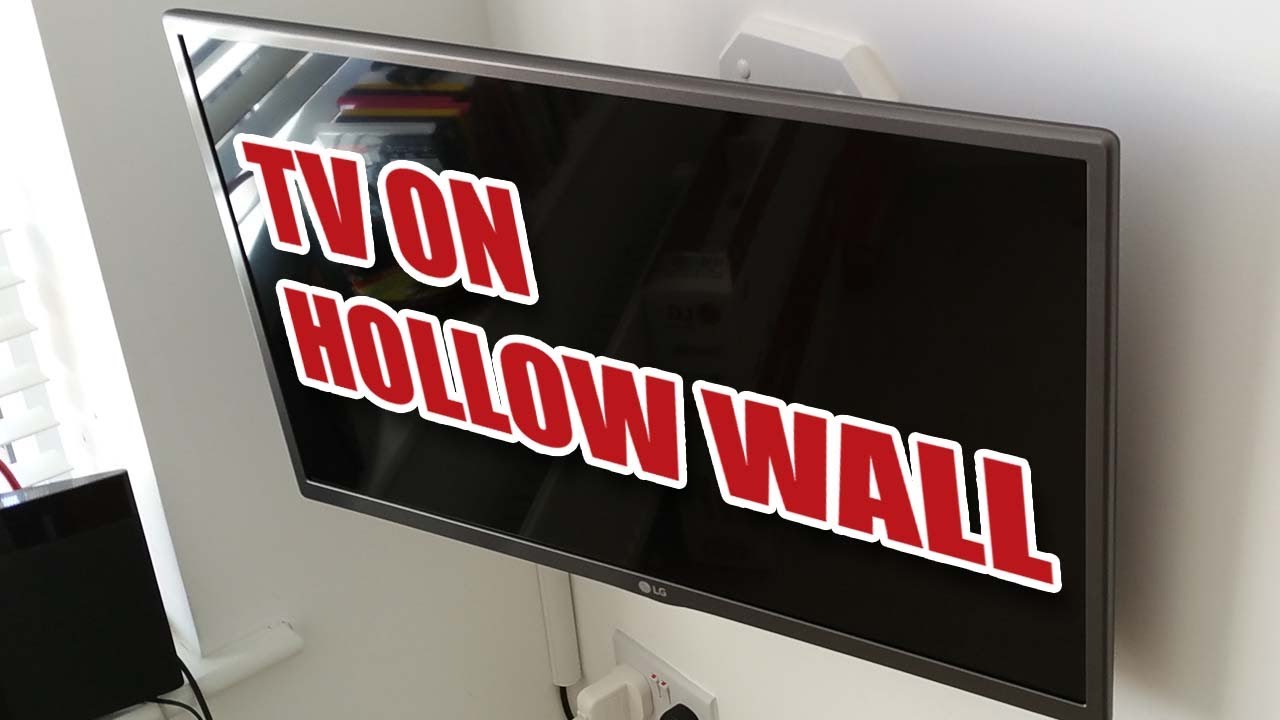
Lift the television slowly and attach it to the wall plate. Keep one person holding the TV while the other checks that the rails are fully seated.
Engage the safety locks. Some mounts use clips, screws, or pull straps. Never assume the TV is secure just because it appears to hang correctly.
Once the TV is attached, test it carefully:
• Check that the mount sits level.
• Push gently near the top edge to check for movement.
• Confirm that the bracket does not pull away from the wall.
• Make sure the safety locks are engaged.
• Check that cables are not pulling on the TV.
• Confirm that the mount can tilt or move only as designed.
Do not swing a full-motion TV mount sharply from side to side. Movement can place extra force on plaster and fasteners. If the bracket shifts, remove the TV and fix the support before using it.
After mounting, wait a short time and inspect the wall again. New cracks, widening holes, or sagging indicate a problem. Remove the TV if anything looks unstable.

Manage cables safely
Cable routing is part of a professional TV installation. Loose cables can look untidy, pull on the TV, and create a trip hazard.
Use surface raceways, paintable cable covers, or clips designed for the wall surface. These options avoid cutting into plaster and are often the best choice in older homes.
Do not run a standard power cord inside the wall. In the United States, in-wall cable routing must use wiring and fittings approved for that purpose. A listed in-wall power kit or a new electrical outlet installed by a qualified electrician is the safer option.
Keep signal cables separate from sharp bracket edges. Leave enough slack for tilting, but do not create a large loop behind the TV. Label HDMI, antenna, Ethernet, and audio cables before attaching the television if access will be difficult later.
If the TV is above a fireplace, check the wall temperature while the fireplace is running. Heat can damage the TV and can make the installation unsafe. Many manufacturers do not recommend placing a TV above a working fireplace.
When to hire a professional
Some plaster walls are poor candidates for a do-it-yourself TV installation. Hire a qualified installer if:
• The plaster is loose, cracked, or falling away.
• You cannot locate studs or confirm the wall structure.
• The wall has metal lath and you are unsure how to anchor it.
• The TV is very large or heavy.
• You want a full-motion mount on an older wall.
• The wall is made from brick, stone, or unusual materials.
• You need new electrical wiring.
• You suspect hidden pipes or cables.
• The bracket moves after installation.
A professional may use a stud scanner, inspection camera, structural backing, or a custom mounting plate. In some cases, the best option is to open a small section of wall, add solid blocking, repair the plaster, and install the mount correctly.
The cost of professional help is usually much lower than replacing a broken television or repairing a large section of historic plaster. Safety should guide the decision, not pride.
Common mistakes to avoid
Knowing what not to do is just as useful as knowing how to mount a TV to plaster wall. Avoid these common errors:
• Mounting only into plaster because the surface feels hard
• Using small plastic anchors for a heavy television
• Skipping a stud or masonry check
• Drilling near an outlet without checking for wires
• Using screws that are too long or too short
• Overtightening screws and crushing the plaster
• Choosing a full-motion bracket without considering leverage
• Mounting the TV before checking its final height
• Hiding a standard power cord inside the wall
• Working alone while lifting a large screen
• Ignoring cracks that appear after installation
A good installation is not just about keeping the TV on the wall today. It should remain secure when the mount is tilted, cables are changed, or the wall experiences normal vibration.
How to mount a TV to plaster wall safely: final checklist
Use this checklist before you start and again after the TV is installed.
• Confirm the TV weight and VESA pattern.
• Choose a mount with a suitable weight rating.
• Identify whether the wall has studs, masonry, or another structure.
• Scan for electrical wires and plumbing.
• Mark the mount at a comfortable viewing height.
• Use anchors made for the actual wall material.
• Drill slowly to reduce plaster damage.
• Ensure screws reach solid structural support.
• Tighten the bracket evenly.
• Attach the TV rails with the correct screws and spacers.
• Lift the TV with another person.
• Engage every safety lock.
• Test the mount gently before releasing the TV.
• Route cables without trapping or stretching them.
• Recheck the wall for cracks or movement.
If any part of this checklist is uncertain, pause before drilling. A careful installation is faster than repairing a failed one.
Frequently Asked Questions About How to Mount a TV to Plaster Wall
Can I mount a TV directly into plaster?
You should not rely on plaster alone for a typical television mount. Attach the bracket to wood studs, masonry, or another confirmed structural support behind the plaster.
What anchors work best for plaster walls?
The best hardware depends on what is behind the plaster. Use structural screws for wood studs and approved masonry anchors for brick or concrete; ordinary drywall plugs are not suitable for most heavy TVs.
How do I find studs behind plaster?
Use a deep-scan stud finder, a magnet to locate lath fasteners, and small test holes in a safe area. Confirm the result before drilling the final mounting holes.
Can I use a full-motion mount on a plaster wall?
You can use one only when the bracket is firmly attached to suitable structural support and the wall can handle the extra leverage. A fixed or tilting mount usually places less stress on an older plaster wall.
How high should a TV be mounted?
The ideal height depends on your seating position, but the screen center should generally be near seated eye level. Sit in your normal viewing spot and check the proposed height before drilling.
Should I hire an installer for an old plaster wall?
Hire a professional if the plaster is damaged, the wall structure is unclear, or the TV is large and heavy. Professional help is also wise when new electrical wiring or masonry work is needed.
Conclusion
Mounting a TV to plaster wall is safe when you treat the plaster as a finish layer and secure the bracket to solid framing or masonry. Confirm the TV specifications, find hidden hazards, choose the correct hardware, drill slowly, and test the mount before you walk away.
Take your time with the wall inspection and ask for help when lifting the TV. If you are unsure about the structure or wiring, contact a qualified installer. Use this guide as your plan, and share your installation questions or results in the comments.

Everett Ashford is a tech reviewer at mytechgrid.com specializing in SSDs, cameras, TVs, earbuds, headphones, and other consumer electronics. He provides honest, data-driven reviews based on hands-on testing and real-world performance analysis. Everett simplifies complex tech details to help readers make smart, confident buying decisions.