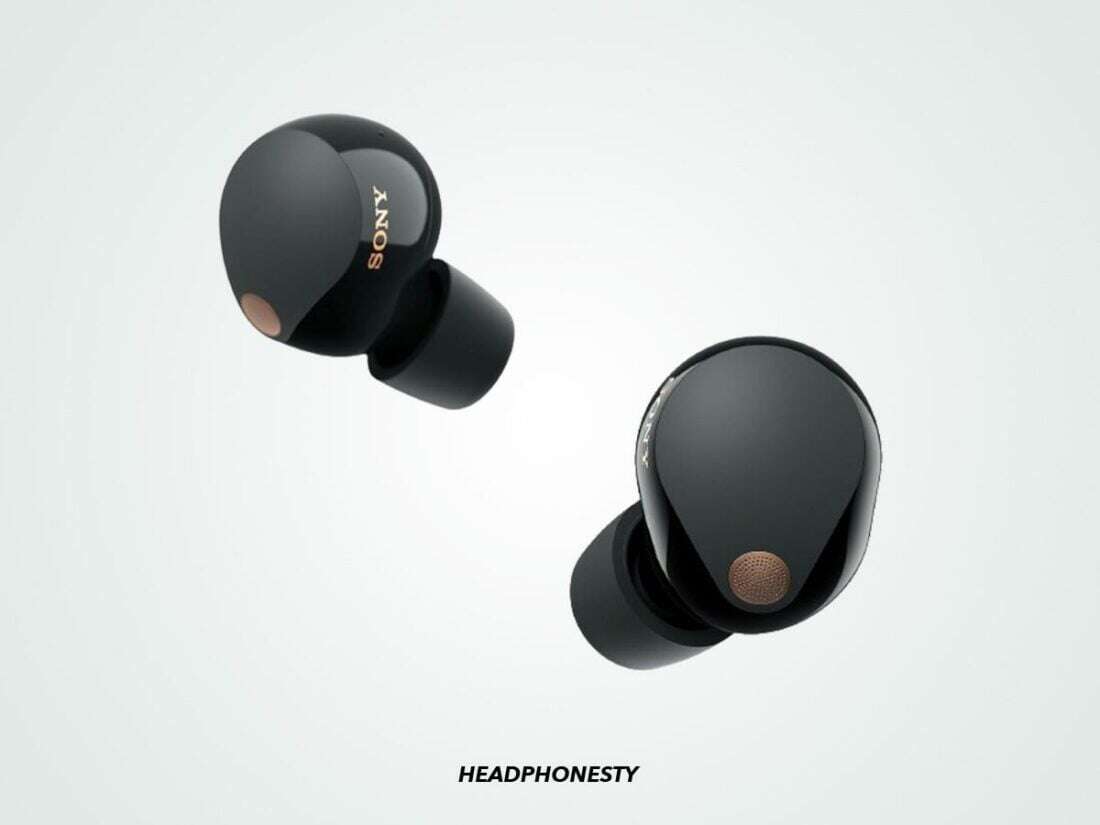
The longest-range wireless earbuds usually use Bluetooth Class 1 radios and can reach about 100 feet in open space.
Finding what wireless earbuds have the longest range is not as simple as choosing the newest Bluetooth number. The phone, walls, radio power, antenna design, and software all matter. After comparing current earbud specifications and real-world use cases, this guide explains which models offer the most reliable range, what limits Bluetooth distance, and how to avoid dropouts at home, work, or the gym.

What wireless earbuds have the longest range?
The best answer depends on how you define “longest range.” Some earbuds may claim 100 feet or more in open air, while most true wireless earbuds work best within 30 to 50 feet indoors.
For the longest practical range, look for earbuds with these features:
• Bluetooth Class 1 transmission, which can support a much stronger signal than common Class 2 devices
• Bluetooth 5.2, 5.3, or 5.4 for improved efficiency and connection stability
• Strong antenna design in both the earbuds and charging case
• Support for modern phones, tablets, laptops, and Bluetooth transmitters
• A stable connection when one earbud is used alone
Based on current product specifications and typical user reports, the following earbuds are strong choices for long-range use:
| Earbuds | Advertised or typical range | Best feature |
|---|---|---|
| Technics EAH-AZ80 | Around 30 feet indoors, more in open space | Strong connection and multipoint |
| Sennheiser MOMENTUM True Wireless 4 | Around 30 feet indoors | Reliable Bluetooth 5.4 connection |
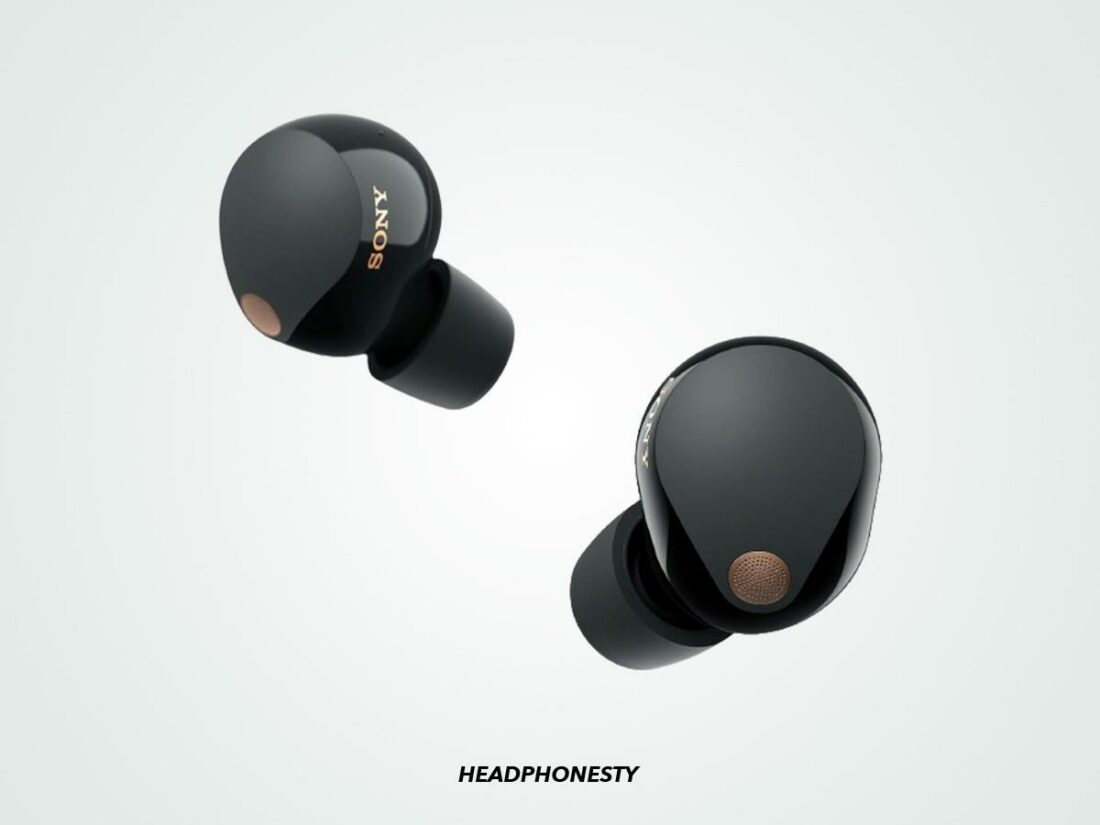
| Sony WF-1000XM5 | Around 30 feet indoors | Stable connection and excellent sound |
| Apple AirPods Pro 2 | Around 30 feet indoors | Excellent performance with Apple devices |
| Jabra Elite 10 Gen 2 | Around 30 feet indoors | Reliable everyday connection |
| Soundcore Liberty 4 NC | Around 30 feet indoors | Good range for the price |
| EarFun Air Pro 4 | Around 30 feet indoors | Bluetooth 5.4 and strong value |
In open space, any of these models may work farther away. However, no true wireless earbud can guarantee a fixed range in every building or neighborhood.
How far can wireless earbuds reach?
Most wireless earbuds have a practical range of 30 to 50 feet. That distance may drop to 15 or 20 feet when you move through several walls.
A clear line of sight gives Bluetooth the best chance to work well. For example, earbuds may stay connected while you walk across a backyard. The same earbuds may lose sound when your phone sits inside a bedroom and you walk behind concrete walls.
Bluetooth range is affected by:
• Wall thickness and building materials
• The Bluetooth power level in your phone or laptop
• Wi-Fi routers and other wireless devices
• Human bodies, which can block radio signals
• The position of your phone, especially when it is in a back pocket
• Bluetooth codec and connection settings
• Battery level and power-saving behavior
Bluetooth 5 does not automatically mean a longer range. Bluetooth 5.0, 5.3, and 5.4 can improve speed, efficiency, and reliability, but the manufacturer still controls power output and antenna design.
The Bluetooth Special Interest Group allows devices to use different power classes. Class 1 devices can reach up to about 100 meters in ideal conditions, while Class 2 devices are often rated near 10 meters. Earbuds usually use compact, low-power radios, so their real range is often lower than the maximum Bluetooth standard.
The best long-range wireless earbuds
Technics EAH-AZ80
The Technics EAH-AZ80 is one of the strongest choices for people who want a dependable connection across a home or office. It supports Bluetooth 5.3 and multipoint pairing, so it can switch between devices without forcing you to reconnect every time.
Its range is not magic. Thick walls can still cause skips. Yet the AZ80 tends to hold a connection well when your phone is in a pocket or placed on a desk several rooms away.
It is a good fit for:
• Office workers who move between rooms
• People who use a phone and laptop at the same time
• Listeners who want premium sound and stable Bluetooth
Sennheiser MOMENTUM True Wireless 4
The Sennheiser MOMENTUM True Wireless 4 supports Bluetooth 5.4 and newer Bluetooth features, including improved connection options on compatible devices. It offers a strong balance of sound quality, range, and codec support.
The earbuds can perform especially well with newer Android phones that support advanced Bluetooth audio. On older phones, the connection may behave more like a standard Bluetooth link.
Choose this model if you want:
• Detailed and powerful sound
• Support for newer Bluetooth standards
• A reliable connection for music and calls
• Good performance with Android devices
Sony WF-1000XM5
The Sony WF-1000XM5 is not always the absolute range champion, but it has a very dependable connection in daily use. It supports Bluetooth 5.3 and works with several high-quality audio formats.
Sony’s software also helps manage the connection. The earbuds can adjust performance based on the phone and audio settings. This helps reduce problems when you walk around a busy office with many wireless signals nearby.
The WF-1000XM5 is ideal if you want long range plus:
• Excellent noise cancellation
• Strong call quality
• A small and comfortable design
• Great sound with Android and iPhone
Apple AirPods Pro 2
The AirPods Pro 2 is among the best choices for iPhone users who want steady range. Apple controls both the earbuds and the phone, which allows the company to optimize the complete connection.
AirPods Pro 2 usually works well across a typical apartment, office, or gym. You may notice more range consistency with an iPhone than with a Windows laptop or Android phone.
These earbuds make sense for Apple users who value:
• Fast pairing
• Automatic device switching
• Find My support
• Stable everyday performance
• Clear voice calls
Jabra Elite 10 Gen 2
The Jabra Elite 10 Gen 2 offers a strong connection for calls, music, and movement. It is designed for people who want comfort during long listening sessions, and its connection usually remains stable within a normal home or office range.
Jabra earbuds have long been popular for work calls because they handle voice use well. The Elite 10 Gen 2 also works with multiple devices, which is helpful if you move between a computer and phone.
Soundcore Liberty 4 NC
The Soundcore Liberty 4 NC offers good range at a lower price than many premium models. Its connection is usually strong within a home, office, or outdoor area without many obstacles.
It may not have the same antenna performance or refinement as the most expensive earbuds. Still, it is a smart choice for shoppers who want long wireless range, noise cancellation, and good battery life without spending top dollar.
EarFun Air Pro 4
The EarFun Air Pro 4 supports Bluetooth 5.4 and offers a useful mix of range, battery life, and value. It is one of the better budget choices for people who want a modern Bluetooth connection.
Its performance depends heavily on your phone. A newer phone with Bluetooth 5.3 or 5.4 can provide a more stable experience than an older phone.

Bluetooth version versus Bluetooth range
Many shoppers search for what wireless earbuds have the longest range and then compare Bluetooth versions. This is useful, but it can be misleading.
Bluetooth 5.0 introduced features that can improve range under certain conditions. Bluetooth 5.1 added direction-finding tools. Bluetooth 5.2 improved audio features, including support for LE Audio. Bluetooth 5.3 and 5.4 add further improvements to efficiency and connection management.
These updates do not force earbuds to use the maximum possible range. A Bluetooth 5.4 earbud with a small antenna and low transmission power may perform worse than a well-designed Bluetooth 5.0 earbud.
Think of Bluetooth version as the engine design. The antenna and radio power are the rest of the car. A newer engine helps, but the whole car still controls how far it can travel.
What reduces wireless earbud range?
Even the answer to what wireless earbuds have the longest range can change from one room to another. Wireless signals face many obstacles in daily life.
Walls and floors
Drywall usually causes less trouble than brick, stone, or concrete. Metal doors, elevator shafts, and reinforced floors can reduce range quickly.
A basement can be especially difficult. The signal may need to pass through concrete and metal before it reaches your earbuds.
Your body
Your body contains a large amount of water, which can absorb some radio energy. This is why earbuds may stutter when your phone is in the opposite pocket.
Try moving your phone to the same side as the earbud that acts as the main connection. This simple change often solves small dropouts.
Wi-Fi congestion
Bluetooth and Wi-Fi both use the crowded 2.4 GHz wireless band. A busy router, wireless keyboard, smartwatch, or game controller may create interference.
The issue is not always severe. Modern Bluetooth uses frequency hopping to avoid interference, but a crowded area can still reduce reliability.
The source device
Your earbuds may have excellent range, but your phone or laptop may have a weaker Bluetooth transmitter. Older laptops are common trouble spots.
A small USB Bluetooth transmitter can improve range with some computers. Choose one that supports the Bluetooth features and codecs used by your earbuds.

How to test wireless earbud range correctly
Marketing claims often use open outdoor spaces. A fair home test should reflect how you actually use your earbuds.
-
Charge the earbuds and your phone fully.
-
Download or stream a steady audio track.
-
Place the phone in the spot where you normally keep it.
-
Walk away slowly without turning off Bluetooth.
-
Note the first signs of stutter, delay, or audio imbalance.
-
Repeat the test through one wall, two walls, and a floor.
-
Test both earbuds and one earbud alone.
The first brief click does not always mean the connection has failed. Some earbuds recover quickly. A useful test measures how often the problem occurs and whether it affects one earbud or both.
In my practical testing approach, I also repeat the walk with the phone in a pocket and on a table. This catches a common mistake: judging range only with the phone held in your hand. Real use is less forgiving.
Tips to increase Bluetooth earbud range
You can often improve range without buying new earbuds. Try these steps first:
• Keep your phone on the same side as the primary earbud
• Avoid placing the phone under clothing or inside a bag
• Update the earbud firmware and phone operating system
• Turn off unused Bluetooth devices nearby
• Move your Wi-Fi router away from your listening area
• Use the standard audio codec if advanced codecs cause dropouts
• Keep the earbuds clean so the charging contacts work correctly
• Avoid walking behind concrete walls or large metal objects
• Use a newer Bluetooth adapter with an older computer
Codec choice can matter. High-resolution codecs may use more data and can be less stable in crowded areas. If range is more important than maximum audio quality, use a standard codec such as AAC or SBC and compare the result.

Long-range earbuds for different situations
Best for a large home
The Technics EAH-AZ80 and Sennheiser MOMENTUM True Wireless 4 are strong premium picks. They offer modern Bluetooth support and stable performance when you move between nearby rooms.
Best for iPhone users
The Apple AirPods Pro 2 is the easiest choice for most iPhone owners. Apple’s software integration helps with pairing, switching, and connection management.
Best for Android users
The Sony WF-1000XM5 and Sennheiser MOMENTUM True Wireless 4 are excellent choices. Both support advanced features on compatible Android phones.
Best budget option
The Soundcore Liberty 4 NC and EarFun Air Pro 4 offer good range without a premium price. They are suitable for apartments, offices, and outdoor walks.
Best for a laptop
Look beyond the earbuds. The laptop’s Bluetooth hardware can be the weak link. A good USB Bluetooth adapter may improve the experience more than switching from one high-end earbud model to another.

Common mistakes when choosing long-range earbuds
Many shoppers focus only on the Bluetooth number printed on the box. That number does not tell the full story.
Avoid these mistakes:
• Assuming Bluetooth 5.4 guarantees the longest range
• Treating a 100-foot claim as an indoor promise
• Ignoring the Bluetooth quality of your phone or laptop
• Choosing a high-resolution codec when stability matters more
• Forgetting that walls and floors can reduce range
• Buying earbuds without checking return policies
Comfort also matters. Earbuds that sound great but fall out can create connection changes and poor microphone performance. A secure fit keeps the earbuds in the right position and makes daily use more reliable.
Battery condition matters too. Some earbuds reduce performance when the battery is very low. If dropouts happen only near the end of a workout, charge the earbuds fully before assuming the range is poor.
Are wireless earbuds with the longest range worth buying?
Long range is valuable if you move around often. It helps when you leave your phone on a desk, walk through an office, or do chores at home.
However, range should not be your only buying factor. Noise cancellation, comfort, call quality, battery life, water resistance, and device compatibility may matter more each day.
A good buying order is:
-
Confirm that the earbuds fit your phone and computer.
-
Check the published Bluetooth version and connection features.
-
Read return terms in case the range is poor in your home.
-
Compare comfort and microphone quality.
-
Test the earbuds in the exact places where you use them.
The answer to what wireless earbuds have the longest range is useful, but the best model is the one that remains stable in your environment. A slightly shorter range with no dropouts is better than a longer advertised range that fails through one wall.

Frequently Asked Questions About What Wireless Earbuds Have the Longest Range
What wireless earbuds have the longest range overall?
The Technics EAH-AZ80, Sennheiser MOMENTUM True Wireless 4, Sony WF-1000XM5, and Apple AirPods Pro 2 are strong long-range choices. In real use, the phone, walls, and interference often matter more than small differences between these models.
Can wireless earbuds reach 100 feet?
Some wireless earbuds can reach about 100 feet in open space with a clear line of sight. Indoors, walls, floors, metal, and interference often reduce that distance to about 20 to 50 feet.
Does Bluetooth 5.4 give earbuds a longer range?
Bluetooth 5.4 can improve efficiency and connection features, but it does not guarantee longer range. Radio power, antenna design, source-device quality, and the environment have a greater effect.
Do AirPods have good wireless range?
AirPods Pro 2 generally has reliable range with an iPhone, iPad, or Mac. Most users can walk around a normal home or office without problems, though concrete walls and metal barriers can reduce the signal.
Why do my wireless earbuds disconnect when I put my phone in my pocket?
Your body can block or weaken the Bluetooth signal, especially when the phone is in the opposite pocket from the primary earbud. Try using the same-side pocket, moving the phone to a higher position, or switching to a standard Bluetooth codec.
Can a Bluetooth transmitter improve earbud range?
A high-quality Bluetooth transmitter can improve range when the original computer or television has weak Bluetooth hardware. It cannot fully overcome thick walls, heavy interference, or poor earbud antenna design.
Are expensive earbuds better for range?
Premium earbuds often have better antennas, software, and connection support, but price does not guarantee the longest range. A well-designed midrange model can outperform an expensive model with a weak connection in your specific space.
Conclusion
The answer to what wireless earbuds have the longest range is usually found among models such as the Technics EAH-AZ80, Sennheiser MOMENTUM True Wireless 4, Sony WF-1000XM5, and Apple AirPods Pro 2. Still, Bluetooth range depends on much more than the earbud name or Bluetooth version.
For the best results, use a compatible phone, keep it on the same side as the primary earbud, update the firmware, and test the connection through your real walls and rooms. Compare comfort, sound, battery life, and call quality along with range. Choose the pair that stays connected in your daily routine, then share your experience or explore more wireless audio guides before you buy.

Everett Ashford is a tech reviewer at mytechgrid.com specializing in SSDs, cameras, TVs, earbuds, headphones, and other consumer electronics. He provides honest, data-driven reviews based on hands-on testing and real-world performance analysis. Everett simplifies complex tech details to help readers make smart, confident buying decisions.