Introduction
For people and businesses in the United States, an AI platform is a service that lets you use artificial intelligence through a website, app, business tool, or developer interface. Some platforms help you write and research. Others create images, analyze data, build software, or let companies develop their own AI apps.
The main AI platforms include ChatGPT, Claude, Google Gemini, Microsoft Copilot, Perplexity, Meta AI, Hugging Face, Amazon Bedrock, Google Vertex AI, and Microsoft Azure AI. They are not all built for the same job. A chatbot may be best for everyday questions, while a cloud platform may be better for building a secure business system.
This guide explains the main types of AI platforms, what they do, how they differ, and how to choose one.
What Is an AI Platform?
An AI platform is a software service that provides access to artificial intelligence tools, models, or development systems. The platform may offer a ready-to-use chatbot, an application programming interface (API), model training tools, data analysis, or a way to connect AI with other business software.
The term AI platform can describe several different products:
- A consumer chatbot, such as ChatGPT or Gemini
- A writing and reasoning assistant, such as Claude
- An AI search service, such as Perplexity
- An open-source model hub, such as Hugging Face
- A business cloud service, such as Amazon Bedrock or Google Vertex AI
- A creative tool for images, video, audio, or design
- A developer platform for adding AI to an app
These platforms often use large language models, or LLMs. An LLM is an AI model trained to understand and generate text. Some platforms also use models for images, speech, video, code, or data.
The platform is the full service around the model. It may include an app, user accounts, security controls, billing, file storage, search, APIs, and monitoring.
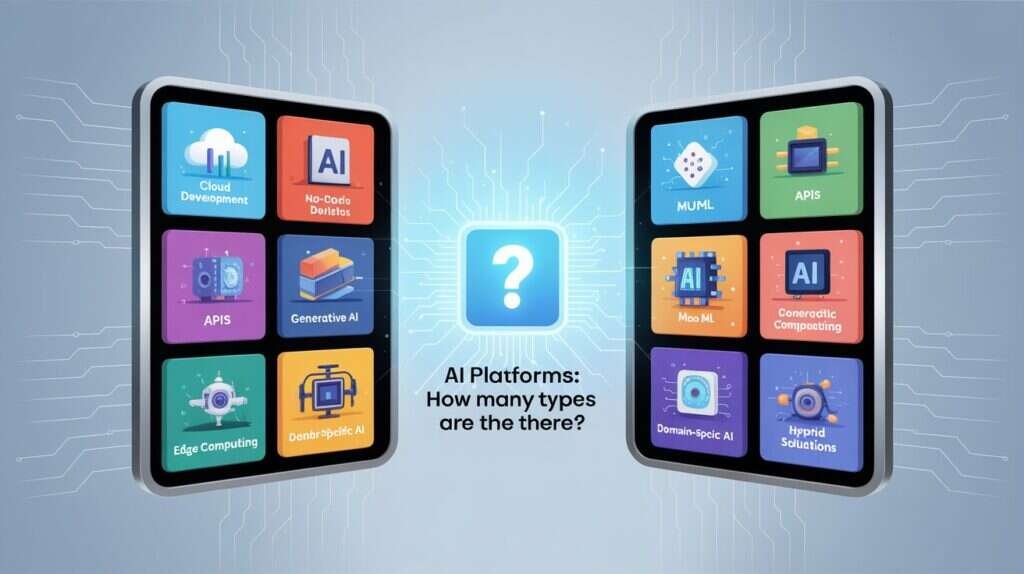
What Are the Main Types of AI Platforms?
The best way to understand different AI platforms is to group them by their main use.
1. General-purpose AI assistants
General-purpose assistants answer questions, summarize documents, write text, explain concepts, translate language, and help with coding.
Examples include:
- ChatGPT by OpenAI
- Claude by Anthropic
- Google Gemini
- Microsoft Copilot
- Meta AI
These tools are useful for school, work, planning, brainstorming, and general research. Their exact features depend on the plan, model, region, app, and date.
A general assistant is usually the easiest place to start. You type a request in plain English and receive a response. Some services also accept files, images, voice input, or links.
2. AI search and answer platforms
AI search platforms combine language models with web search. They aim to give a direct answer while showing links to sources.
Examples include:
- Perplexity
- Google Gemini with web-connected features
- Microsoft Copilot with web search features
- Search tools built into other browsers and services
These platforms can save time when you need current information. They may help with product research, recent news, travel planning, or comparing public sources.
They are not automatically correct. Check the linked source, date, author, and original document. An AI-generated answer can misread a page or combine facts from unrelated sources.
3. AI image, video, and audio platforms
Creative AI platforms generate or edit media from text or other files.
Examples include:
- Adobe Firefly for image and design workflows
- OpenAI image tools
- Runway for video generation and editing
- ElevenLabs for synthetic voice and audio tools
- Canva AI features for design tasks
- Stability AI tools for image generation and development
These platforms may help create marketing drafts, storyboards, social media graphics, voice samples, or concept art.
Check commercial-use terms before using generated media in a paid project. Rules can differ by product, plan, model, region, and type of content.
4. Open-source and model-sharing platforms
Open-source AI platforms give developers access to models, data sets, libraries, and tools. Some models can be downloaded and run on a local computer or private server.
Examples include:
- Hugging Face
- GitHub AI repositories
- Ollama
- Kaggle
- NVIDIA NIM and related developer tools
These platforms offer more control than a standard chatbot. They can also require more technical skill. Users may need to install software, manage hardware, review licenses, and protect private data.
“Open source” does not always mean that every part of a model is open. Review the model license, training information, usage limits, and security risks before deploying it.
5. Enterprise AI cloud platforms
Enterprise AI platforms help organizations build and manage AI applications. They often connect models to company data, databases, customer systems, and internal tools.
Common examples include:
- Amazon Bedrock
- Google Vertex AI
- Microsoft Azure AI
- IBM watsonx
- Databricks Mosaic AI
- Oracle Cloud Infrastructure AI services
These platforms may provide:
- Access to multiple AI models
- APIs and software development tools
- Data controls
- Identity and access management
- Evaluation and monitoring
- Workflow automation
- Retrieval-augmented generation, or RAG
- Model customization
- Usage and cost controls
Enterprise platforms are usually more complex than consumer chatbots. They may be a better fit when an organization needs centralized administration, compliance review, or integration with existing cloud systems.
Popular AI Platforms Compared
The table below compares well-known AI platforms by their main role. Features and prices change, so check each provider’s official documentation before making a purchase.
| AI platform | Main role | Best fit | Main trade-off |
|---|---|---|---|
| ChatGPT | General AI assistant and developer platform | Writing, analysis, coding, files, and broad daily use | Output still needs fact-checking |
| Claude | Writing, reasoning, and document work | Long documents, careful drafting, and analysis | Feature access varies by plan and region |
| Google Gemini | AI assistant linked with Google services | Users who work with Google products | Connected features require careful privacy review |
| Microsoft Copilot | AI assistance across Microsoft products | Microsoft 365 and Windows users | Capabilities differ by Copilot version |
| Perplexity | Search-based AI answers | Fast research with linked sources | Sources still need direct review |
| Meta AI | Consumer assistant within Meta products | Casual questions and social app use | Less suited to controlled business workflows |
| Hugging Face | Model and data-sharing platform | Developers, researchers, and open models | Requires technical and license review |
| Amazon Bedrock | Managed access to foundation models | AWS-based business applications | Cloud setup and cost management take work |
| Google Vertex AI | Enterprise AI development | Google Cloud users and ML teams | More complex than a consumer chatbot |
| Azure AI | Enterprise AI and app development | Microsoft and Azure organizations | Configuration depends on the Azure environment |
| IBM watsonx | Enterprise AI and governance | Organizations focused on controlled deployment | May require specialized business setup |
| Adobe Firefly | Generative creative tools | Design and marketing work | Commercial terms depend on the tool and plan |
A platform’s brand name does not tell you everything. For example, “Copilot” may refer to different Microsoft products with different features. “Gemini” may refer to a consumer assistant, a model family, or Google Cloud development services.
What Is the Difference Between an AI Model and an AI Platform?
An AI model is the engine that generates a prediction, response, image, or other output. An AI platform is the complete service that gives you access to one or more models.
For example, a platform may provide:
- A model that processes your prompt
- A chat window or API
- File handling
- Web search
- Account controls
- Billing
- Security features
- Performance monitoring
The same model may appear in more than one application. A platform may also let you choose among several models based on speed, quality, price, or privacy needs.
This distinction matters when comparing products. A model benchmark does not measure the entire user experience. A platform’s search tools, file limits, data policies, uptime, and integrations can affect the result just as much as the model itself.
How Do You Choose the Right AI Platform?
Choose an AI platform based on the job, data, skill level, and level of control you need.
Step 1: Define the main task
Start with one clear use case:
- Drafting emails or reports
- Summarizing documents
- Finding current information
- Writing or checking code
- Creating images or video
- Analyzing spreadsheets
- Building a customer service bot
- Running a private model
- Connecting AI to business software
A single general-purpose chatbot may be enough for simple writing or brainstorming. A developer platform is more suitable for an application that must serve many users.
Step 2: Decide whether current information matters
If your task depends on recent information, use a platform with a documented web-search or data-connection feature. Still, inspect the original sources.
For example, current U.S. tax rules, product availability, software releases, and government guidance can change. An AI platform without current data may produce an outdated answer.
Step 3: Check privacy and data use
Do not paste sensitive information into a platform until you understand its data policy and account controls.
Review:
- Whether prompts may be used to improve services
- Whether business data receives different treatment
- Retention and deletion settings
- Human review practices
- Encryption information
- Account and access controls
- Data residency options
- Contract terms for business use
Avoid placing Social Security numbers, medical records, passwords, private customer data, or confidential legal documents into a consumer tool unless the proper safeguards are in place.
Step 4: Compare integrations
An AI platform may work best when it connects to the tools you already use.
Examples include:
- Google Workspace
- Microsoft 365
- Salesforce
- Slack
- GitHub
- Amazon Web Services
- Databases and internal knowledge bases
Integration can save time, but it also increases the need for access controls. Give the system only the permissions it needs.
Step 5: Review cost and usage limits
Many AI services use subscriptions, usage-based billing, or both. Costs may depend on:
- Number of users
- Number of messages
- Input and output tokens
- File processing
- Image or video generation
- API requests
- Storage
- Model choice
- Data transfer
A free plan can be useful for testing. It may have lower limits, fewer models, slower service, or fewer privacy controls.
Step 6: Test the platform with real work
Run the same small task through two or three platforms. Use a simple scoring sheet:
| Test area | Question |
|---|---|
| Accuracy | Did it get key facts right? |
| Relevance | Did it answer the actual task? |
| Sources | Can you check the claims? |
| Speed | Was the response fast enough? |
| Cost | Does the price fit your use? |
| Privacy | Are the controls suitable? |
| Workflow | Does it fit your existing tools? |
Do not judge a platform from one answer. Test several tasks that reflect your real needs.
Which AI Platform Is Best for Different Users?
There is no single best AI platform for every person or company.
For everyday questions and writing
A general assistant such as ChatGPT, Claude, Gemini, or Copilot may work well. Compare how each one handles your writing style, files, coding needs, and preferred apps.
For research
An AI search service such as Perplexity may be useful because it presents links with its answers. Use it as a research aid, not as a replacement for reading primary sources.
For health, legal, financial, or safety decisions, verify important information with official sources and qualified professionals.
For Microsoft users
Microsoft Copilot may be convenient for people who work in Microsoft products. Check the exact Copilot version and licensing level because Microsoft uses the Copilot name across several services.
For Google users
Gemini and Google Cloud AI services may fit users who rely on Google Workspace or Google Cloud. Review which connected data the service can access before enabling integrations.
For developers
Developers may choose among an API from OpenAI, Anthropic, Google, or another provider; an open model from Hugging Face; or a cloud service such as Amazon Bedrock, Vertex AI, or Azure AI.
The right choice depends on model quality, latency, cost, software tools, security, and deployment needs.
For businesses
A business should usually evaluate more than response quality. It should also review:
- Administrative controls
- Vendor contracts
- Data handling
- Audit records
- User permissions
- Model evaluation
- Incident response
- Integration support
- Exit and migration options
A small business may begin with a managed business assistant. A larger company may need an enterprise cloud platform with a formal review process.
What Are the Limitations of AI Platforms?
AI platforms can produce false, incomplete, biased, or misleading results. A confident tone does not prove that an answer is correct.
Common problems include:
- Hallucinations: The system invents facts, sources, quotes, or citations.
- Outdated information: The model may not know recent events or rule changes.
- Weak source use: A search tool may cite a page that does not support its claim.
- Prompt sensitivity: Small changes in wording can change the output.
- Privacy risks: Sensitive data may be exposed through poor settings or misuse.
- Bias: Training data and system design can affect results.
- Copyright concerns: Generated material may resemble existing work.
- Security risks: AI-generated code can contain bugs or unsafe functions.
- Automation errors: A system connected to business tools may take an unwanted action.
Use human review when the result affects money, employment, education, health, legal rights, safety, or access to essential services.
For business use, keep logs, define approval steps, limit permissions, and test the system before broad deployment.
Common Mistakes When Choosing an AI Platform
Choosing by brand alone
A well-known company may offer several AI products. Compare the exact service, model, plan, and data policy.
Assuming a fluent answer is accurate
AI systems often write clearly even when the facts are wrong. Check important claims against reliable sources.
Ignoring the data policy
A free service may not provide the same controls as a paid business service. Read the current terms before uploading private material.
Comparing only monthly prices
An inexpensive plan may become costly when API use, file processing, storage, or extra users are added. Estimate total use.
Giving an AI tool too much access
Connect only the files, accounts, and systems that the tool needs. Review permissions often.
Treating open source as risk-free
Open models can offer control, but the user may become responsible for hosting, security, updates, licensing, and performance.
Frequently Asked Questions
Is ChatGPT an AI platform?
Yes. ChatGPT is a user-facing AI service that provides conversational assistance and may include features such as file analysis, coding help, image tools, and web-connected functions. OpenAI also provides developer APIs for building applications.
Is Google Gemini different from Google Vertex AI?
Yes. Gemini commonly refers to Google’s consumer and model offerings, while Vertex AI is Google Cloud’s development and enterprise platform. The services can be related, but they serve different users and workflows.
Which AI platform is best for students?
A general AI assistant can help explain topics, create study questions, and review drafts. Students should follow school rules, cite original sources, and avoid submitting AI-generated work as their own when that violates academic policies.
Which AI platform is best for business?
The answer depends on the company’s tools, data, users, and risk level. A business should compare privacy controls, contracts, integrations, cost, administrative features, and output quality rather than choosing only by popularity.
Can AI platforms replace human workers?
They can automate some tasks, but they do not reliably replace human judgment in every setting. People remain responsible for checking facts, handling sensitive decisions, managing relationships, and reviewing high-impact results.
Conclusion
Different AI platforms serve different purposes. ChatGPT, Claude, Gemini, and Copilot are broad assistants. Perplexity focuses on search-based answers. Adobe Firefly and similar tools support creative work. Hugging Face supports open models and development. Amazon Bedrock, Google Vertex AI, Azure AI, IBM watsonx, and related services support business applications.
The best choice depends on your task, data, budget, integrations, and need for control. Start with a small real-world test, review the platform’s current terms, and verify important AI-generated claims before acting on them.

Everett Ashford is a tech reviewer at mytechgrid.com specializing in SSDs, cameras, TVs, earbuds, headphones, and other consumer electronics. He provides honest, data-driven reviews based on hands-on testing and real-world performance analysis. Everett simplifies complex tech details to help readers make smart, confident buying decisions.