The fastest way to tell if your camera is a DSLR is to check its model name, lens mount, and viewfinder. A DSLR usually has a digital image sensor, a removable lens, and an optical viewfinder that uses a mirror inside the camera.
Look for terms such as DSLR, Digital SLR, EOS, Nikon D, Pentax K, or Sony Alpha A-mount on the camera body. If you can see the scene through the viewfinder even when the camera is turned off, that is also a strong sign that it may be a DSLR.
However, not every camera with a removable lens is a DSLR. Mirrorless cameras also accept interchangeable lenses, but they do not use the same internal mirror system.
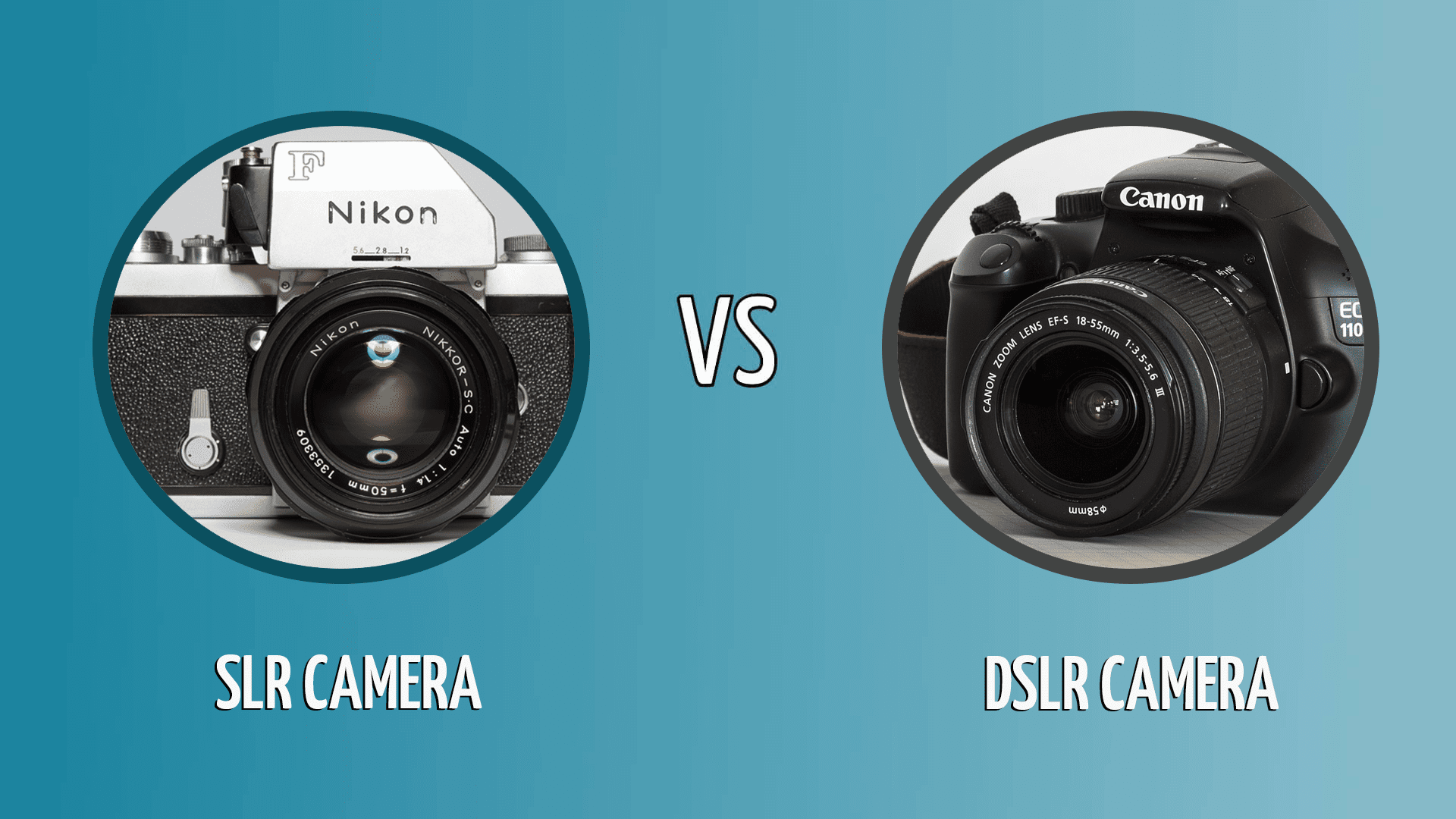
What Does DSLR Mean?
DSLR stands for digital single-lens reflex.
Each part of the name describes a feature:
- Digital: The camera records photos on an image sensor instead of film.
- Single-lens: The viewfinder and the image sensor use light from the same camera lens.
- Reflex: A mirror reflects light into the optical viewfinder.
When you take a photo with a DSLR, the mirror briefly moves out of the way. Light then reaches the image sensor behind it. This process is why many DSLRs make a clear clicking or snapping sound when you press the shutter button.
Canon describes its EOS DSLR cameras as digital cameras that use a reflex mirror and optical viewfinder. Nikon also separates its DSLR models from its mirrorless Z-series cameras in its product system. These manufacturer terms are useful when confirming a camera type, but the model number remains the most reliable check.
A DSLR is different from:
- A film SLR, which uses photographic film.
- A mirrorless camera, which has no reflex mirror.
- A compact camera, which normally has a fixed lens.
- A bridge camera, which may look like a DSLR but often has a fixed lens.
- A rangefinder camera, which uses a different viewing and focusing system.
7 Reliable Ways to Tell If Your Camera Is a DSLR
Use more than one clue if you are unsure. A single feature, such as a large grip or removable lens, does not prove that a camera is a DSLR.
1. Check the Camera Body for “DSLR” or “Digital SLR”
Start with the front, top, or side of the camera. Some manufacturers print DSLR, Digital SLR, or SLR directly on the body.
You may also see a model family that identifies the camera:
- Canon EOS Rebel T-series
- Canon EOS 5D, 6D, or 7D
- Nikon D3500, D5600, D7500, D850, or D780
- Pentax K-70, K-3, or K-1
- Sony Alpha A-mount models, such as the older α58
The exact label depends on the brand. A missing DSLR logo does not mean the camera is not a DSLR. Some models show only a model number.
2. Find the Exact Model Number
The model number is the best way to confirm the camera type.
Look in these places:
- The top or front of the camera.
- The back near the screen.
- The bottom label.
- Inside the battery compartment.
- The original box or receipt.
- The camera menu under firmware, device information, or camera information.
Search the model number on the camera maker’s official website. Use a search such as:
[model number] official specifications
For example, if the camera says Nikon D3500, Nikon’s product page identifies it as a DSLR. If it says Canon EOS R50, Canon identifies it as a mirrorless camera, even though it has interchangeable lenses.
Do not rely only on a similar-looking photo. Camera designs can look alike across different categories.
3. Look Through the Viewfinder With the Camera Turned Off
A traditional DSLR has an optical viewfinder. It uses the camera lens, a mirror, and a prism to show the scene.
Try this simple check:
- Turn the camera off.
- Remove the lens cap.
- Look through the viewfinder.
- Point the camera toward a bright, clear object.
- Check whether you can see the scene.
If you can see through the viewfinder while the camera has no power, the camera may be a DSLR or another camera with an optical viewing system.
This test is useful, but it is not perfect. Some cameras use an electronic viewfinder that stays dark when the camera is off. Some older cameras also have unusual viewing systems. Confirm the result with the model number.
4. Check for a Mirror Inside the Lens Mount
If your camera has a removable lens, turn it off and remove the lens carefully. Keep the camera facing slightly downward so dust is less likely to settle on the sensor.
A DSLR normally has a mirror near the front of the camera. It may look like a shiny, angled rectangle. This mirror reflects light up to the viewfinder.
Do not touch the mirror or the sensor. Fingerprints, dust, and scratches can affect image quality or cause expensive damage. You do not need to inspect the inside if you can confirm the model in the manual.
A mirror is a strong physical sign of a DSLR, but some cameras use related mirror systems. Sony’s older SLT cameras, for example, use a fixed translucent mirror rather than the moving mirror found in most DSLRs. The model name still provides the clearest answer.
5. Check Whether the Camera Uses an Optical Viewfinder
The viewfinder itself can help you separate a DSLR from a mirrorless camera.
A DSLR optical viewfinder shows light coming directly through the lens. It usually does not show exposure brightness, white balance, or image effects in real time.
A mirrorless electronic viewfinder shows a small video feed from the sensor. It can often preview exposure, color, focus aids, and menus.
This difference can help:
| Feature | DSLR | Mirrorless camera |
|---|---|---|
| Internal reflex mirror | Yes, in standard DSLR designs | No |
| Optical viewfinder | Usually yes | No |
| Electronic viewfinder | Uncommon or absent | Common on many models |
| Removable lens | Yes | Yes |
| Live view on rear screen | Yes on most digital models | Yes |
| Lens mount | DSLR-specific mount | Mirrorless-specific mount |
The rear screen does not identify the camera type. Both DSLRs and mirrorless cameras can use live view.
6. Look at the Lens Mount and Lens Type
Most DSLRs have a removable lens. Common DSLR lens systems include:
- Canon EF and EF-S
- Nikon F mount
- Pentax K mount
- Sony A-mount
- Sigma SA mount
The lens mount can provide a useful clue, but it is not proof by itself. Some lens mounts have adapters, and some brands have both DSLR and mirrorless systems.
For example, Canon EF lenses are associated with Canon DSLRs, while Canon RF lenses are made for Canon’s newer mirrorless cameras. Nikon F lenses are associated with Nikon DSLRs, while Nikon Z lenses are made for Nikon mirrorless cameras.
Do not force a lens onto the camera. Lens mounts can look similar but use different locking systems. Use the camera and lens manuals to confirm compatibility.
7. Check the Manual or Official Specifications
If the body markings are unclear, find the camera manual. Search the manufacturer’s support site using the full model number.
Look for phrases such as:
- “digital single-lens reflex camera”
- “optical viewfinder”
- “reflex mirror”
- “DSLR camera”
- “interchangeable-lens camera”
An official manual can also explain the camera’s lens mount, focusing system, viewfinder, and shooting modes. This is more dependable than a marketplace listing or a social media comment.
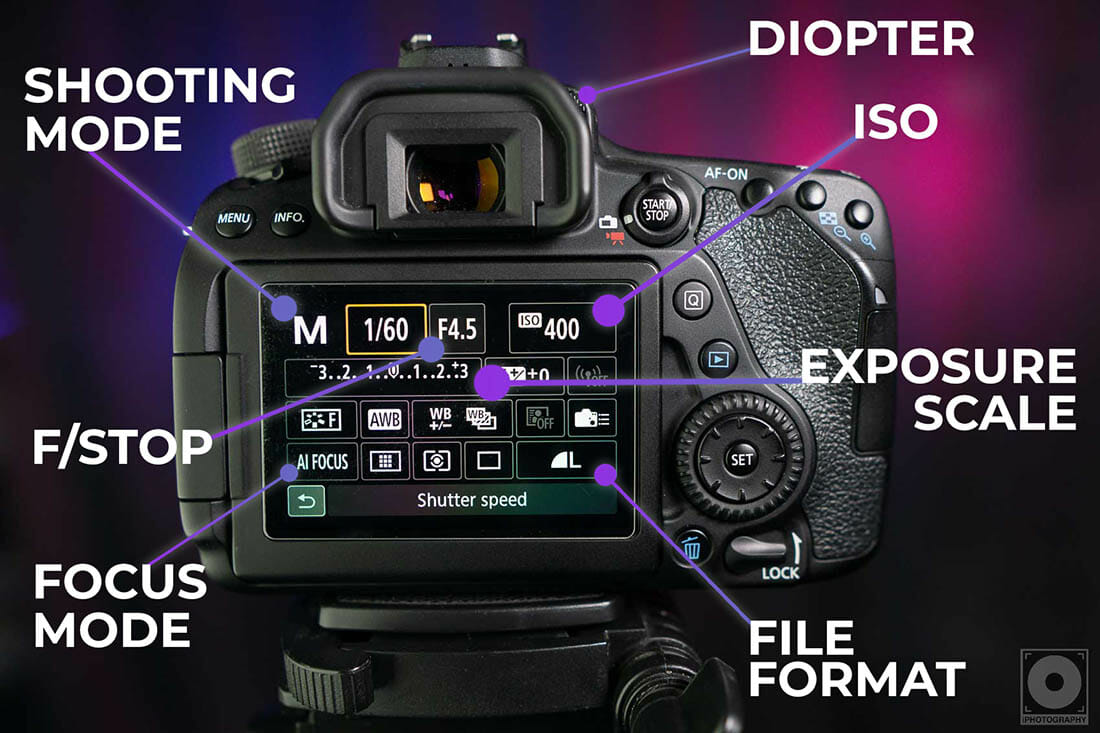
DSLR or Mirrorless? Use This Quick Comparison
The most common mistake is confusing a DSLR with a mirrorless camera. Both can have large bodies, removable lenses, manual controls, and high image quality.
The key difference is inside the body:
- A DSLR uses a reflex mirror and an optical viewfinder.
- A mirrorless camera sends the sensor image to the rear screen or an electronic viewfinder.
Signs Your Camera Is Probably a DSLR
Your camera is probably a DSLR if most of these points are true:
- It has an optical viewfinder.
- You can see through the viewfinder when the camera is off.
- The camera has a moving mirror behind the lens.
- The model name includes a DSLR series, such as Nikon D or Canon EOS Rebel.
- The lens mount accepts DSLR lenses.
- The manual calls it a digital single-lens reflex camera.
Signs Your Camera Is Probably Mirrorless
Your camera is probably mirrorless if:
- It has an electronic viewfinder.
- The viewfinder stays dark when the camera is off.
- The camera has no reflex mirror behind the lens.
- The model belongs to a mirrorless range, such as Canon EOS R, Nikon Z, or Sony Alpha E-mount.
- The manual describes it as a mirrorless interchangeable-lens camera.
Some cameras have no viewfinder at all. In that case, the model number and official specifications matter more than physical inspection.
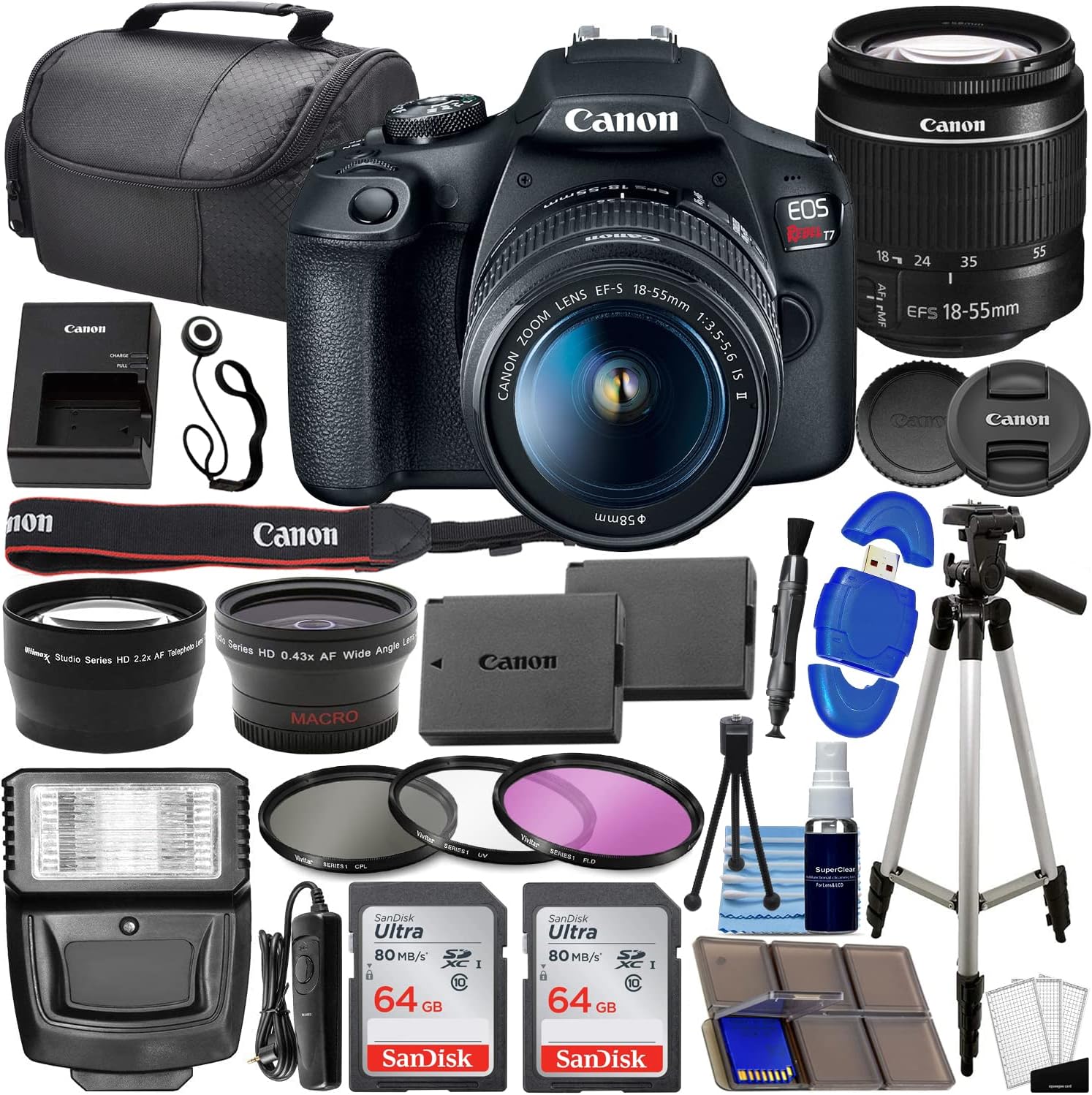
Common Cameras That Are Not DSLRs
Several camera types can look like a DSLR at first glance.
Bridge Cameras
A bridge camera often has:
- A large hand grip.
- A built-in flash.
- A large zoom lens.
- A viewfinder.
- Manual exposure controls.
The main difference is that the lens usually cannot be removed. The camera may resemble a DSLR, but it is not a DSLR.
Examples include many superzoom cameras from Canon, Nikon, Panasonic, and Sony.
Mirrorless Interchangeable-Lens Cameras
Mirrorless cameras can look almost identical to DSLRs. They may have:
- A large grip.
- A hot shoe for a flash.
- Multiple control dials.
- A removable lens.
- A viewfinder.
- Advanced manual controls.
The missing reflex mirror is the deciding difference. Canon EOS R, Nikon Z, Sony E-mount, Fujifilm X, and Panasonic Lumix G models are common mirrorless systems.
Film SLR Cameras
A film SLR uses a mirror and optical viewfinder, so it may look like a DSLR. The difference is the recording medium.
Check whether the camera has:
- A film door.
- A film rewind knob or crank.
- A film advance lever.
- A frame counter for film.
- No digital memory-card slot or image sensor.
A film SLR is an SLR, but it is not a digital SLR.
Compact Digital Cameras
A compact digital camera usually has a fixed lens and a smaller body. Some have a small viewfinder, but they do not use the standard DSLR lens-and-mirror design.
The lens may extend when the camera turns on, but it will not normally detach from the camera body.

What If the Camera Says “SLR” but Not “DSLR”?
“SLR” describes the viewing design, not whether the camera records digitally.
A camera labeled SLR may be a film camera. A camera labeled DSLR is digital. Check for a memory-card slot, battery compartment, digital menu, and image sensor.
The word EOS also does not automatically mean DSLR. Canon has used EOS branding for both DSLR and mirrorless cameras. For example:
- Canon EOS Rebel T7: DSLR.
- Canon EOS 90D: DSLR.
- Canon EOS R6: mirrorless.
- Canon EOS R50: mirrorless.
The letter or number after the brand name matters. Confirm it with Canon’s official specifications.
What If I Cannot See the Mirror?
You may not be able to see the mirror for several reasons:
- The lens is still attached.
- The mirror is raised for live view.
- The camera is in a cleaning mode.
- The view is too dark.
- The camera uses a fixed translucent mirror.
- The camera is mirrorless.
Do not move the mirror by hand. If you remove the lens, keep dust away from the open mount. The safest method is to identify the model and read the official manual.
A camera may also have a mirror lock-up function. This raises the mirror during cleaning or tripod photography. In that position, the camera can temporarily look as though it has no mirror. That does not make it a mirrorless camera.
Can You Tell by the Camera’s Size or Photo Quality?
No. Size and image quality do not prove that a camera is a DSLR.
Many mirrorless cameras are large. Some compact cameras produce sharp photos. Some older DSLRs have smaller sensors than newer mirrorless models, while some professional DSLRs have very large bodies.
The following features are not reliable proof:
- A large body.
- A large lens.
- A built-in flash.
- A hot shoe.
- Manual controls.
- High megapixel count.
- Blurred background.
- Professional-looking photos.
- A loud shutter sound.
Use the model number, viewfinder type, and mirror system instead.
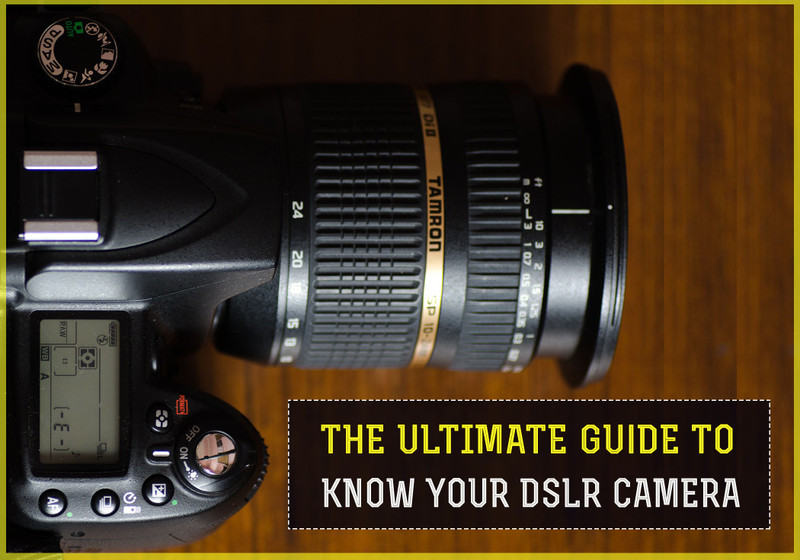
A Simple 60-Second Identification Method
Use this order when you need a quick answer.
- Read the model name. Look on the front, top, bottom, and inside the battery area.
- Search the exact model. Use the manufacturer’s support or product page.
- Check the viewfinder. Does it show a real optical view when the camera is off?
- Check the lens. Is it removable, and does it use a known DSLR mount?
- Inspect the lens mount only if needed. Look for a mirror, but do not touch it.
- Read the manual. Confirm whether the camera is called a DSLR, mirrorless camera, bridge camera, or film SLR.
Example
Suppose a camera has the label Nikon D5600.
- The Nikon D-series model name points to a DSLR.
- It uses the Nikon F lens mount.
- It has an optical viewfinder.
- It contains a reflex mirror.
- Nikon’s official documentation identifies it as a DSLR.
The answer is clear: the Nikon D5600 is a DSLR.
Now suppose a camera says Nikon Z50.
- The Z-series name identifies Nikon’s mirrorless system.
- It uses the Nikon Z mount.
- It has an electronic viewfinder.
- It has no DSLR reflex mirror.
The Nikon Z50 is mirrorless, not a DSLR.
Frequently Asked Questions
Is every camera with a removable lens a DSLR?
No. Both DSLRs and mirrorless cameras use removable lenses. A removable lens only tells you that the camera is an interchangeable-lens camera. The mirror and viewfinder system tell you whether it is a DSLR.
Is a Canon EOS camera always a DSLR?
No. Canon uses EOS branding for both DSLR and mirrorless cameras. Canon EOS Rebel and many EOS 5D models are DSLRs. EOS R models are mirrorless. Check the full model name.
Is Nikon D the same as Nikon Z?
No. Nikon D models are generally DSLRs, while Nikon Z models are mirrorless cameras. Older Nikon models can have different naming patterns, so confirm the exact model in Nikon’s support documentation.
Does a DSLR work without a battery?
The optical viewfinder may still show a scene without battery power. However, a digital DSLR normally needs a charged battery to take photos, control the shutter, autofocus, save files, or use the rear screen.
Can a DSLR record video?
Yes. Most modern digital DSLRs can record video. They use live view during video recording because the mirror stays raised and the camera relies on the image sensor.
What should I do if I still cannot identify the camera?
Write down every marking on the body and lens. Take a clear photo of the front, top, and bottom labels. Then compare the details with the camera maker’s support site or user manual. Avoid buying lenses, batteries, or accessories until the exact model is confirmed.
Conclusion
You can usually identify a DSLR in less than a minute. Find the exact model number, check the official specifications, and look for the two defining features: a reflex mirror and an optical viewfinder.
A removable lens alone is not enough. Bridge cameras, mirrorless cameras, and film SLRs can look similar. If the model name is unclear, the manufacturer’s manual is the safest and most accurate source.
For the next step, record the camera’s full model number. That will also help you find the correct lenses, batteries, memory cards, manuals, and repair information.

Everett Ashford is a tech reviewer at mytechgrid.com specializing in SSDs, cameras, TVs, earbuds, headphones, and other consumer electronics. He provides honest, data-driven reviews based on hands-on testing and real-world performance analysis. Everett simplifies complex tech details to help readers make smart, confident buying decisions.