Yes, other people can hear your headphones, but how much they hear depends on the headphone design, your volume, the fit, and the distance between you. Closed-back headphones and well-sealed earbuds usually leak less sound than open-back headphones or loose-fitting earbuds.
If someone beside you on a New York subway, a Chicago bus, or in a quiet U.S. office can hear the song clearly, your headphones are leaking too much sound for that setting. A faint sound at close range may be normal. Clear vocals or a strong beat from several feet away usually means the volume is high or the headphones do not seal well.
Why Do Headphones Leak Sound?
Headphones leak sound when air movement from the speaker driver escapes outside the ear cup or earbud. The sound then reaches people nearby.
Every headphone driver creates small changes in air pressure. Your ears detect those changes as sound. Ideally, most of that energy travels into your ears. In practice, some energy travels outward as well.


The amount of leakage depends on several factors:
- Headphone design: Open-back headphones release sound through vents in the ear cups.
- Ear seal: Gaps around an earbud or ear cup let sound escape.
- Volume: A louder signal creates more sound outside the headphones.
- Fit: Loose headphones can leak more than a snug pair.
- Distance: Sound becomes harder to hear as a listener moves away.
- Background noise: A noisy room can hide leakage, while a quiet room makes it easy to notice.
Sound leakage is not the same as sound coming through the cable or Bluetooth connection. The wireless signal stays private. The sound becomes audible to others only after the headphone speaker turns that signal into air movement.

Which Headphones Leak the Most Sound?
Open-back headphones usually leak the most. Closed-back headphones and sealed in-ear headphones usually leak less, although no common headphone type is completely silent to nearby listeners.
Open-back headphones
Open-back headphones have vents or grilles on the outside of the ear cups. These let air move freely around the driver.
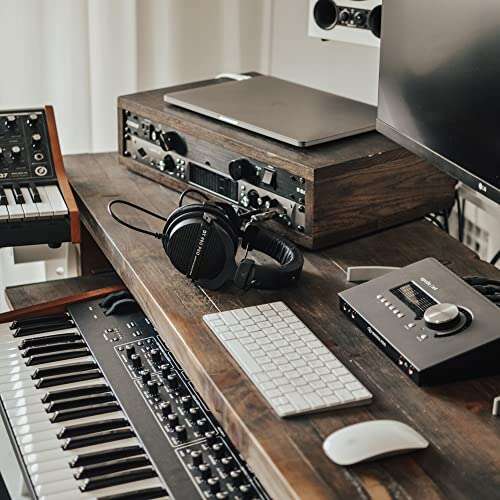
This design can create a more open listening feel. It can also make music easy for nearby people to hear. Open-back headphones are best for private rooms, home listening, or studio work where leakage is not a problem.


They are a poor choice for:
- Libraries
- Shared offices
- Airplanes
- Public transit
- Quiet waiting rooms
- Recording spaces where a microphone is nearby
Closed-back headphones
Closed-back headphones use solid outer ear cups. They block some sound from leaving and also reduce some outside noise.
They can still leak sound when:
- The volume is high
- The ear cushions do not fit well
- The cushions are worn or cracked
- The headphones sit partly off your ears
- The design has large vents
Closed-back does not mean soundproof. It means the outer shell is designed to reduce sound movement compared with an open-back design.
In-ear headphones and earbuds
In-ear headphones often leak less sound because the ear tip sits inside the ear canal. A good seal sends more sound toward the ear and less into the room.
However, earbuds can leak if:
- The ear tips are too small
- The tips do not sit deep enough
- The earbuds rest outside the ear canal
- The earbuds have built-in vents
- The volume is very high
- One earbud is loose
earbuds with no seal, such as some hard plastic designs, may leak more than sealed in-ear models.
Bone-conduction headphones
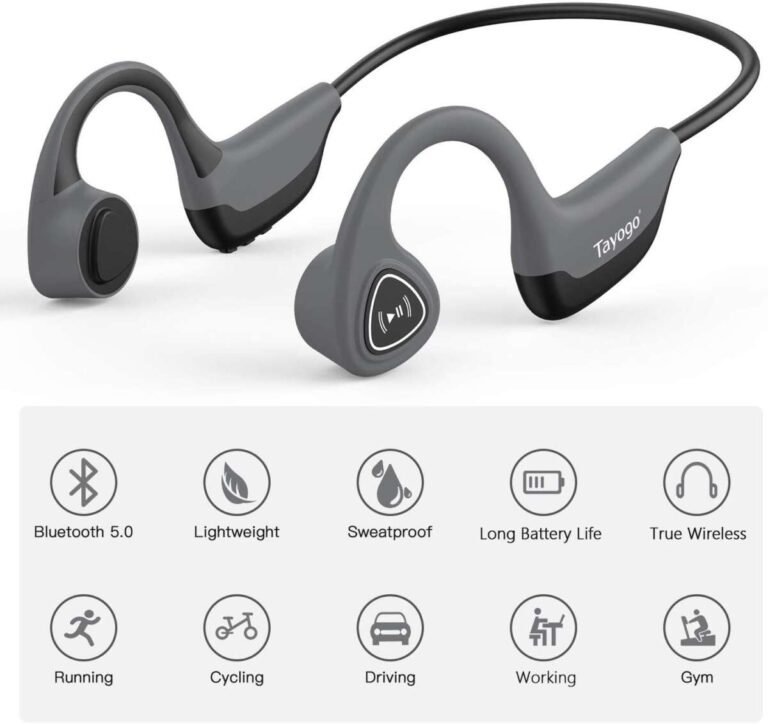
Bone-conduction headphones sit near the ears instead of sealing the ear canals. They leave the ears open to the room.
They can be useful when you need to hear traffic, a coworker, or a public announcement. They can also be heard by people nearby, especially in a quiet place or at a high volume. Their sound leakage pattern differs from normal headphones, but they are not private listening devices.

How Can You Tell If Other People Can Hear Your Headphones?
The most useful test is to ask someone you trust. Do not rely only on what you hear while wearing the headphones because your ears are receiving the direct sound at a much higher level than people nearby.
Try this simple test:
- Play the music, podcast, or video you normally use.
- Set the volume to your usual level.
- Sit in a quiet room.
- Ask someone to stand at the distance where people normally sit near you.
- Ask whether they can identify the song, words, or general sound.
- Repeat the test at a lower volume.
- Test again with the headphones fitted correctly.
You can also record the headphones with a phone, but this is only a rough check. A phone microphone may not capture leakage in the same way a human listener hears it. Do not treat a recording as a precise sound-level measurement.
What the result means
| What the nearby person hears | Likely meaning | What to do |
|---|---|---|
| Nothing | Leakage is low in that setting | Keep the same fit and volume |
| A faint hiss or soft beat at very close range | Some leakage is present | Lower the volume if privacy matters |
| Clear words or music at arm’s length | Leakage is noticeable | Reduce volume or improve the seal |
| Clear sound from several feet away | Leakage is high | Check the headphone type, fit, and volume |
| Sound from one side only | One ear cup or earbud may be loose | Refit or replace the ear tip |
The test should match the real setting. A quiet bedroom gives a different result from a busy airport. If privacy matters in a library or office, test in a quiet room rather than beside a television.
How to Stop Other People From Hearing Your Headphones
You can usually reduce leakage by lowering the volume, improving the fit, or using a design that seals better.


1. Lower the volume
Volume is often the fastest fix. Lower it until speech is still clear and the music remains comfortable.
If you need to raise the volume because outside noise is too loud, use headphones with effective noise reduction or move to a quieter place. Do not keep increasing the volume to overcome traffic, aircraft noise, or loud public spaces.
The National Institute on Deafness and Other Communication Disorders explains that repeated exposure to loud sound can damage hearing. The risk depends on both loudness and exposure time, so a lower setting is the safer choice when practical.
2. Improve the earbud seal
For in-ear headphones, try a different ear-tip size. The right tip should feel secure without causing pain or pressure.
A poor seal may cause two problems at once:
- Other people hear more of your audio.
- You hear less of the audio and raise the volume to compensate.
Try the left and right ears separately if your ears differ in shape. Some models also support foam tips, which may improve the seal. Use only accessories made for the specific model and stop if they cause pain or irritation.
3. Position over-ear headphones correctly
Make sure the ear cups fully surround your ears. Hair, glasses, hats, and jewelry can create small gaps between the cushion and your head.
Check the cushions for wear. Flattened or cracked pads may reduce the seal. Replacement cushions can help if the headphone design supports them, but they may also change comfort and sound.
4. Avoid open-back designs in shared spaces
If people regularly hear your music, the headphone type may be the main cause. Open-back headphones are designed to let sound move through the ear cup.
Use closed-back headphones or sealed in-ear headphones when you need more privacy. This will reduce leakage, but it will not make the headphones silent to everyone nearby.
5. Use active noise cancellation correctly
Active noise cancellation, or ANC, reduces some outside sounds by producing an opposite signal. It can make it easier for you to hear your music at a lower volume.
ANC does not automatically stop other people from hearing your headphones. It mainly controls sound entering your ears. Leakage depends more on the headphone seal, outer housing, and playback volume.

Can People Hear Headphones Through a Wall?
Usually, not clearly. A wall blocks much of the sound from normal headphones, but it may not block every vibration.
People in the next room might notice a faint beat if:


- The headphones are very loud
- The headphones are resting on a hard surface
- The sound passes through a shared wall or floor
- The building has poor sound insulation
- Low bass creates vibrations
This is more common with speakers than with headphones. If you remove headphones and place them on a desk, the desk can act as a vibrating surface. Keep them on your head or in a soft case when they are not in use.
Do not assume that a closed door guarantees privacy. In a quiet home, someone close to the door may still hear a faint sound, especially from an open-back design.
Can People Hear Headphones on a Plane or Bus?
They can, but engine and road noise may hide some leakage. A seatmate may still hear clear vocals, sharp high notes, or loud bass if the headphones are turned up.
Public transportation creates a difficult trade-off. Outside noise may lead you to increase the volume, but that can increase both leakage and hearing risk. A better approach is to:
- Use a good seal
- Turn on ANC if available
- Keep the volume as low as practical
- Check your fit before raising the volume
- Remove one earbud if you need to hear an announcement
Some airlines and transit systems may have their own rules about audio devices. Follow crew or staff instructions, especially during safety announcements.
Can Bluetooth Headphones Be Heard by Other People?
Bluetooth does not make your audio public. Bluetooth sends digital audio from your phone, tablet, or computer to the headphones.
Other people normally cannot hear the Bluetooth transmission itself. They can hear only the physical sound produced by the headphone speakers and leaked into the room.
A person with another Bluetooth device also cannot normally listen to your headphones just because they are nearby. Pairing requires the devices to connect through the appropriate process. Bluetooth privacy and sound leakage are separate issues:
- Bluetooth privacy: Who receives the wireless signal?
- Acoustic privacy: Who hears the sound coming from the headphones?
In normal use, leakage is the concern, not someone receiving your Bluetooth audio.
Does Volume Affect Hearing Safety?
Yes. Louder sound and longer exposure increase the chance of hearing harm. You may not notice damage right away, and temporary muffled hearing or ringing after listening is a warning to stop and give your ears a quiet break.
The CDC and NIDCD recommend reducing exposure to loud sounds and using hearing protection when needed. Headphone volume limits can help, but they are not a guarantee because actual sound levels vary by device, app, recording, fit, and earbud model.
Use these practical habits:
- Keep the volume as low as works for you.
- Take regular breaks during long listening sessions.
- Avoid raising the volume to overcome background noise.
- Pay attention to ringing, pain, or muffled hearing.
- Seek medical advice if symptoms persist or happen often.
If you work around loud machinery, use hearing protection intended for that environment. Ordinary headphones are not automatically approved hearing protection.

Common Mistakes That Cause Headphone Leakage
Small habits can make leakage much worse.


Turning up the volume because the seal is poor
A loose ear tip lets outside noise in and your music out. Fix the fit before raising the volume.
Wearing over-ear headphones partly off the ears
This creates a large gap around the cushions. It may also make the sound less clear, which encourages higher volume.
Assuming ANC means privacy
ANC can reduce outside noise for the wearer. It does not guarantee that nearby people cannot hear the audio.
Testing in a noisy room
A loud room may hide leakage. Test in a quiet space if you want to know whether people can hear your headphones.
Ignoring worn ear cushions
Old cushions may lose their shape. A visible gap is a practical sign that the seal is no longer working well.
Placing powered headphones on a desk
The desk may vibrate and carry sound farther than the headphones would while worn.
What Should You Do If People Keep Hearing Your Headphones?
Start with the simplest changes:
- Lower the volume.
- Refit the headphones or change the ear tips.
- Check for worn cushions or gaps.
- Test again in a quiet room.
- Use closed-back or sealed in-ear headphones if privacy is important.
- Keep open-back and bone-conduction designs for settings where leakage is acceptable.
If people can hear your headphones even at a comfortable volume, the design or fit is likely the main issue. If you must raise the volume to hear clearly, address outside noise and check the fit rather than continuing to turn the volume up.
FAQs About Headphone Sound Leakage
Can people hear my headphones if I use earbuds?
Yes. Sealed in-ear earbuds often leak less than open-back headphones, but people may still hear them at a high volume or when the ear tips do not seal well.
Are noise-canceling headphones soundproof?
No. Noise cancellation can reduce outside noise, but it does not make the headphones soundproof or prevent all audio leakage.
Can someone hear my headphones from across the room?
They may hear open-back headphones or very loud closed-back headphones from across a quiet room. At a normal volume, clear sound from across the room usually suggests high leakage, a poor fit, or a damaged headphone component.
Do headphones leak more bass than other sounds?
Bass can travel through gaps and surfaces well, so nearby people may notice a low beat even when they cannot hear the words. The exact amount depends on the headphone design, volume, fit, and surroundings.
Is sound leakage a sign that my headphones are broken?
Not always. Some headphones, especially open-back models, are designed to leak sound. Sudden leakage from only one side, crackling, or a major change in sound may point to a damaged cushion, loose part, or hardware problem.
Conclusion
Other people can hear your headphones when sound escapes from the ear cups or earbuds. The main factors are headphone design, fit, volume, and distance.
For more privacy, lower the volume, improve the seal, keep the ear cups fully over your ears, and choose closed-back or sealed in-ear headphones. Remember that active noise cancellation reduces outside noise for you, but it does not stop nearby people from hearing your audio.

Everett Ashford is a tech reviewer at mytechgrid.com specializing in SSDs, cameras, TVs, earbuds, headphones, and other consumer electronics. He provides honest, data-driven reviews based on hands-on testing and real-world performance analysis. Everett simplifies complex tech details to help readers make smart, confident buying decisions.