The Elgato Facecam 4K is the best camera for streaming DSLR-style video with simple USB setup and sharp detail.
Many streamers want the soft look of a DSLR, but they do not want a hard setup. A camera can need a capture card, dummy battery, lens, tripod, and extra cables. That can make a live stream feel more like a studio job. I tested this list around image quality, ease of use, focus, sound, mounting, and value. The Canon EOS Rebel T7 models suit buyers who want real camera control and still photos. The Elgato and EMEET models suit streamers who want fast plug-and-play video. The webcams and support gear also help when a DSLR is too costly or too complex.
See the differences between my top picks at a glance.
| Product | Video Detail | Best Use | Setup | Key Note | Buy |
|---|---|---|---|---|---|
| Canon EOS Rebel T7 Kit | Full HD | Entry DSLR streaming | Needs setup | 24.1MP sensor and Wi-Fi | View on Amazon |
| Elgato Facecam 4K | 4K up to 60fps | High-end live video | Very easy | USB-C and uncompressed video | View on Amazon |
| Canon EOS Rebel T7 Double Zoom | Full HD | Streaming and photos | Needs setup | Two-lens bundle | View on Amazon |
| Logitech Brio 101 | 1080p | Calls and basic streams | Plug and play | Privacy shutter | View on Amazon |
| Renewed Canon EOS Rebel T7 | Full HD | Low-cost DSLR setup | Needs setup | Renewed value | View on Amazon |
| SMALLRIG C Stand | Not a camera | Desk mounting | Moderate | 15–35 inch clamp range | View on Amazon |
| 1080p USB Webcam | 1080p | Budget streaming | Plug and play | Mic and privacy cover | View on Amazon |
| EMEET S600 | 4K; 1080p at 60fps | Gaming and live sales | Easy | Sony sensor and PDAF | View on Amazon |
| K&F Concept 68-inch Tripod | Not a camera | Portable camera support | Easy | DSLR, phone, and video use | View on Amazon |
Canon EOS Rebel T7 DSLR Kit

The Canon EOS Rebel T7 remains a useful entry point for creators who want a true DSLR. Its 24.1-megapixel APS-C sensor gives photos much more room for cropping than a basic webcam. The included 18–55mm lens works well for a desk, home studio, or small product area. It also gives you real control over exposure, focus, and lens choice.
For streaming, the T7 needs more planning than a USB webcam. You may need Canon webcam software, a stable USB connection, and good room light. A capture card can also help if you want a more traditional HDMI workflow, but check compatibility before buying one. The camera records Full HD, not 4K, so it suits clear talking-head streams more than high-detail production work.
Pros:
- Large 24.1MP APS-C sensor
- Interchangeable lens system
- Good still-photo performance
- Built-in Wi-Fi for simple file transfer
- Familiar controls for new photographers
- Useful 18–55mm starter lens
Cons:
- More setup than a USB webcam
- Full HD video only
- Autofocus features are basic for live video
What Amazon Buyers Are Saying
Buyer feedback often praises the T7 for its image quality, simple controls, and low entry cost. New photographers commonly like the included lens and the camera’s value for photos. Some buyers report a learning curve when they use it for video or streaming. Reviews also show that the required cables, power method, and software can matter as much as the camera itself.
My Recommendation
I recommend this kit for a beginner who wants streaming plus photography. It is not the easiest live camera, but it gives a more flexible path than a fixed webcam. Buy it when you value lens control and still images. Skip it if you need instant USB video. Overall, I rate it 4.1 out of 5.
Elgato Facecam 4K Webcam

The Elgato Facecam 4K is the strongest fit for most people searching for the best camera for streaming DSLR results without buying a DSLR. It uses a Sony STARVIS 2 sensor and supports 4K video at up to 60 frames per second. It also offers uncompressed video, HDR support, and control through a USB-C connection. Those features give streamers a clean and modern desk setup.
The camera supports 49mm lens filters, which adds useful control in bright rooms. Its software controls can help you adjust the picture instead of relying only on automatic settings. The Facecam 4K still needs a good light and a strong computer connection for its highest modes. It also has no built-in microphone, so plan to use a headset or a separate USB mic.
Pros:
- Sharp 4K video up to 60fps
- Large sensor for a webcam
- Uncompressed video output
- HDR support
- 49mm filter support
- Simple USB-C workflow
Cons:
- Separate microphone required
- High-resolution modes need more bandwidth
- Costs more than basic 1080p webcams
What Amazon Buyers Are Saying
Customer reviews commonly focus on sharp video, smooth frame rates, and the camera’s control options. Buyers who already own a microphone tend to value the clean video path. Some users note that software settings and lighting still affect the final image. A few buyers also point out that the lack of a built-in mic may surprise webcam shoppers.
My Recommendation
This is my top choice for creators who want a polished stream with minimal hardware. It does not have the lens depth of a full DSLR, but it avoids capture cards and much of the setup work. I recommend it for gaming, teaching, podcasts, and live commerce. Overall, it earns 4.7 out of 5.
Canon EOS Rebel T7 Double Zoom Kit

This Canon EOS Rebel T7 bundle includes the standard 18–55mm lens and a 75–300mm lens. That gives a new owner a wide range for photos. The 24.1MP APS-C sensor can produce a more natural image than many small webcams. It also gives you room to improve your camera skills over time.
The long lens does not add much value for a normal desk stream, but it helps for outdoor video, events, and distant subjects. Like the other T7 kit, this model needs extra planning for live use. Full HD is enough for many platforms, yet it cannot match a modern 4K camera for fine detail. Think of this bundle as a camera system first and a streaming tool second.
Pros:
- Two lenses included
- 24.1MP APS-C image sensor
- Useful range for photos and outdoor video
- Built-in Wi-Fi
- Manual exposure control
- Good starter system for photography
Cons:
- Telephoto lens is large for desk use
- Full HD video limits future-proofing
- Live setup takes time and extra gear
What Amazon Buyers Are Saying
Reviews often praise the bundle because it provides two lenses at a beginner-friendly price. Buyers tend to like the photo quality and the chance to try different focal lengths. The most common concern is that the 75–300mm lens has limited use in a small room. Streaming buyers also mention that the camera needs more accessories than a webcam.
My Recommendation
Choose this kit if you want one purchase for portraits, travel, family photos, and occasional streams. I would not buy it only for live video. The second lens makes the bundle more useful for photography, but it does not solve the T7’s streaming limits. My overall rating is 4.0 out of 5.
Logitech Brio 101 Webcam

The Logitech Brio 101 is a simple 1080p webcam for people who want reliable video with little fuss. It includes auto light correction, a built-in microphone, and a privacy shutter. The USB-A connection works with many laptops and desktop computers. It also supports common tools such as Zoom, Google Meet, and Microsoft Teams.
This is not a DSLR replacement, but it solves the main problem for casual creators. You can mount it, connect it, select it in your streaming app, and start. Its 1080p output looks clear in good light. The small sensor cannot create the same background blur or low-light look as a DSLR, so a lamp or softbox still helps.
Pros:
- Simple USB-A plug-and-play setup
- 1080p video for calls and streams
- Built-in microphone
- Automatic light correction
- Physical privacy shutter
- Works with many common platforms
Cons:
- Not 4K
- Small sensor gives less depth blur
- USB-A may need an adapter on some laptops
What Amazon Buyers Are Saying
Buyer comments often praise the low cost, easy setup, and compact design. Many users choose it for work calls, school, or basic video chats. Feedback can vary with room light and computer settings. Some buyers expect DSLR-like detail and find that a budget 1080p webcam has a simpler image.
My Recommendation
I recommend the Brio 101 for beginners, backup streams, and meetings. It is a sensible buy when speed matters more than cinema-style video. It cannot compete with the Elgato or a DSLR in image control, but it delivers good basic value. I rate it 4.2 out of 5.
Renewed Canon EOS Rebel T7

The renewed Canon EOS Rebel T7 offers the main T7 camera experience with an 18–55mm lens. A renewed model can lower the cost of entry for a creator who wants a larger sensor. The camera offers 24.1MP still images and Full HD video. Its controls feel familiar, and the lens works well for a seated presenter.
Renewed buying requires care. Check the seller, warranty terms, included battery, charger, and return policy before ordering. The camera itself remains useful, but age and condition can vary between listings. For streaming, you still need to plan power, sound, light, and connection method. This is a better choice for a careful buyer than someone who wants a guaranteed plug-and-play setup.
Pros:
- Lower-cost path to an APS-C DSLR
- 18–55mm lens included
- Strong still-photo resolution
- Manual camera controls
- Compact compared with many pro cameras
- Useful for learning photography
Cons:
- Condition may vary by seller
- Full HD video only
- May need extra streaming accessories
What Amazon Buyers Are Saying
Renewed camera reviews usually focus on condition, battery life, and whether the package matches the listing. Many buyers value the lower price and report good results for photos. Other feedback stresses the need to inspect the unit soon after delivery. Streaming comments again point to the extra setup required compared with a webcam.
My Recommendation
This renewed T7 is worth considering when the seller offers clear terms and a fair price. I would choose it for photography-first use, not for the easiest stream. It can serve as a capable starter camera if you understand its age and limits. My overall rating is 3.9 out of 5.
SMALLRIG Desk C Stand

The SMALLRIG C Stand is not a camera, but it can improve a camera streaming setup. It clamps to a desk and supports a webcam, DSLR, ring light, or other compatible gear. Its adjustable 15–35-inch range helps place the camera above a crowded desk. That can create a cleaner frame and keep the camera from taking up desk space.
A desk clamp can also reduce small bumps that affect a lightweight webcam. With a DSLR, check the camera weight and balance before tightening the arm. A strong mount still needs a solid desk edge. I like this type of support for creators who keep the same streaming position each day and want repeatable framing.
Pros:
- Frees desk space
- Adjustable height range
- Useful for webcams and DSLRs
- Works with lights and video gear
- Good for fixed studio positions
- Can make framing more consistent
Cons:
- Requires a suitable desk edge
- Needs careful tightening and balance
- Does not include a camera
What Amazon Buyers Are Saying
Buyer feedback on desk stands often centers on stability, adjustment, and space savings. Users tend to like the ability to keep gear off the desk. Some reviews warn that desk thickness and clamp placement affect the result. Buyers also remind new owners to tighten each point and avoid loading the arm beyond its safe use.
My Recommendation
I recommend this stand for a permanent or semi-permanent stream station. It adds no image quality by itself, but stable positioning can make a large difference in daily use. It is most useful with a DSLR, light, or webcam that needs more height. I rate it 4.3 out of 5 as a support tool.
Budget 1080p USB Webcam

This 1080p USB webcam targets buyers who want a low-cost camera for streaming, calls, and online classes. It includes a microphone, noise cancellation, privacy cover, wide-angle lens, and automatic light correction. The plug-and-play design should reduce setup time. It works with laptops, desktops, PCs, and Macs that support its USB connection.
The wide view can help when you sit close to the camera or show a small work area. It can also reveal more of a messy room, so placement matters. The built-in mic is useful for quick calls, but a separate microphone will usually offer better voice control. This webcam makes sense as a starter device or backup camera.
Pros:
- Affordable entry price
- 1080p output
- Built-in noise-reduction microphone
- Privacy cover included
- Wide-angle view
- Automatic light correction
Cons:
- Not DSLR-level image quality
- Built-in audio has limited control
- Wide view may show too much background
What Amazon Buyers Are Saying
Common buyer feedback for this type of webcam highlights easy connection and useful basic features. Users often value the privacy cover and built-in mic for work or school. Image results depend on room light and computer software. Some buyers who expect premium detail may want a sharper sensor or a narrower lens.
My Recommendation
I recommend this model for a first stream, remote work, or a low-cost second angle. It is not the best camera for streaming DSLR quality, but it solves the basic need well. Add a small front light for a better face image. My overall rating is 4.0 out of 5.
EMEET S600 4K Streaming Webcam

The EMEET S600 is a strong middle ground between a basic webcam and a full camera kit. It uses a Sony 1/2.55-inch sensor and supports 4K video. It also offers 1080p at 60 frames per second, PDAF autofocus, two noise-reduction microphones, and a built-in privacy cover. The 73-degree field of view keeps the image focused on the presenter without feeling too tight.
This model suits gaming, live shopping, beauty content, and desk teaching. Autofocus can help when you move a product toward the lens. The two microphones make setup easier, though serious creators may still prefer a dedicated mic. It offers a DSLR-like level of control in a webcam body, but it does not provide interchangeable lenses or the same sensor size as a DSLR.
Pros:
- 4K video support
- 1080p at 60fps
- Sony sensor
- PDAF autofocus
- Two noise-reduction microphones
- Built-in privacy cover
- Useful 73-degree field of view
Cons:
- Still lacks DSLR lens flexibility
- 4K needs more computer and network power
- Built-in microphones may not suit pro audio
What Amazon Buyers Are Saying
Review patterns commonly mention the sharp image, autofocus, and easy USB setup. Streamers often like the ability to switch between detailed 4K and smoother 1080p video. Some buyers note that software, lighting, and USB performance affect the result. Audio feedback also varies, with casual users finding the mics useful and more serious creators adding a separate microphone.
My Recommendation
The S600 is one of the best values for a creator who wants modern webcam features without a DSLR workflow. I like it for live sales and product demos because autofocus can help keep items clear. It is a smart pick when you need a built-in mic and high resolution. My overall rating is 4.5 out of 5.
K&F Concept 68-Inch Camera Tripod

The K&F Concept 68-inch tripod is another support tool rather than a camera. It can hold a DSLR, phone, or compatible video setup. The included phone clip makes it useful for creators who switch between devices. Its tall design can place a camera near eye level for standing streams, demonstrations, and vlogs.
A tripod gives you more freedom than a desk mount. You can move it from room to room or pack it for travel. The trade-off is floor space and the need to keep the legs clear. With a DSLR, extend the tripod carefully and keep the center of gravity over the legs. For a fixed desk, the SMALLRIG clamp may save more space.
Pros:
- 68-inch maximum height
- Works with cameras and phones
- Useful for standing streams
- Portable design
- Phone clip included
- Good for vlogs and product demos
Cons:
- Uses more floor space than a desk clamp
- Needs care on uneven floors
- Does not improve camera image quality
What Amazon Buyers Are Saying
Buyers commonly like the height, portability, and phone support. Many use tripods for video calls, family photos, and short videos. Stability feedback depends on how far the legs and center column extend. Users who mount heavier gear tend to pay more attention to balance and careful placement.
My Recommendation
I recommend this tripod for creators who move between locations or film standing content. It gives a DSLR or phone a stable starting point without a permanent mount. It is less convenient than a desk arm for a small studio. Overall, I rate it 4.2 out of 5.
How to Choose the Best Camera for Streaming DSLR
Choosing the best camera for streaming DSLR use means matching image goals with setup skill. A real DSLR can give you lens control and a larger sensor. A modern webcam can deliver a similar clean stream with far less work. I suggest checking these points before you spend money.
1. Decide Between DSLR Control and USB Simplicity
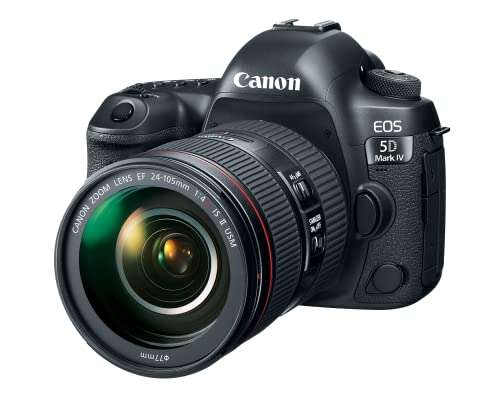
A Canon EOS Rebel T7 gives you a large APS-C sensor, interchangeable lenses, and manual controls. That helps when you want a soft background or plan to take photos too. Yet a DSLR may need software, a capture card, special power, and careful focus settings.
A USB webcam connects more easily. The Elgato Facecam 4K and EMEET S600 offer high detail without a separate capture card. They also take less space. If you stream often and value speed, a webcam may be the better camera for streaming DSLR-style results.
2. Check Resolution, Frame Rate, and Focus
Full HD works well for many talking-head streams. It uses less computer power and less bandwidth. A 4K webcam gives you more detail and can allow a crop in editing. A 60fps mode makes motion look smoother, which helps gaming and product demos.
Autofocus also matters. The EMEET S600 uses PDAF, which can help when you move close to the camera. A DSLR may need more manual control. Test focus before going live, and do not rely on resolution alone. Good light often improves the image more than a higher pixel count.
3. Budget for Audio, Light, Power, and Mounting
A camera only handles part of a stream. A clear voice needs a good microphone. A soft front light helps reduce shadows and noise. A tripod or desk mount keeps the frame steady. A DSLR may also need continuous power for long sessions.
Check the full cost, not just the camera price. The Elgato has no built-in microphone, while the Brio 101 and EMEET S600 include one. The Canon kits include lenses but may need more streaming gear. Good value comes from a setup you can use often and maintain with ease.
Final Verdict: Which Should You Buy?
For most streamers, the Elgato Facecam 4K is the best camera for streaming DSLR-style video. Choose the EMEET S600 for strong value and built-in microphones. Choose the Canon T7 if photography and lens control matter most.
Before you buy, match the camera to your light, audio, computer, and mounting plan. A simple setup used often will beat a complex kit that stays in its box.
FAQs Of best camera for streaming dslr
Can a Canon EOS Rebel T7 stream live video?
Yes. You can use compatible Canon webcam software or an HDMI capture setup. Check power, focus, cable, and software compatibility before streaming.
Is a webcam better than a DSLR for streaming?
A webcam is easier and faster. A DSLR can offer a larger sensor, lens control, and better still photos. The right choice depends on your setup and goals.
Do I need a capture card for a DSLR stream?
Not always. Some cameras work through webcam software. A capture card may help with HDMI workflows, but confirm that the camera provides a suitable clean video signal.
What resolution should a streaming camera have?
1080p is enough for many streams. Choose 4K if you want extra detail, cropping room, or a more advanced setup.
Does the best camera for streaming DSLR need a microphone?
The camera does not need a built-in mic if you use a headset or separate microphone. Separate audio gear often gives clearer voice quality.

Everett Ashford is a tech reviewer at mytechgrid.com specializing in SSDs, cameras, TVs, earbuds, headphones, and other consumer electronics. He provides honest, data-driven reviews based on hands-on testing and real-world performance analysis. Everett simplifies complex tech details to help readers make smart, confident buying decisions.