Introduction
For most people in the United States, the Apple MacBook Air with Apple silicon is the best laptop for battery life. The 13-inch MacBook Air is light, quiet, and strong enough for school, work, travel, and daily use. Apple rates recent MacBook Air models for up to 18 hours of battery life, though real use varies by screen brightness, apps, Wi-Fi, and video work.
If you need Windows, the Microsoft Surface Laptop with a Snapdragon X processor is one of the strongest battery-life choices. If you need more power, the 16-inch MacBook Pro can last longer than the Air in some light-use cases, but it costs more and weighs more.
The right choice depends on more than a claimed battery number. Operating system, processor type, screen size, software, ports, price, and repair options all matter.
Quick Answer: Which Laptop Has the Best Battery Life?
There is no single battery-life winner for every buyer. The best choice depends on how you work.
| Best for | Recommended laptop type | Why it stands out | Main limit |
|---|---|---|---|
| Most people | 13-inch MacBook Air with Apple silicon | Long battery life, low weight, quiet design | macOS and limited ports |
| Windows users | Microsoft Surface Laptop with Snapdragon X | Long unplugged use and a bright screen | Some apps may work better on Intel or AMD |
| Heavy creative work | 14- or 16-inch MacBook Pro | Large battery and efficient Apple chips | High price and more weight |
| Business travel | ThinkPad or business laptop with an efficient chip | Good keyboard, support, and repair options | Battery life varies by exact model |
| Low-cost buyers | Chromebook Plus | Efficient software and simple setup | Limited support for Windows and Mac apps |
Best overall answer: Choose a MacBook Air if you are comfortable with macOS. Choose a Snapdragon X Windows laptop if you need Windows and your key apps support Arm processors.
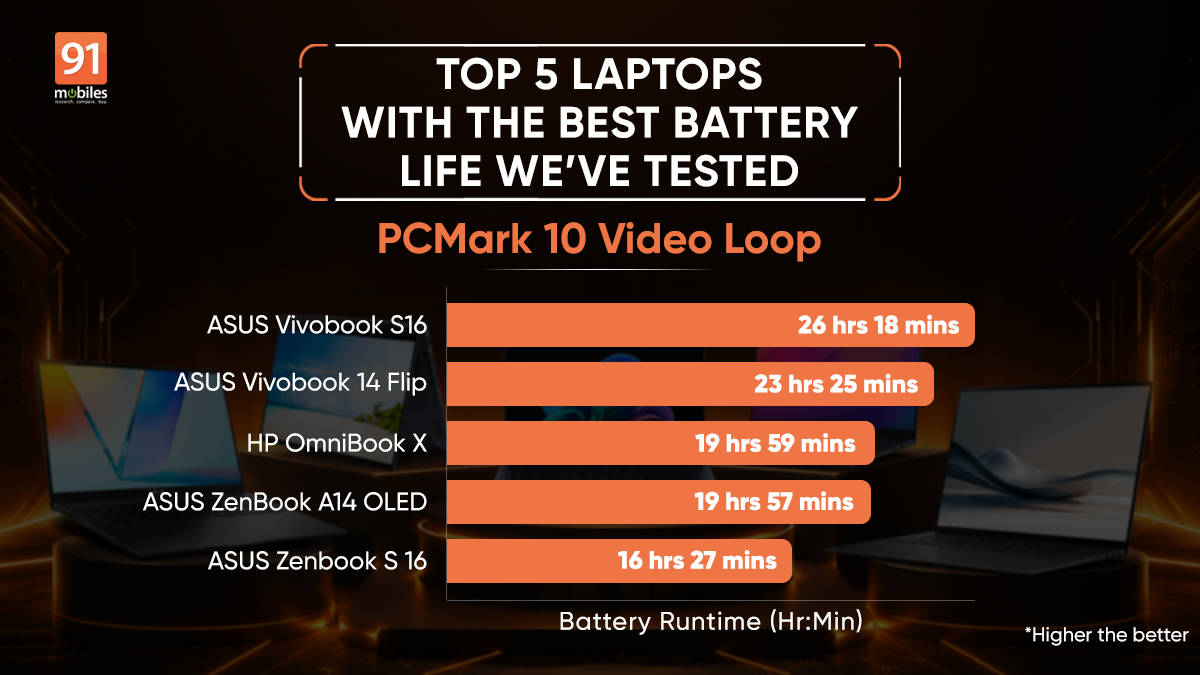
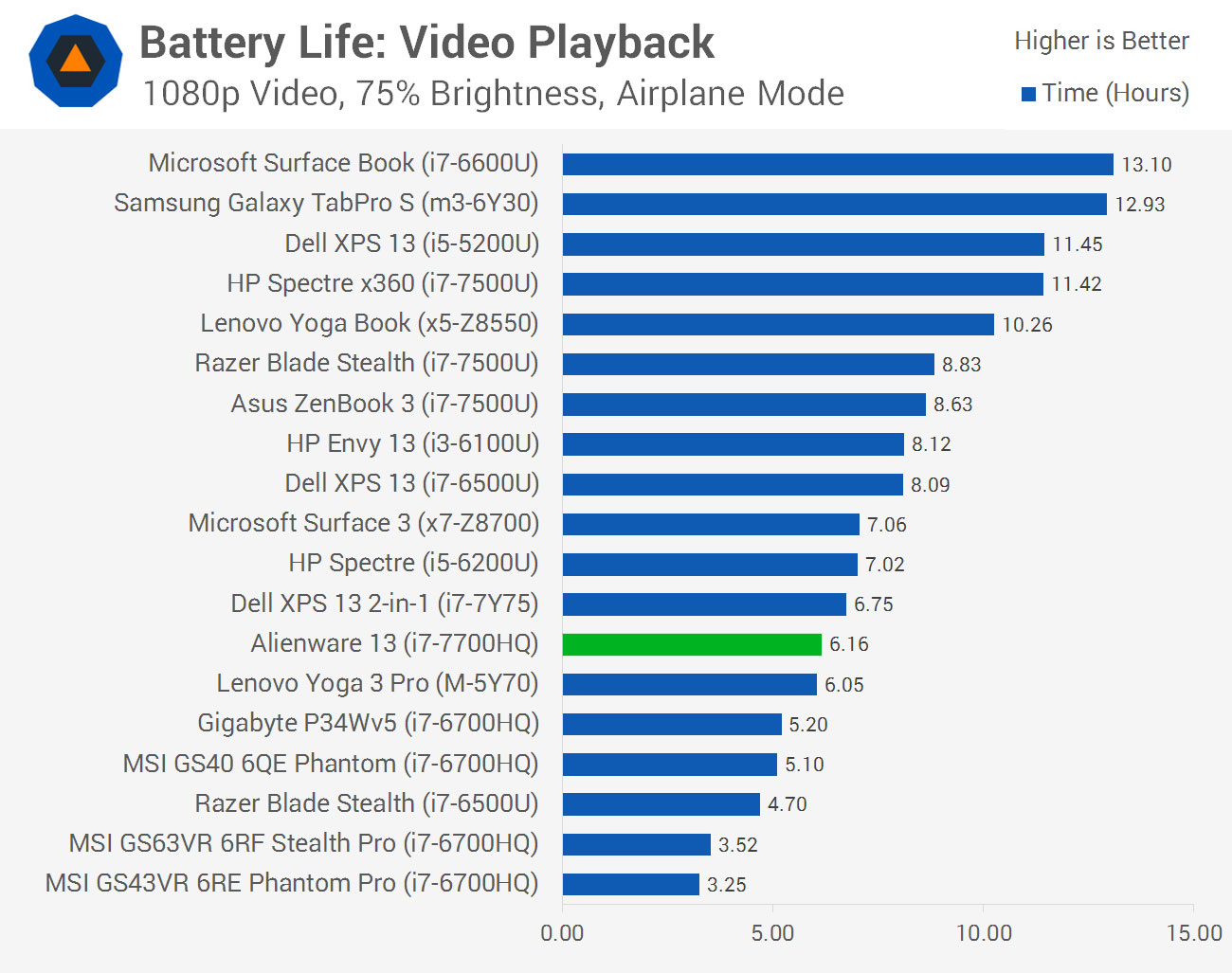
Battery claims from laptop makers are not directly comparable. Each company may use a different test, screen setting, app, and workload. Independent tests are useful, but results also vary by browser, operating system version, and model configuration.
How Laptop Battery Life Is Measured
Laptop battery life is the time a computer runs before its battery needs a charge. Manufacturers usually test light tasks, such as local video playback or web browsing. Those tests do not match every real workday.
A laptop may last 15 hours while reading web pages but only six hours during video editing. A bright OLED display, high screen refresh rate, video calls, gaming, and poor Wi-Fi can all reduce runtime.
The main factors are:
- Battery capacity: Measured in watt-hours, or Wh.
- Processor efficiency: Shows how much work the chip does for each unit of power.
- Display power: OLED, high brightness, high resolution, and fast refresh rates can use more power.
- Software load: Background sync, browser tabs, and system tasks affect runtime.
- Wireless use: Weak Wi-Fi signals can make a laptop work harder.
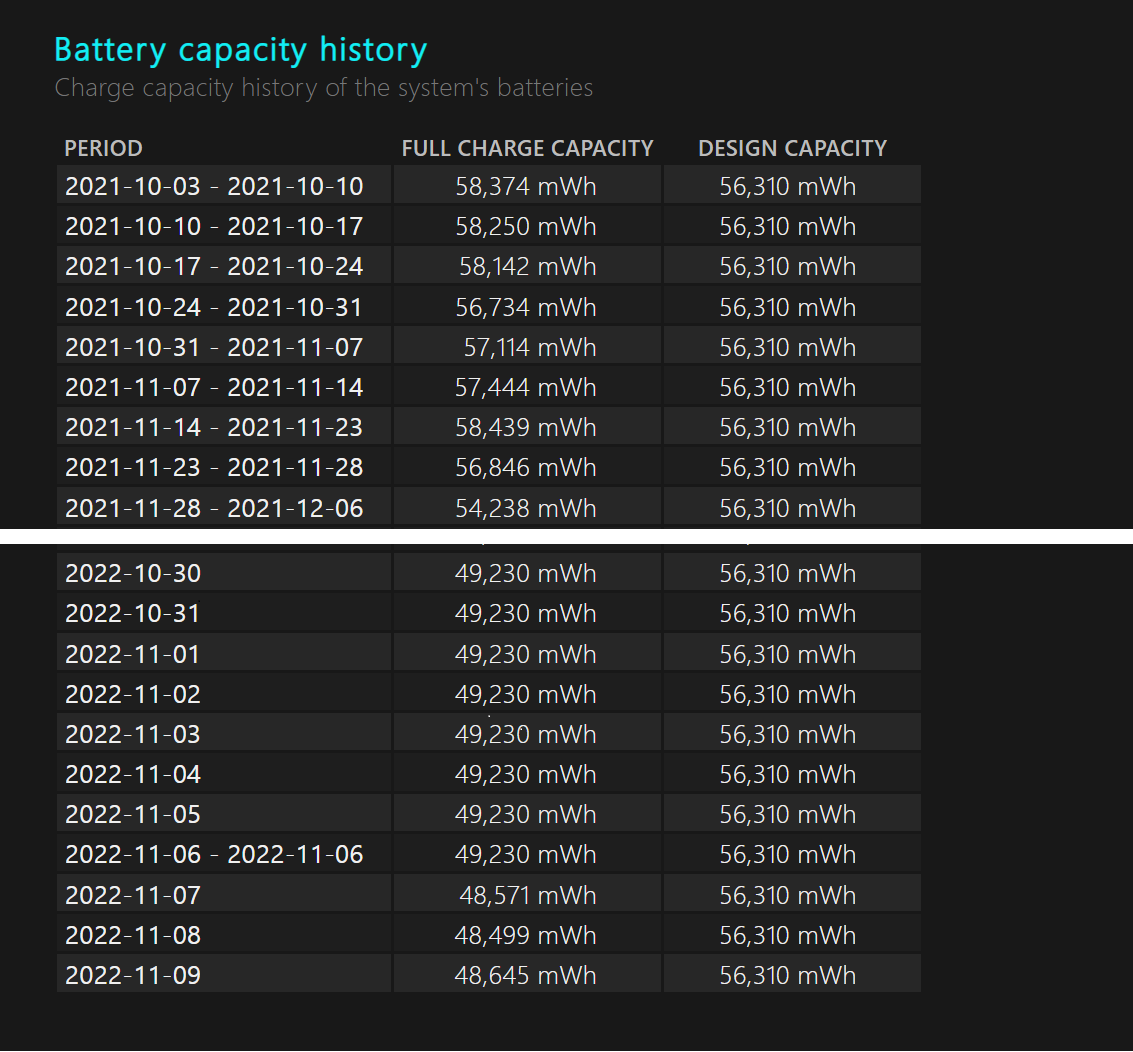
- Battery age: Lithium-ion batteries lose capacity over time.
- Thermal design: Fans and heat can signal higher power use, although fan noise alone does not prove poor efficiency.
A larger battery does not always mean longer battery life. An efficient laptop with a 55-Wh battery may outlast a powerful laptop with a 70-Wh battery.
Battery capacity and runtime
You can estimate energy use with this simple formula:
Estimated runtime = battery capacity in Wh ÷ average power use in watts
For example, a 60-Wh battery powering a laptop at an average of 6 watts could last about 10 hours:
60 Wh ÷ 6 W = 10 hours
This is only an estimate. Real laptops use changing amounts of power. The screen may draw more during bright scenes, while the processor may use more during a video call.
The Best Laptop for Battery Life for Most People
The MacBook Air with an M-series chip is the strongest general recommendation for many U.S. buyers.
Apple’s current MacBook Air models use a fanless design. That means the laptop stays quiet during normal work. The Air also combines a high-capacity battery with an efficient processor and a well-controlled operating system.
It fits people who need:
- Web browsing and email
- Microsoft 365 and Google Workspace
- Online classes
- Video calls
- Photo editing
- Light coding
- Streaming
- Long travel days
The 13-inch version usually makes the most sense for battery life because its display is smaller and the laptop is lighter. The 15-inch Air offers more screen space, but its larger display can use more power in some tasks.
What to know before choosing a MacBook Air
A MacBook Air is not the best fit for everyone. Check these limits first:
- Some Windows-only programs need a virtual machine or a different computer.
- Certain professional tools may require plug-ins that support macOS.
- The Air has fewer ports than many business laptops.
- Memory and storage are not normally user-upgradable.
- Apple laptops tend to cost more than basic Windows laptops.
- Gaming support is narrower than on a Windows laptop with a dedicated graphics card.
For many buyers, 16 GB of memory is a better long-term choice than the base memory option. More memory does not directly create longer battery life, but it can help the laptop handle more browser tabs and larger files without slowing down.
The MacBook Air is best when you value long unplugged use, low weight, quiet operation, and simple daily performance more than gaming or Windows-only software.
The Best Windows Laptop for Battery Life
The Microsoft Surface Laptop with a Snapdragon X processor is a leading Windows choice for battery life. Snapdragon X chips use Arm architecture, which can deliver strong efficiency in thin laptops.
Microsoft lists long battery estimates for Surface Laptop models, but the exact figure depends on screen size and configuration. A smaller display usually has a better chance of lasting longer than a larger one under the same workload.
The Surface Laptop may suit you if you want:
- Windows 11
- A traditional laptop design
- Long battery life
- A sharp screen
- Office work and web use
- A quiet, light computer
The main Snapdragon X concern: app compatibility
Arm-based Windows laptops can run many common Windows apps. Windows also includes a translation system for many programs made for traditional x86 processors. Still, not every app works equally well.
Before buying, check whether your important software supports Windows on Arm. Pay special attention to:
- Business tools
- Older accounting programs
- Engineering software
- Hardware control apps
- Specialized school software
- Virtual machines
- Anti-cheat tools for games
- Printer, scanner, and other device drivers
If an app uses an old driver or unusual plug-in, an Intel or AMD Windows laptop may be safer.
The Surface Laptop is a strong battery-life pick when your work is mostly browser-based or uses well-supported apps. It is less certain for specialized software.
Best High-End Laptop for Battery Life and Power
The 16-inch MacBook Pro is the better choice when you need strong performance and long battery life in the same laptop.
Apple rates recent MacBook Pro models for up to about 22 hours of battery life in selected tests. The exact result depends on the processor, display settings, software, and task. Heavy video work, 3D work, and gaming can reduce runtime sharply.
A MacBook Pro makes sense for:
- Video editing
- Music production
- Software development
- Large photo projects
- 3D work
- Many external displays
- Long export tasks
- Professional apps built for macOS
The Pro model has active cooling. Fans can run during heavy work, but the cooling system helps the processor maintain performance for longer periods.
The trade-off is size and cost. A 16-inch Pro is not an easy choice if you want a small travel laptop. The 14-inch Pro is more portable, but its smaller battery and display can change the result.
Choose the Pro for performance per charge, not simply for the longest number on a product page. If your work is email, documents, and web browsing, the MacBook Air usually offers better value.
Battery Life by Laptop Type
The best battery laptop changes with your workload.
For college students
A 13-inch MacBook Air is a strong choice for students who can use macOS. It is light for commuting and can handle documents, web research, video calls, and streaming.
A Windows student should compare a Snapdragon X laptop with an Intel Core Ultra or AMD Ryzen model. The Snapdragon option may last longer, but software compatibility deserves a check before purchase.
For business travel
Look for a laptop with:
- At least 10 hours of tested mixed-use battery life
- USB-C charging
- A comfortable keyboard
- A matte or low-glare screen
- A weight under about 4 pounds if portability matters
- Reliable sleep and wake behavior
- A service plan or business warranty
Business travelers should also consider charging access. A laptop that lasts 12 hours but charges slowly may be less useful than one that lasts 10 hours and gains several hours from a short charge.
For remote work
Video calls use more power than reading documents. The camera, microphone, display, Wi-Fi radio, and processor all remain active.
If you work from home, battery life may matter less than:
- Webcam quality
- Microphone quality
- Screen size
- Dock support
- Ports
- Comfort
- Heat and fan noise
For gaming
Gaming laptops rarely provide the best battery life during games. Dedicated graphics chips use much more power than integrated graphics.
A gaming laptop may last several hours for light work, but gaming often requires a charger. If long unplugged play is your main goal, consider a handheld gaming device or a less powerful laptop instead.
For video editing
Video editing creates a difficult trade-off. Efficient chips can offer long light-use battery life, but rendering and exporting use much more power.
For frequent editing, choose a laptop with:
- A processor made for sustained work
- Enough memory
- Fast storage
- Good cooling
- A screen suited to your work
- A battery large enough for your travel needs

How to Compare Battery Claims Fairly
Do not compare “up to 18 hours” from one brand with “up to 20 hours” from another as if the tests were the same.
Use this process instead:
- Identify the exact model. Screen size, processor, memory, and storage can change battery life.
- Read the test type. Web browsing, video playback, and mixed use produce different results.
- Check the screen. OLED and high-resolution panels may use more power.
- Look for independent testing. Review sites such as Notebookcheck, PCMag, Tom’s Hardware, and Wirecutter often explain their test methods.
- Compare similar workloads. A local video test is not equal to a browser test.
- Check software support. A laptop that lasts longer is not useful if it cannot run your key apps.
- Consider battery health. A new battery and a three-year-old battery will not perform the same.
A review result is also not a promise. It is evidence from a specific unit under stated conditions.
A useful battery-life target
For normal work, look for independent testing that shows:
- 8 to 10 hours: Usually enough for part of a workday.
- 10 to 14 hours: Strong for travel and school.
- 14 hours or more: Excellent in light tasks, but verify the test method.
- Under 8 hours: Better for desk use near a charger.
These are practical ranges, not industry standards. Heavy work can reduce any of them.
How to Make Your Laptop Battery Last Longer
You can extend daily runtime with a few simple changes.
- Lower screen brightness. The display is often one of the largest power users.
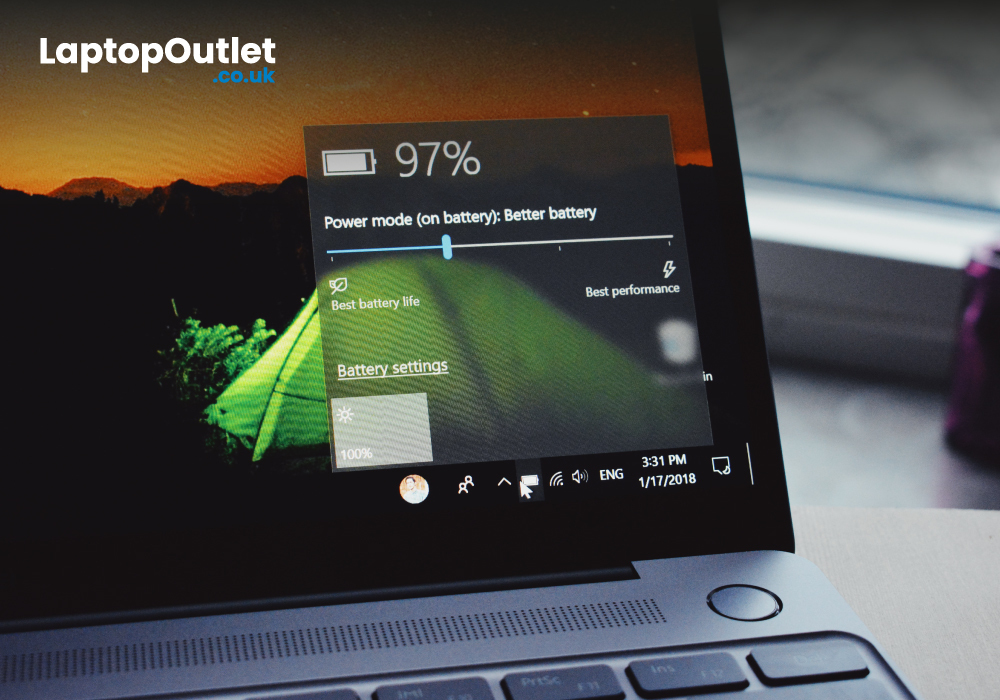
- Use battery saver mode. Windows and macOS can reduce background activity.
- Close apps that keep working in the background. Cloud sync, game launchers, and chat apps can drain power.
- Reduce browser tabs. A tab that plays video or refreshes often may use significant power.
- Turn off unused radios. Disable Bluetooth or Wi-Fi only when you do not need them.
- Use a sensible refresh rate. A 60 Hz setting may use less power than 120 Hz or 144 Hz.
- Keep the laptop cool. Heat can reduce efficiency and speed up battery wear.
- Update the operating system and drivers. Updates can fix power bugs, but install them through official tools.
- Use the correct charger. A certified USB-C charger with enough wattage is safer and more reliable.
- Avoid extreme heat. Do not leave a laptop in a hot car or direct sun.
Modern laptops can remain plugged in safely during normal use. However, keeping a battery at full charge in high heat for long periods may increase wear. If your laptop offers a charge limit, setting it around 80% can help when the computer stays at a desk.
Common Mistakes When Buying for Battery Life
The most common mistake is trusting the largest advertised number. “Up to” battery life describes a test result under selected conditions. It does not describe every workday.
Other mistakes include:
- Choosing a large OLED screen without considering power use
- Buying a powerful gaming laptop for simple office work
- Ignoring software compatibility
- Forgetting the charger’s size and weight
- Assuming more battery capacity always means more runtime
- Comparing a 13-inch laptop with a 16-inch laptop
- Treating a review’s result as a guarantee
- Buying too little memory to save a small amount of money
- Forgetting that battery capacity declines with age
- Ignoring ports, repair support, and warranty terms
The safest purchase is the one that meets your software needs while leaving some battery headroom. If you expect to use a laptop for eight hours, do not choose a model that barely reaches eight hours in independent testing.
Key Takeaways
- Best overall for battery life: MacBook Air with Apple silicon.
- Best Windows option: A Snapdragon X laptop, such as the Microsoft Surface Laptop, if your apps support Windows on Arm.
- Best for demanding work: MacBook Pro, especially when sustained performance matters.
- Best for gaming: Do not expect long battery life during games; a charger is usually required.
- Best buying method: Compare the exact model and independent tests, not only manufacturer claims.
- Best battery habit: Reduce brightness, limit background apps, and avoid heat.
Frequently Asked Questions
Which laptop lasts the longest on one charge?
Recent Apple-silicon MacBooks and Snapdragon X Windows laptops are among the strongest mainstream choices. The exact winner depends on screen size, software, and the test method. A small laptop with an efficient chip often lasts longer than a larger performance laptop.
Is MacBook battery life better than Windows laptop battery life?
Not always, but Apple controls the processor, operating system, and hardware design. That close integration often helps MacBooks deliver strong battery life. Some new Windows laptops with Snapdragon X, AMD, or Intel Core Ultra chips can also provide excellent results.
Does more RAM reduce laptop battery life?
More RAM can use slightly more power, but the difference is usually smaller than the effect of the screen, processor, and workload. Too little RAM can cause slowdowns and extra storage activity, which may also hurt efficiency.
How long should a laptop battery last?
For a new laptop, 8 to 10 hours of real mixed use is a practical baseline. Ten to 14 hours is strong. Heavy tasks, bright screens, weak Wi-Fi, and video calls can reduce those figures.
Can I replace a laptop battery?
Some laptops have replaceable batteries through a repair shop, while others use batteries secured inside the case. Check the manufacturer’s repair manual, service policy, and parts availability before buying. Do not open a swollen or damaged battery. Seek qualified repair help instead.
Conclusion
For most U.S. buyers, the MacBook Air with Apple silicon is the best laptop for battery life because it combines long runtime, low weight, quiet operation, and enough speed for common work.
Choose a Snapdragon X Windows laptop when you need Windows and your key apps support Arm. Choose a MacBook Pro when you need more sustained power for creative or technical work.
Before you buy, check the exact screen and processor configuration, compare independent battery tests, and confirm that the laptop runs the software you need. The best battery laptop is not the one with the biggest claim. It is the one that lasts through your real day without limiting your work.
Sources for verification
- Apple MacBook Air technical specifications
- Apple MacBook Pro technical specifications
- Microsoft Surface Laptop specifications
- Microsoft Windows on Arm app compatibility guidance
- Notebookcheck laptop reviews and battery testing
- U.S. Department of Energy: consumer battery information

Everett Ashford is a tech reviewer at mytechgrid.com specializing in SSDs, cameras, TVs, earbuds, headphones, and other consumer electronics. He provides honest, data-driven reviews based on hands-on testing and real-world performance analysis. Everett simplifies complex tech details to help readers make smart, confident buying decisions.