A new laptop usually costs $300 to $2,500, with most shoppers spending about $700 to $1,200.
The answer to “how much does a new laptop cost” depends on the laptop’s purpose, processor, memory, storage, display, brand, and build quality. A basic Chromebook for school costs far less than a powerful gaming laptop or professional workstation.
This guide breaks down real-world laptop prices in the United States. It also explains what you get at each price, which features matter most, and how to avoid paying for power you will never use.
How much does a new laptop cost by category?
Laptop prices vary widely because different users need different levels of performance. A student may need a simple device for web browsing, while a video editor may need a fast processor, a dedicated graphics card, and a color-accurate screen.
Here is a useful overview of typical new laptop prices:
• Budget laptops: $250 to $500
• Mid-range laptops: $500 to $1,000
• Premium laptops: $1,000 to $2,000
• Gaming laptops: $800 to $3,000 or more
• Professional workstations: $1,500 to $4,000 or more
• Chromebooks: $200 to $700
• MacBooks: About $700 to $3,500, depending on the model and configuration
These are normal US retail ranges, not fixed prices. Sales, product refreshes, storage upgrades, and seasonal promotions can change the final cost.
When people ask how much does a new laptop cost, the most useful answer is often between $600 and $1,200. This range includes many strong Windows laptops, entry-level MacBooks, business laptops, and some capable gaming models.

Laptop prices by budget
What can you get for $250 to $500?
Laptops in this range are designed for basic tasks. They usually handle email, web browsing, video calls, school portals, word processing, and streaming well.
Common features include:
• Intel N-series, Intel Core i3, AMD Ryzen 3, or similar processors
• 4GB to 8GB of RAM
• 64GB to 256GB of storage
• A Chromebook or Windows operating system
• A 11-inch to 15-inch display
The main limitation is speed during heavy multitasking. A budget laptop may slow down when you open many browser tabs, run large spreadsheets, or use creative software.
For children, casual home use, and simple school work, this price range can be sensible. Look for at least 8GB of RAM and 128GB of storage when possible.
What can you get for $500 to $1,000?
This is the best value range for many buyers. Laptops in this group often offer better screens, stronger processors, more storage, and sturdier bodies.
You may find:
• Intel Core i5 or AMD Ryzen 5 processors
• 8GB to 16GB of RAM
• 256GB to 1TB solid-state storage
• Full HD or sharper displays
• Backlit keyboards
• Better battery life
• More USB ports and wireless features
A $700 laptop can be enough for office work, college, remote work, photo editing, coding, and everyday multitasking. If you are unsure how much does a new laptop cost for normal use, this is usually the safest starting point.
What can you get for $1,000 to $2,000?
This range includes premium everyday laptops and entry-level professional machines. Build quality, screen quality, battery life, and overall comfort are often much better.
Typical features include:
• Intel Core Ultra 5 or 7, AMD Ryzen 7, or Apple silicon processors
• 16GB of RAM
• 512GB to 1TB of solid-state storage
• High-resolution or OLED displays
• Aluminum or other premium materials
• Better speakers and webcams
• Stronger security features
These laptops suit professionals, programmers, photographers, business users, and people who want a machine that feels fast for several years.
What can you get for more than $2,000?
High-end laptops focus on specialized needs. They may include powerful graphics cards, large amounts of memory, advanced screens, or workstation-class processors.
This price range is common for:
• 3D designers
• Engineers
• Video editors
• Software developers using virtual machines
• Professional photographers
• Gamers who want high frame rates
• Researchers working with large data sets
For basic browsing and office work, spending over $2,000 is usually unnecessary. More money does not always create a better daily experience if the extra power does not match your workload.

How much does a new laptop cost for school and college?
A good school laptop usually costs $350 to $900. The right price depends on the student’s classes, software needs, and expected years of use.
For elementary and middle school work, a Chromebook or basic Windows laptop may be enough. For high school and college, it is wise to choose a faster processor, 8GB or 16GB of RAM, and at least 256GB of storage.
Students should also consider weight and battery life. A laptop that is powerful but heavy can become frustrating when carried across campus every day.
A practical student setup may include:
• 13-inch to 15-inch display
• 8GB of RAM at minimum
• 256GB solid-state drive
• A modern Intel Core, AMD Ryzen, or Apple processor
• At least eight hours of real-world battery life
• A comfortable keyboard
Engineering, architecture, film, and design students may need to spend $1,000 to $2,000 or more. Their software can require more memory, processing power, and graphics performance.
In my experience comparing laptops for school use, people often focus too much on screen size. A reliable keyboard, good battery, and light weight usually matter more during a long school day.
How much does a new laptop cost for work?
A work laptop generally costs $600 to $1,500. Business users should consider reliability, security, comfort, and support instead of looking only at processor speed.
A basic office laptop can run email, Microsoft Office, cloud apps, video meetings, and accounting tools for about $600 to $900. A premium business laptop may cost $1,000 to $1,800 because it offers stronger materials, better webcams, improved keyboards, and longer support.
Remote workers should pay close attention to:
• Webcam quality
• Microphone performance
• Wi-Fi reliability
• Battery life
• Screen brightness
• Keyboard comfort
• Warranty coverage
• USB-C charging
If you use large spreadsheets, databases, or many browser tabs, 16GB of RAM is a better choice than 8GB. It gives the laptop more room to work without slowing down.
A common mistake is buying a thin laptop with a beautiful design but poor port selection. If you regularly connect a monitor, mouse, storage drive, or wired network, check the ports before purchasing.

How much does a new laptop cost for gaming?
A new gaming laptop usually costs $800 to $3,000 or more. Gaming laptops cost more because they need stronger processors, dedicated graphics, better cooling, and fast displays.
Here is a general breakdown:
• $800 to $1,100: Entry-level gaming at 1080p
• $1,100 to $1,700: Strong 1080p and entry-level 1440p gaming
• $1,700 to $2,500: High-performance gaming and content creation
• $2,500 or more: Premium graphics, high-resolution displays, and advanced builds
The graphics processing unit, or GPU, is one of the most important parts of a gaming laptop. It handles game visuals and affects frame rates more than many other components.
Look for these features:
• At least 16GB of RAM
• A dedicated NVIDIA or AMD graphics card
• A 144Hz or faster display for smooth motion
• At least 512GB of SSD storage
• Strong cooling
• A good power adapter
A cheap gaming laptop may look attractive, but weak cooling, a dim screen, or limited storage can reduce the experience. Read independent reviews that test heat, fan noise, battery life, and sustained performance.
Gaming laptops also tend to have shorter battery life than regular laptops. Their powerful parts use more energy, so they work best near a power outlet.
How much does a new laptop cost for creative work?
Creative laptops range from about $900 to $3,500. The ideal price depends on whether you edit photos, produce music, create 3D scenes, or work with high-resolution video.
For photo editing and basic design, a $900 to $1,500 laptop may be enough. Look for a sharp screen with good color accuracy, 16GB of RAM, and a modern processor.
Video editing often requires more power. A suitable laptop may include:
• 16GB to 32GB of RAM
• A fast six-core or eight-core processor
• A dedicated graphics card
• At least 1TB of SSD storage
• A bright display with accurate color
• Good cooling under long workloads
Three-dimensional design and professional video production can push prices above $2,000. These users benefit from more graphics memory, faster storage, and workstation-level performance.
Storage is easy to overlook. Video files can fill a 512GB drive quickly. If you work with large media files, budget for a 1TB or 2TB drive, or plan to use an external SSD.
What affects the price of a new laptop?
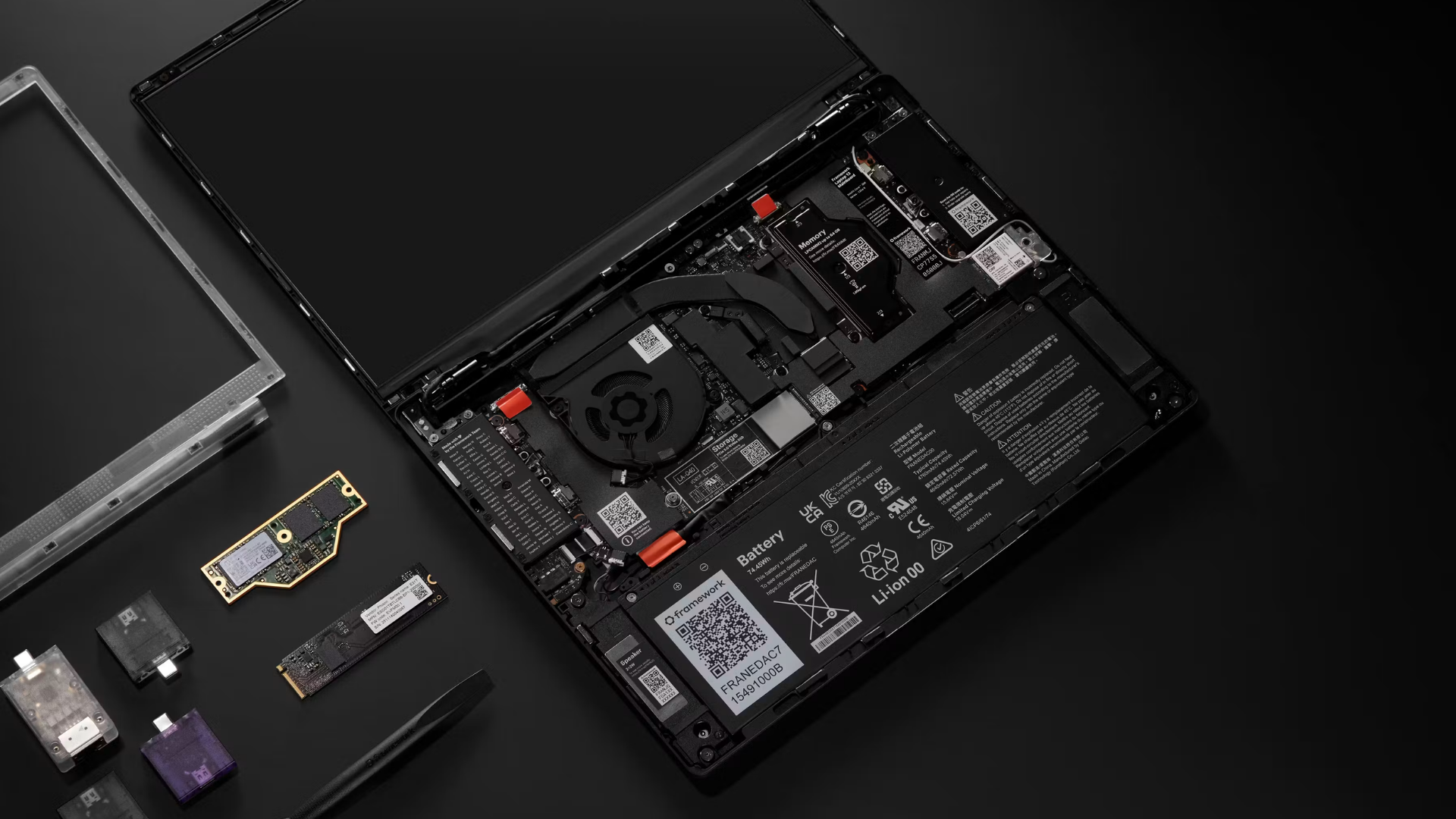
The answer to how much does a new laptop cost is shaped by several key parts. Understanding them helps you compare laptops without being distracted by marketing language.
Processor
The processor controls general computing performance. Modern entry-level chips are suitable for light work, while Core i5, Core Ultra 5, Ryzen 5, and Apple M-series chips often provide a strong balance of speed and efficiency.
Do not compare processor names alone. Generation, core count, cooling, and power limits also affect performance.
Memory
RAM helps a laptop manage open apps and browser tabs. For most new laptops, 8GB is a basic level and 16GB is a more comfortable choice.
Choose 32GB or more if you edit video, use virtual machines, work with large data files, or run demanding creative apps.
Storage
Solid-state drives are much faster than older hard disk drives. A 256GB SSD can work for light users, but 512GB gives most people more breathing room.
Games, photos, videos, and apps can consume storage quickly. Check whether the laptop allows storage upgrades, because some thin models have fixed components.
Display
A display affects your comfort every day. Resolution, brightness, color accuracy, refresh rate, and screen size all influence the price.
A Full HD screen is suitable for most people. OLED and high-refresh-rate screens look better, but they can add several hundred dollars to the price.
Build quality
A metal body, strong hinge, better keyboard, and durable materials can raise the cost. These features may be worth it if you carry the laptop often or plan to use it for many years.
Battery and cooling
Efficient processors can improve battery life, but real results vary. Screen brightness, software, web activity, and background apps all affect runtime.
Cooling also matters. A laptop that becomes very hot may slow itself down to protect its components.
Extra costs to include in your laptop budget
The laptop price is not always the total price. Accessories and services can add $50 to $500 or more.
Possible extra costs include:
• Laptop bag: $25 to $150
• Wireless mouse: $15 to $100
• USB-C hub: $30 to $150
• External SSD: $50 to $250
• Office software: Varies by plan
• Extended warranty: Often $50 to $300
• Antivirus software: Optional for many users
• External monitor: $150 to $600
• Replacement charger: $30 to $150
You may also pay sales tax, depending on your state and local rules. Some stores offer free shipping, while others add delivery or setup fees.
Avoid buying every accessory at checkout. Start with what you need. Many users can use a laptop’s built-in webcam, trackpad, speakers, and security tools without buying extras.
Cloud storage subscriptions are another ongoing cost. A low monthly fee may seem small, but it adds up over several years. Include recurring costs when comparing the value of different laptops.
How to save money on a new laptop
You do not need to wait for a rare deal to buy a good laptop. A few smart habits can reduce the final price.
Buy during major sale periods
Prices often fall during back-to-school sales, holiday events, end-of-year promotions, and product refresh cycles. Compare the recent price instead of trusting a large “discount” label.
Choose last year’s model
A previous-generation laptop may offer nearly the same daily experience at a lower price. This works especially well when the design and processor have not changed much.
Prioritize useful upgrades
Spend money on the parts you cannot easily replace. More RAM, a larger SSD, and a better display may provide more value than a small processor upgrade.
Compare total specifications
Do not buy based on a processor name alone. Compare:
• RAM
• SSD size
• Display quality
• Battery capacity
• Weight
• Ports
• Warranty
• Upgrade options
Consider certified refurbished products
A certified refurbished laptop can cost less than a new one and may include testing and a limited warranty. Buy from a trusted seller and check the return policy carefully.
Avoid false savings
A $400 laptop may seem cheap, but replacing it after two years can cost more than buying a reliable $700 laptop that lasts five years. The lowest price is not always the lowest long-term cost.
Mistakes to avoid when buying a laptop
Knowing how much does a new laptop cost is only part of the decision. You also need to avoid choices that create problems later.
Buying too little RAM
A laptop with 4GB of RAM may feel slow with modern apps. Unless the device is a simple Chromebook, 8GB should be the minimum, and 16GB is often better.
Ignoring the keyboard and trackpad
You interact with these parts every day. A poor keyboard can make writing and work tiring, even if the laptop has a fast processor.
Choosing a screen that is too dim
A low-brightness display may look acceptable indoors but become difficult to read near a window or outdoors. Look for independent brightness tests when available.
Forgetting the operating system
Windows, macOS, and ChromeOS offer different app support and workflows. Make sure the laptop runs the software you need before you buy it.
Overpaying for features you will not use
A professional GPU is not useful for someone who only checks email and watches videos. Match the hardware to your tasks.
Not checking the return policy
Even a well-reviewed laptop can have a noisy fan, poor keyboard, or screen issue. A clear return window gives you time to test the device at home.
A simple way to choose your laptop budget
Use this process before shopping:
-
List the tasks you perform most often.
-
Decide whether you need Windows, macOS, or ChromeOS.
-
Set a total budget that includes tax and accessories.
-
Choose 8GB or 16GB of RAM based on your workload.
-
Select at least 256GB of SSD storage, or more for games and media.
-
Check the display, keyboard, weight, ports, and battery claims.
-
Read independent performance and reliability tests.
-
Compare the return policy and warranty.
For basic tasks, plan on $400 to $700. For work, college, and everyday multitasking, $700 to $1,200 is a strong target. For gaming or creative work, expect to spend $1,000 to $2,000 or more.
If you still do not know how much does a new laptop cost for your needs, write down three laptops and compare their total value. The best choice is often the one that meets your needs without expensive features you will never use.
Frequently Asked Questions About How Much Does a New Laptop Cost
How much does a new laptop cost on average?
Most shoppers spend about $700 to $1,200 on a new laptop in the United States. Basic Chromebooks and entry-level Windows laptops cost less, while gaming, premium, and professional models cost much more.
Is a $300 laptop worth buying?
A $300 laptop can be worth buying for browsing, streaming, email, and simple school work. Check that it has at least 8GB of RAM, an SSD, and a return policy that gives you time to test it.
Is $1,000 enough for a good laptop?
Yes, $1,000 is enough for a strong everyday laptop, premium Chromebook, business laptop, or entry-level gaming model. It may not cover a top professional workstation or high-end gaming machine.
How much does a new laptop cost for college?
A suitable college laptop often costs $500 to $1,000. Students in engineering, design, architecture, or film may need a model costing $1,000 to $2,000 because of demanding software.
How much does a new laptop cost for gaming?
A new gaming laptop usually costs $800 to $3,000 or more. A model around $1,100 to $1,700 often offers a good balance of graphics performance, display quality, cooling, and storage.
How long should a new laptop last?
A quality laptop can last about four to seven years with careful use, although battery life may decline sooner. Lifespan depends on build quality, workload, software updates, maintenance, and whether the memory and storage can be upgraded.
Should I buy more RAM or more storage?
Choose more RAM if the laptop slows down while many apps are open. Choose more storage if you work with large files, games, photos, or videos; many users benefit from 16GB of RAM and at least 512GB of storage.
Conclusion
So, how much does a new laptop cost? A basic model may cost $250 to $500, while the best value for work, school, and everyday use is often $600 to $1,200. Gaming laptops, creative machines, and professional workstations can cost $1,000 to $4,000 or more.
Focus on your real tasks, not just impressive specifications. Choose enough RAM, solid-state storage, a comfortable keyboard, a clear display, and a warranty you trust. Compare the full cost, test the laptop during the return period, and select the model that gives you useful performance for years.
Use this guide to set your budget, compare current models, and make your next laptop purchase with confidence.

Everett Ashford is a tech reviewer at mytechgrid.com specializing in SSDs, cameras, TVs, earbuds, headphones, and other consumer electronics. He provides honest, data-driven reviews based on hands-on testing and real-world performance analysis. Everett simplifies complex tech details to help readers make smart, confident buying decisions.