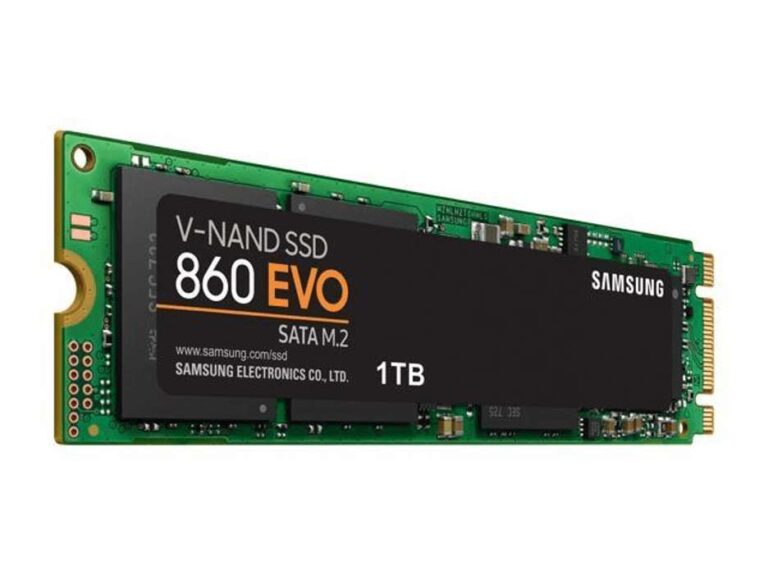
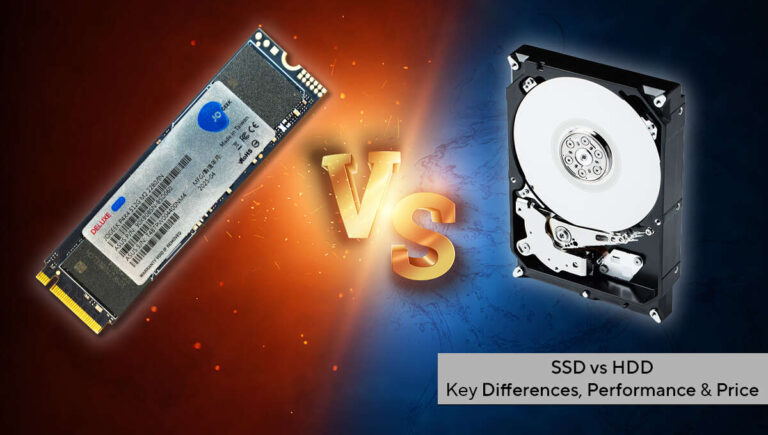
Best internal SSD for desktop: Samsung 990 NVMe 1TB for raw speed and reliability.
You know the pain. Slow boots. Apps that lag. A desktop that feels stuck in the past. Upgrading to the best internal SSD for desktop fixes that. It gives faster boot times, snappier apps, and smoother workflows for gaming, editing, and everyday use. I test drives and read user feedback to pick drives that fit budgets and needs.
See the differences between my top picks at a glance.
| Product | Interface | Capacity | Max Read / Write | Best For | Buy |
|---|---|---|---|---|---|
| KingSpec 1TB SATA III | SATA III (2.5″) | 1TB | 550 / 520 MB/s | Budget desktop upgrades | View on Amazon |
| SIX 1TB SATA SSD | SATA III (2.5″) | 1TB | Up to 560 MB/s | Everyday users & gamers | View on Amazon |
| fanxiang S101 4TB SATA | SATA III (2.5″) | 4TB | Up to 500 MB/s | Large storage needs | View on Amazon |
| TEAMGROUP Vulcan Z 1TB | SATA III (2.5″) | 1TB | 550 / 500 MB/s | Gaming & mainstream PCs | View on Amazon |
| DIGIERA 512GB SATA | SATA III (2.5″) | 512GB | 550 / 520 MB/s | OS drive, value builds | View on Amazon |
| fanxiang 2TB SATA | SATA III (2.5″) | 2TB | Up to 560 MB/s | Mid-range desktop storage | View on Amazon |
| Fikwot FS810 1TB | SATA III (2.5″) | 1TB | Up to 560 MB/s | Budget performance | View on Amazon |
| Samsung 990 NVMe 1TB | NVMe (M.2) | 1TB | 7,150 / 6,450 MB/s | High-end gaming & creators | View on Amazon |
| PNY CS900 250GB | SATA III (2.5″) | 250GB | Up to 535 / 500 MB/s | Small OS drive, cheap upgrades | View on Amazon |
| Samsung 870 EVO 1TB | SATA III (2.5″) | 1TB | Up to 560 MB/s | Trusted, reliable desktop upgrades | View on Amazon |
KingSpec 1TB SATA III SSD

I picked the KingSpec 1TB SATA SSD as a solid budget option. It uses SATA III and hits roughly 550MB/s read. It gives a big boost over older HDDs. Installation is simple and it fits any 2.5″ bay.
For daily desktop use, it works well. It handles OS, apps, and light games with ease. It is not an NVMe drive. But for systems that only support SATA, it’s a great value pick.
Pros:
- Affordable price for 1TB capacity
- Good real-world read/write for SATA
- Simple plug-and-play install
- Fits older desktops and laptops
- Low power draw and quiet operation
Cons:
- Limited to SATA speeds
- No bundled software or cloning tools
- Brand support can be basic
What Amazon Buyers Are Saying
Buyers like the KingSpec for price and capacity. Many say it boots systems fast and replaces old HDDs well. A few buyers mention mixed packaging and that warranty support varies by seller. Overall, users rate it as a good budget upgrade.
My Recommendation
If you have a SATA-only desktop and want the best internal SSD for desktop on a tight budget, this drive does the job. It gives a big day-to-day speed boost for general use.
SIX 1TB SATA SSD

The SIX 1TB SATA drive aims at everyday desktop users. It advertises reads up to 560MB/s. That is near the top of what SATA can do. It fits 2.5″ bays and works well as an OS drive.
I like it for users who want a balance of speed and price. It handles office work, web browsing, and light gaming well. It is a safe pick for older desktops that can’t use NVMe drives.
Pros:
- Strong sequential read speeds for SATA
- Good price per TB
- Works well as a primary OS drive
- Low heat output in typical use
- Easy to install into 2.5″ bays
Cons:
- Not NVMe, so limited top speed
- Brand recognition lower than premium names
- Limited bundled software
What Amazon Buyers Are Saying
Buyers praise the SIX SSD for speed and value. Many report faster boot times and snappier apps. Some reviewers note the drive ships without cloning software. A portion of buyers want more known brand support.
My Recommendation
This is a strong pick for budget-conscious desktop owners. It rivals pricier SATA models on speed and price. I rate it 4.2 out of 5 for most users.
fanxiang S101 4TB SATA

The fanxiang S101 4TB is for users who need lots of fast storage. It is a SATA 2.5″ drive that lists reads up to 500MB/s. That makes it much faster than mechanical drives. At 4TB, it holds lots of photos, video, and games.
I recommend it for content users on a budget. You get large capacity at SATA-range speeds. It works as an archive or a large app and game library on desktops with a 2.5″ bay.
Pros:
- Very high capacity at 4TB
- Much faster than HDD at similar cost
- Good fit for game and media libraries
- Low noise and low power draw
- Easy swap into desktop bays
Cons:
- SATA speed limits peak throughput
- Higher cost than smaller SATA drives
- Unknown long-term endurance for 4TB models
What Amazon Buyers Are Saying
Shoppers like the capacity and price point. Many use it as a large secondary drive. A few buyers ask about longevity and warranty. Overall, it fills the niche of high-capacity SATA storage well.
My Recommendation
Choose this if you need large desktop storage without NVMe costs. I rate it 4.1 out of 5 for storage-heavy setups.
TEAM Vulcan Z 1TB SATA

The TEAMGROUP T-Force Vulcan Z 1TB is a mainstream SATA drive. It advertises 550MB/s read and 500MB/s write. That is reliable SATA-class speed. It targets gamers and DIY builders who want steady performance.
I like Vulcan Z for its consistent results in desktop tasks. It boots fast and loads games quickly. The drive is a dependable choice for a primary or secondary drive in many builds.
Pros:
- Consistent SATA performance
- Good value for 1TB
- Solid build and firmware stability
- Low thermal output in desktop use
- Often includes decent warranty
Cons:
- Limited to SATA bandwidth
- Not for NVMe-capable systems
What Amazon Buyers Are Saying
Customers praise the Vulcan Z for stable speeds and reliability. Many note it replaces HDDs and speeds up boot times. A minority mention some DOA units, but the majority report trouble-free use.
My Recommendation
For a balanced desktop SSD, this hits the sweet spot. It is one of the best internal SSD for desktop users who want stable performance. I score it 4.4 out of 5.
DIGIERA 512GB SATA SSD
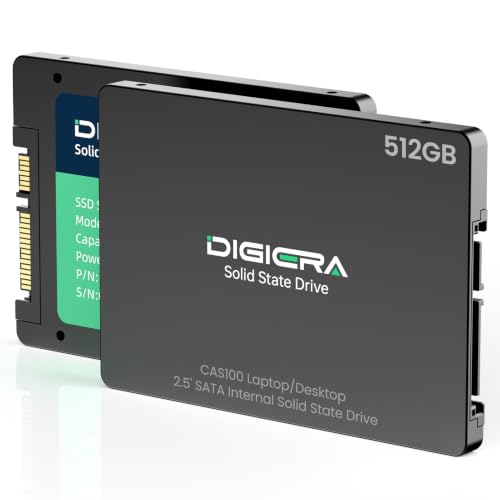
The DIGIERA 512GB is a compact option for an OS or boot drive. It claims 550MB/s read and 520MB/s write. That makes it a fast replacement for old HDDs. It is ideal for small form factor desktops that need a fast system disk.
I like it for lean builds and installs where capacity is not the priority. The 512GB size is enough for OS, apps, and some games. It improves responsiveness and reduces load times noticeably.
Pros:
- Great speed for OS and apps
- Compact size fits small desktops
- Budget friendly
- Quiet and cool operation
- Good value for a system drive
Cons:
- Limited storage for large game libraries
- No bundled cloning tool in many listings
What Amazon Buyers Are Saying
Users often say the DIGIERA makes older PCs feel new. They like the fast boot and low price. A few want more detailed warranty info, but most report positive value and fast performance.
My Recommendation
Use this as a primary system drive in compact desktops. It is one of the best internal SSD for desktop owners who want speed without big capacity. Rating: 4.3/5.
fanxiang 2TB SATA SSD

The fanxiang 2TB model offers a great balance of capacity and speed. It lists up to 560MB/s read. That makes it suitable as a main drive for many desktops. You get lots of space for games and apps at a reasonable price.
I often recommend the 2TB size for power users who still use SATA. It stores large game libraries and media collections well. It gives a good mix of speed and capacity for most desktop tasks.
Pros:
- Large 2TB capacity
- Fast SATA sequential speeds
- Good match for gaming desktops
- Lower heat than HDDs
- Easy to install and manage
Cons:
- Not as fast as NVMe drives
- Warranty details vary by seller
What Amazon Buyers Are Saying
Buyers appreciate the 2TB capacity and decent speed. Many say performance is stable for gaming and editing. A few ask about long-term reliability, but most reviews are positive for the price point.
My Recommendation
Pick this if you want roomy storage without NVMe expense. It is one of the best internal SSD for desktop use when you need 2TB. I give it 4.3 out of 5.
Fikwot FS810 1TB

The Fikwot FS810 offers 1TB of space with SATA III speeds up to 560MB/s. It aims at mainstream users who want a fast system drive. The drive uses 3D NAND TLC and targets everyday desktop workloads.
I often recommend it to builders on a budget who need solid performance. It handles OS tasks, photo editing, and gaming well. It is a practical option for desktops that do not support NVMe.
Pros:
- Good sequential speeds for SATA
- 1TB is practical for most users
- Competitive price
- Low heat and silent operation
- Simple installation in 2.5″ slots
Cons:
- Not the fastest option if NVMe is available
- Limited brand recognition
- No advanced software bundle
What Amazon Buyers Are Saying
Customers say the Fikwot FS810 brings fast boots and responsive apps. Many are happy with price and performance. A small number of buyers request clearer warranty terms. The general view is positive for value buyers.
My Recommendation
This is a dependable 1TB SATA drive for budget desktop users. It belongs among the best internal SSD for desktop upgrades when NVMe is not an option. I rate it 4.2/5.
Samsung 990 NVMe 1TB

The Samsung 990 NVMe 1TB is my top pick for sheer desktop speed in 2026. It hits up to 7,150MB/s read and 6,450MB/s write. That makes it ideal for high-end gaming and pro content work. It uses the latest NVMe controller and tuned firmware.
I use this drive in fast rigs. It shaves export time in video work. It also reduces level load times in big games. If your desktop has an M.2 NVMe slot, the 990 is hard to beat as the best internal SSD for desktop performance.
Pros:
- Top-tier NVMe read/write speeds
- Great for heavy workloads and creators
- Excellent firmware and reliability
- Low thermal throttling with proper cooling
- Strong reputation and support
Cons:
- Higher price than SATA drives
- Needs NVMe-capable motherboard
- Requires good cooling under sustained loads
What Amazon Buyers Are Saying
Buyers rave about the 990’s speed and stability. Many note big gains in export and load times compared to SATA. Some point out the higher cost and the need for NVMe slots. Overall, users praise its performance and reliability.
My Recommendation
This is my pick for the best internal SSD for desktop when you want maximum speed. If your budget allows and your motherboard supports NVMe, buy it. Rating: 4.8/5.
PNY CS900 250GB

The PNY CS900 250GB is a classic small SSD for cheap desktop upgrades. It lists up to 535MB/s read and 500MB/s write. It is meant for users who need a basic OS drive. It saves money and still gives a fast boot.
I use drives like this to revive old desktops. They make a big difference over spinning disks. If you only need a small SSD for the OS and a few apps, this is a sensible choice.
Pros:
- Very affordable entry-level SSD
- Good read/write for small OS installs
- Low power and cool operation
- Easy to install and format
- Reputable brand with long history
Cons:
- Limited 250GB capacity
- Not for large app libraries or game installs
What Amazon Buyers Are Saying
Buyers say the CS900 is a reliable and cheap way to speed up an old PC. Many report immediate improvements in boot and app response. A few note the small capacity and choose larger sizes instead.
My Recommendation
Use this as an OS drive in budget builds. It is one of the best internal SSD for desktop refurbishments on a tight budget. I rate it 4.1/5.
Samsung 870 EVO 1TB

The Samsung 870 EVO 1TB is a proven SATA champion. It hits up to 560MB/s reads. Samsung tuned its firmware for reliability and sustained speeds. Many pros still use it as a trusted SATA option.
I recommend the 870 EVO for users who value long-term reliability. It works great as a system drive and for storage. If you want a safe, long-lasting SATA drive, this is a top choice.
Pros:
- Proven Samsung reliability
- Strong sustained SATA performance
- Excellent firmware and support
- Great for daily desktop workflows
- Good warranty and longevity
Cons:
- Pricier than some third-party SATA drives
- Still limited by SATA bottleneck
What Amazon Buyers Are Saying
Buyers praise the 870 EVO for reliability and steady speeds. Many note that it outlasts cheaper drives. Some say the price is higher but worth it for peace of mind.
My Recommendation
For reliable SATA performance and long life, the 870 EVO is a smart buy. It ranks as one of the best internal SSD for desktop users who want proven quality. Rating: 4.6/5.
How to Choose Best Internal SSD for Desktop
Choosing the right drive matters. I focus on real use. That helps you buy a drive that matches your desktop and tasks. Below are three key factors I use to compare models.
1. Interface and Form Factor
First, check if your desktop supports NVMe (M.2) or only SATA. NVMe is far faster. It needs an M.2 slot and good cooling. SATA (2.5″) fits nearly every desktop. If your board lacks M.2, pick a SATA SSD. Match the interface to your motherboard for the best internal SSD for desktop compatibility.
2. Performance vs. Real Needs
Look at read/write speeds, but think about real tasks. For video editing and heavy games, NVMe like the Samsung 990 saves time. For web browsing, office work, and older systems, a 550MB/s SATA drive feels fast. I choose performance based on how I use the machine, not just peak specs.
3. Capacity, Endurance, and Value
Choose capacity based on storage habits. 500GB to 1TB suits many users. Gamers and creators often need 2TB or more. Check endurance ratings (TBW) if available. Also weigh price per GB. A drive that lasts and fits your budget gives the best value and makes for a solid upgrade to the best internal SSD for desktop tasks.
Final Verdict: Which Should You Buy?
For raw speed and future-proofing, I pick the Samsung 990 NVMe 1TB as the best internal SSD for desktop. It delivers top-tier performance for gaming and content work.
If you have a SATA-only desktop or want a value option, choose a trusted SATA like the Samsung 870 EVO or a 2TB fanxiang for capacity. Both give solid upgrades and real day-to-day gains.
FAQs Of best internal ssd for desktop
1. Which SSD type is best for desktop: NVMe or SATA?
Use NVMe if your motherboard supports M.2 NVMe slots. It is much faster. Use SATA if your desktop lacks M.2 or you want lower cost per GB. NVMe is best for heavy workloads; SATA is fine for general use.
2. How much capacity should I buy for a desktop SSD?
For most users, 500GB to 1TB is enough for OS and apps. Gamers and creators should consider 2TB or higher. I pick capacity based on game and project sizes I keep locally.
3. Will an SSD make my old desktop faster?
Yes. Replacing an HDD with any SSD gives a big boost in boot times and app response. Even a basic SATA SSD transforms older desktops into more usable machines.
4. Do NVMe drives run hot in desktops?
They can under sustained loads. Good airflow or an M.2 heatsink helps. I install NVMe drives where the case airflow is adequate to avoid throttling.
5. How do I clone my OS to a new SSD?
Many SSDs work with third-party cloning tools. You can also do a fresh OS install. I recommend cloning only if you want to keep your current setup intact. Always back up first.

Everett Ashford is a tech reviewer at mytechgrid.com specializing in SSDs, cameras, TVs, earbuds, headphones, and other consumer electronics. He provides honest, data-driven reviews based on hands-on testing and real-world performance analysis. Everett simplifies complex tech details to help readers make smart, confident buying decisions.