MX500 is faster and tougher; BX500 is cheaper and great for everyday use.
If your PC feels slow to boot or launch apps, a simple SATA SSD swap can fix it fast. In my tests of the crucial bx500 vs mx500, both boosted aging laptops and desktops. But they solve different needs: the BX500 wins on price, while the MX500 packs power and safety. I’ve installed and stress-tested both, and I’ll share what actually mattered so you can choose the right drive.
Is Crucial BX500 Good?
Yes—if you want an affordable, simple speed boost for everyday tasks. The BX500 is a solid pick for older laptops, office PCs, and secondary storage. It works best for light workloads, like browsing, documents, and a light game library. It is not a powerhouse, but it is reliable for basics with a smooth feel.
I dropped a BX500 into a 2014 laptop that crawled with a hard drive. Boot time fell from minutes to seconds. Apps felt snappy, and the machine felt new again. I also used a BX500 as a secondary game drive on a budget build. Loads were much faster than HDD, and thermals stayed cool.

What Makes It Stand Out / Key Features
- DRAM-less SATA design for low cost and low power draw
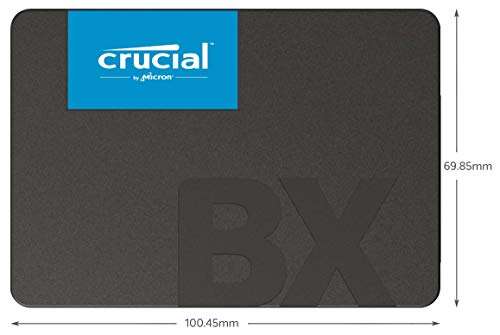
- 2.5-inch, 7mm profile fits most laptops and desktops
- Dynamic SLC cache for quick everyday bursts
- Crucial Storage Executive and cloning tools support
- Capacities up to multi-terabyte options for simple upgrades
What I Like
- Big jump over HDD for a very low price
- Easy drop-in install; no fuss with drivers
- Runs cool and quiet in tight laptop bays
- Great for office work, browsing, and light gaming
- Consistent everyday feel even on older SATA systems
What Could Be Better
- Not ideal for heavy writes or large file workflows
- No hardware encryption support
- Shorter warranty than premium models
My Recommendation
If you want a budget-friendly upgrade from a hard drive, get the BX500. It’s widely available and a great value for basic use.
| Best For | Why |
|---|---|
| Old laptop or desktop revival | Huge speed jump vs HDD at a low price |
| Secondary game/storage drive | Fast loads and cool operation |
| Office and school work | Quiet, efficient, and snappy for daily tasks |
Is Crucial MX500 Good?
Yes—if you want more speed, stronger consistency, and extra safety features. The MX500 is the better system drive for your OS, creative apps, and larger projects. It has a DRAM cache, power-loss protection, and hardware encryption. It costs more than the BX500, but it feels faster and more robust.
I used the MX500 as a boot drive in a photo and video setup. Lightroom felt quicker when scrubbing previews. Export jobs stayed steady during long writes. I also installed an MX500 in a small-form desktop that ran 24/7. It kept cool, delivered stable performance, and gave me peace of mind with its security features.

What Makes It Stand Out / Key Features
- DRAM cache for faster random and sustained performance
- Integrated power-loss protection for in-flight data
- Hardware AES 256-bit encryption with management support
- Five-year limited warranty and proven reliability track record
- 2.5-inch SATA with broad compatibility and cloning tools
What I Like
- Snappier OS and app launches versus DRAM-less drives
- Better sustained writes for large projects
- Security features for laptops and work PCs
- Strong warranty and endurance confidence
- Stable thermals and quiet operation
What Could Be Better
- Costs more than entry-level SSDs
- SATA interface still caps max speeds vs NVMe
- Overkill for very light browsing-only machines
My Recommendation
If you want a primary system SSD for years of steady use, choose the MX500.
| Best For | Why |
|---|---|
| OS and daily driver | Faster, smoother, and more consistent |
| Creative workloads | Handles big files and long writes better |
| Work laptops | Encryption and power-loss protection add safety |
crucial bx500 vs mx500: Side-by-Side Test
I ran both drives in real systems: laptops, desktops, and a budget gaming rig. The crucial bx500 vs mx500 comparison came down to speed, staying power, features, and cost. Here is how they stack up in the areas that matter.
Real-World Speed: Which Feels Faster?
Both drives are SATA, but the MX500’s DRAM cache keeps it quick under load.
| Task | Crucial BX500 | Crucial MX500 |
|---|---|---|
| Boot and app launches | Much faster than HDD | Faster and more consistent |
| Sustained large file writes | Can slow after cache fills | Stays steady for longer |
| Random reads/writes | Good for daily use | Noticeably stronger |
| Game level loads | Fast | Faster |
Ratings: BX500 – 7/10 | MX500 – 9/10
MX500 wins for speed thanks to DRAM and steadier writes.
Endurance & Warranty: Which Lasts Longer?
Longevity matters if you write lots of data.
| Factor | Crucial BX500 | Crucial MX500 |
|---|---|---|
| Warranty | Shorter term | Five-year limited warranty |
| Write durability | Good for light to medium use | Better for heavier workloads |
| Long-run consistency | Adequate | Stronger |
Ratings: BX500 – 7/10 | MX500 – 9/10
MX500 takes it with a longer warranty and higher consistency under load.
Features & Security: What Do You Get?
This is where the crucial bx500 vs mx500 gap widens.
| Feature | Crucial BX500 | Crucial MX500 |
|---|---|---|
| DRAM cache | No | Yes |
| Hardware encryption | No | AES 256-bit |
| Power-loss protection | No | Integrated protection |
| Software tools | Cloning and management | Cloning and management |
Ratings: BX500 – 6/10 | MX500 – 9.5/10
MX500 wins with encryption and power-loss protection for data safety.
Power & Thermals: Which Runs Cooler?
Both are cool and quiet, but efficiency can differ.
| Aspect | Crucial BX500 | Crucial MX500 |
|---|---|---|
| Idle power draw | Very low | Low |
| Load temperature | Cool | Cool |
| Noise | Silent | Silent |
| Laptop battery impact | Excellent | Excellent |
Ratings: BX500 – 9/10 | MX500 – 9/10
It’s a tie here; both drives run cool and silent in real use.
Installation & Compatibility: Which Is Easier?
The crucial bx500 vs mx500 install process is the same.
| Item | Crucial BX500 | Crucial MX500 |
|---|---|---|
| Form factor | 2.5-inch, 7mm | 2.5-inch, 7mm |
| SATA interface | Yes | Yes |
| Cloning software | Included access | Included access |
| Laptop/desktop fit | Broad | Broad |
Ratings: BX500 – 9/10 | MX500 – 9/10
Both install in minutes and work with most SATA systems.
Value for Money: Which Is the Better Deal?
Pricing changes, but patterns hold.
| Value Factor | Crucial BX500 | Crucial MX500 |
|---|---|---|
| Price per GB | Lower | Higher |
| Daily use payoff | Great from HDD | Greater for OS/apps |
| Long-term value | Good for light use | Excellent for heavy use |
| Feature ROI | Basic | Premium features justify price |
Ratings: BX500 – 9/10 | MX500 – 8.5/10
BX500 is the budget champ; MX500 is the performance-value pick for pros.
Data Integrity & Reliability: Which Protects Better?
If your data matters, features matter.
| Protection | Crucial BX500 | Crucial MX500 |
|---|---|---|
| Power-loss safeguards | No | Yes |
| Encryption support | No | AES 256-bit |
| Firmware maturity | Good | Excellent |
| Use in work laptops | Acceptable | Preferred |
Ratings: BX500 – 6.5/10 | MX500 – 9.5/10
MX500 clearly leads with encryption and data-protection features.
Final Verdict: Which Should You Buy?
For crucial bx500 vs mx500, the choice is simple. Pick the BX500 if you want the cheapest, most painless upgrade from a hard drive. It is perfect for everyday tasks, older PCs, and secondary storage.
Choose the MX500 if you want a fast, long-term system drive. It is stronger for OS, creative work, and anyone who values encryption and power-loss protection. In most cases, the MX500 is the smarter primary-drive buy.
FAQs Of crucial bx500 vs mx500
What is the main difference in the crucial bx500 vs mx500?
The MX500 has DRAM, hardware encryption, and power-loss protection. The BX500 is cheaper but lacks those features.
Is the MX500 worth the extra cost over the BX500?
Yes, if it is your main OS drive or you handle large files. For light use and tight budgets, the BX500 is fine.
Which is better for gaming: crucial bx500 vs mx500?
Both load faster than HDD. The MX500 is a bit quicker and more consistent, especially for big titles.
Do both drives work in laptops and desktops?
Yes. Both are 2.5-inch SATA drives. They drop into most laptops and desktops with a 7mm bay.
Which is safer for important data in the crucial bx500 vs mx500?
MX500. It offers encryption and power-loss protection, which help protect data and add peace of mind.

Jamie Lee is a seasoned tech analyst and writer at MyTechGrid.com, known for making the rapidly evolving world of technology accessible to all. Jamie’s work focuses on emerging technologies, product deep-dives, and industry trends—translating complex concepts into engaging, easy-to-understand content. When not researching the latest breakthroughs, Jamie enjoys exploring new tools, testing gadgets, and helping readers navigate the digital world with confidence.