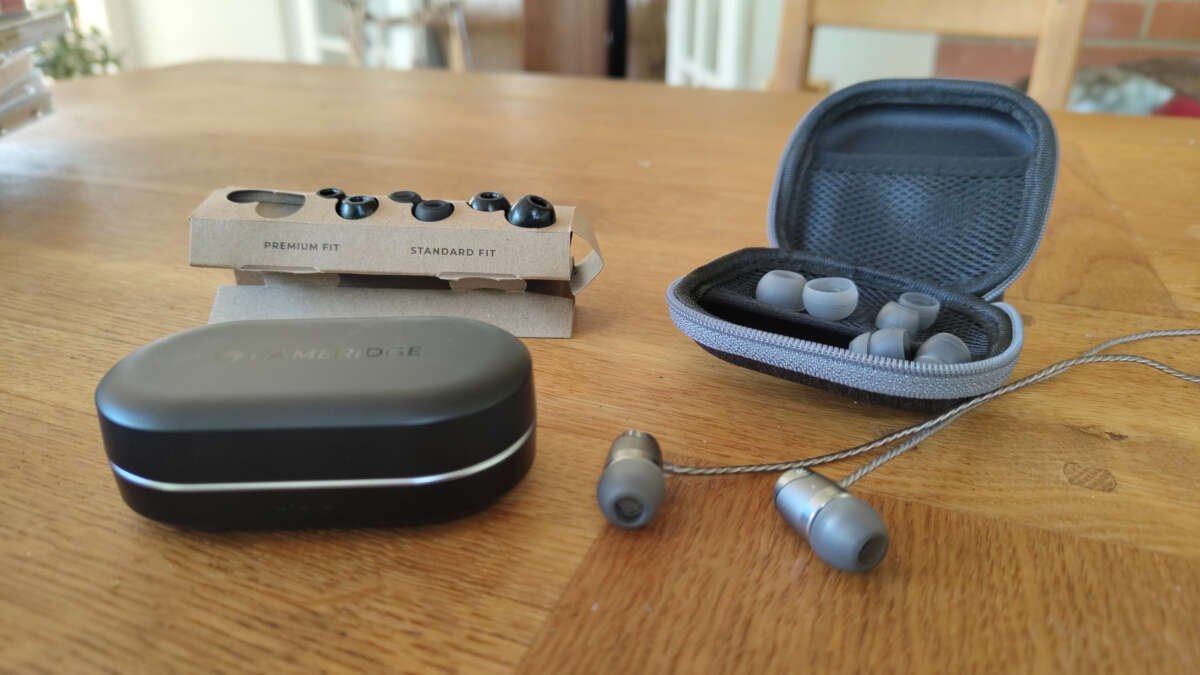
The right ear tip size creates a secure seal, clear sound, and comfortable fit without painful pressure.
Finding the right ear tip size is more than choosing small, medium, or large. It involves checking your ear canal, testing comfort, and listening for a proper seal. This guide explains how to find the right ear tip size for earbuds and in-ear monitors, with simple tests you can do at home.
Why the Right Ear Tip Size Matters
Ear tips sit between your earbuds and your ear canals. Their main job is to create a gentle seal. This seal helps keep the earbuds in place and blocks outside noise.
The right ear tip size can improve:
• Bass response and overall sound quality
• Passive noise isolation
• Comfort during long listening sessions
• Earbud stability during walking or exercise
• Call quality on some earbuds
• Battery life when noise cancellation works more efficiently
If your ear tips are too small, they may feel loose. Outside noise can leak in, and bass may sound weak. The earbuds may also fall out when you move.
If your ear tips are too large, they may cause pressure, soreness, or a blocked feeling. You may notice discomfort within a few minutes, even if the seal sounds good.
The right ear tip size should feel secure but not tight. Think of it like a soft plug that rests in place rather than a cork forced into a bottle.
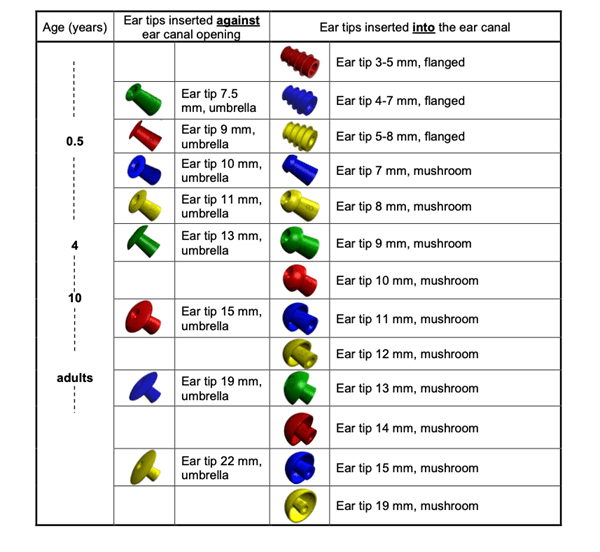
How to Find the Right Ear Tip Size
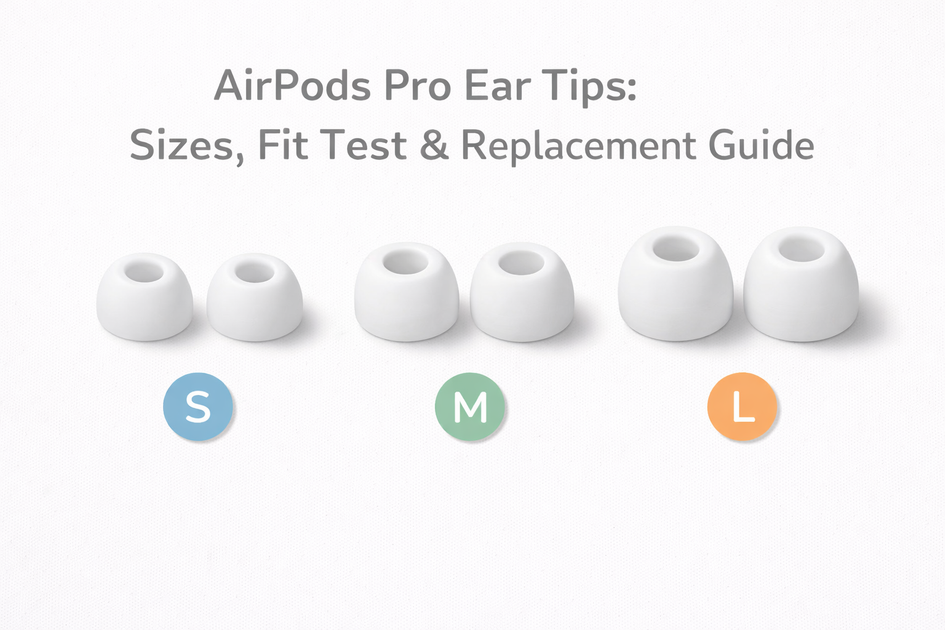
Most earbuds include small, medium, and large ear tips. Some sets also include extra small or extra large options. Start with the size already attached to the earbuds, then test the other sizes in a calm setting.
Follow these steps to find the right ear tip size:
-
Clean the ear tips and your ears
Dirt, oil, and moisture can affect grip and comfort. Wipe silicone tips with a clean, dry cloth. If the tips are removable, wash them with mild soap and water, then let them dry fully.
-
Start with the medium size
Medium is a useful starting point because it fits many users. However, it is not automatically the right ear tip size for everyone.
-
Insert the earbuds correctly
Gently place the earbud into your ear. Do not push it deep into the canal. Twist it slightly until it feels stable and rests naturally.
-
Check for a seal
Play music with a steady bass line or spoken audio. The sound should feel full, balanced, and clear. If the music sounds thin or distant, the tip may be too small or poorly positioned.
-
Move your head
Walk, talk, smile, and turn your head. The earbuds should stay in place. If they loosen during normal movement, try a larger size or a different tip shape.
-
Wear the earbuds for 10 to 15 minutes
A tip can feel fine at first but become painful later. Long-term comfort matters more than a perfect seal during the first few seconds.
-
Test each ear separately
Your ears may not be the same size. You might need a medium tip in one ear and a small or large tip in the other.
A good fit passes all three tests: sound, stability, and comfort. If one of these fails, keep testing.

Signs Your Ear Tips Are Too Small
Small ear tips often feel comfortable at first. The problem is that they may not create enough contact with the ear canal.
Common signs include:
• Bass sounds weak or disappears when you move
• The earbuds slip out while walking
• You hear too much traffic, office noise, or conversation
• Noise cancellation seems weak
• You need to increase the volume often
• The earbuds feel loose when you speak or chew
• The seal changes when you turn your head
A simple test can help. Insert the earbuds, then gently pull the outer part of your ear upward and backward. If the sound becomes fuller, the original tip may not have sealed well.
You can also cover the earbuds lightly with your hands. If the sound changes greatly, outside noise may be entering around the tips.
When the tips are too small, move up one size. If a larger tip feels uncomfortable, try a different shape or a foam option instead of choosing the biggest silicone tip.
Signs Your Ear Tips Are Too Large
Large ear tips can create a strong seal, but more pressure is not always better. The best ear tip size should not cause pain or a strong plugged sensation.
Your ear tips may be too large if:
• Your ears feel sore after a few minutes
• You feel pressure when inserting the earbuds
• The tips make your ear canals itch
• The earbuds feel difficult to remove
• Your ears feel hot or tired
• Sound becomes dull or overly closed in
• The earbuds push against sensitive areas
Remove the earbuds if you feel sharp pain. Do not try to solve a poor fit by forcing the tips deeper. The ear canal is sensitive, and repeated pressure can cause irritation.
Try one size smaller and insert the earbuds less deeply. You may also get better results from a shorter tip, a softer silicone tip, or a memory foam tip.

How to Test Ear Tip Seal and Sound
Sound is one of the best tools for finding the right ear tip size. You do not need special equipment. A few listening tests can reveal whether the seal is working.
Use a bass test
Play music with a steady bass line. With a good seal, bass should sound rich and controlled. If it sounds weak, hollow, or distant, air may be leaking around the ear tip.
Do not use loud volume to compensate for poor bass. High volume can increase hearing risk and may hide a fit problem.
Compare spoken voices
Play a podcast or audiobook. Voices should sound natural and centered. If speech sounds thin or unusually bright, the tips may not be sealing properly.
Try the occlusion test
Speak out loud while wearing the earbuds. With a strong seal, your voice may sound slightly louder inside your head. This is called the occlusion effect.
A mild effect is normal. A strong, uncomfortable blocked feeling may mean the tips are too large or inserted too deeply.
Check active noise cancellation
If your earbuds have active noise cancellation, test it with different tip sizes. A better seal often improves the system’s performance, but the best result still depends on the earbud design and software.
Some earbuds offer a fit test in their companion app. Use it as a guide, not as the only answer. Comfort and real movement tests are still important.
Choosing Between Silicone and Foam Ear Tips
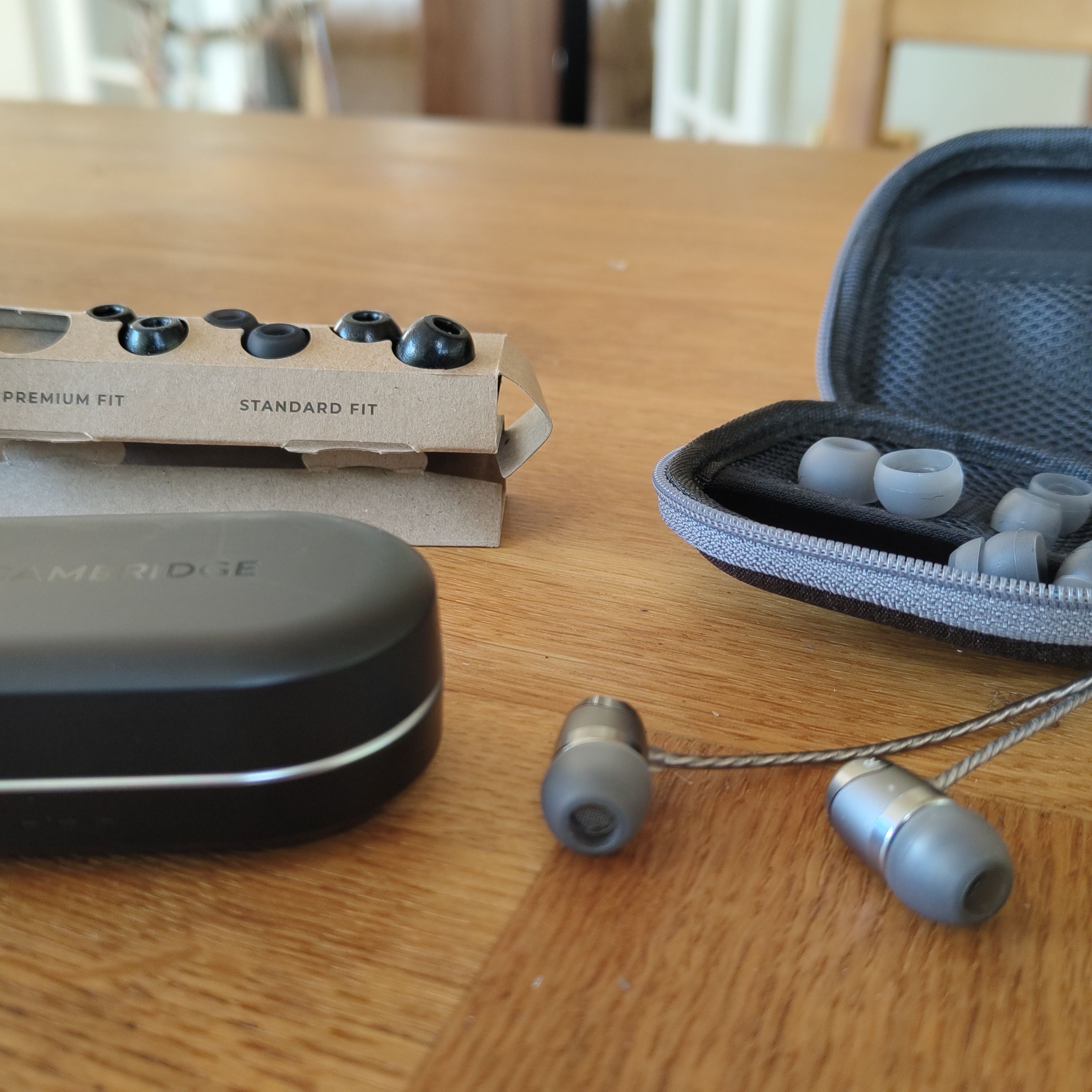
The material can matter as much as the size. Silicone and foam tips behave in different ways.
Silicone ear tips
Silicone tips are common and easy to clean. They come in many shapes and usually last longer than foam tips.
They may work well if you want:
• A smooth fit
• Easy cleaning
• A simple insertion process
• A cooler feel during long use
• Several size and shape choices
Silicone tips can lose their seal during exercise if sweat makes the surface slippery. In that case, a different silicone texture or a foam tip may help.
Memory foam ear tips
Foam tips compress during insertion and expand inside the ear canal. They can provide strong isolation and may stay in place during movement.
Foam tips may work well if you need:
• More passive noise reduction
• Better grip during exercise
• A fit between standard sizes
• Relief from hard silicone edges
To use foam tips, compress them gently, insert the earbuds, and hold them in place for a few seconds. Do not push them deeply. Foam tips also need regular replacement because they collect oil and wear out.
Memory foam is not automatically more comfortable. Some users dislike the pressure or warmth. The right ear tip size still matters, even when you switch materials.

Ear Tip Shape and Design
Size is only one part of fit. Two medium tips from different brands may feel very different because their shapes, stems, and edges are not the same.
Important design features include:
• Tip diameter: This affects how much of the ear canal the tip touches.
• Tip depth: Deeper tips may seal well but can create pressure.
• Stem length: A long stem may sit deeper or change the earbud angle.
• Dome shape: A rounded dome may suit one ear better than a wide, flat dome.
• Material softness: Softer silicone often feels more comfortable.
• Double flange design: Extra flanges may improve isolation but can feel intrusive.
If the right ear tip size still feels unstable, try a different shape. You may need a narrow tip for a smaller canal or a wide tip for a shallow canal.
Some earbuds have a heavy body or a short nozzle. In these cases, even a well-sized tip may not stay secure. Ear wings or hooks can help, but they do not replace a proper ear tip fit.
How to Find the Right Ear Tip Size for Different Activities
Your ideal fit may change based on how you use your earbuds. A tip that works at a desk may not work during a run.
For work and travel
Choose a comfortable tip that blocks enough noise without creating pressure. Silicone often works well because it is easy to remove and clean throughout the day.
For exercise
Stability matters most. Test the tips while walking, bending, and turning your head. A slightly firmer seal may help, but never choose a size that causes pain.
Sweat can reduce grip. Clean the tips and your ears after workouts. Some sports earbuds also use wings or hooks for extra support.
For sleep
Avoid deep insertion and bulky earbud designs. If you sleep on your side, even the right ear tip size may feel uncomfortable because the pillow pushes the earbud inward.
Use low volume and choose earbuds designed for sleep if you listen at night. Never ignore pain or pressure.
For air travel
A secure seal can reduce cabin noise. Foam tips may provide extra isolation, but you should still be able to hear important announcements when needed.
Noise isolation is not the same as hearing protection. Consumer earbuds may not protect your hearing from very loud aircraft, concert, or workplace noise.
Common Ear Tip Fitting Mistakes
Many fit problems come from technique rather than ear shape. Avoid these common mistakes:
• Choosing the largest tip because it blocks the most sound
• Pushing earbuds too far into the ear canal
• Testing only one ear
• Judging comfort after only a few seconds
• Using loud music to test the seal
• Ignoring movement and testing only while sitting
• Mixing dirty or worn tips with new ones
• Assuming the same brand size will fit every earbud
• Keeping earbuds in despite pain or irritation
One lesson I often emphasize when helping people compare earbuds is to change only one factor at a time. Test the same earbud with a different tip size before changing the equalizer, volume, or noise control settings. This makes the cause of the problem much easier to identify.
Another useful lesson is to test the tips in real life. A fit that seems perfect at a desk may fail when you smile, chew, walk, or sweat.
Ear Health and Safe Use
Ear tips should feel comfortable, but they should not cause pain, bleeding, discharge, or lasting irritation. Stop using the earbuds if these symptoms appear.
Clean removable tips often, especially if you use them during exercise. Do not share ear tips without cleaning them first. Replace damaged, cracked, sticky, or misshapen tips.
The World Health Organization recommends keeping personal listening volume at a safe level and taking breaks. A secure seal may let you listen at a lower volume because less outside noise enters, but it does not make loud listening harmless.
Consult a health professional if you have persistent ear pain, hearing changes, drainage, or a strong blocked feeling. A poor fit is common, but not every ear symptom comes from ear tips.
A Simple Ear Tip Size Comparison Chart
Use this chart as a starting guide. Ear shape varies, so your own comfort test remains the best measure.
| Ear tip result | Likely issue | What to try |
|---|---|---|
| Loose fit and weak bass | Tip is too small | Try one size larger |
| Pain or pressure | Tip is too large or deep | Try one size smaller or a shorter tip |
| Good sound but earbuds fall out | Shape or grip issue | Try foam, wings, or a different shape |
| One ear fits well and the other does not | Natural ear size difference | Use different sizes in each ear |
| Seal changes while walking | Movement or sweat | Clean the tips and try a more secure design |
| Earbuds feel blocked | Excess pressure or deep insertion | Use a smaller or shallower tip |
| Noise cancellation is weak | Poor seal or software issue | Check fit, app settings, and tip condition |
This chart can narrow your choices, but it cannot measure your ear canal. Your best option may be a medium tip in one brand and a small tip in another.
Frequently Asked Questions About How to Find the Right Ear Tip Size
How do I know if my ear tips are the right size?
The right ear tip size feels secure, comfortable, and stable. It should create a clear seal without pain, pressure, or frequent slipping.
Should ear tips feel tight?
Ear tips should feel gently snug, not tight. If they cause soreness, throbbing, or a blocked sensation, try a smaller or shallower option.
Can I use different ear tip sizes in each ear?
Yes. Many people have slightly different ear canals, so one ear may need a small tip while the other needs a medium or large tip.
Why do my earbuds keep falling out?
Your tips may be too small, the shape may not suit your ears, or the earbuds may be inserted at the wrong angle. Try a larger size, foam tips, or earbuds with stabilizing wings.
Are foam ear tips better than silicone tips?
Neither material is best for everyone. Foam can improve grip and isolation, while silicone is easier to clean and may feel cooler during long use.
How long should I test an ear tip size?
Test each size for at least 10 to 15 minutes, then move around as you normally would. A short test may miss pressure or slipping that appears later.
Can the wrong ear tip size damage my ears?
An improper fit can cause irritation, soreness, or increased listening volume. Stop using tips that cause pain and seek medical advice for persistent symptoms.
Conclusion
Finding the right ear tip size means balancing three things: a secure seal, clear sound, and lasting comfort. Start with a medium tip, test each ear separately, listen for strong bass, and move around before making your choice.
Do not force a large tip or push an earbud deep into your canal. If standard silicone tips do not work, try a different shape, memory foam, or a model with stabilizing wings. Test these steps with your own earbuds today, and share your experience or explore more fitting guides to make your listening setup more comfortable.

Everett Ashford is a tech reviewer at mytechgrid.com specializing in SSDs, cameras, TVs, earbuds, headphones, and other consumer electronics. He provides honest, data-driven reviews based on hands-on testing and real-world performance analysis. Everett simplifies complex tech details to help readers make smart, confident buying decisions.