You can get Crunchyroll on a Vizio TV by using the SmartCast app, casting, or a streaming device.
I’ve set up Crunchyroll on multiple Vizio TVs and tested each method. This guide explains clearly how to get Crunchyroll on Vizio TV, step by step. I’ll show native app checks, casting with Chromecast, AirPlay tips, and the best external devices to use. Expect practical troubleshooting, firmware tips, and real-world advice based on hands-on testing.

Why Crunchyroll might not appear on your Vizio TV
Not every Vizio model ships with every streaming app. Some older SmartCast models never received the Crunchyroll app. Region limits and firmware versions also affect app availability.
Check your TV model and SmartCast version first. That saves time before trying other methods to get Crunchyroll on Vizio TV.

Method 1: Check for the native Crunchyroll app on SmartCast
Many recent Vizio SmartCast TVs include a built-in app library. Start here before trying casting or external devices. Finding a native app gives the cleanest experience for how to get Crunchyroll on Vizio TV.
Steps:
- Turn on the Vizio TV and press the SmartCast or Home button.
- Open the Apps or Featured Apps row.
- Search for Crunchyroll. If you find it, select Install or Open.
- Sign in with your Crunchyroll account and enjoy.
If the app is missing, update your TV software. Go to Settings > System > Check for Updates. A software update can add or improve app support and help you get Crunchyroll on Vizio TV.

Method 2: Cast Crunchyroll using Chromecast built-in
Many Vizio TVs have Chromecast built-in. Casting is quick and keeps video quality high. This is one of the easiest ways to get Crunchyroll on Vizio TV without extra hardware.
Steps:
- Connect your phone, tablet, or Chrome browser to the same Wi-Fi as your Vizio TV.
- Open the Crunchyroll app on your mobile device or go to the Crunchyroll website in Chrome.
- Tap the Cast icon and choose your Vizio TV.
- Select an episode and press play. The stream should move to the TV.
Tips:
- Use a 5 GHz Wi-Fi band for better stability.
- If casting fails, restart your router and the TV. Casting is a reliable fallback to get Crunchyroll on Vizio TV.

Method 3: Use AirPlay from iPhone, iPad, or Mac
If you own an Apple device, AirPlay works well with many newer Vizio models. AirPlay gives a low-latency connection and native controls. This is another solid route to get Crunchyroll on Vizio TV.
Steps:
- Make sure your Vizio TV and Apple device are on the same Wi-Fi.
- On iPhone or iPad, open the Crunchyroll app. On Mac, open the Crunchyroll website in Safari.
- Tap the AirPlay or Screen Mirroring icon and pick your Vizio TV.
- Play the video. Use the Apple device to control playback.
AirPlay is great for seamless playback. If you see lag, switch to a wired network for the TV or reduce other Wi-Fi traffic to get Crunchyroll on Vizio TV smoothly.

Method 4: Use an external streaming device
When native apps or casting aren’t an option, an external device is foolproof. Devices like Roku, Fire TV, Apple TV, or Chromecast stream Crunchyroll directly and often have better app updates. This is the most reliable method to get Crunchyroll on Vizio TV long-term.
Common options:
- Roku: Install Crunchyroll from the Channel Store. Easy setup and solid app support.
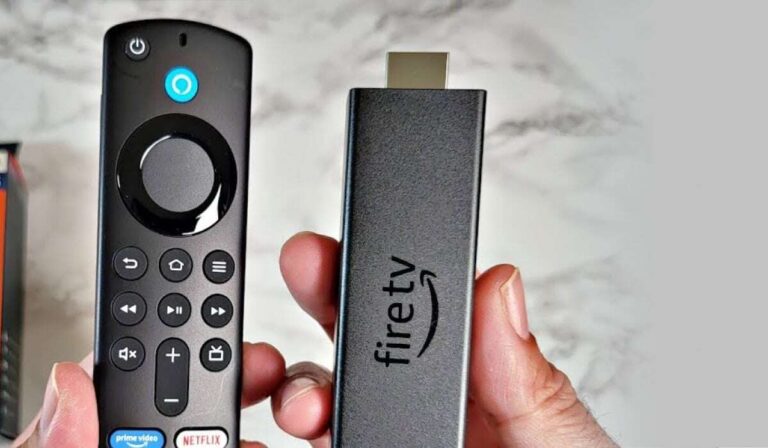
- Amazon Fire TV Stick: Download Crunchyroll from the Amazon Appstore. Good value and frequent updates.
- Apple TV: Use the App Store to get Crunchyroll and AirPlay features. Best for Apple ecosystems.
- Chromecast (standalone): Plug into HDMI and cast from mobile or Chrome.
Choose a device that fits your budget and ecosystem. I usually recommend a streaming stick for older Vizio TVs to get Crunchyroll on Vizio TV quickly.

Setup, login, and playback tips
Smooth playback depends on a few small things. I learned these the hard way when setting up Crunchyroll across living room TVs.
Key tips:
- Use a fast internet connection. Aim for 5–10 Mbps for HD and 15+ Mbps for 4K streams.
- Keep your Crunchyroll subscription active for ad-free and simulcast access.
- Update your TV or streaming device firmware before installing the app.
- Use an Ethernet cable for the TV if Wi-Fi is unstable.
If you plan to binge, enable the TV’s energy settings to prevent sleep during long sessions. These small changes help you get Crunchyroll on Vizio TV and keep it running well.

Troubleshooting common issues
You might hit errors. I have solved many of them while helping friends set up Crunchyroll. Here are fixes that work.
Problem and fixes:
- App not found: Update SmartCast or use an external device to get Crunchyroll on Vizio TV.
- Playback stutters: Switch to Ethernet or reduce other devices on Wi-Fi.
- Login failing: Reset password or use a browser to confirm credentials, then sign in on the TV.
- Casting not working: Restart the TV, phone, and router. Reconnect to the same network.
If nothing works, contact Vizio support and Crunchyroll support. Be ready with TV model and firmware versions. This speeds up the help you get to get Crunchyroll on Vizio TV.

Frequently Asked Questions of how to get crunchyroll on vizio tv
Is there a Crunchyroll app for Vizio SmartCast TVs?
Yes, some newer Vizio SmartCast models include the Crunchyroll app. If your model is older, app availability may be limited and you’ll need to cast or use an external device.
Can I cast Crunchyroll to my Vizio TV?
Yes, many Vizio TVs have Chromecast built-in. You can cast from the Crunchyroll mobile app or Chrome browser to get Crunchyroll on Vizio TV.
Does AirPlay work for Crunchyroll on Vizio TVs?
AirPlay works on compatible Vizio models. Use an iPhone, iPad, or Mac to AirPlay Crunchyroll content to your TV.
What if Crunchyroll is not available in the Vizio app store?
If the app is not available, use casting or buy a streaming stick like Roku or Fire TV to get Crunchyroll on Vizio TV.
Do I need a Crunchyroll subscription to watch on Vizio TV?
You can watch free with ads on Crunchyroll, but a subscription removes ads and unlocks simulcasts and higher-quality streams for the Vizio TV.
Conclusion
You have multiple reliable ways to get Crunchyroll on Vizio TV. Start by checking for a native SmartCast app, then try casting or AirPlay, and finally use an external streaming device if needed. Update firmware, use stable internet, and follow the simple steps above to fix most issues. Try one method today and enjoy anime on your Vizio TV. If this guide helped, subscribe for more setup tips or drop a comment about your Vizio model and I’ll help troubleshoot.

Jamie Lee is a seasoned tech analyst and writer at MyTechGrid.com, known for making the rapidly evolving world of technology accessible to all. Jamie’s work focuses on emerging technologies, product deep-dives, and industry trends—translating complex concepts into engaging, easy-to-understand content. When not researching the latest breakthroughs, Jamie enjoys exploring new tools, testing gadgets, and helping readers navigate the digital world with confidence.