You can check Airbnb for cameras by inspecting, scanning networks, and asking your host directly.
I’ve helped hundreds of travelers spot hidden devices and stay safe. This guide explains how to check if airbnb have cameras, step by step, with easy checks, tech tools, legal context, and real-world tips you can use today. Read on to learn clear, actionable methods so you can feel secure in any short-term rental.
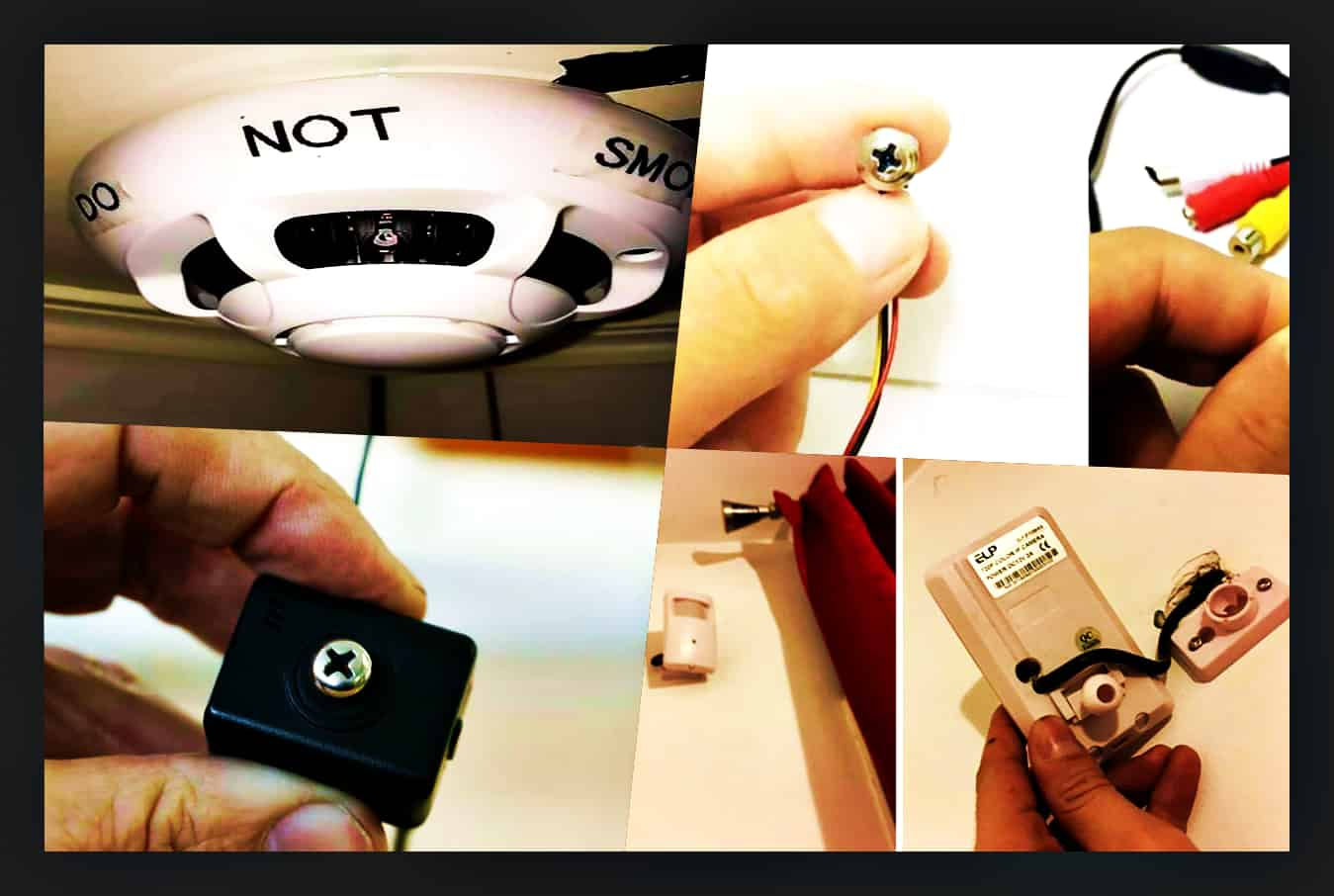
Why checking for cameras matters
Many guests worry about privacy in vacation rentals. Learning how to check if airbnb have cameras protects your privacy and peace of mind.
Hosts may use legitimate security devices in public areas, but private-space recording is not allowed. Knowing how to check if airbnb have cameras helps you spot problems early and respond confidently.

Airbnb policy and legal context
Airbnb policy bans hidden cameras in private spaces and requires hosts to disclose any visible cameras. Local laws also often prohibit recording in bedrooms and bathrooms. Understanding how to check if airbnb have cameras helps you enforce your rights if something is wrong.
If you find an undisclosed device, Airbnb policy and many local laws favor the guest. Keep calm and follow the steps below if you suspect a violation.

Step-by-step physical sweep to check for cameras
Follow a simple routine when you first enter a rental to check if airbnb have cameras. Move slowly and be methodical.
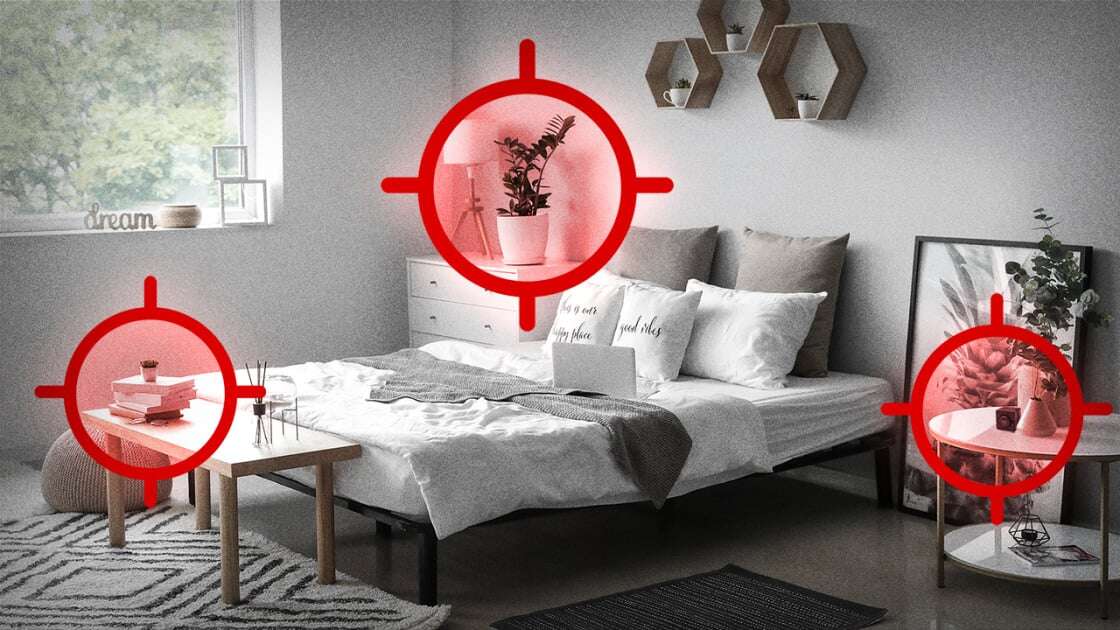
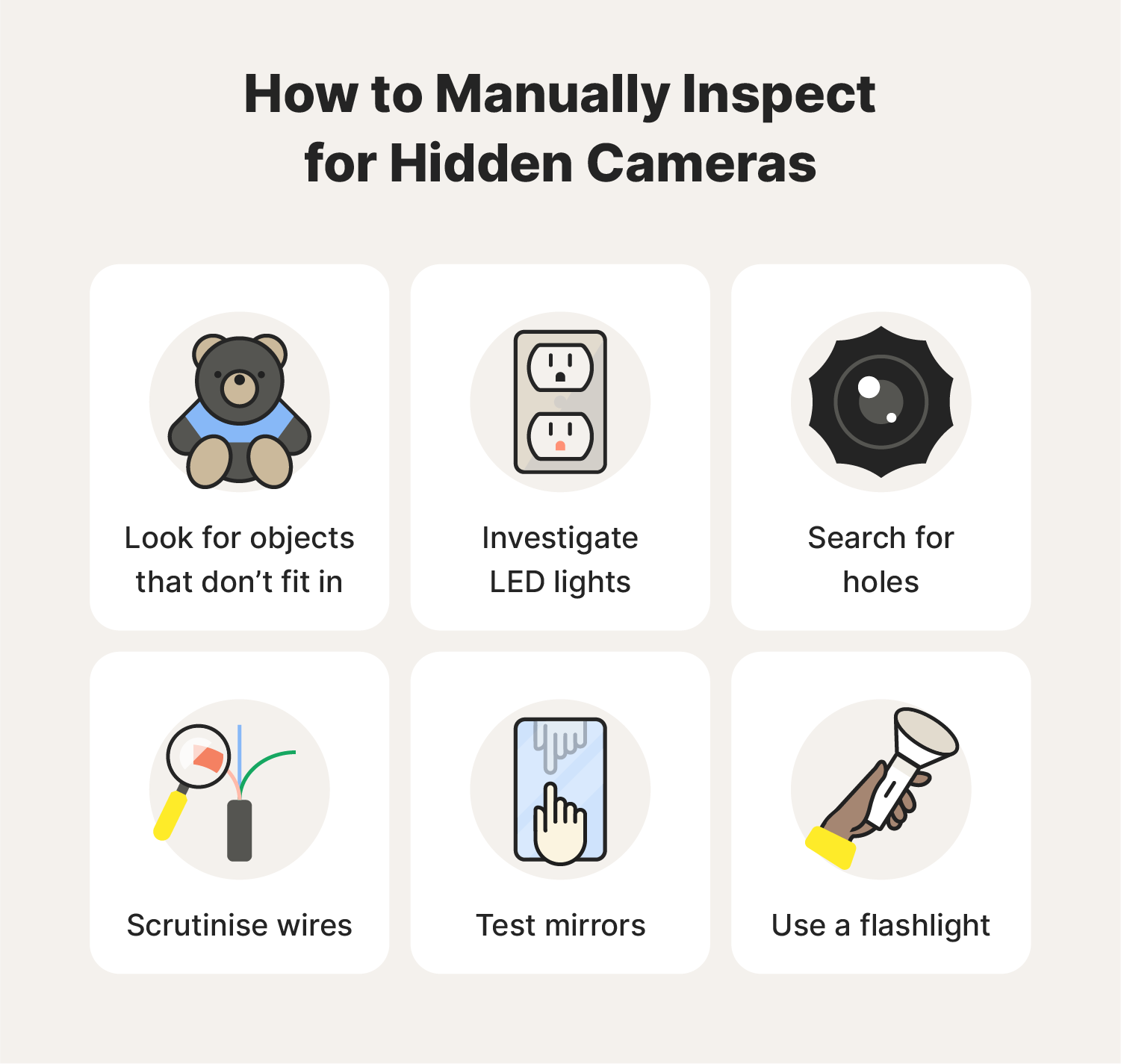
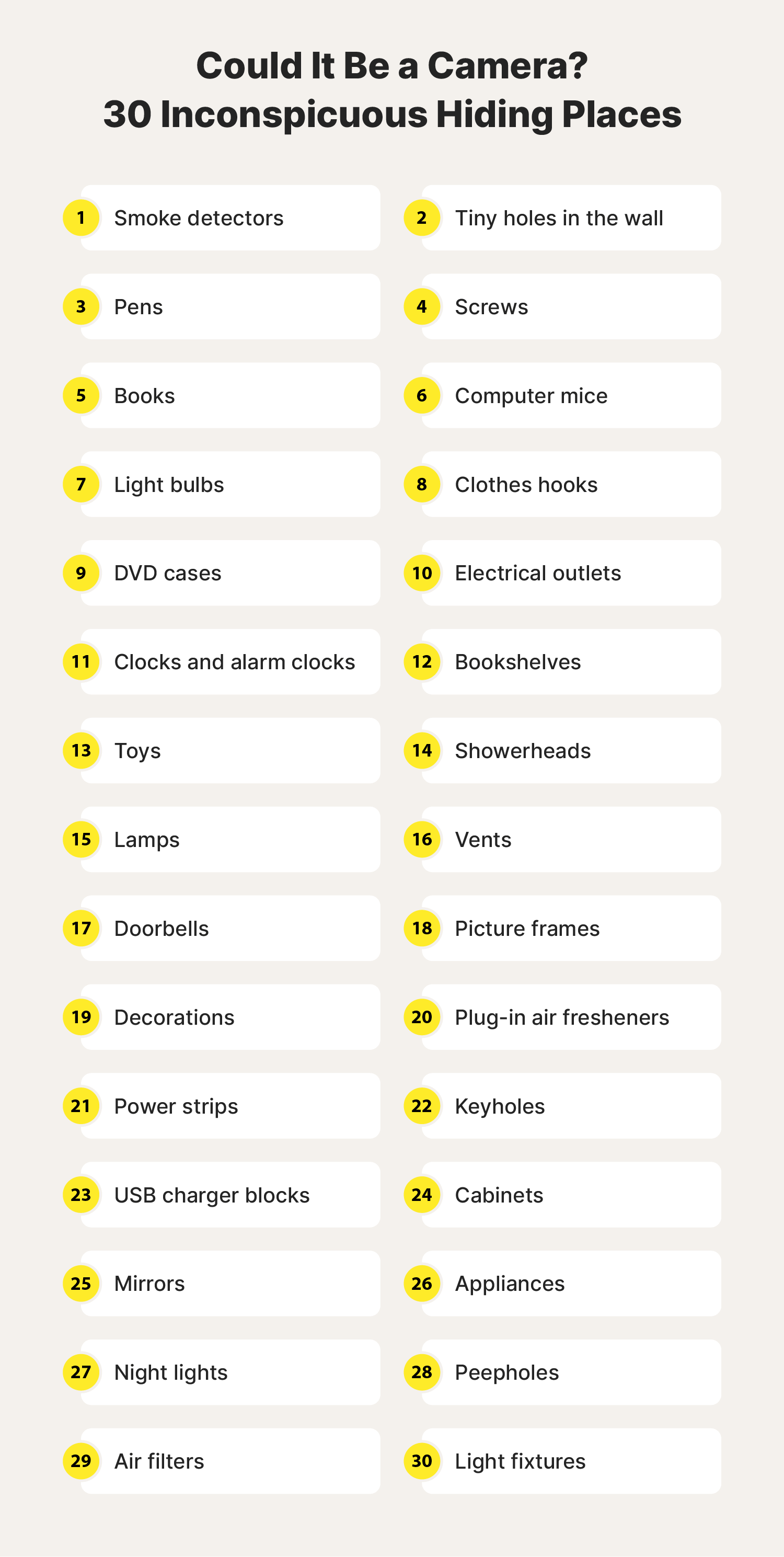
- Scan obvious spots first. Check smoke detectors, alarm clocks, lamps, mirrors, and power adapters.
- Inspect decor and electronics. Look at picture frames, stuffed toys, and speakers.
- Look for small holes or lenses. Cameras need a line of sight, so find tiny glass dots or pinholes.
- Check mirrors with the fingertip test. Place your finger on the mirror; if there’s a gap between your finger and reflection, it might be two-way glass.
- Turn lights off and use a flashlight. Shine at angles across shelves and appliances to reveal reflective lenses.
Do a second sweep of less obvious areas. Check behind curtains, inside vents, and in potted plants. Practicing this routine will make it normal and quick to check if airbnb have cameras.
Technical detection methods
Physical checks solve most problems. If you still suspect something, use these technical methods to check if airbnb have cameras.
- Use your phone camera in a dark room. Infrared LEDs on cameras often glow slightly in camera view. Scan corners and device faces slowly.
- Scan the Wi‑Fi network. Many IP cameras appear as unknown devices on the local network. Use a network scanner app to list devices.
- Use an RF detector. These find transmitters for wireless cameras. Sweep slowly around walls and furniture.
- Check Bluetooth listings. Some smart cameras use Bluetooth for setup and will show as nearby devices.
- Use a thermal camera or temperature sensor. Active electronics often show heat signatures behind objects.
Combine methods for best results. Technical checks complement physical inspection and help you be thorough when you need to verify how to check if airbnb have cameras.

What to do if you find a camera
Stay calm and document everything if you find an undisclosed camera. This helps protect you legally and with Airbnb.
- Photograph the device and its location. Capture context like room layout and nearby outlets.
- Record timestamps and any motion or recordings you notice. Time-stamped evidence is stronger.
- Contact the host immediately and ask for an explanation. Many issues are misunderstandings or misplacements.
- Report to Airbnb and local law enforcement if the host’s response is unsatisfactory or if the device invades privacy. Airbnb has a reporting process for surveillance concerns.
These steps help you resolve the issue and protect other guests when you report undisclosed devices and show how to check if airbnb have cameras responsibly.
Booking and prevention tips
You can reduce risk before you arrive by using smart booking habits that make it easier to check if airbnb have cameras.
- Read the listing carefully. Hosts must disclose monitoring devices and their location in the listing.
- Check reviews for privacy complaints. Past guests often mention hidden camera concerns.
- Message the host directly. Ask specific questions about cameras and monitoring before booking.
- Choose listings with verified hosts and clear policies. Verified hosts are less likely to violate rules.
- Arrive prepared. Carry a small flashlight and a phone with network scanner apps to quickly check if airbnb have cameras when you enter.
These habits make it simpler to spot problems and show proactive ways to check if airbnb have cameras.

Personal experience and lessons learned
I once stayed in a short-term rental that had a camera-like device in a living-room clock. I did a quick physical check and a Wi‑Fi scan, which flagged an unfamiliar device. I reported it, documented photos, and left after speaking with the host. Airbnb refunded the night, and the host removed the device.
Lesson learned: trust your instincts and document evidence. Small tools and a short routine can save you from long privacy headaches. When I teach others how to check if airbnb have cameras, I emphasize calm documentation and escalation steps.

Frequently Asked Questions of how to check if airbnb have cameras
How can I quickly tell if there are cameras when I first enter a rental?
Do a visual sweep of common hiding spots: clocks, lights, mirrors, and decor. Use your phone camera in a dark room to look for infrared glow and scan the Wi‑Fi network for unknown devices.
Is it legal for hosts to have cameras in Airbnb rentals?
Hosts can have cameras in public areas if disclosed, but cameras in private areas like bedrooms and bathrooms are typically illegal and against Airbnb policy. Check local laws and Airbnb rules for specifics.
What apps help detect hidden cameras in a rental?
Network scanner apps, Bluetooth scanners, and Wi‑Fi device detectors are useful. RF detector apps paired with a hardware RF detector can find wireless transmitters more reliably.
Should I confront the host if I find a hidden camera?
First document the device with photos and timestamps, then ask the host for an explanation calmly. If you’re not satisfied, report to Airbnb and local authorities as needed.
Can physical checks catch all hidden cameras?
Physical checks catch most devices, but some cameras are well-hidden or wired. Combining physical, visual, and technical checks gives the best chance to find hidden devices.
Conclusion
You can protect your privacy by learning how to check if airbnb have cameras with simple routines, tech tools, and smart booking habits. Do a methodical sweep, use network and RF checks when needed, and document any concerns calmly and clearly. Take action if you find a device: report, document, and escalate to Airbnb or local authorities.
Start using these checks on your next trip to travel with confidence. If this guide helped, try the quick routine on your next stay and share your experience or questions in the comments.

Everett Ashford is a tech reviewer at mytechgrid.com specializing in SSDs, cameras, TVs, earbuds, headphones, and other consumer electronics. He provides honest, data-driven reviews based on hands-on testing and real-world performance analysis. Everett simplifies complex tech details to help readers make smart, confident buying decisions.