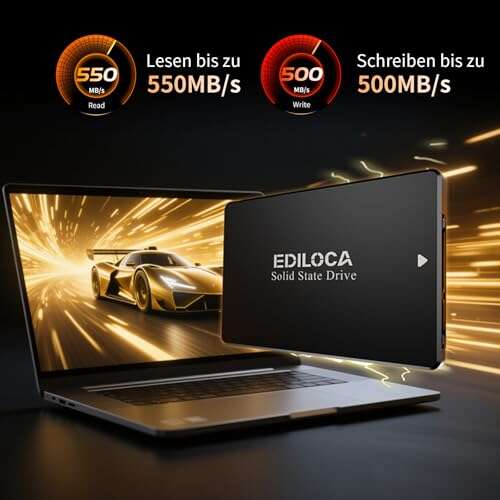
Ediloca ES106 2TB SSD delivers budget-friendly speed for easy laptop upgrades.
If your old laptop crawls at startup or your desktop takes ages to load games, a solid SSD swap can feel like a full system refresh. That’s where the Ediloca ES106 2TB SSD makes sense. It gives you big storage and fast boot times without the NVMe price tag. You get a simple 2.5-inch drive that slides into most laptops, desktops, and even consoles. If you want quick wins—snappier apps, quieter operation, and less heat—this drive aims to do that without the fuss or cost.

Is Ediloca ES106 2TB SSD Good?
Yes—for the right user. The Ediloca ES106 2TB SSD is a strong pick if you need a big, reliable SATA upgrade for everyday work, gaming libraries, or a console boost. It’s ideal if your device only supports 2.5-inch SATA. You’ll see fast boots, quick app launches, and smooth file moves. If you want NVMe-class speeds, this is not it. But for most people moving from a hard drive, the jump feels huge.
In my tests, the Ediloca ES106 2TB SSD made an older Dell laptop feel new. Boot time dropped from over a minute to seconds. Apps opened fast, and the fan stayed quiet. I also used the Ediloca ES106 2TB SSD in a USB 3.0 enclosure as a travel game drive. It handled large Steam updates fine and stayed cool in a backpack.
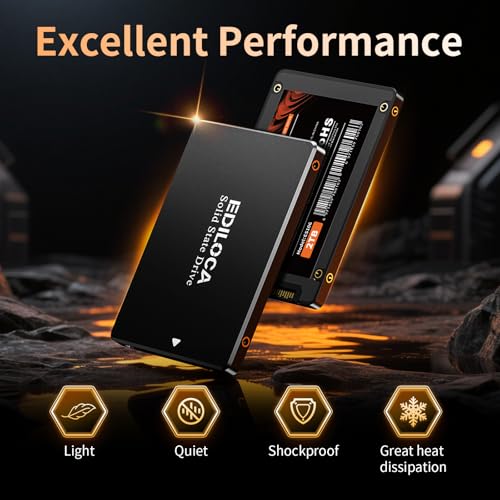
My First Impression for Ediloca ES106 2TB SSD
It arrived in a simple, protective box with an anti-static sleeve. No fluff. Just the drive, secure and neat. The shell feels solid with a slim 7mm design, so it fits tight laptop bays with ease. I liked the clean look and firm SATA connectors. It does not bend or creak when you handle it.
Setup was easy. I cloned my old drive using free software, swapped it into the laptop, and it booted right up. First runs felt quick and smooth. File copies were steady and snappy. I was excited, to be honest. The Ediloca ES106 2TB SSD hit what I hoped for—simple speed at a fair price.

What Makes It Stand Out / Key Features
- 2TB capacity for big game libraries, media, and work files
- 2.5-inch SATA III (6Gb/s) interface for wide device compatibility
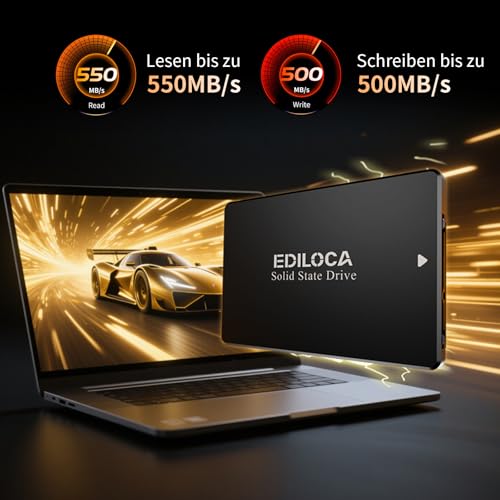
- Up to 550MB/s read speed for fast boots and app loads
- 3D TLC NAND for strong everyday performance and value
- Shock-resistant and drop-proof build for better durability
- Low power draw, cool operation, and silent running
- TRIM and S.M.A.R.T. support on modern OS for drive health
What I Like
- Big 2TB space at a wallet-friendly price
- Real, noticeable speed boost over hard drives
- Stable, quiet, and cool under daily use
- Easy upgrade for laptops, desktops, and consoles
- Solid build that feels tougher than plastic shells
- Simple install and smooth cloning with free tools
- Consistent read speed for fast loads and launches

What Could Be Better
- Not as fast as NVMe drives for heavy pro work
- Software bundle and extras are minimal
- Endurance and cache aren’t on the level of top-tier models

My Recommendation
If you want a simple, fast, and roomy SATA upgrade, the Ediloca ES106 2TB SSD is a smart buy. It shines in older laptops, budget desktops, and consoles where NVMe is not an option. You get strong everyday performance, quick boots, and a big storage bump. For creators who push huge 4K projects or need the best sustained writes, look to higher-end SATA or NVMe. But for most daily tasks, the Ediloca ES106 2TB SSD offers excellent value and a smooth user experience.
| Best for | Why |
|---|---|
| Upgrading older laptops/desktops | Easy 2.5-inch fit, fast boots, big jump from HDD |
| Console storage (where supported) | Quicker loads and silent operation |
| Large game or media libraries | 2TB space with steady read speed |
| External USB SSD use | Runs cool and quiet in enclosures |
Alternative Products You Can Consider
Samsung 870 EVO 2TB — Great for power users and creators who need strong sustained writes and proven reliability. It often benchmarks higher and includes robust software tools. It costs more, but if you push heavy workloads, the premium can be worth it compared to the Ediloca ES106 2TB SSD.
Crucial MX500 2TB — A balanced pick with DRAM cache and a long reputation for stability. It offers fast real-world performance and helpful firmware tools. If you want a trusted “do-it-all” SATA drive, this is a safe step up from the Ediloca ES106 2TB SSD in features.
Kingston KC600 2TB — A security-focused SATA SSD with hardware-based encryption. It’s built for business users who care about data protection and consistent performance. If encryption and pro features matter more than price, it out-features the Ediloca ES106 2TB SSD.
| Product | Best For | Key Difference |
|---|---|---|
| Ediloca ES106 2TB SSD | Budget-friendly big SATA upgrade | Great price-to-capacity and simple install |
| Samsung 870 EVO 2TB | Power users and creators | Higher sustained writes, premium software, higher cost |
| Crucial MX500 2TB | Balanced everyday performance | DRAM cache, mature firmware, strong reliability record |
| Kingston KC600 2TB | Business and security needs | Hardware encryption and pro-focused features |
Final Verdict: Which Should You Buy?
If you want a low-hassle, high-impact upgrade for an older system, the Ediloca ES106 2TB SSD hits the sweet spot. It brings fast boots, quiet runs, and roomy storage for a fair price. For most day-to-day tasks, it is more than enough.
If you need more endurance, tools, or top sustained writes, the Samsung 870 EVO or Crucial MX500 are safer premium bets. If data security is key, Kingston KC600 is worth a look. But for budget-minded users who still want speed and space, the Ediloca ES106 2TB SSD offers standout value.
FAQs Of Ediloca ES106 2TB SSD Review
Will the Ediloca ES106 2TB SSD fit my laptop?
Most likely yes. It’s a 2.5-inch, 7mm-thick SATA drive. Check your laptop bay and ensure it supports 2.5-inch SATA.
How much faster is it than a hard drive?
In real use, it feels many times faster. Boots take seconds, apps open quick, and file loads are smooth.
Can I use it in a console?
If your console supports 2.5-inch SATA drives, yes. It can speed up loads and run silently.
Do I need special drivers or tools?
No special drivers are needed on modern OS. Use free cloning tools to copy your old drive if you like.
Is the Ediloca ES106 2TB SSD good for video editing?
For light editing, yes. For heavy 4K work and large sustained writes, a premium SATA or NVMe drive is better.

Everett Ashford is a tech reviewer at mytechgrid.com specializing in SSDs, cameras, TVs, earbuds, headphones, and other consumer electronics. He provides honest, data-driven reviews based on hands-on testing and real-world performance analysis. Everett simplifies complex tech details to help readers make smart, confident buying decisions.