Charge Skullcandy earbuds by placing them in the case and plugging the included USB cable into power.
I’ve spent years testing earbuds and solving charging issues, so I’ll walk you through exactly how to charge Skullcandy earbuds safely and quickly. This guide covers every step, model differences, charging tips, and troubleshooting so you can keep your earbuds ready without guesswork.
Which Skullcandy models and charging methods to expect
Skullcandy makes a range of true wireless and wired earbuds. Most true wireless models use a charging case that charges the buds and holds extra battery. Some newer Skullcandy cases support wireless charging pads. Wired and neckband models charge directly with a USB cable.
Common model charging styles:
- Charging case only: True wireless models like Sesh, Indy, and Dime sit in the case to charge.
- Case with wireless pad support: Select models allow Qi wireless charging for the case.
- Direct USB charge: Neckband or wired Skullcandy earbuds use a USB-C or micro-USB port.
Knowing your model tells you whether you need the cable, the charging case, or a wireless pad. If unsure, check the small port on the case or earbud and the LED behavior to confirm how to charge Skullcandy earbuds for your unit.

Step-by-step: how to charge skullcandy earbuds
Follow these clear steps to charge Skullcandy earbuds reliably.
- Inspect the case and earbuds
- Make sure charging contacts are clean and dry.
- Remove any debris that might block the pins.
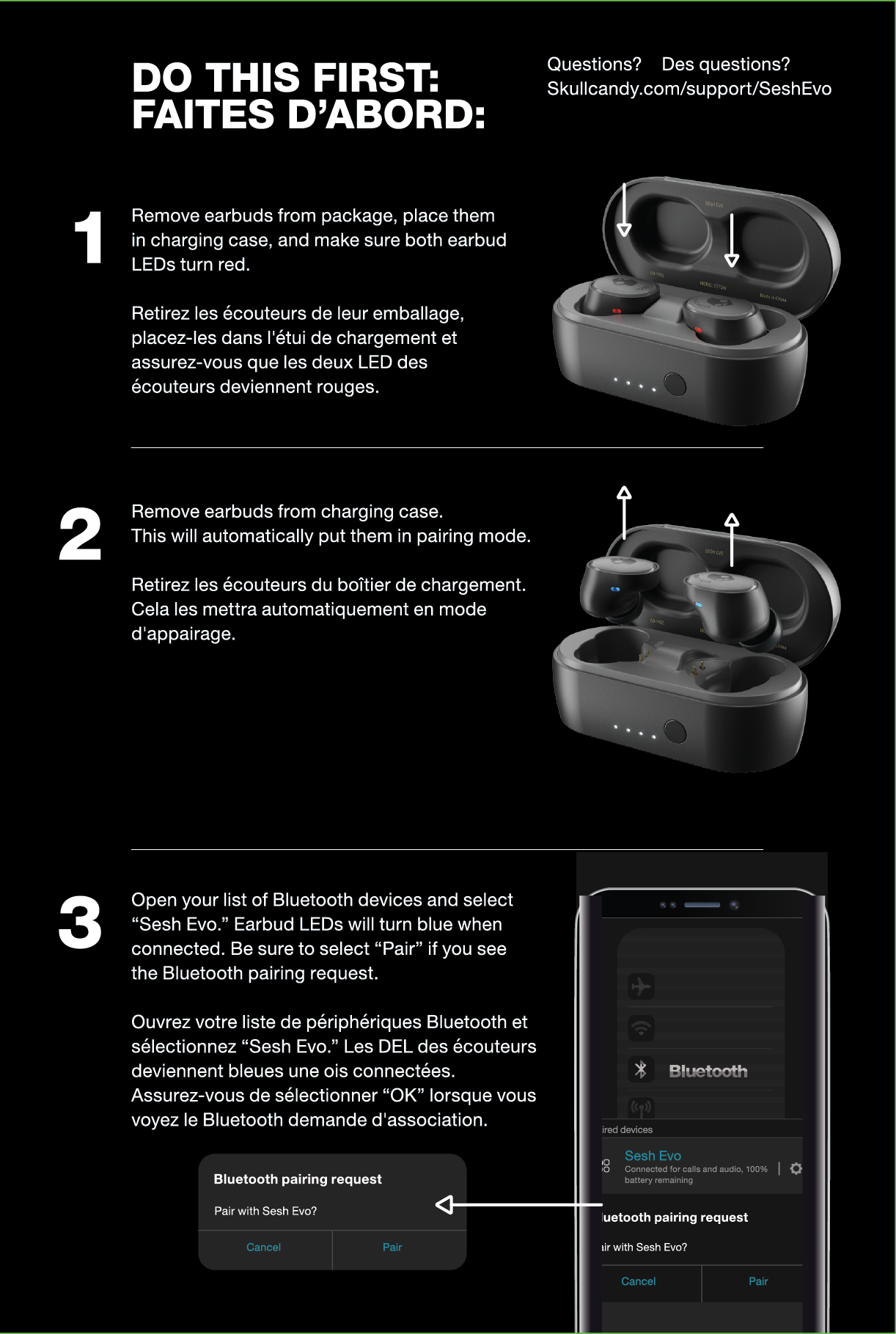
- Place earbuds in the case
- Align each earbud with its slot. You should feel a gentle magnet pull.
- Confirm LEDs on the earbuds or case light up to show charging.
- Connect the charging cable
- Use the included USB cable. Plug the small end into the case and the other end into a USB power source.
- Use a wall adapter or powered USB port for faster, stable charging.
- Optional: use wireless charging
- If your case supports wireless charging, place the case on a Qi pad with the logo or LED facing up.
- Check the case LED to confirm it’s charging.
- Wait for a full charge
- Most cases and earbuds reach a full charge in about 1 to 2 hours for earbuds, and 2 to 4 hours for the case.
- Leave them in the case until the LEDs indicate full battery.
- Remove and pair if needed
- Remove earbuds when fully charged. They may reconnect automatically to paired devices. If they don’t, open Bluetooth settings and select the Skullcandy device.
A few extra notes about how to charge skullcandy earbuds:
- Use the original cable when possible.
- Avoid high-watt fast chargers that may not match the case charging circuit.
Charging tips, best practices, and battery care
Good battery habits extend lifespan and keep performance steady. I learned these tips after replacing a pair prematurely.
- Charge regularly
- Keep the case topped up. Frequent short charges are better than full drains.
- Avoid extreme temperatures
- Charge and store between 32°F and 95°F. Heat and cold harm lithium batteries.
- Don’t leave dead for months
- If you won’t use them, charge to about 50% and store the case in a cool place.
- Use correct cables and adapters
– Cheap cables may slow charging or cause connection issues. - Clean contacts gently
- Use a soft brush or cotton swab with isopropyl alcohol if needed. Let dry before charging.
Practical advice from experience: I once charged earbuds overnight on a cheap QC charger and noticed faster battery wear. Stick to stable 5V sources or the charger provided. These small habits help when you want to know how to charge skullcandy earbuds without damaging them.

Troubleshooting common charging problems
If your Skullcandy earbuds or case won’t charge, troubleshoot with these steps.
Symptom: earbuds won’t charge in case
- Check alignment and contacts for dirt. Clean and reseat the earbuds.
- Verify the case has power. Plug it into a known good USB port or wall adapter.
Symptom: case won’t charge
- Confirm the cable and adapter work with another device.
- Inspect the charging port for lint or damage.
- Try a different cable of the correct type (USB-C or micro-USB).
Symptom: slow charging or intermittent LEDs
- Use a higher-quality USB wall adapter. Avoid low-power ports like some laptops.
- Restart charging by unplugging and reconnecting after 10 seconds.
If none of these steps fix the problem, your battery or charging circuitry might be faulty. Contact Skullcandy support or a reputable repair service for diagnosis. I’ve had one case replaced under warranty after following the above checks.

Quick, common questions (PAA-style)
Do I need the Skullcandy case to charge the earbuds?
Yes. For true wireless models, the case supplies power to the earbuds. The earbuds will not charge without the case unless they have a separate charging port.
Can I use a wireless charging pad for the case?
If your Skullcandy case supports Qi wireless charging, you can use a Qi pad. Confirm by checking the manual or case markings before placing it on a pad.
How long does it take to fully charge the earbuds and case?
Earbuds usually charge in 1 to 2 hours. The case can take 2 to 4 hours depending on its size and power source.

Frequently Asked Questions of how to charge skullcandy earbuds
How do I know when my Skullcandy earbuds are fully charged?
Most models show an LED color change. The case or earbuds often turn solid green or stop flashing. Check your model guide for the exact LED meaning.
Can I charge Skullcandy earbuds with any USB charger?
You can use most USB chargers that output 5V. Avoid high-voltage fast chargers unless specified by Skullcandy. Use the original cable when possible.
Why are my earbuds not charging even though the case is plugged in?
Check for dirty contacts, misaligned earbuds, or a faulty cable. Try a different USB port or adapter to rule out power source issues.
Is it bad to leave Skullcandy earbuds in the case while it charges?
No. The case is designed to charge earbuds in place. It’s safe to leave them in while the case charges, but avoid leaving them plugged in for months at full charge.
Can you charge Skullcandy earbuds wirelessly?
Some Skullcandy cases support wireless Qi charging. If your model supports it, place the case on a Qi pad and verify the LED indicator shows charging.
What is a safe charging temperature for Skullcandy earbuds?
Charge and store between 32°F and 95°F. Charging outside this range can permanently reduce battery capacity.
How often should I charge my Skullcandy earbuds?
Charge based on use. Topping up frequently is fine. Aim to avoid full deep discharges regularly to prolong battery life.
Conclusion
You now have a clear, practical plan for how to charge Skullcandy earbuds, from identifying your model’s method to routine care and troubleshooting. Start by using the correct cable, keeping contacts clean, and following the LED cues. Apply these steps and your earbuds will stay ready for music, calls, and workouts.
Try the tips today: clean your case, use the right charger, and do one full charge cycle to calibrate the battery. If this guide helped, leave a comment or subscribe for more practical tips on everyday tech.

Everett Ashford is a tech reviewer at mytechgrid.com specializing in SSDs, cameras, TVs, earbuds, headphones, and other consumer electronics. He provides honest, data-driven reviews based on hands-on testing and real-world performance analysis. Everett simplifies complex tech details to help readers make smart, confident buying decisions.